Posts tagged with "REST"

REST API clients

REST API clients

REST API's are increasingly important for Web developers.

There are a wide variety of tools that assist developers with accessing, creating, testing and documenting testing REST API's.

The following examples will use Transport For London (TFL)'s report on the current air quality in London. This REST API does not require authentication and returns a manageable amount of data.

The endpoint for this REST API is: https://api.tfl.gov.uk/AirQuality/

Web browsers

As a REST API is simply a URL, the most obvious 1 candidate to access a (simple) REST API is simply, err, a Web browser.

If you just want to quickly check the endpoint is correct, currently accessible and examine the data returned, this may be adequate as a sanity check.

Firefox

Mozilla Firefox can display and format the JSON data returned by a REST API call.

There are options to display the raw data and the headers.
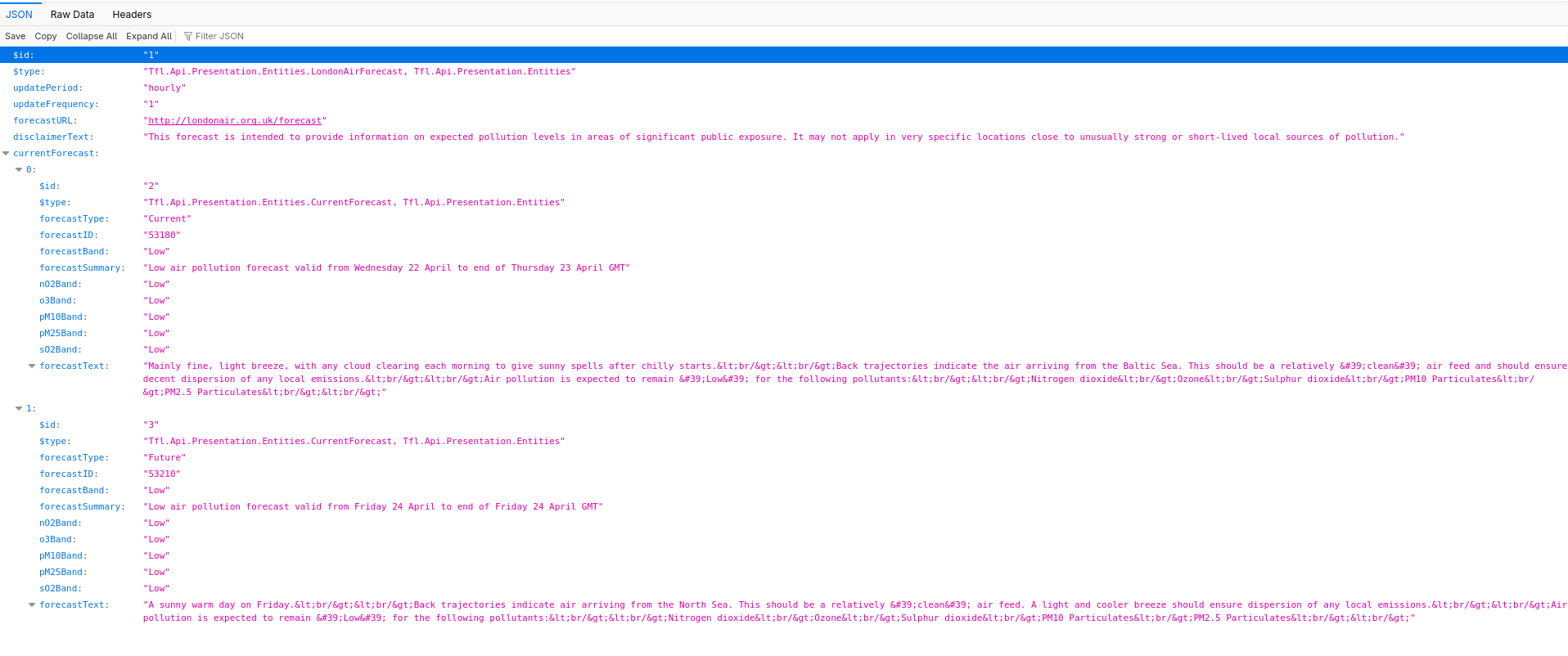
Air Quality - Firefox

Add-Ons

If you need more flexibility or just curious, there are a couple of Firefox add-ons available.

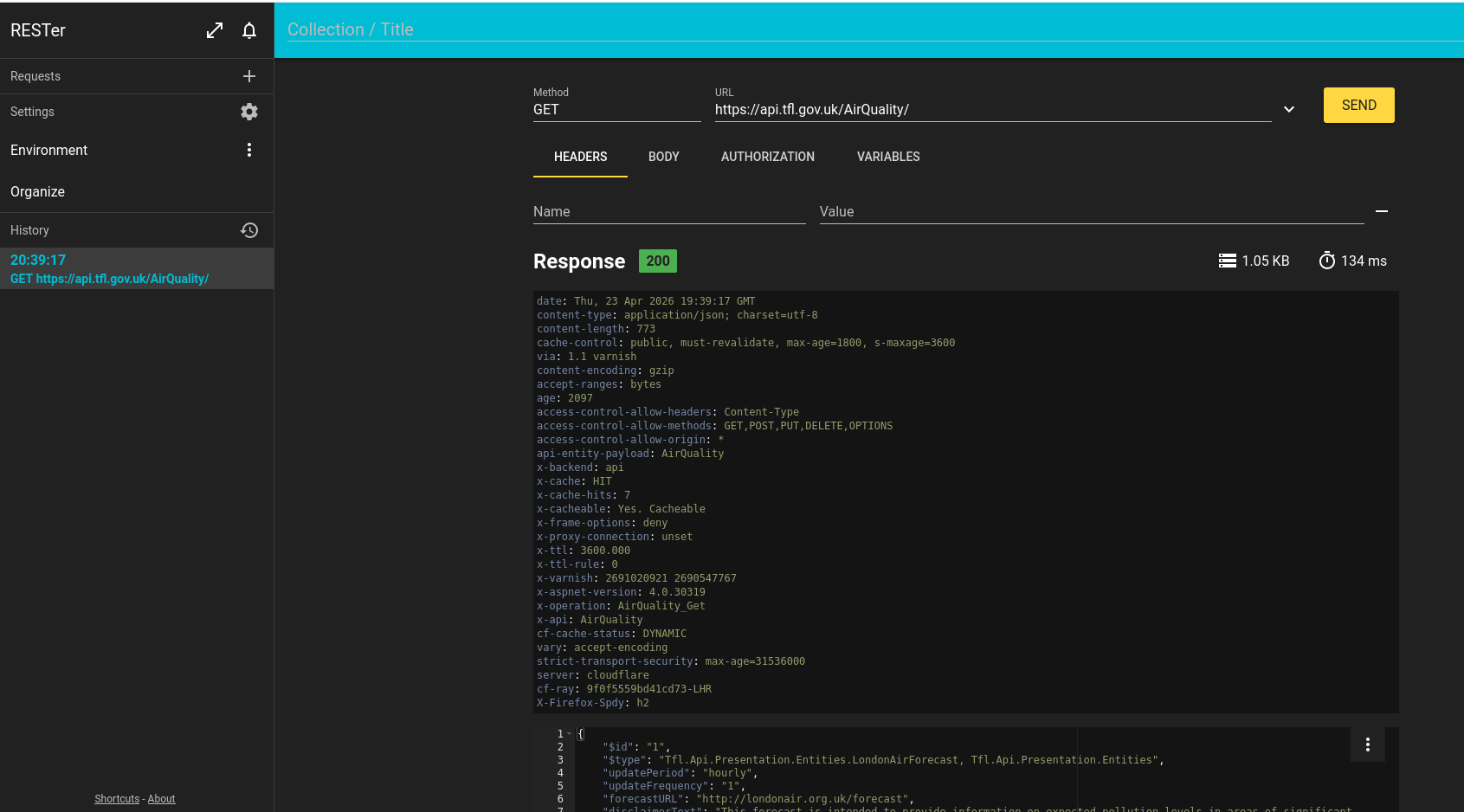
RESTer

RESTer is a Firefox add-on providing a REST API client.

Specify the following parameter values:

Air Quality Firefox RESTer

RESTED

RESTED is another Firefox add-on with similar functionality.
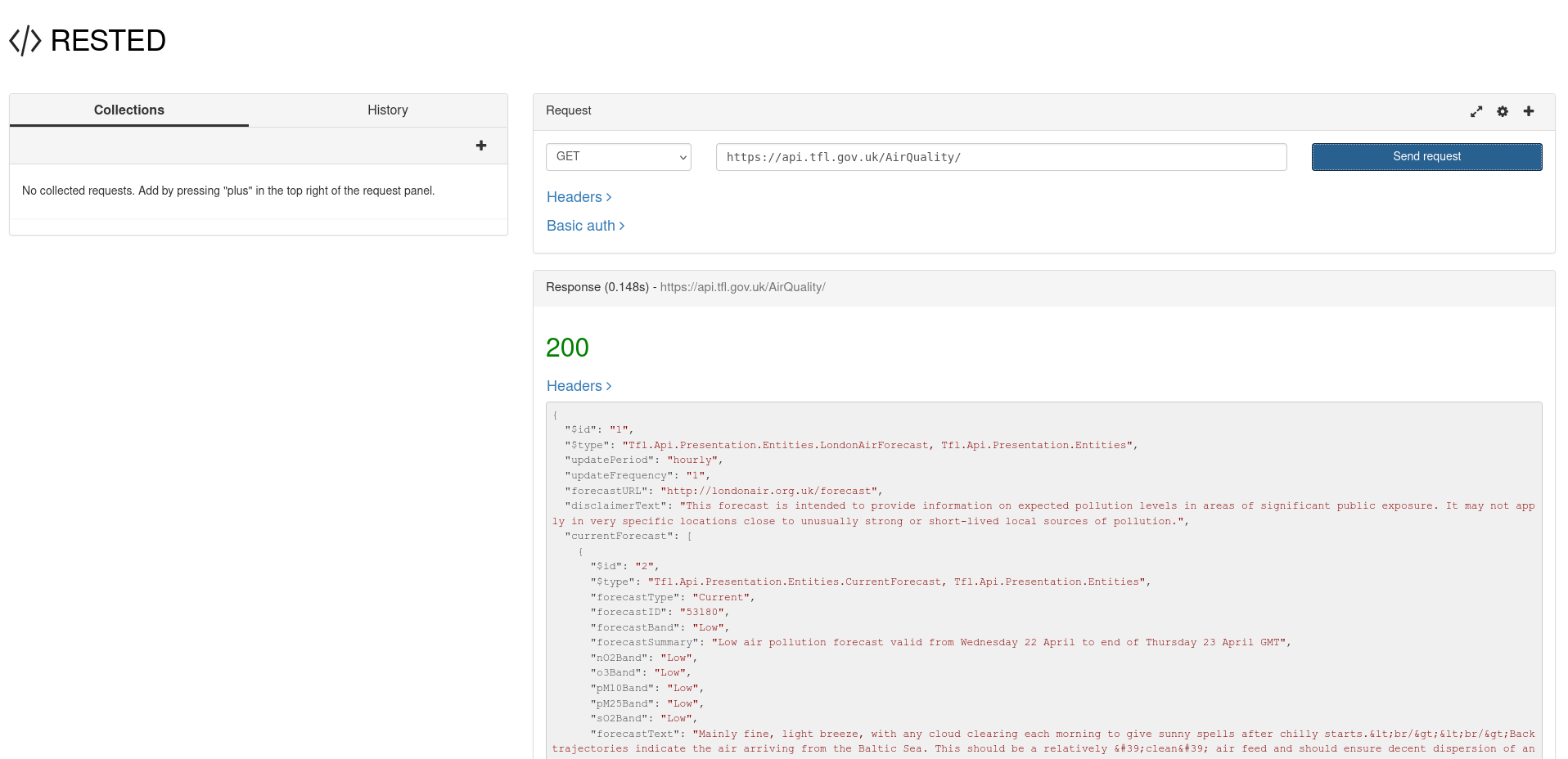
Air Quality Firefox RESTED

Chrome

Out of the box, the JSON displayed by Chrome isn't as readable and user friendly as Firefox as it's just a wall of text with no formatting. That's OK for a computer program but not so good for a human.

Air Quality Chrome

However, you can use the 'Pretty Print' option.
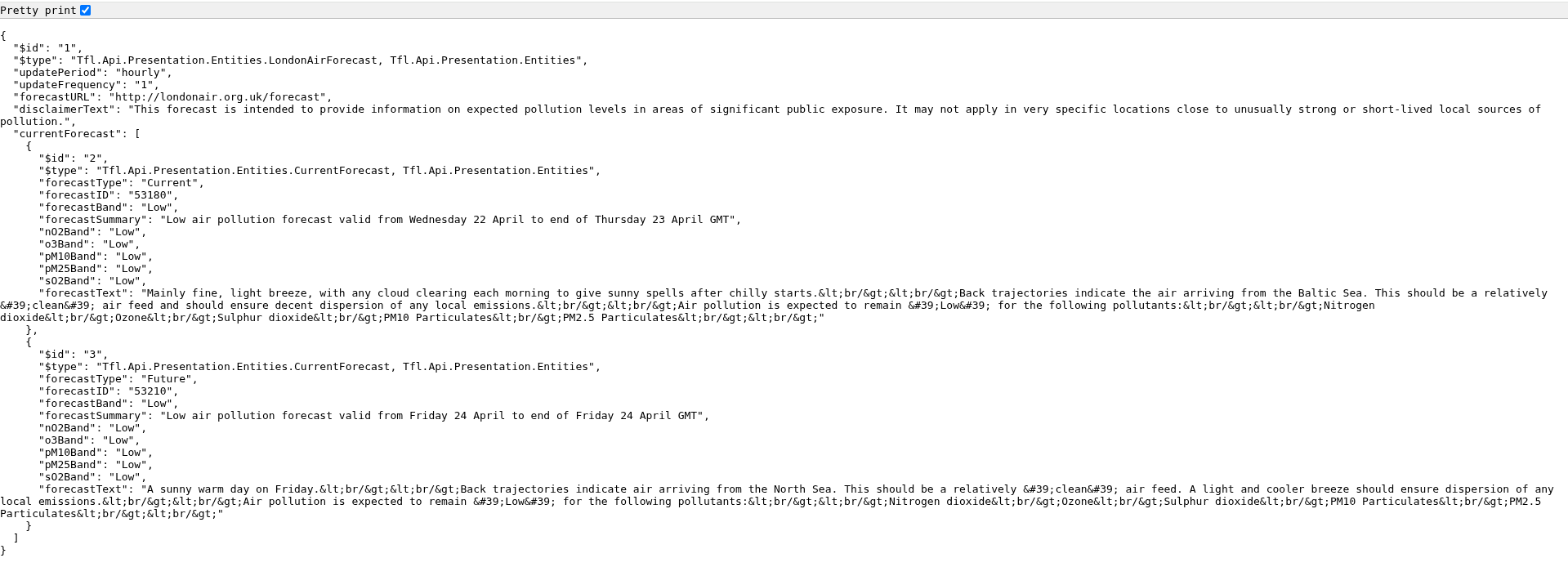
Air Quality Chrome Pretty Print

Alternatively, install the Chrome JSONVue extension which displays the JSON data in a more useful format.
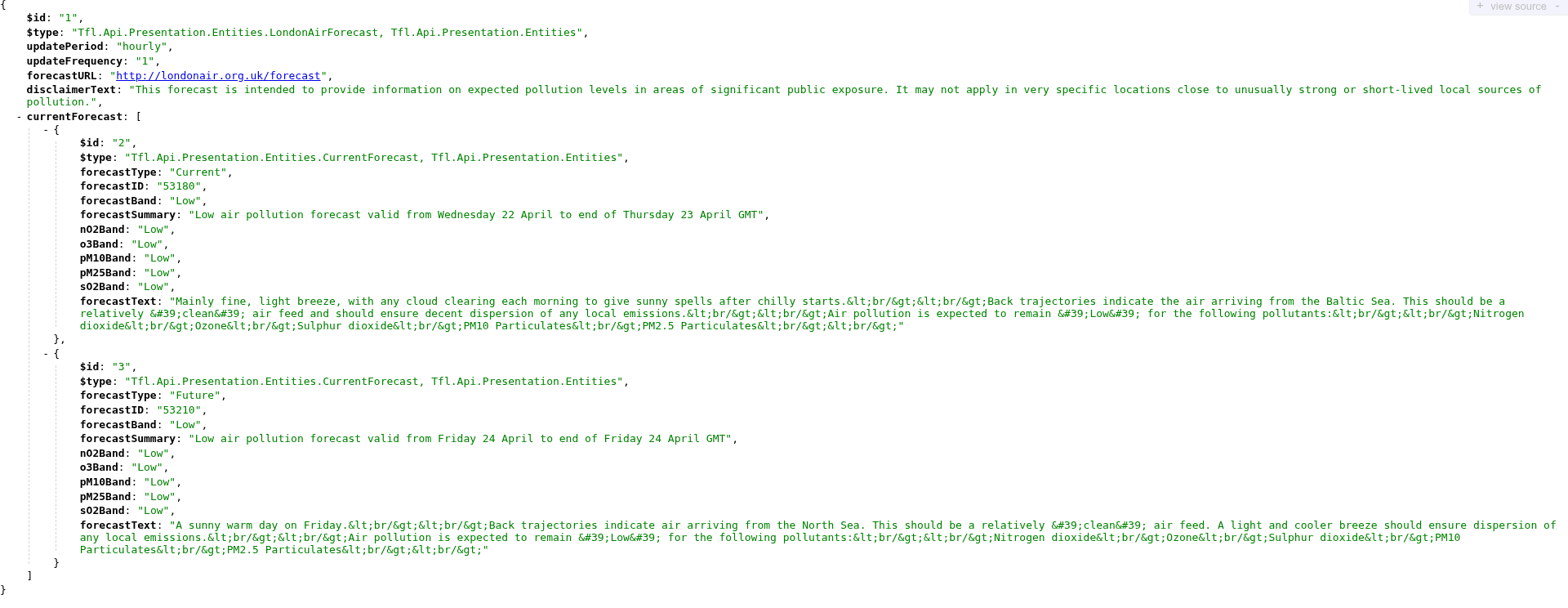
Air Quality Chrome JSONVue

There are also a number of Web sites that display a JSON stream into a readable format with a variety of formatting options.

For example, you can copy/paste the raw Chrome text output into JSON formatter to display the data in a more readable format.
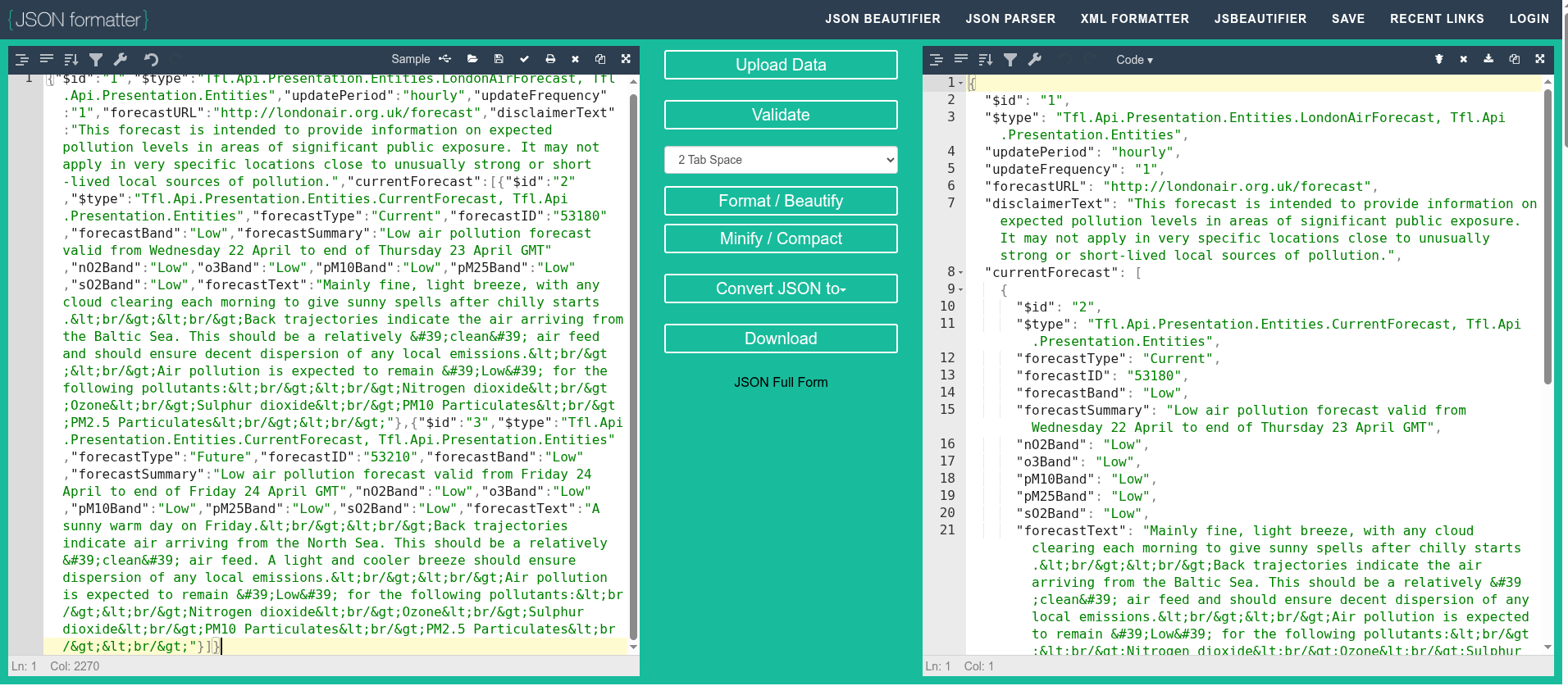
Air Quality JSON formatter

Extensions

REST Client

REST Client is a Chrome extension to test REST API's.
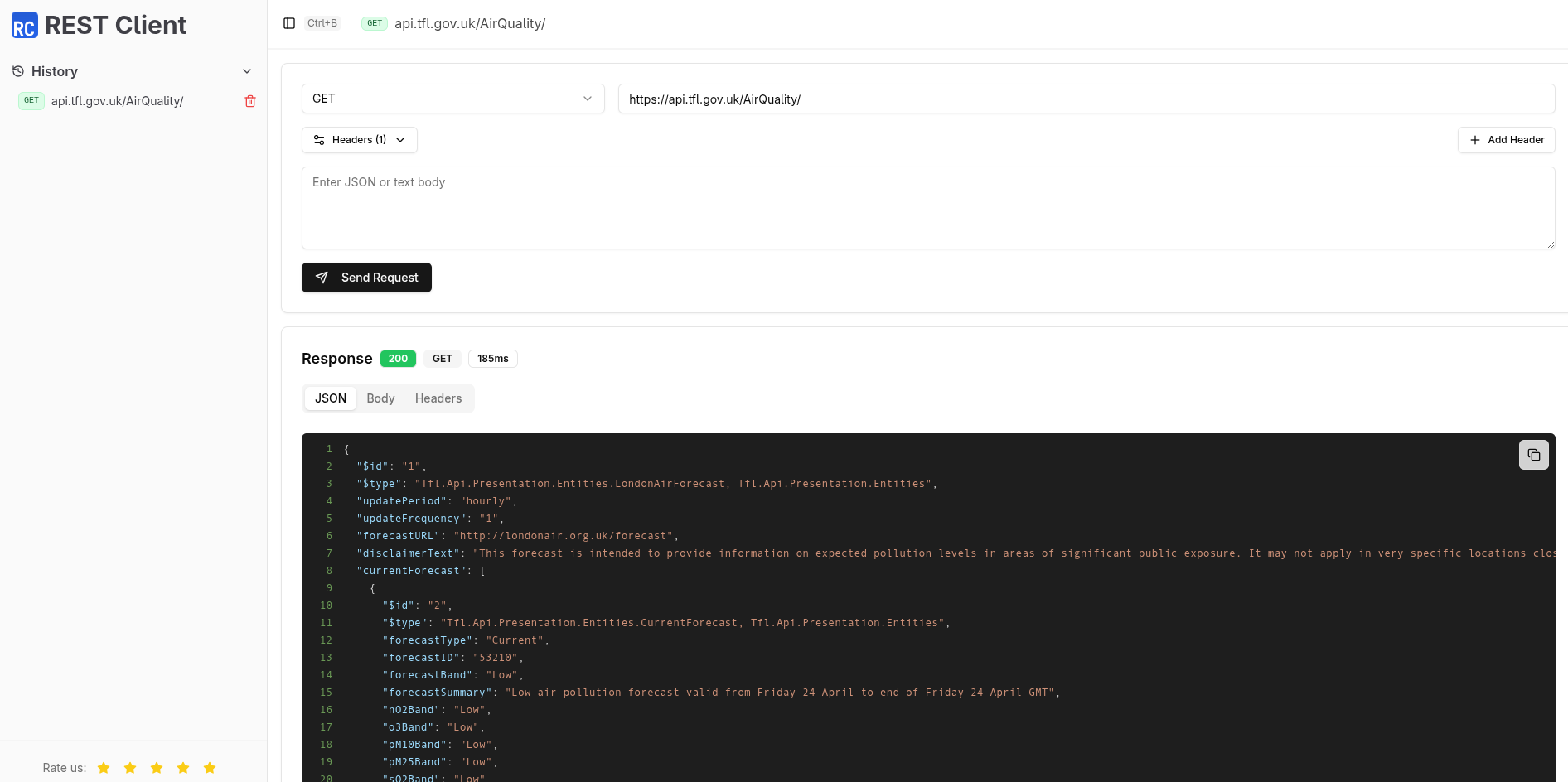
Air Quality Chrome REST
Client

Talend

Talend offers a commercial product together with a free Chrome extension that may suffice for simple requirements.
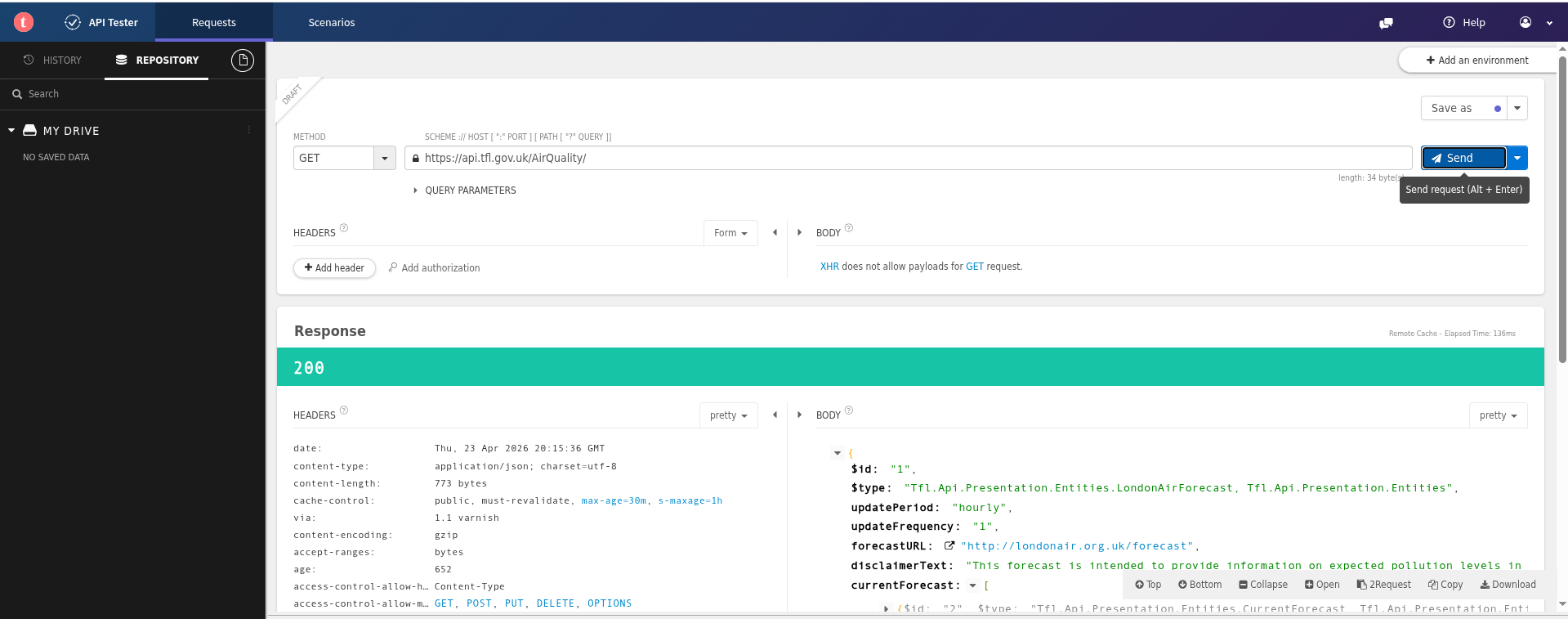
Air Quality Chrome Talend

Applications

Postman

Postman is a very popular desktop REST API application and includes team working, workspaces, Git support, AI integration, data driven testing and many other features. There is a free plan available for individuals.

Postman is available on the Web and there are native applications for Windows, Linux and macOS.
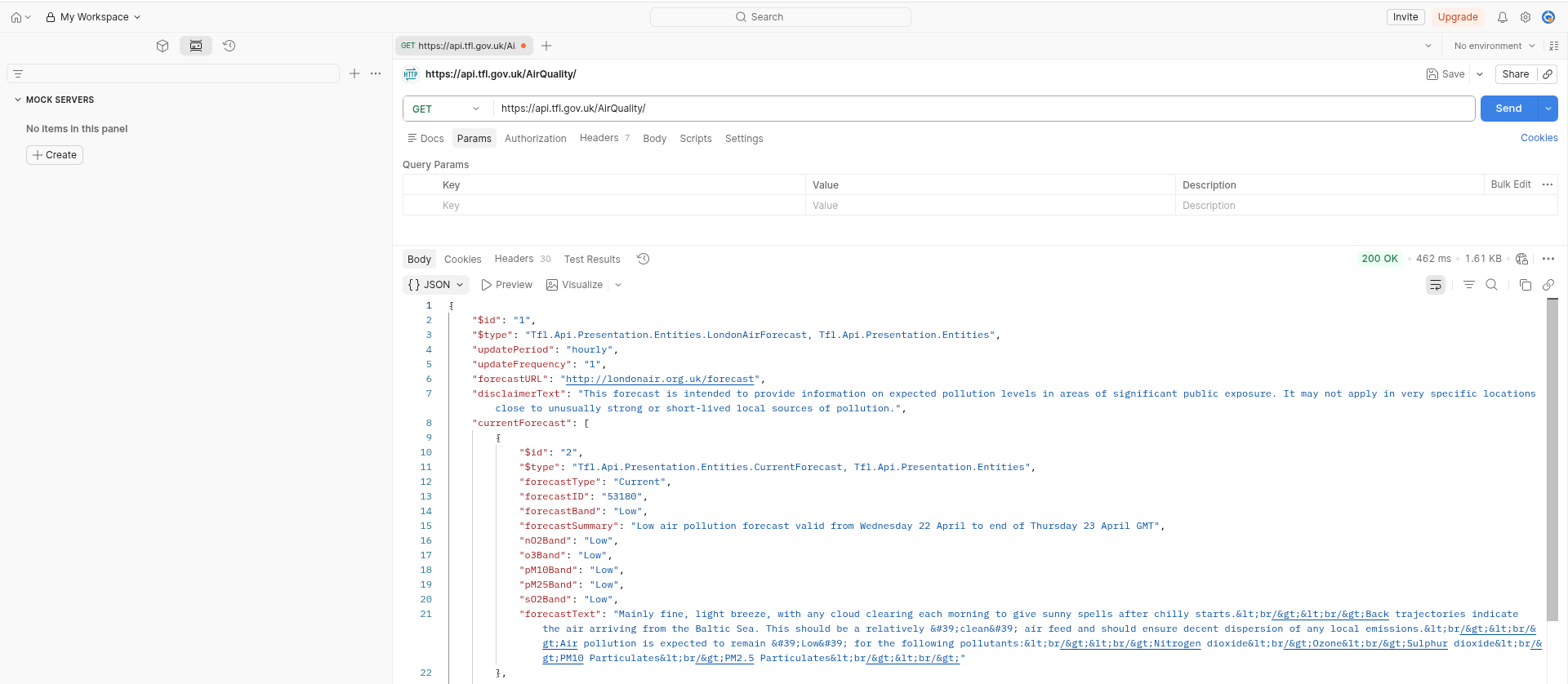
Air Quality Postman Web

Postman is useful as many sites offering REST API's also include a pre-built Postman collection that you can import and experiment with.

Personally, I find the Postman Web site very busy and cluttered which is overkill for my simple requirements. Postman also requires that you sign up for an account.

Postman offers a native Linux application which is 375MB (on Arch Linux).
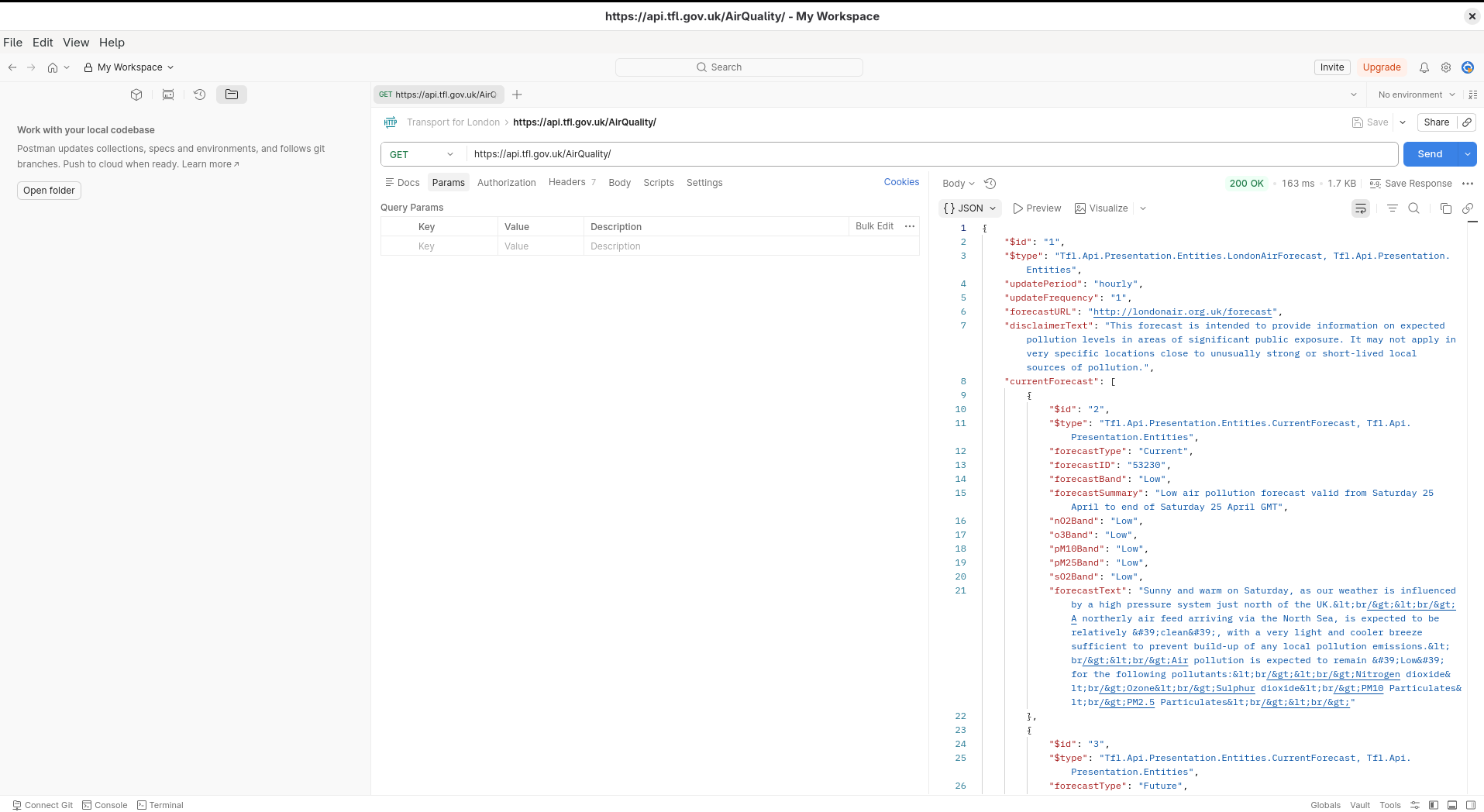
Air Quality Postman App

Curl

curl is a open source command line utility for testing REST API's which is universally available (Linux, Windows, MacOS).

You can find out whether curl is installed and, if so, which version using the following command. It's worth checking you are using a recent version of the software.

$ curl --version
curl 8.19.0 (x86_64-pc-linux-gnu) libcurl/8.19.0 OpenSSL/3.6.2
  zlib/1.3.2 brotli/1.2.0 zstd/1.5.7 libidn2/2.3.8 libpsl/0.21.5
  libssh2/1.11.1 nghttp2/1.69.0 ngtcp2/1.22.1 nghttp3/1.15.0 mit-krb5/1.21.3
Release-Date: 2026-03-11
Protocols: dict file ftp ftps gopher gophers http https imap imaps
  ipfs ipns mqtt mqtts pop3 pop3s rtsp scp sftp smb smbs smtp smtps
  telnet tftp ws wss
Features: alt-svc AsynchDNS brotli GSS-API HSTS HTTP2 HTTP3
  HTTPS-proxy IDN IPv6 Kerberos Largefile libz NTLM PSL SPNEGO SSL
  threadsafe TLS-SRP UnixSockets zstd

You can use curl to exercise the TFL Air Quality REST API using the following command.

The --silent parameter suppresses download and timing information and the raw output is piped to jq to format the JSON in a prettier format.

$ curl --request GET \
       --url https://api.tfl.gov.uk/AirQuality/ | jq
{
  "$id": "1",
  "$type": "Tfl.Api.Presentation.Entities.LondonAirForecast, Tfl.Api.Presentation.Entities",
  "updatePeriod": "hourly",
  "updateFrequency": "1",
  "forecastURL": "http://londonair.org.uk/forecast",
  "disclaimerText": "This forecast is intended to provide information on expected pollution levels in areas of significant public exposure. It may not apply in very specific locations close to unusually strong or short-lived local sources of pollution.",
  "currentForecast": [
    {
      "$id": "2",
      "$type": "Tfl.Api.Presentation.Entities.CurrentForecast, Tfl.Api.Presentation.Entities",
      "forecastType": "Current",
      "forecastID": "53210",
      "forecastBand": "Low",
      "forecastSummary": "Low air pollution forecast valid from Friday 24 April to end of Friday 24 April GMT",
      "nO2Band": "Low",
      "o3Band": "Low",
      "pM10Band": "Low",
      "pM25Band": "Low",
      "sO2Band": "Low",
      "forecastText": "A sunny warm day on Friday.<br/><br/>Back trajectories indicate air arriving from the North Sea. This should be a relatively 'clean' air feed. A light and cooler breeze should ensure dispersion of any local emissions.<br/><br/>Air pollution is expected to remain 'Low' for the following pollutants:<br/><br/>Nitrogen dioxide<br/>Ozone<br/>Sulphur dioxide<br/>PM10 Particulates<br/>PM2.5 Particulates<br/><br/>"
    },
    {
       <snip>
    }
  ]
}

Insomnia

Insomnia is another option although the free version doesn't support synchronisation to the cloud.

Insomnia is an Electron based application which is great for platform portability but does increase the size of the program (which is a hefty 725MB on Arch Linux).

Insomnia also requires an account (although there is a 'scratchpad' available with limited functionality).
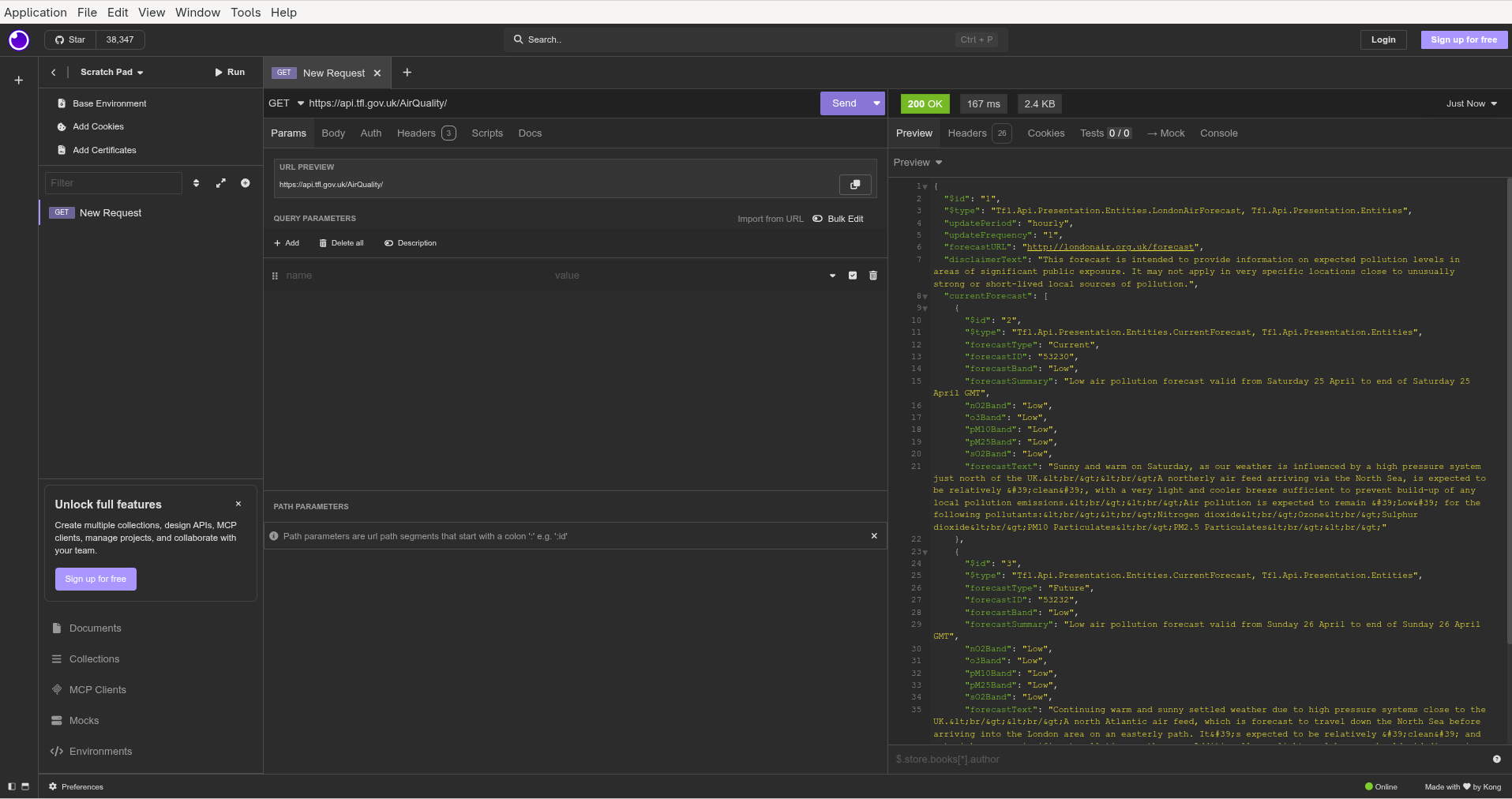
Air Quality Insomnia

Bruno

Bruno is another Electron based REST API client (although the size of the AppImage is 158MB). Bruno expressly does not offer a cloud synchronisation option or require an account. Your work is stored locally and sharing is via Git repositories. Nor will Bruno use your data to train AI models.

Bruno supports collections and each API request is stored as a text file.
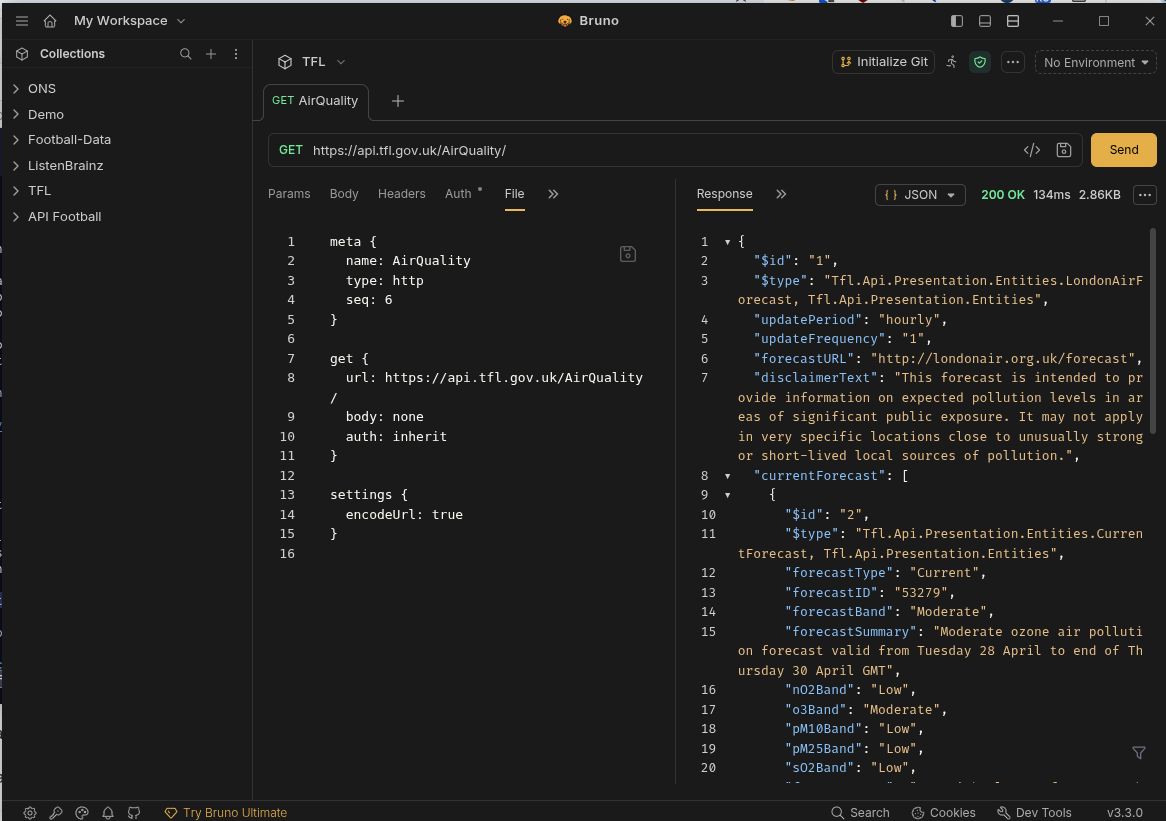
Air Quality Bruno

Hoppscotch

Hoppscotch is yet another option that offers a cloud service (requires login) as well as native clients for Linux, macOS and Windows.

Hoppscotch Community Edition is open source (MIT licence) and can be used on personal and commercial projects. Hoppscotch can also be self-hosted.
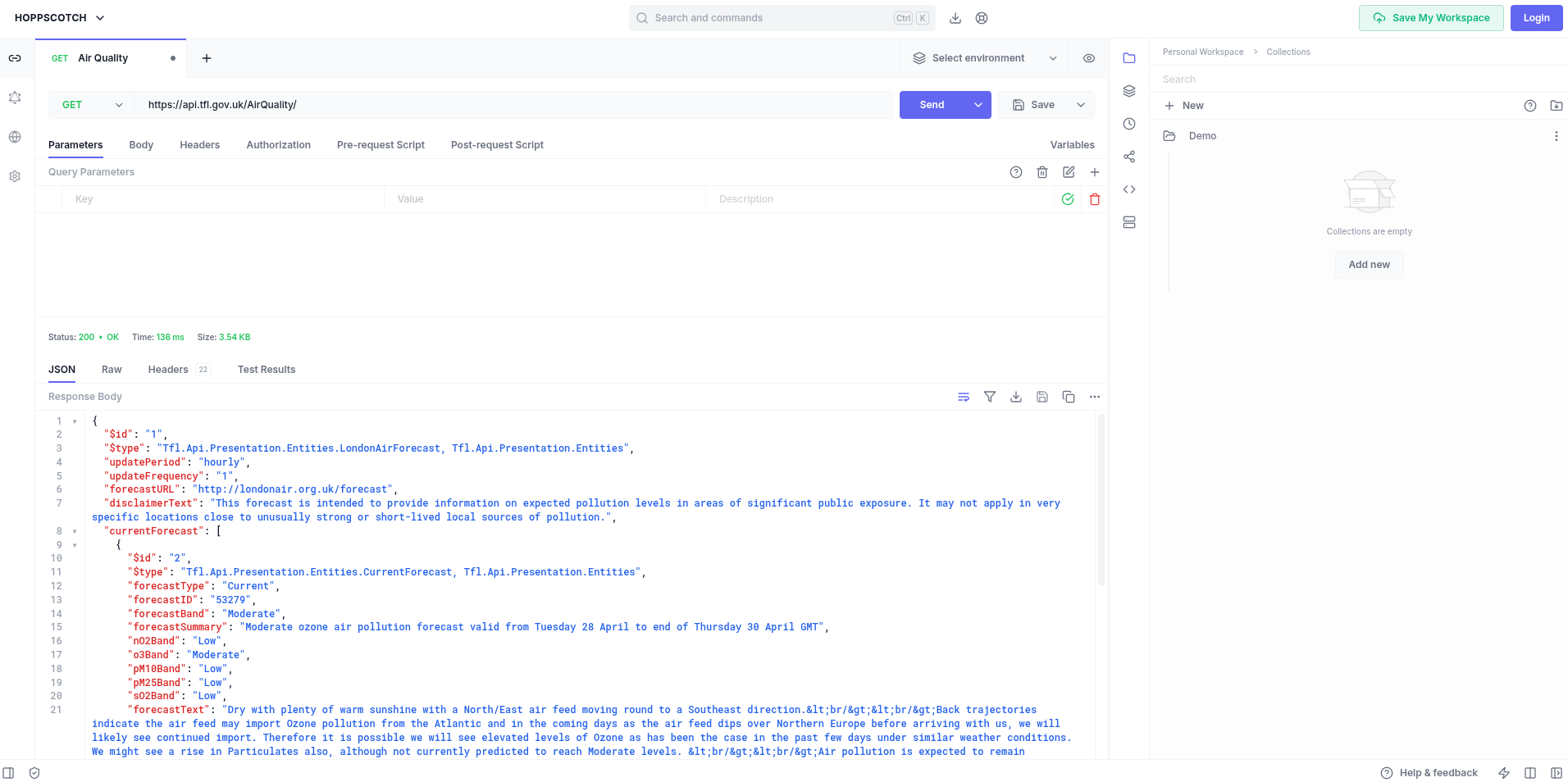
Air Quality Hoppscotch

HTTPie

HTTPie is another REST client (similar to Hoppscotch) which supports importing API's from 'curl', 'Postman' and 'Insomnia'.

Some prospective users may be discouraged by the imminent promise of 'HTTPie AI'.
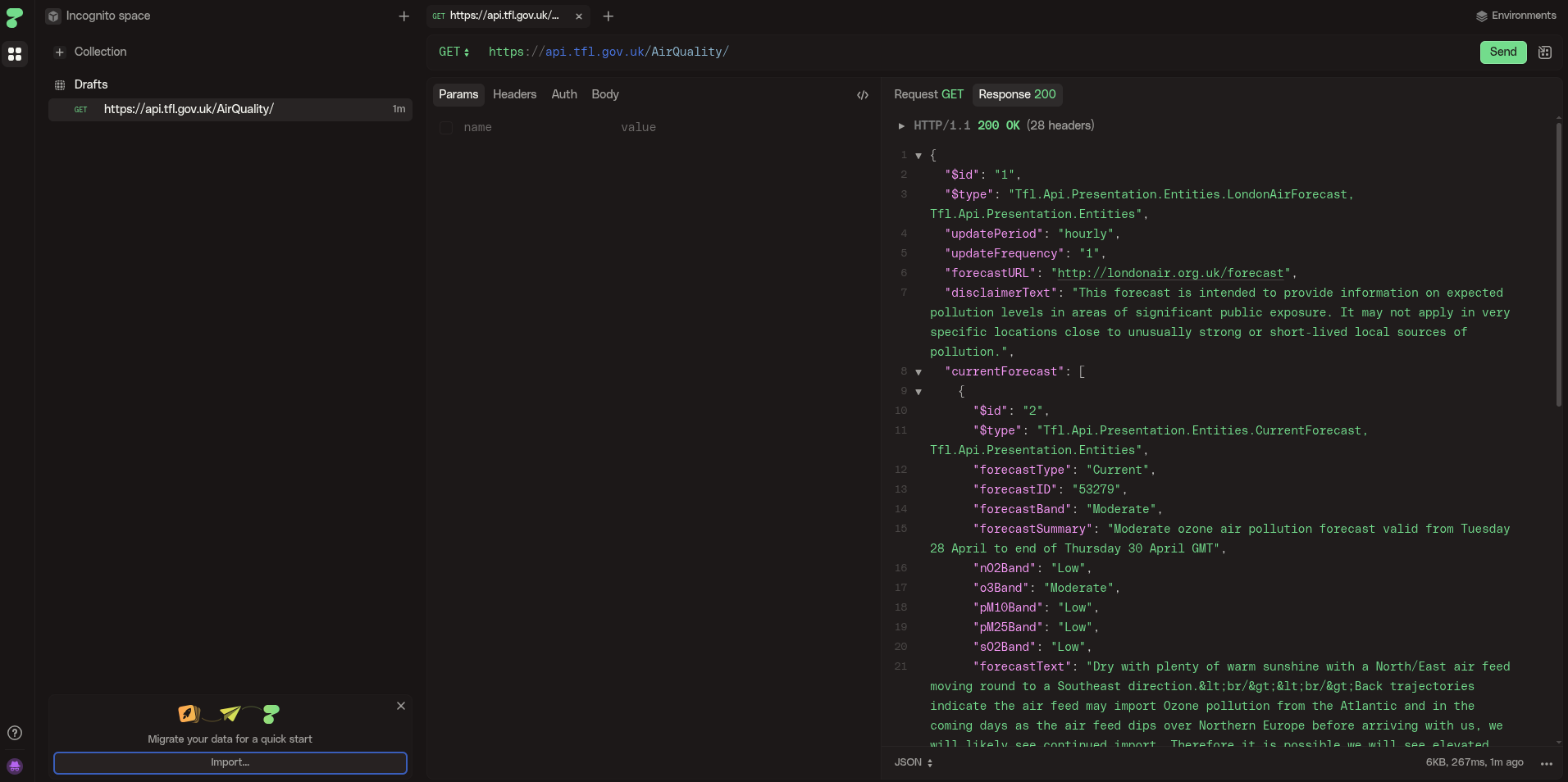
Air Quality HTTPie

Editors/IDEs

Emacs

Emacs includes a package restclient (available in MELPA) which is a REST client that presents the output in a separate buffer. The package still works fine but appears to be without an owner as the repository was archived in April 2024.
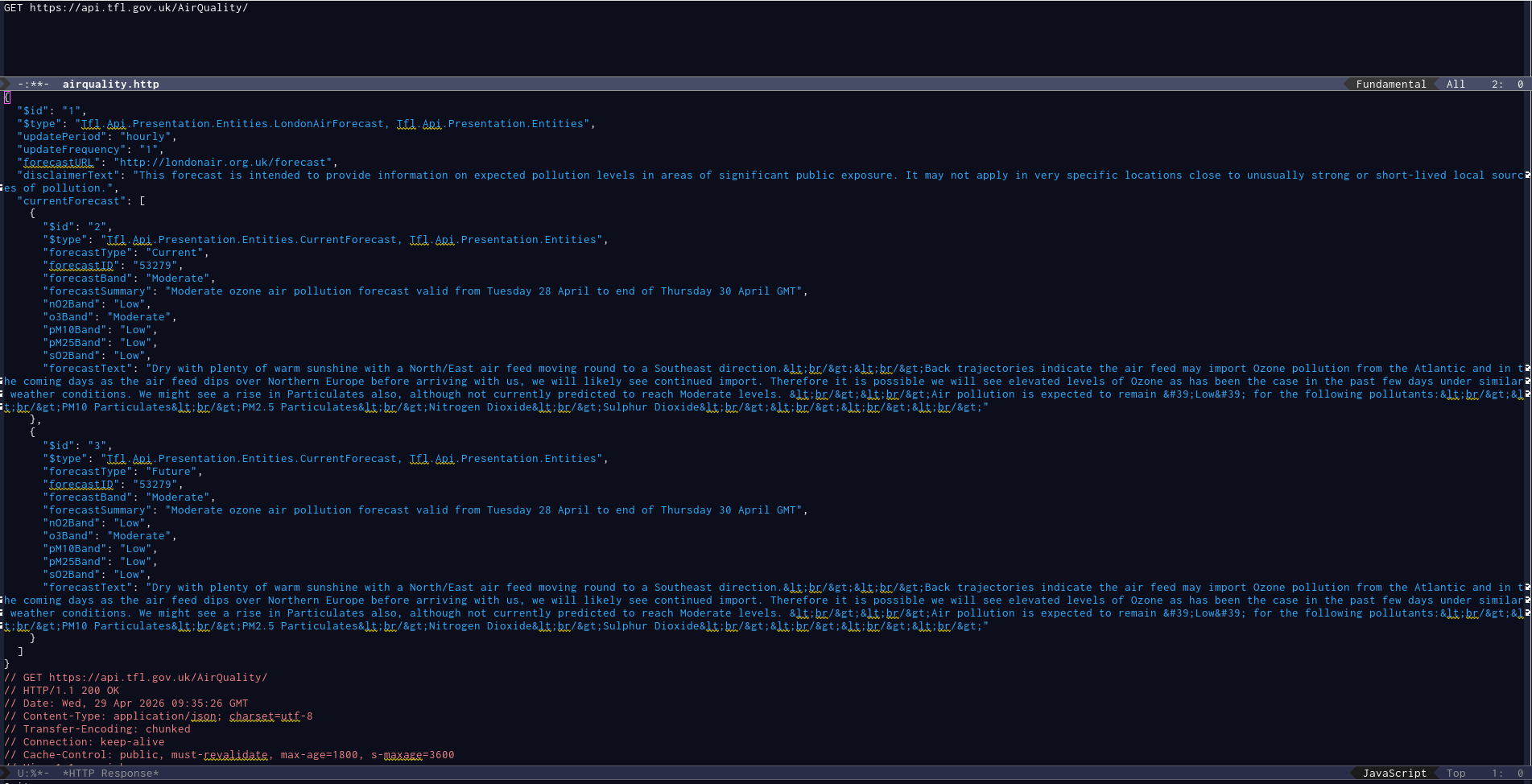
Air Quality Emacs restclient

Visual Studio

Thunder Client

Thunder Client is a VS Code extension for the widely used VS Code editor/IDE.
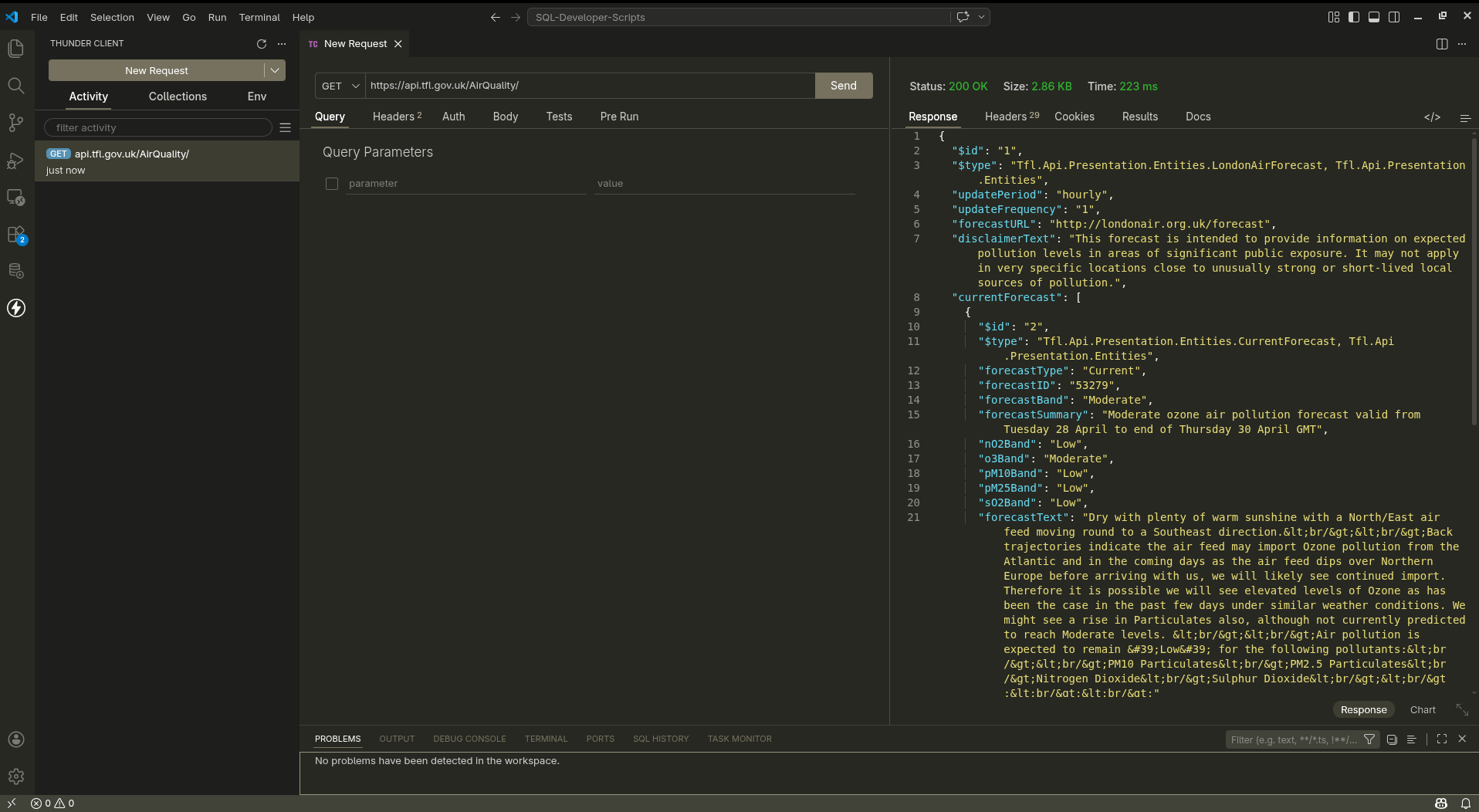
Air Quality VSCode
ThunderClient

Golden Retriever

If you want an alternative to ThunderClient and like dogs, try the Golden Retriever extension.

'Think of it as Postman’s loyal cousin who stays local, syncs with Git, and doesn’t demand a cloud subscription'.
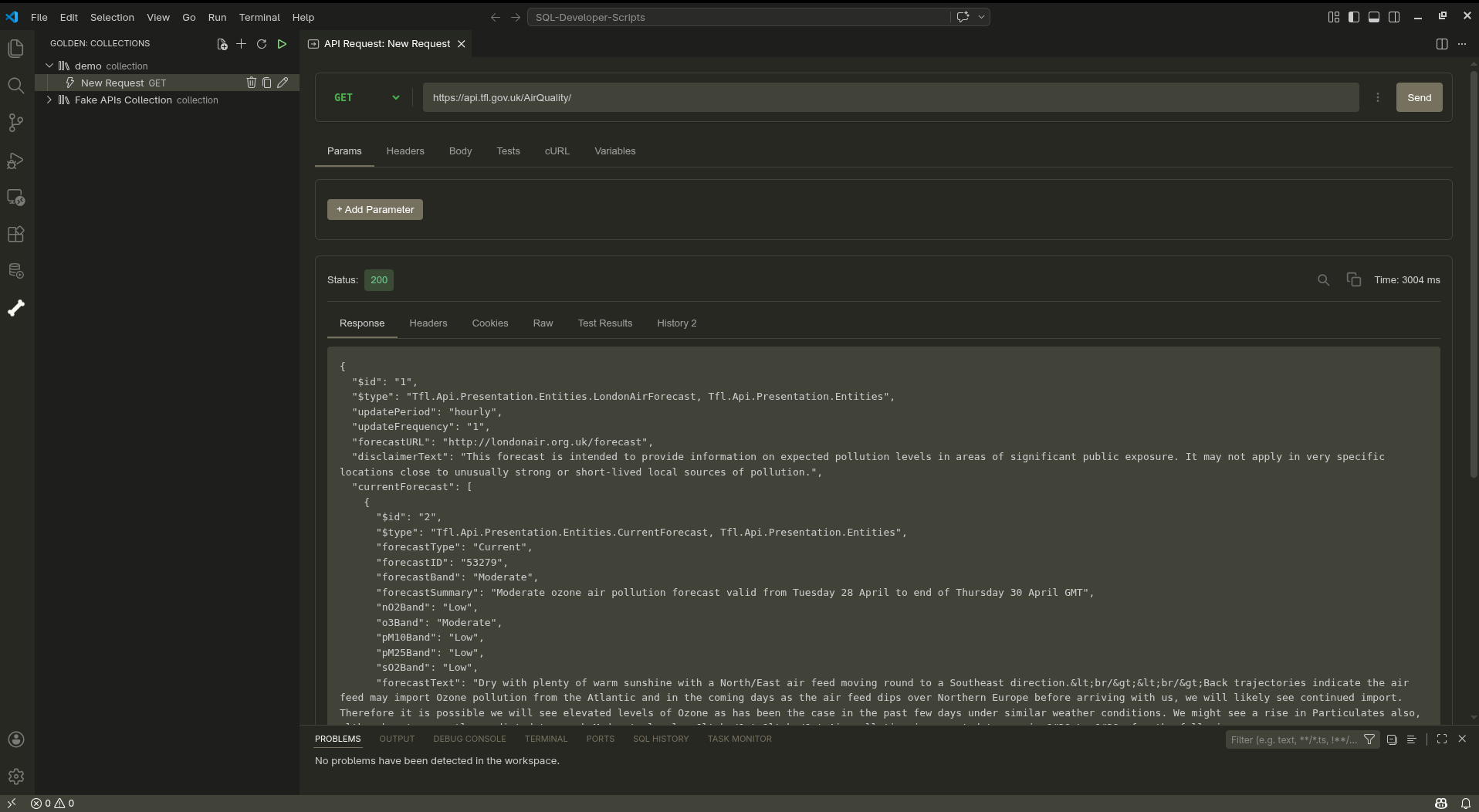
Air Quality VSCode
GoldenRetriever


  1. Seems obvious, but it took two years for this simple, obvious fact to dawn on me. 

Football Web Pages APEX application

In the last article, we created a simple APEX application fetching data about English football from the Football Web Pages site which provides an authenticated REST API.

However, all I really want to do is to quickly look at Kingstonian's forthcoming fixtures for the next month. Fortunately, there is an FWP API providing that information.

Endpoint: https://football-web-pages1.p.rapidapi.com/fixtures-results.json

  • Matches - The current list of matches for a competition/team
  • The following parameters may be set:
    • comp - The ID of the competition (note: one of "comp" or "team" is required)
    • team - The ID of the team (note: one of "comp" or "team" is required)

We already have created an APEX report listing all the available Competitions (including the numeric ID values) so it would be useful to have a similar report listing all the Teams.

Teams

Endpoint: https://football-web-pages1.p.rapidapi.com/teams.json

  • Teams - A list of the teams covered
  • The following parameters may be set:
    • comp - The ID of the competition

Create a new REST Data Source called 'FWP Teams' with this endpoint using the 'Football Web Pages' authentication method.

Create a new page 'Teams' with an Interactive Report fetching data from this REST Data Source.

Search for 'Kingstonian' to find out the numeric identifier for this club (236)

FWP-APEX-Teams-Kingstonian.png

Fixtures

REST Data Source

The Fixtures API can take a query parameter which is either 'competition' or 'team'.

Thus far, we have only used a 'Header' to supply the credentials to access the API.

API query parameters are name-value pairs introduced by a '?'. This is analogous to database queries which filter the results returned by a SQL query in the 'WHERE' clause.

select *
from emp
where name = 'JONES';

The APEX fixtures page should support both of these API query parameters ('competition' and 'team') and enforce that either one or the other is supplied.

Create a REST Data Source for 'Fixtures'

  • Rest Source Name: FWP-Fixtures
  • Endpoint: https://football-web-pages1.p.rapidapi.com/fixtures-results.json
  • Authentication: Football Web Pages

If you click 'Discover', APEX will return an error

ORA-20987: No data found in uploaded file.

FWP-REST-Error

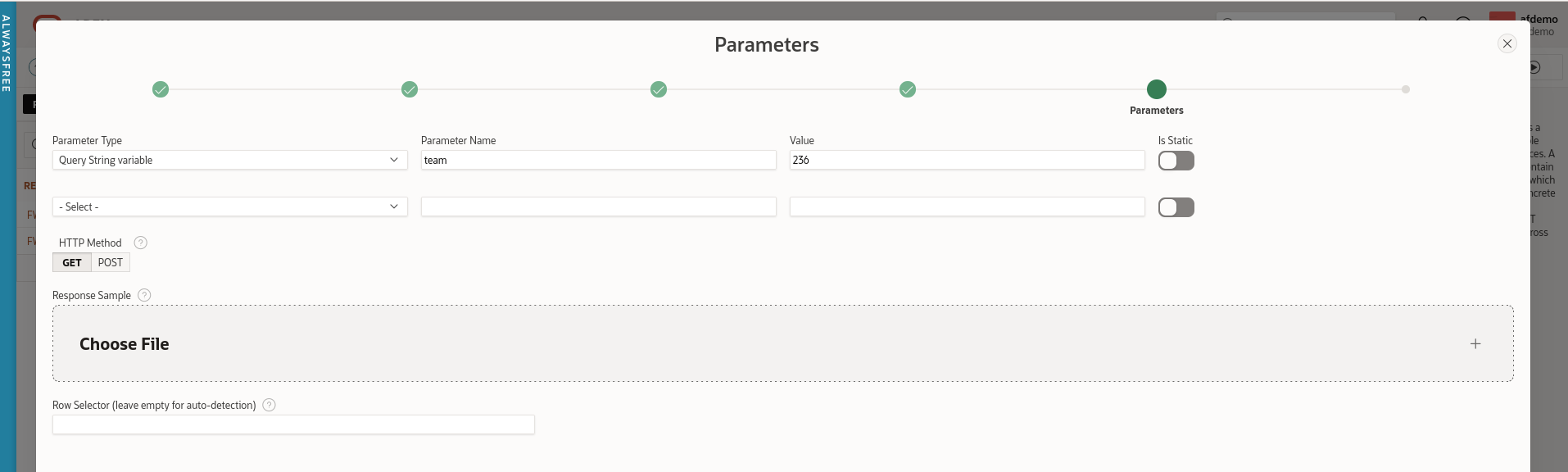
This is because the REST Data Source is expecting a parameter and we have not specified one. To fix this, click 'Advanced' and add the required parameter.

  • Parameter Type: Query String variable
  • Parameter Name: team
  • Value: 236 (Kingstonian)

FWP-APEX-Fixtures-Rest-Query-Param.png

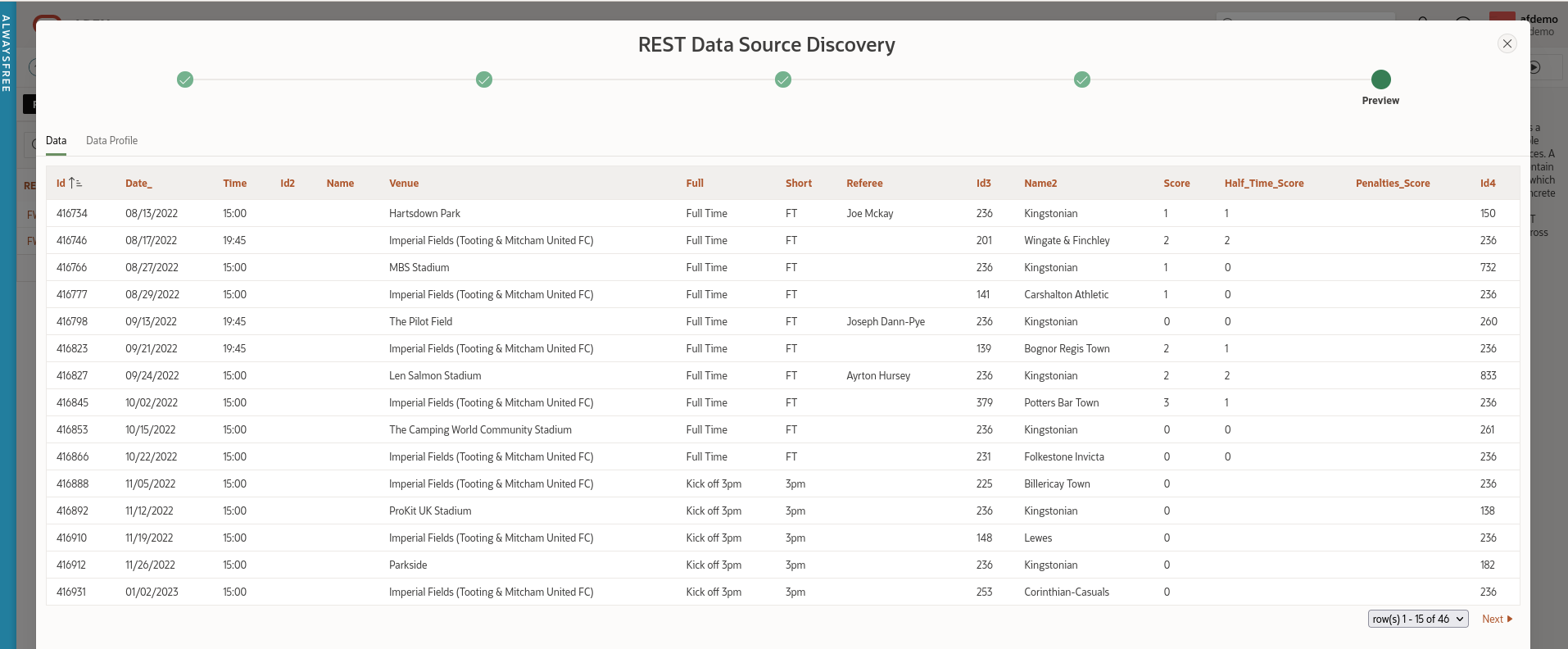
Leave the HTTP method as the default (GET) and click 'Discover'. APEX should display a list of Kingstonian's results and forthcoming fixtures.

FWP-APEX-Fixtures-REST-Data.png

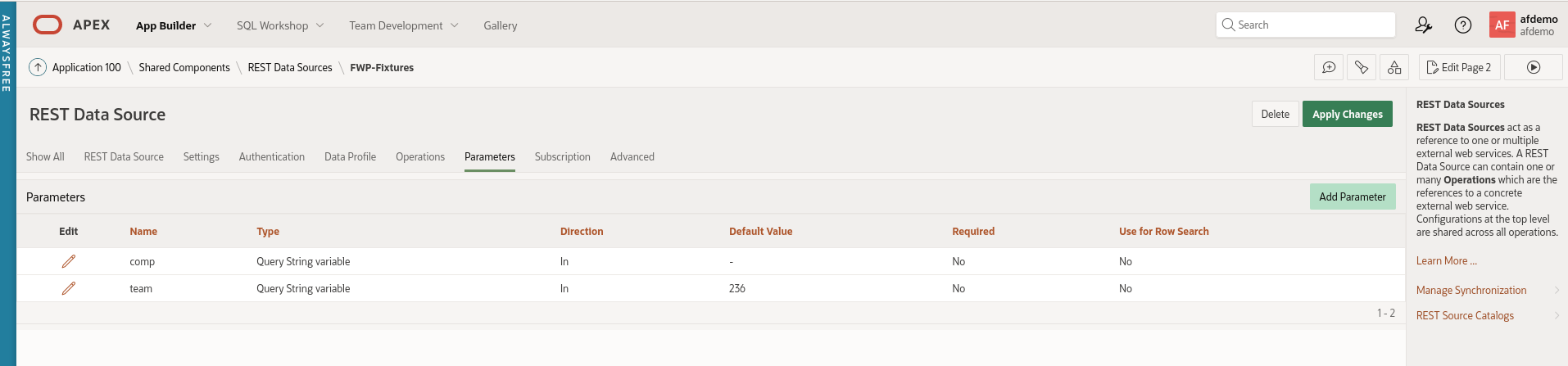
Add a second query parameter named 'comp' with no value.

FWP-APEX-Fixtures-Query-Params.png

Apply the changes to this REST Data Source.

Fixtures Page

Navigate back to Application Builder and create a blank page called 'Fixtures'.

Search region

Create a region named 'Search'. Change the template of the 'Search' region to 'Collapsible'. The region template is in the 'Appearance' section.

Create two page items on the Search region

  1. Competition
  2. Team (uncheck 'Start New Row')

Create a button named 'Go' with the default action of 'Submit Page'. Check the 'Hot' checkbox under 'Appearance'.

Report region

Create a new region called 'Fixtures'. This is simply an Interactive report based on the REST source 'FWP Fixtures'.

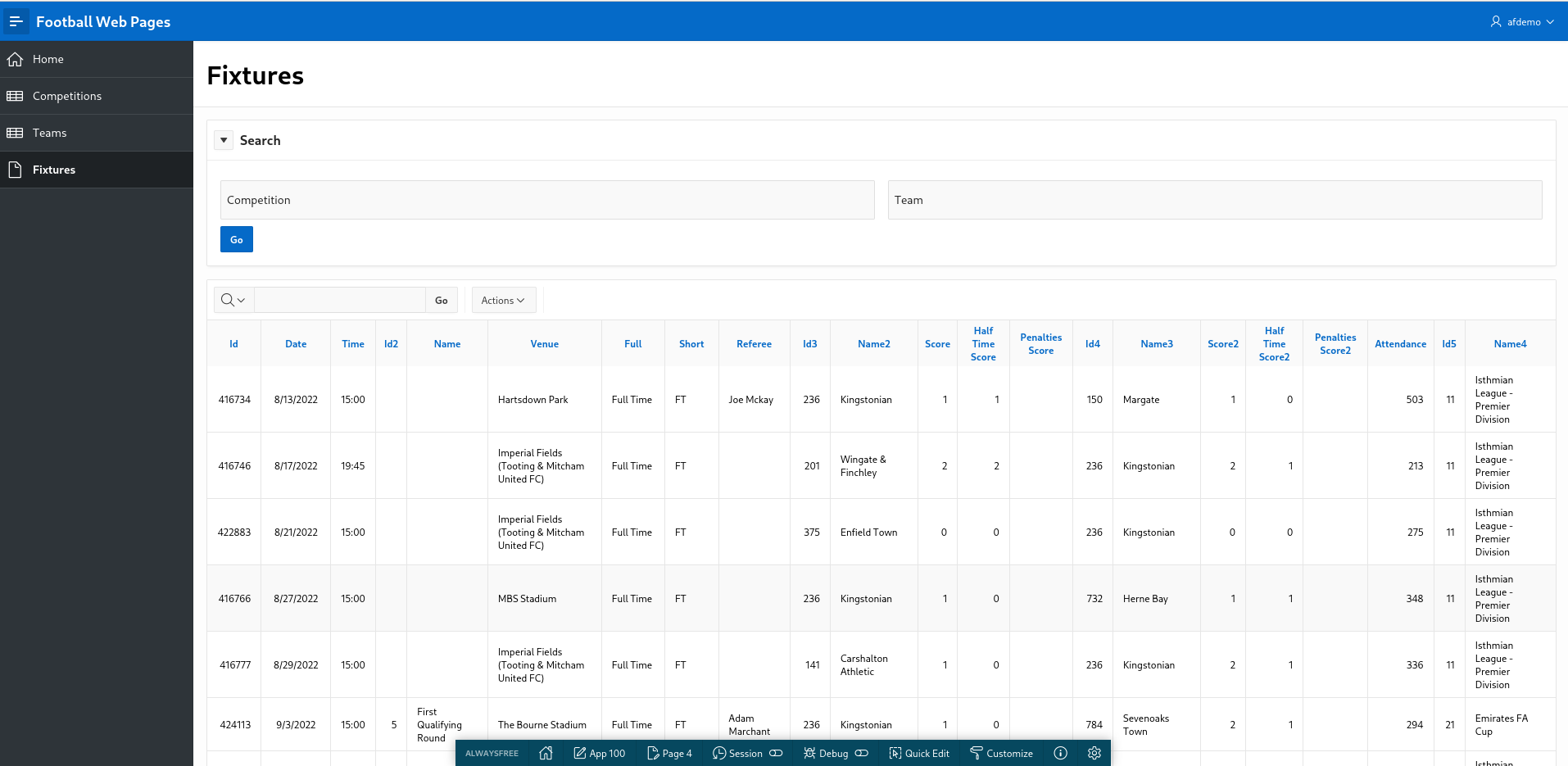
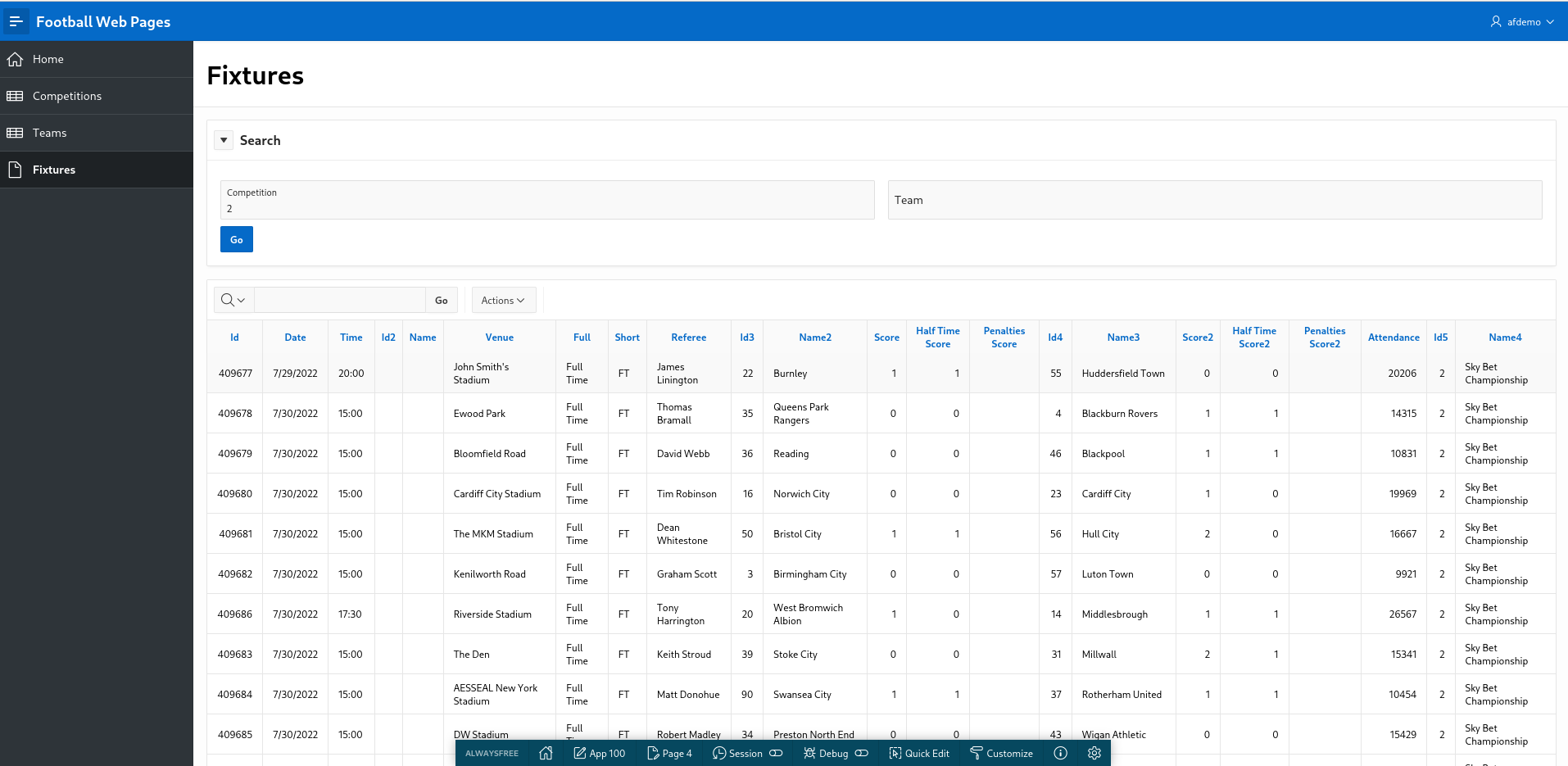
Run the page. Hopefully, your screen should vaguely resemble this.

FWP-APEX-Fixtures-V1.png

Clearly, this is just a checkpoint and not fully functional yet but I like to 'release early and release often' (if only to myself).

Joking apart, this approach is actually useful to demonstrate to an end user what the APEX UI will look like and how you can use standard APEX functionality to search and filter within the Interactive report.

No need to spend days mocking up wire frames of the proposed UI. In APEX, you can present a meaningful prototype using APEX early on.

Plus you can endlessly argue over the title, size, placement and colour of the 'Go' button.

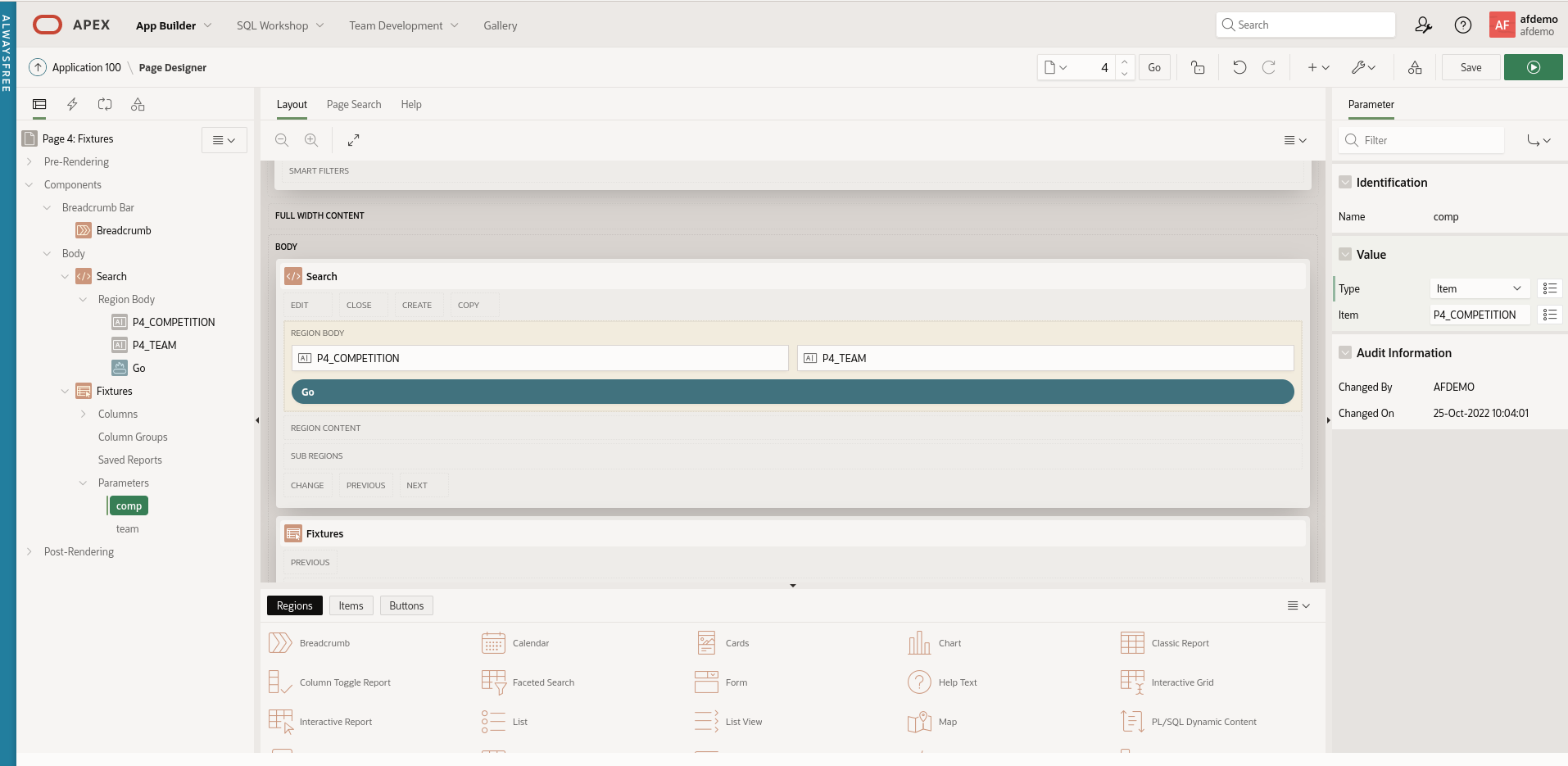
Return to the 'Fixtures' page in Application Builder. Expand the 'Fixtures' region. You will see that APEX has helpfully added a section called 'Parameters'. Expand this and you will see the two query parameters for this REST Data Source exposed here.

FWP-APEX-Fixtures-IR-Params.png

Edit the 'comp' parameter. Under 'Value', change the Type to 'Item' and select 'P4_COMPETITION' from the pop-up menu.

Similarly, change the value for the 'team' parameter to the APEX page item P4_TEAM.

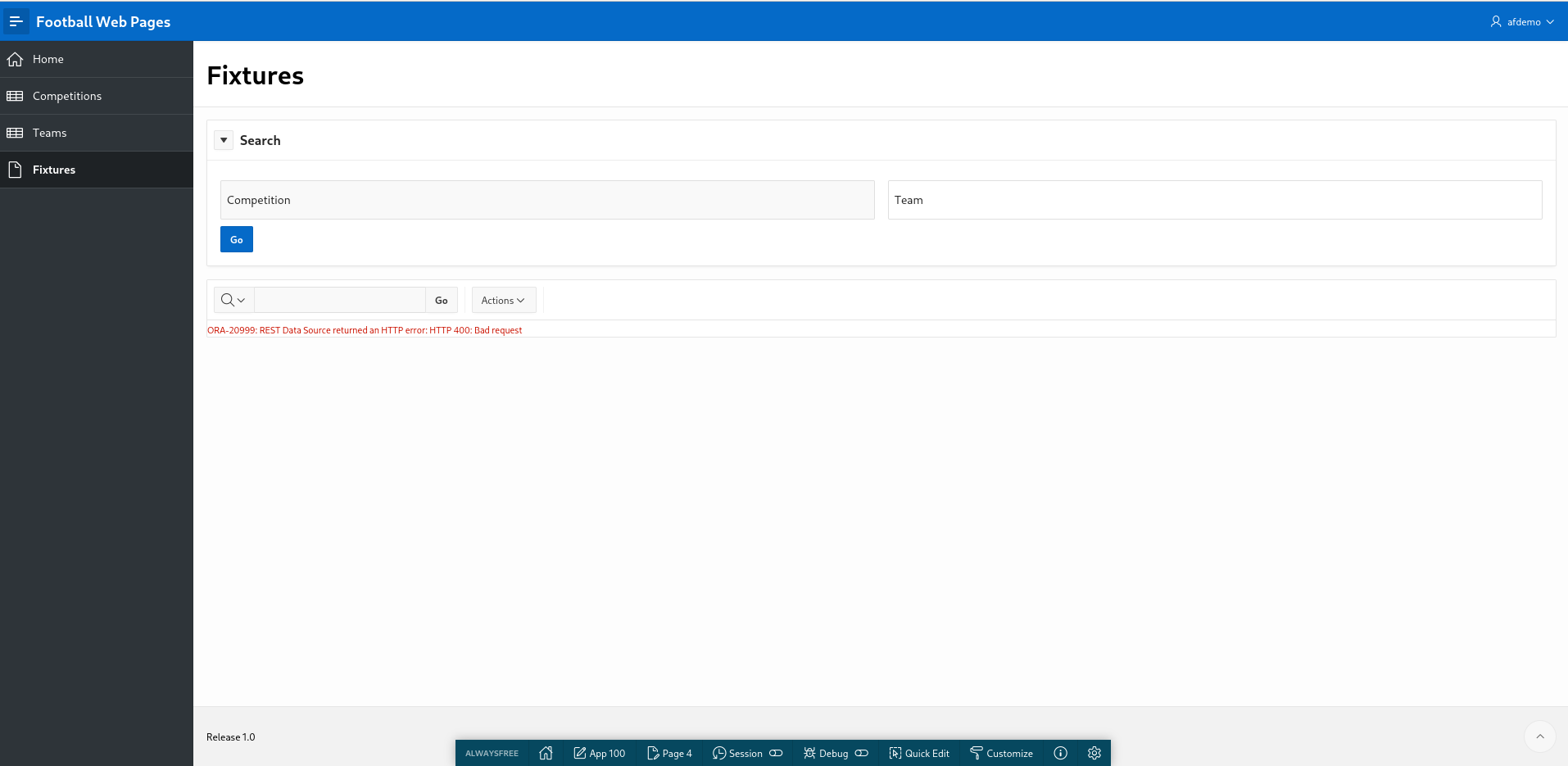
Save and run the page. You get an error but this is expected as we have not supplied any APEX page parameters (yet).

FWP-APEX-Fixtures-IR-Fail.png

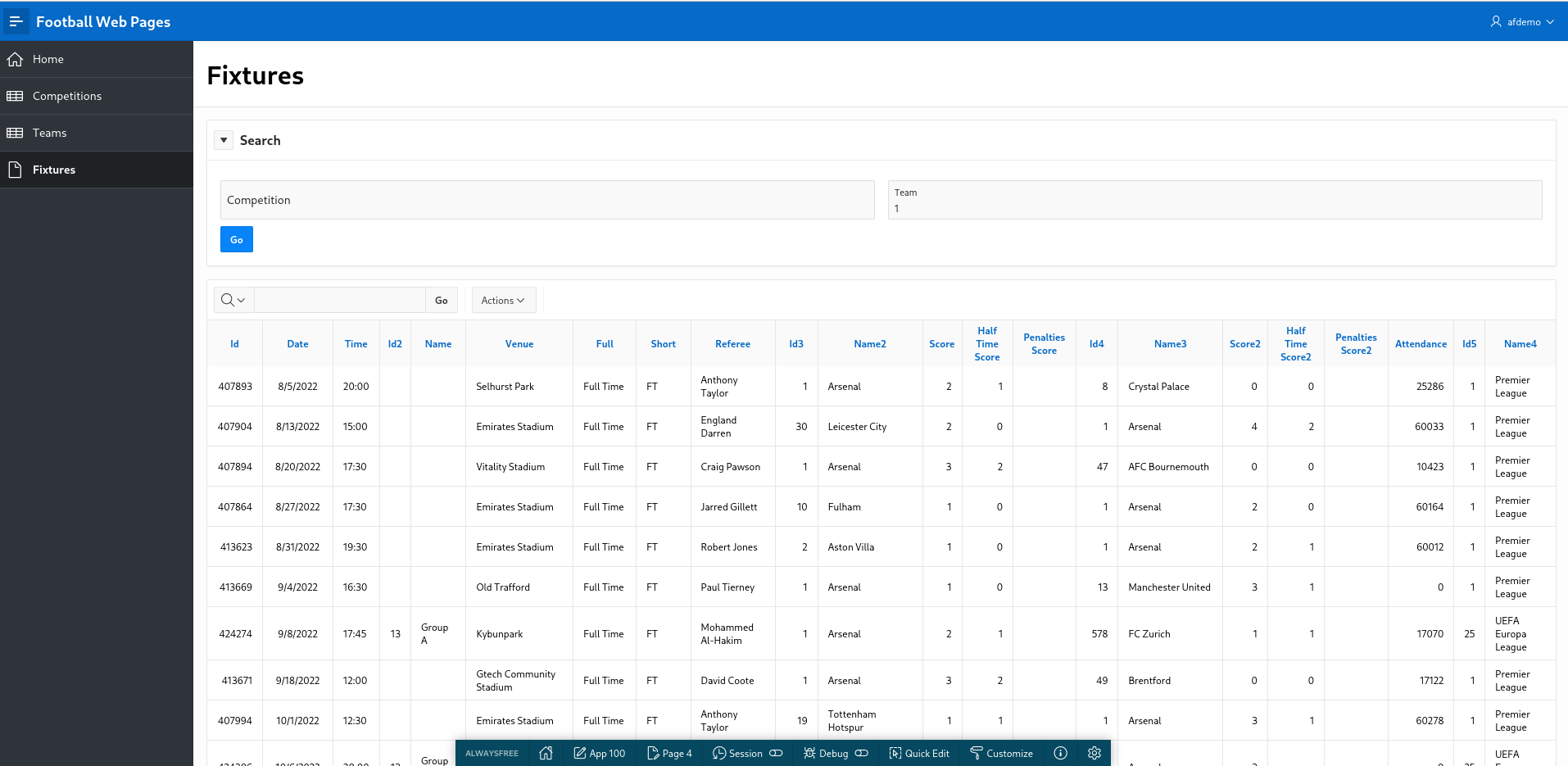
Enter '236' into the Search region for 'Team' and click 'Go'. You will see Kingstonian's results and fixtures displayed.

Check this is actually working by changing the team to '1'. This will display results and fixtures for 'Arsenal' in the English Premier League.

FWP-APEX-Fixtures-Arsenal.png

This looks promising. APEX truly is a low code solution.

Now let's look at the 'Competition' parameter.

Enter '2' for 'Competition'. This is for the English Championship (neither Kingstonian nor Arsenal play in this league).

Nullify the 'Team' parameter and click 'Go'.

FWP-APEX-Fixtures-IR-Comp.png

List of Values

This report is improving but needs more work. End users typically don't know that they have to enter '1' to get data for Arsenal. The 'Competition' and 'Team' parameters are clearly List of Values so we will implement that now.

Navigate to 'Shared Components' and add the following List of Values for 'Competitions'

  • Name: Competitions
  • Type: Dynamic
  • Data Source: REST Data Source
  • Rest Data Source: FWP Competitions
  • Return Column: ID
  • Display Column: FULL_NAME
  • Default Sort: ID

Once an APEX application has a REST Data Source available, it is available to all components (LOV's, reports etc) - just like a conventional local database table.

Create a second LOV for 'Teams'

  • Name: Teams
  • Type: Dynamic
  • Data Source: REST Data Source
  • Rest Data Source: FWP Teams
  • Return Column: ID
  • Display Column: FULL_NAME
  • Default Sort: FULL_NAME

Navigate to the 'Fixtures' page and change the page items to use the newly created LOV's.

Change the type of P4_COMPETITION to 'Popup Lov'

Under 'List of Values', select

  • Type: Shared Component
  • List of Values: FWP-Competitions
  • Display Extra Values: Unchecked
  • Display Null Value: Checked
  • Null Display Value: - Select -

Repeat this process for the P4_TEAM page item using FWP-TEAMS as the LOV.

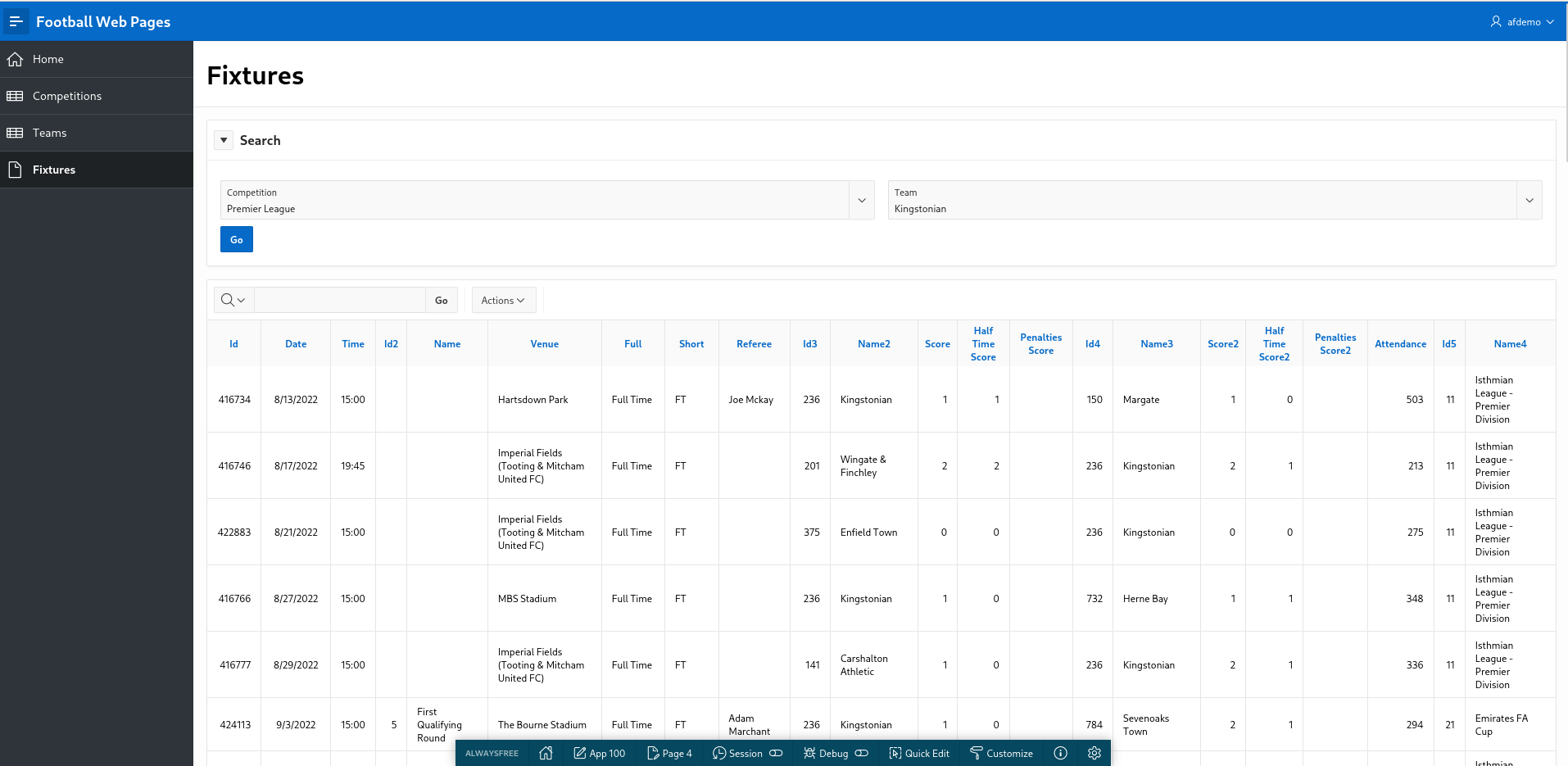
Run the page. This looks better. Now we can select a Competition and a Team correctly.

FWP-APEX-Fixtures-V2.png

You gleefully share your V2 prototype with a colleague for peer code review and her feedback is as follows:

  1. When clicking 'Fixtures', I get 'ORA-20999: REST Data Source returned an HTTP error: HTTP 400: Bad request'
  2. If you enter a Competition only, it works fine.
  3. If you enter a Team only, it works fine.
  4. If you enter both a 'Competition' and 'Team', the results look weird. Should 'Team' be a cascading LOV based on the 'Competition' ?
  5. The column names and labels need tidying up. There are a lot of meaningless ID fields displayed.
  6. It would be nice to have the option to review past results separately from fixtures in the future.
  7. Performance - the Popup LOV's for Competition and Team are sluggish. Why are they so S L O W ?
  8. The navigation menu looks chaotic and ugly.

In the next article, we will try to address this valid feedback.

a simple APEX application using REST API

Introduction

The last article provided a quick introduction to REST APIs. Now we will use a simple REST API to develop an APEX application using a real world example.

Football Web Pages

I enjoy watching football (soccer). My local team are Kingstonian FC, a non-league team in South West London. Kingstonian play in the seventh tier of English football. Kingstonian's players are semi-professional so the players hold down jobs and train and play part-time.

Football Web Pages (FWP) is an excellent site for all things related to football. The site includes news, fixtures, results for all English leagues (including non league) and the European leagues. I recently noticed FWP provides a REST API.

FWP API

Reviewing the FWP API, the first thing to note is whether the API is public (i.e. freely available) which it is and whether it requires authentication (it does).

To access our data you must subscribe to one of our pricing plans (which include a free plan) via Rapid API at the following address:

rapidapi.com/football-web-pages1-football-web-pages-default/api/football-web-pages1

Authentication

When you subscribe via Rapid API you will be given a key, and you must provide this in a header named "X-RapidAPI-Key" with every request.

A lot of API's provided by larger sites offer a facility to issue API calls directly on the site. This enables the developer to examine the specification of the API and experiment with different headers, query parameters and examine the response data in various formats.

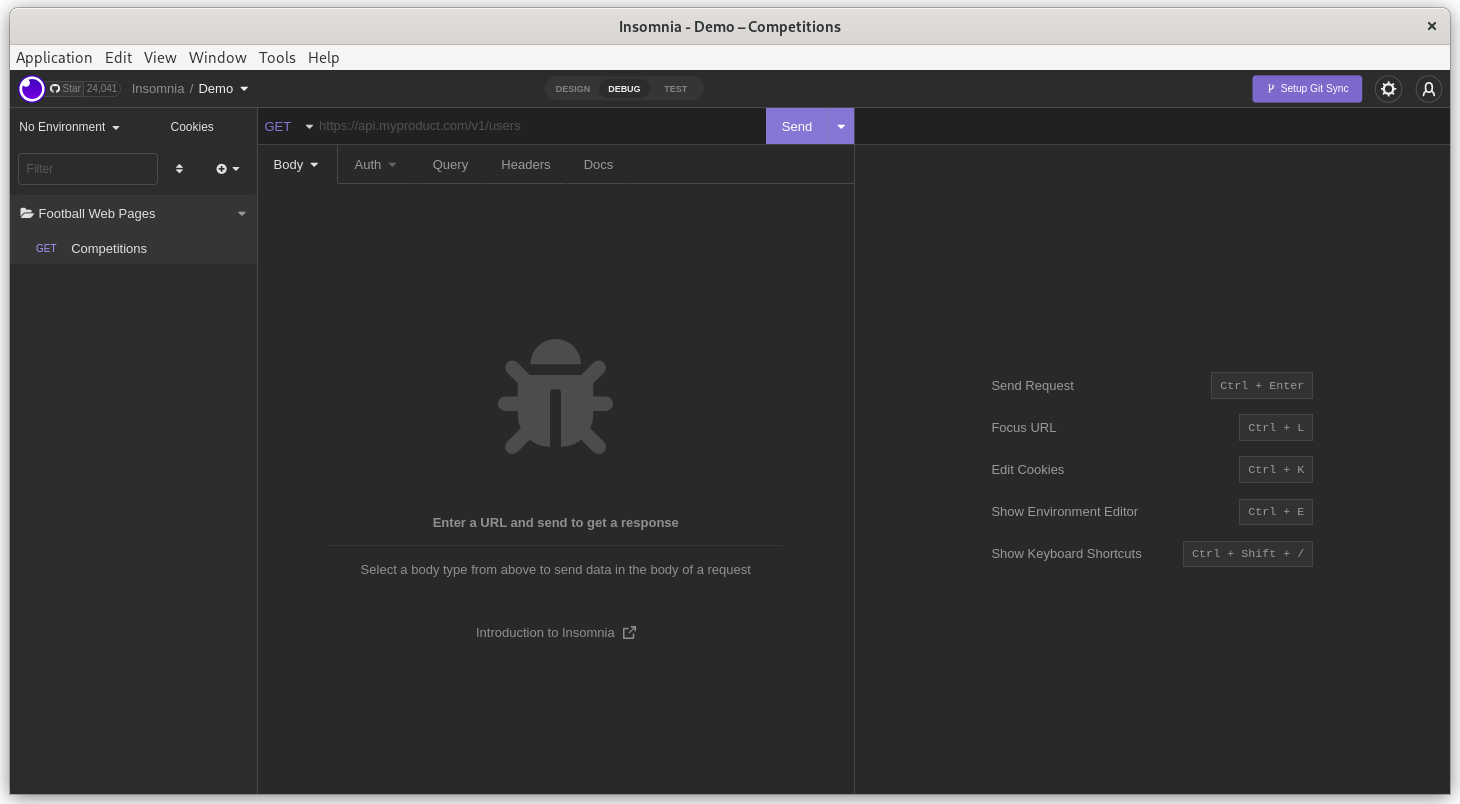
FWP doesn't offer this functionality but it's a relatively simple API so we can use Insomnia to experiment with the API.

Normally, I choose the simplest API available - one with no query parameters or headers (other than required for authentication).

For FWP, the 'Competitions' API looks like a decent candidate

Competitions

A list of the competitions covered

The following parameters may be set:

include: One or both of: rounds, teams (default: neither)
Endpoint: https://football-web-pages1.p.rapidapi.com/competitions.json

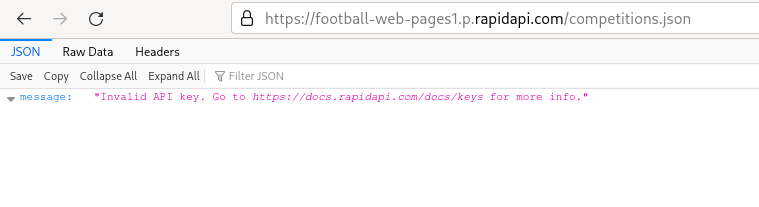
I'm lazy and so are you so you just enter this endpoint into Firefox. You are thwarted.

Firefox-Error

The FWP REST API does indeed require authentication so we need Insomnia.

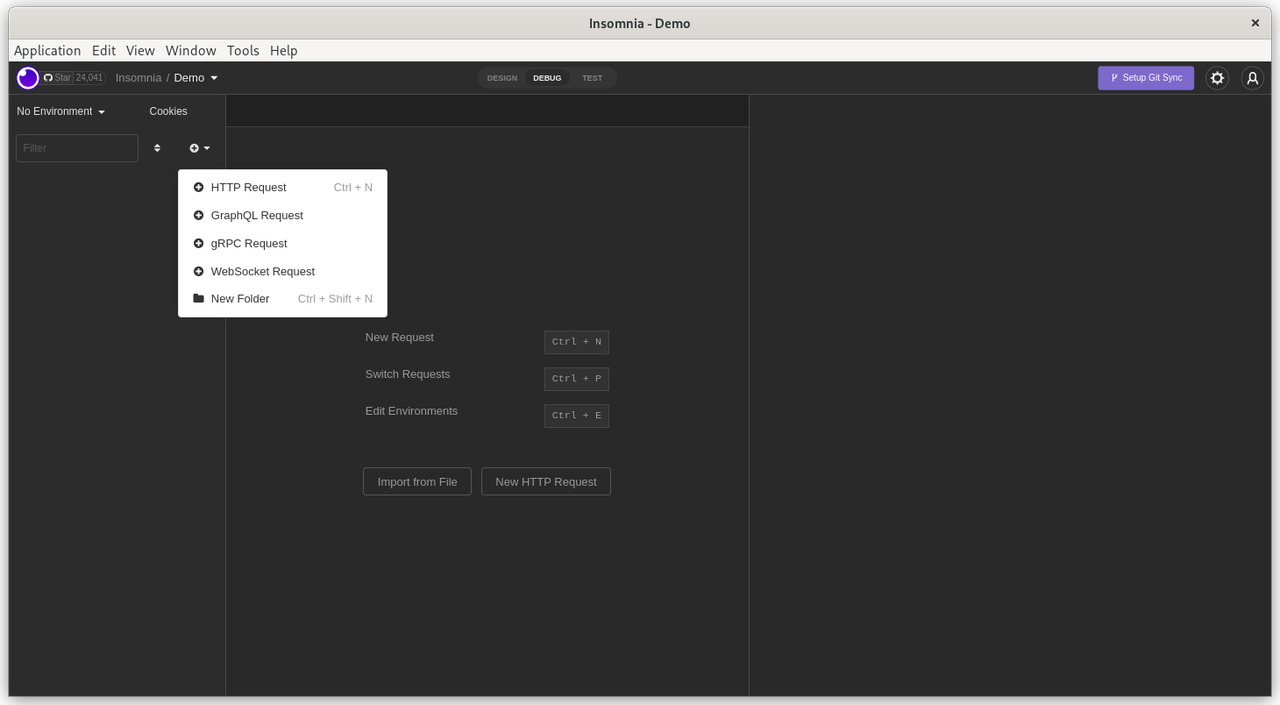
Firstly, we create a folder to store all our FWP API requests. Name the folder 'Football Web Pages'.

Create-Folder

Select the newly created folder and click 'click to add first request'.

Double click on the 'New HTTP Request' on the panel on the LHS. Rename this request to 'Competitions'.

Competitions

Now enter the FWP API endpoint into the GET section in the middle panel. The endpoint (URL) is:

https://football-web-pages1.p.rapidapi.com/competitions.json

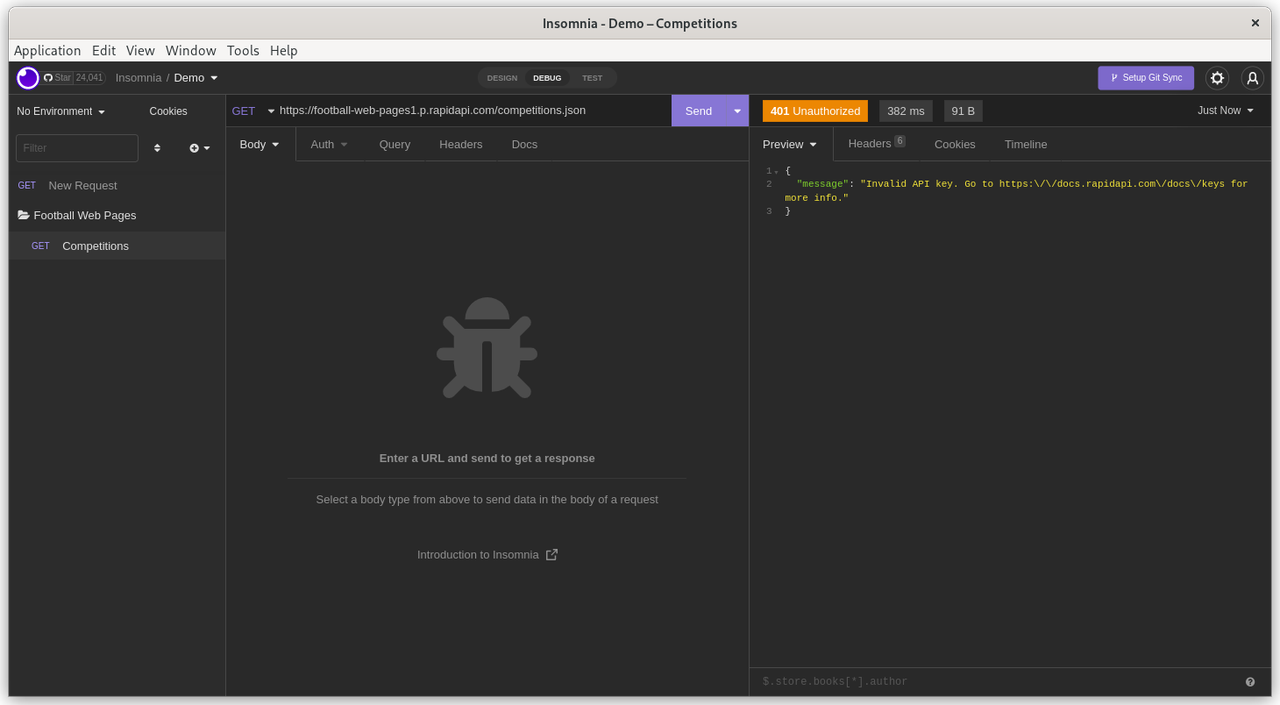
Click 'Send'. You get the same authentication error. You feel thwarted and disappointed but this is OK. You haven't provided your credentials yet but the endpoint is correct and the FWP server correctly responded with a '401 - Unauthorized' error.

Unauthorized

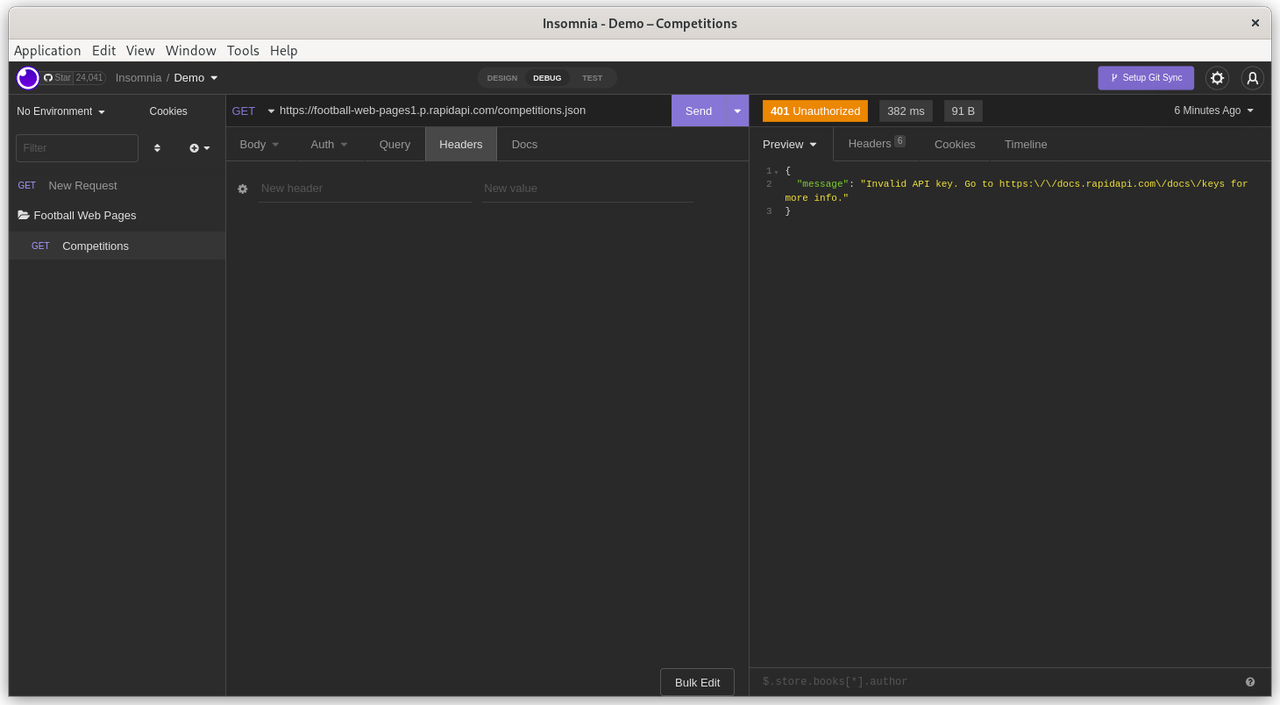
This API requires that the API key (password, credentials) are supplied in the 'Header' of the API request.

Click on the 'Header' tab in the middle section

Header

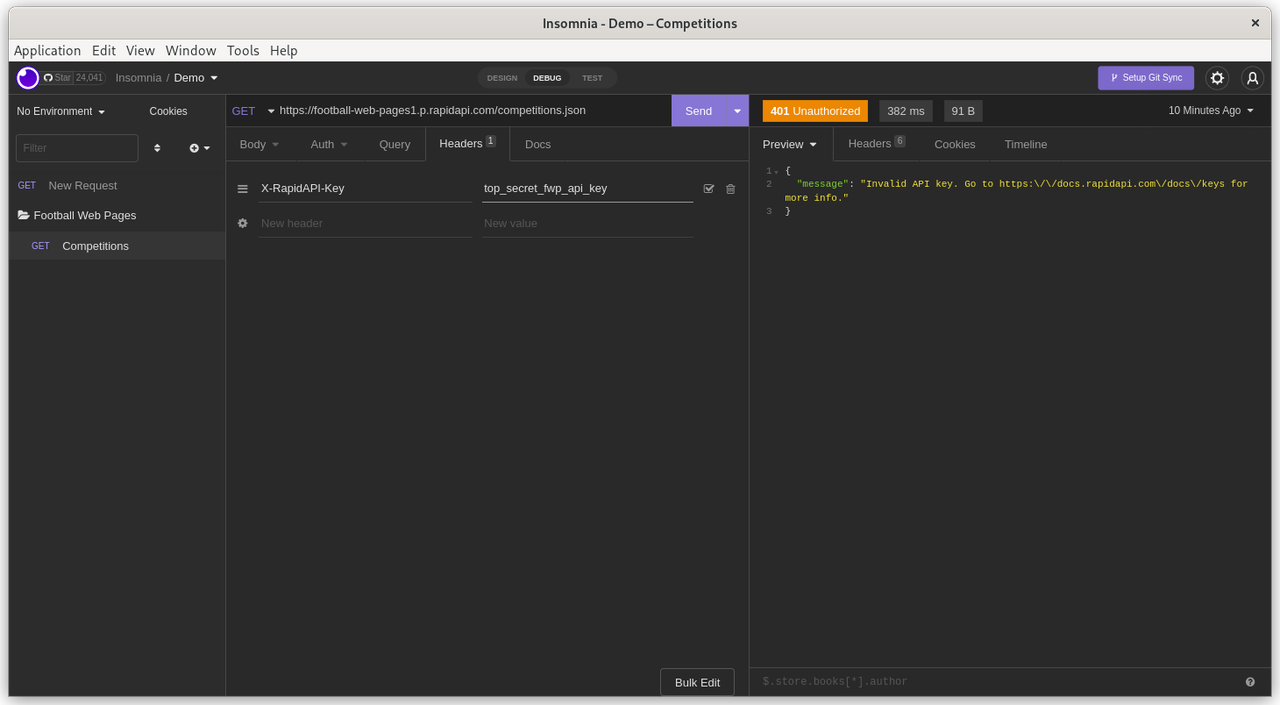
Add 'X-RapidAPI-Key' as the 'New Header'. Then add your private API key as the 'Value'. Remember that API headers are simply Name-Value pairs.

Auth-Header

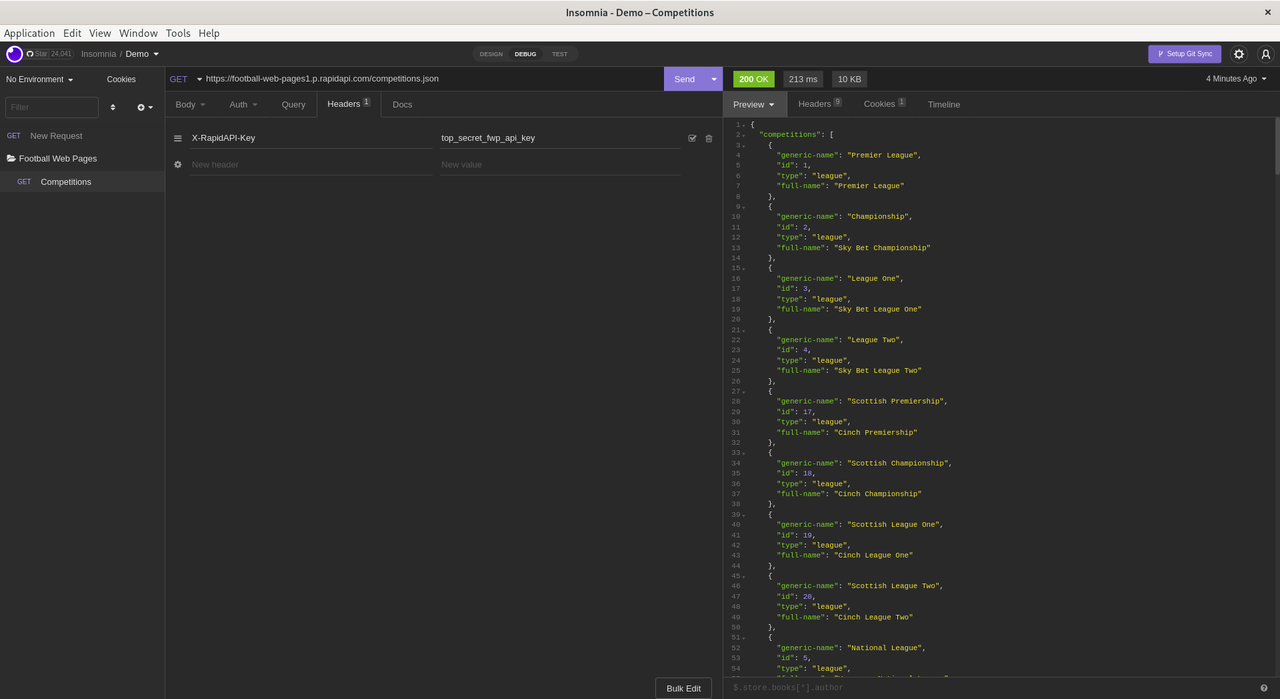
Click 'Send'. There is no need to explicitly save the changes to the Headers.

Save_Headers

Finally. Success !

Look at the results in the panel on the RHS.

The API request returned a status of '200' (success). The elapsed time for the API request was 213 milliseconds and returned 10KB of data.

FWP APEX application

This demo was created and tested on Oracle's AlwaysFree tier. However, it should also work fine on Oracle's hosted APEX service on apex.oracle.com or a local APEX instance.

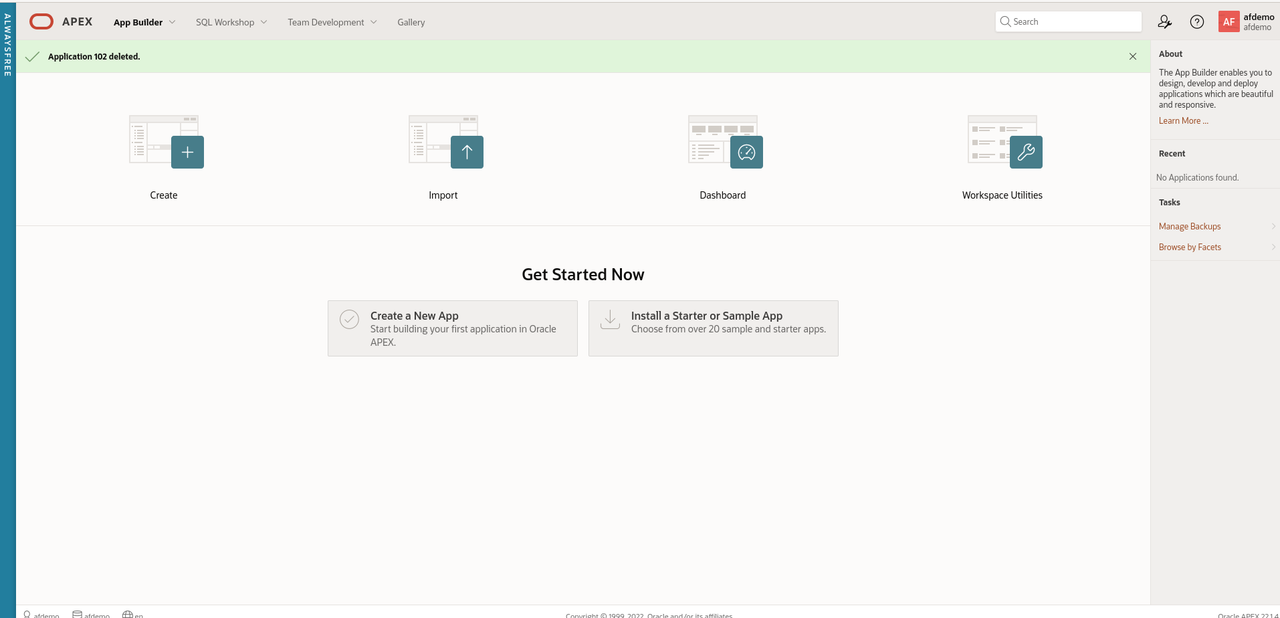
Navigate to App Builder

App Builder

  • Click 'Create a new App'
  • Click 'New Application'
  • Name the application 'Football Web Pages'
  • Accept all the default options.

Create App

First, we need to configure the Web credentials in APEX to access the FWP REST API's

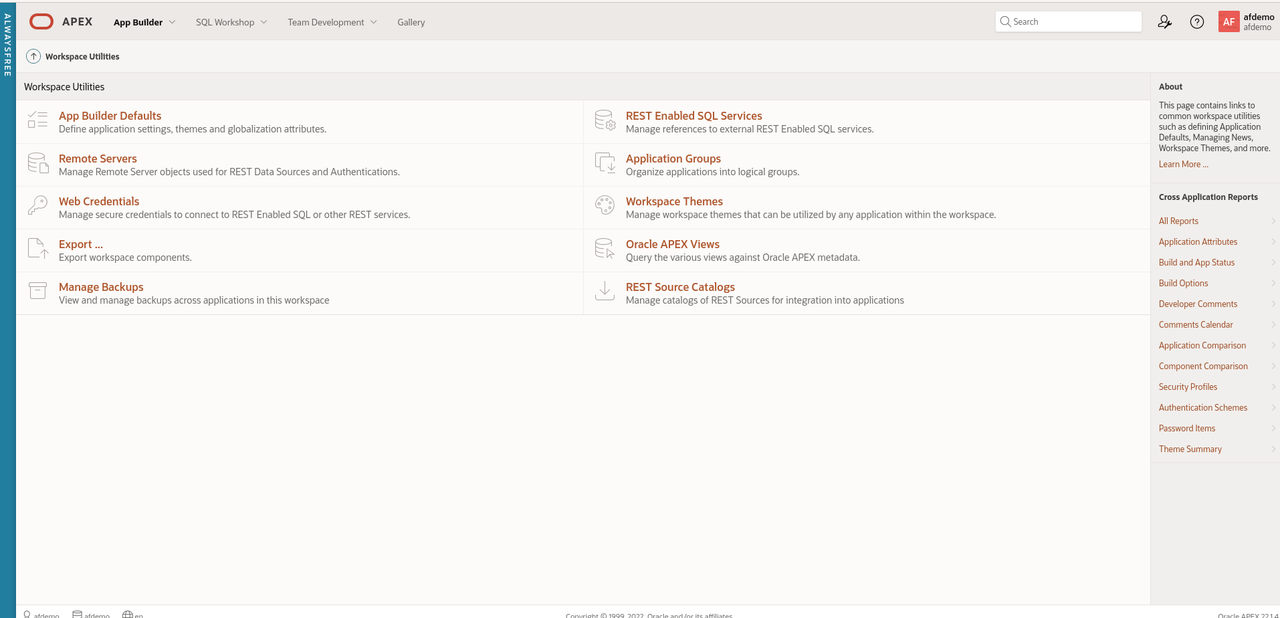
In APEX, Web Credentials are shared across the workspace. Click 'App Builder - Workspace Utilities - All Workspace Utilities'

Workspace Utilities

Click 'Web Credentials'

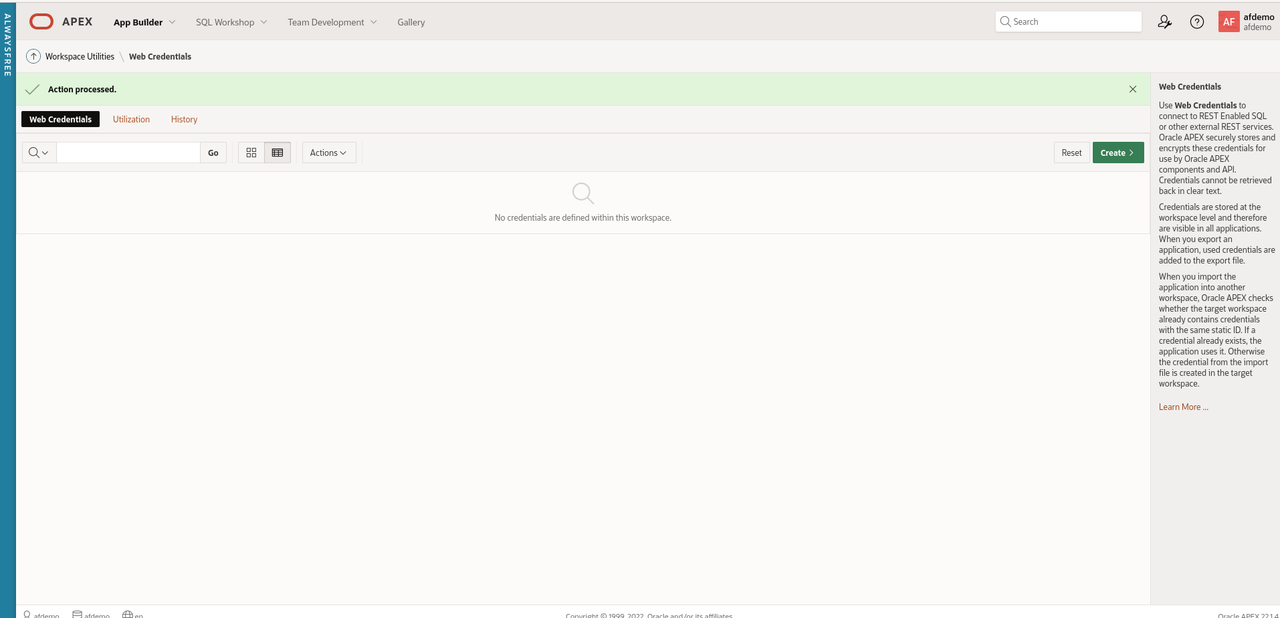
Web Credentials

Click 'Create'

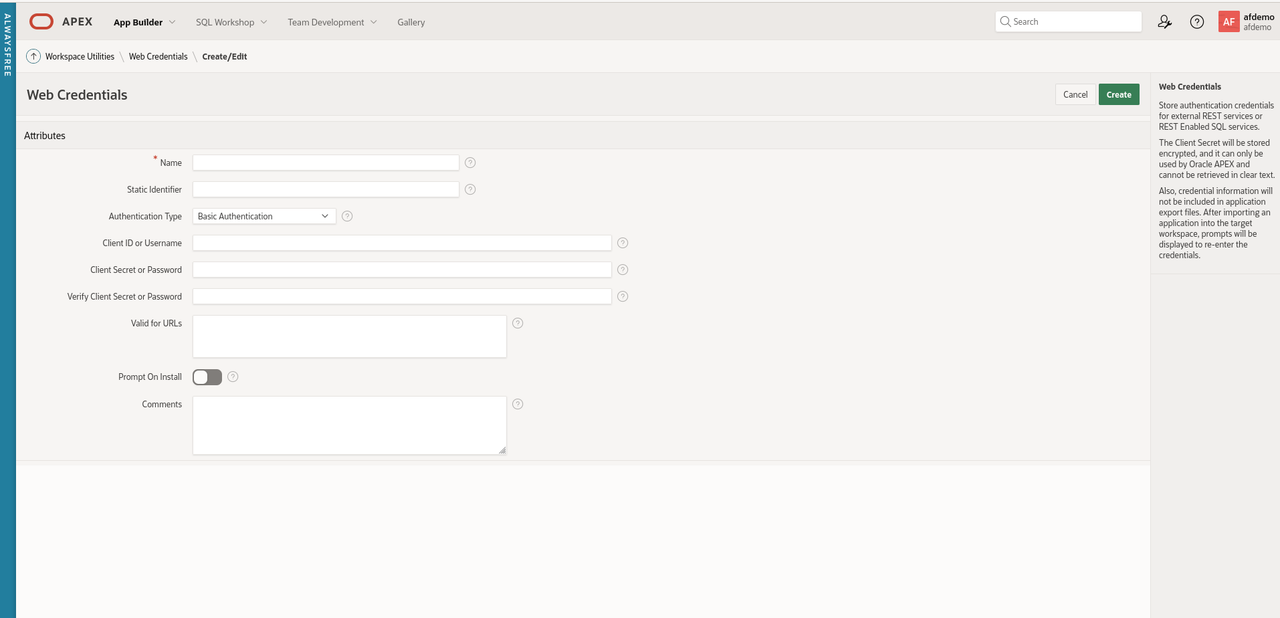
WC Create

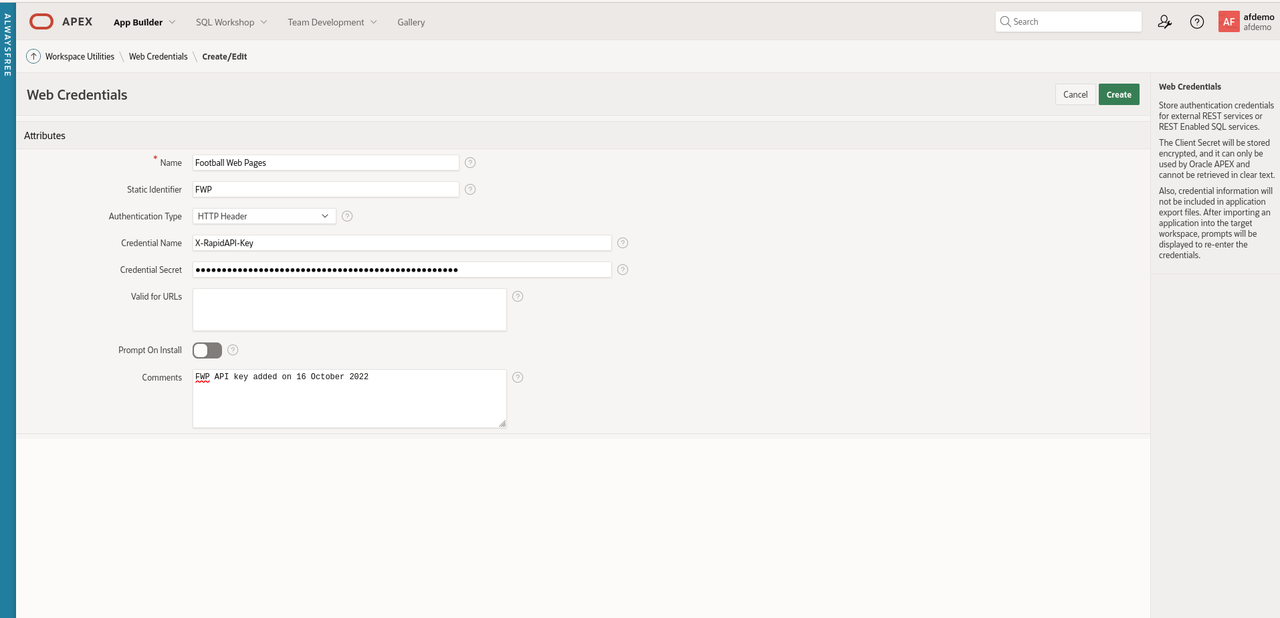
Enter the following values for the parameters

  • Name: Football Web Pages
  • Static Identifier: FWP
  • Authentication Type: HTTP header
  • Credential Name: X-RapidAPI-Key
  • Credential Secret: secretapikey
  • Comments - FWP API key added on 16 October 2022

The reason I always add the comments field is that many API keys have a limited lifetime (6 months or a year) for security reasons. Often it is useful to know when the client secret was created.

WC Attributes

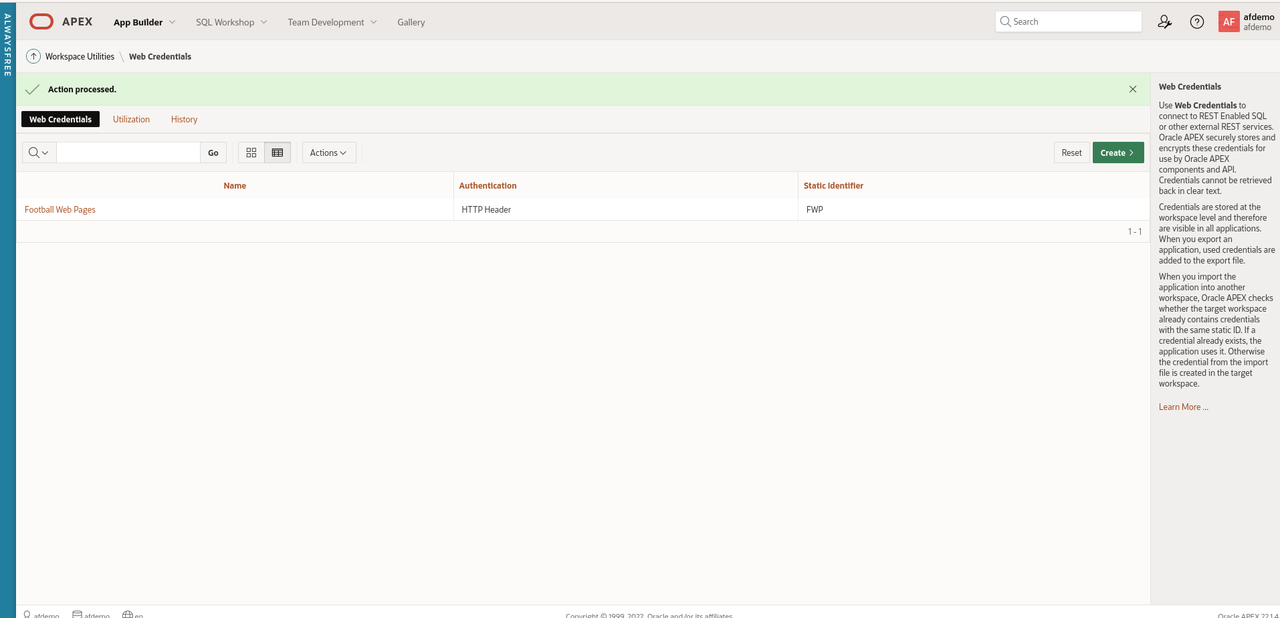
Click 'Create' to save the changes

Web Creds Complete

Next, create a REST data source for the FWP REST API

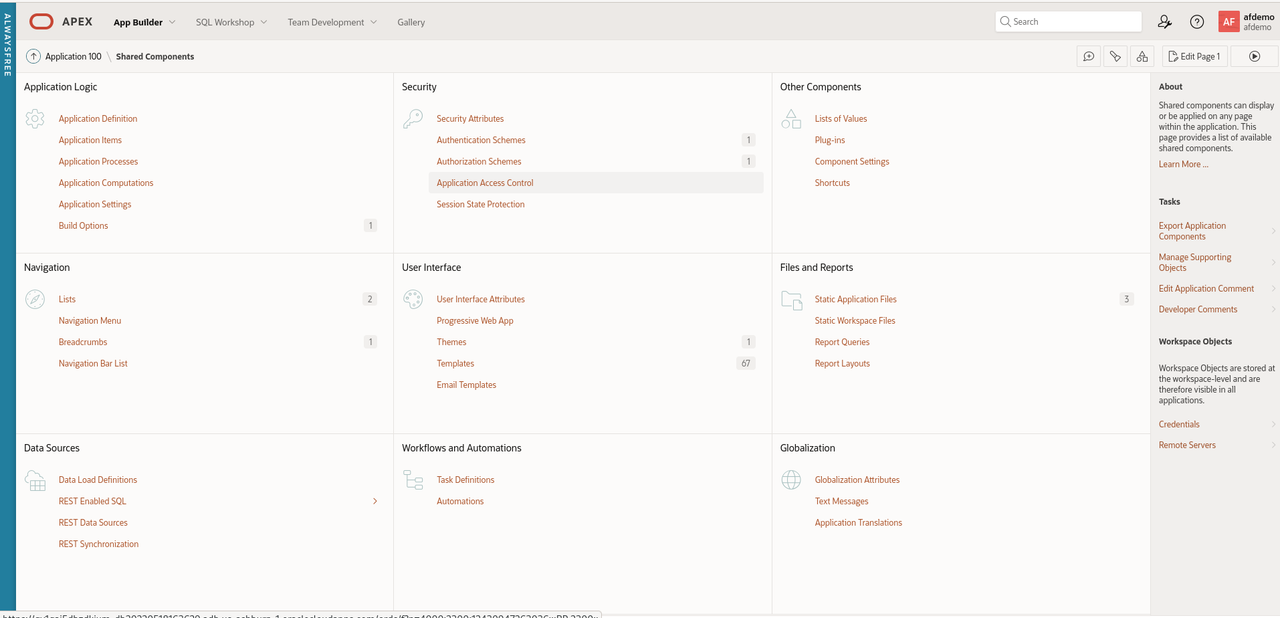
Navigate to 'App Builder' and click 'Shared Components'.

Shared Components

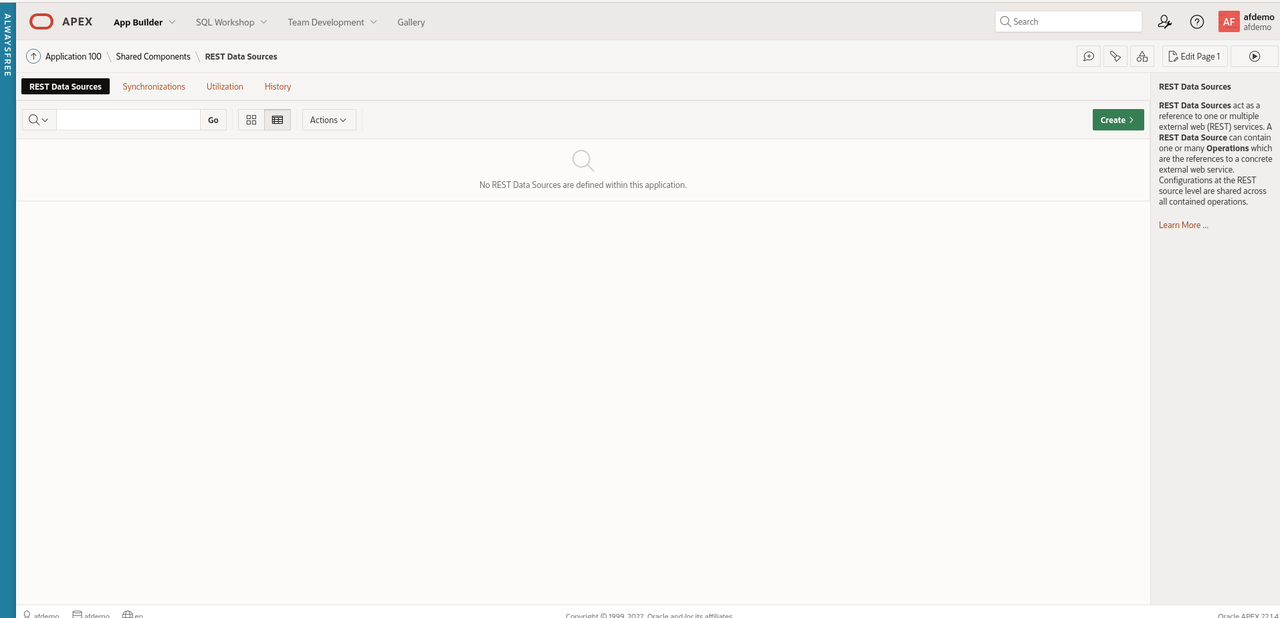
In the bottom left section, click 'REST Data Sources'.

REST Data Sources

Click 'Create'

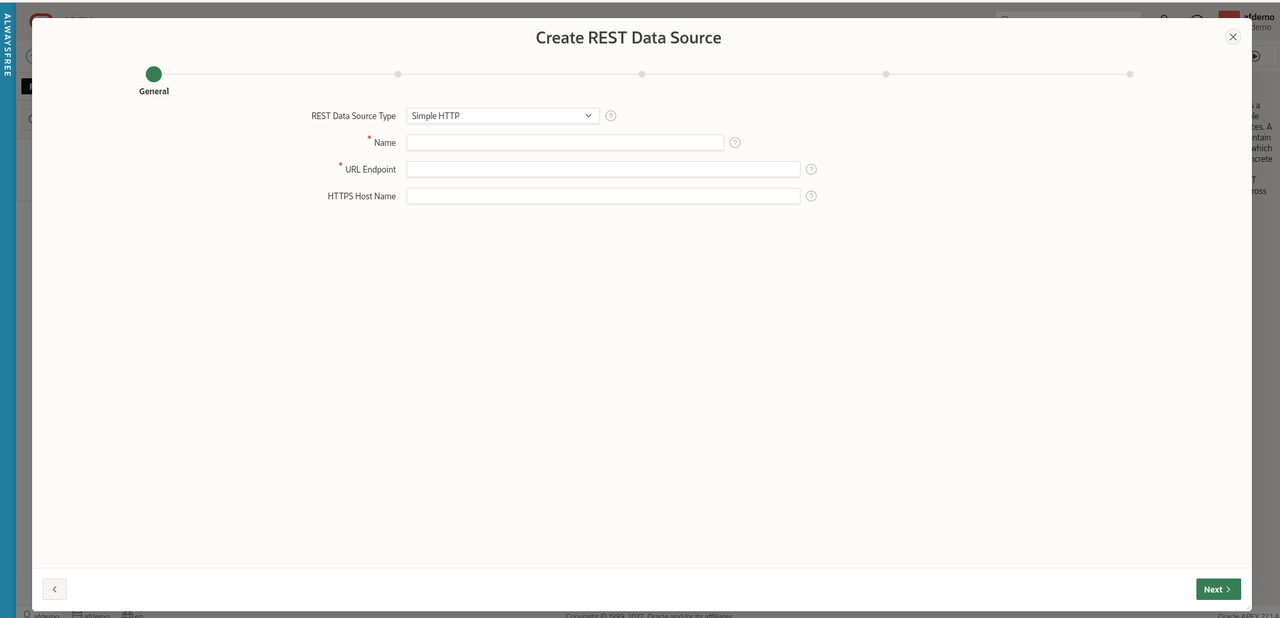
Select 'From scratch' for 'Create REST Data Source' and click 'Next'

Create REST Data Source

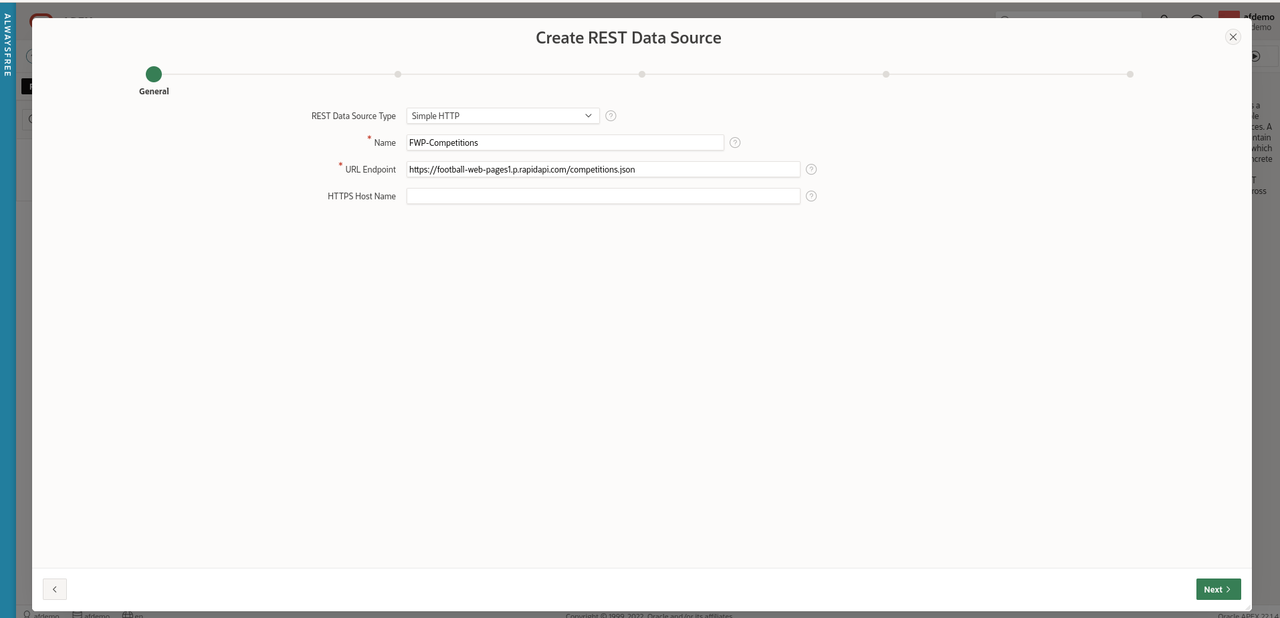
Leave the default of 'Simple HTTP' for the value of 'REST Data Source Type'

Enter 'FWP-Competitions' for the 'Name'.

Enter 'https://football-web-pages1.p.rapidapi.com/competitions.json' for 'URL Endpoint'

Leave the optional parameter 'HTTPS Host Name' blank.

REST Data Source Params

Click 'Next'

Leave 'Create New' for the 'Remote Server' parameter

Accept the values helpfully supplied by APEX for 'Base URL' and 'Service URL Path'.

Click 'Next'

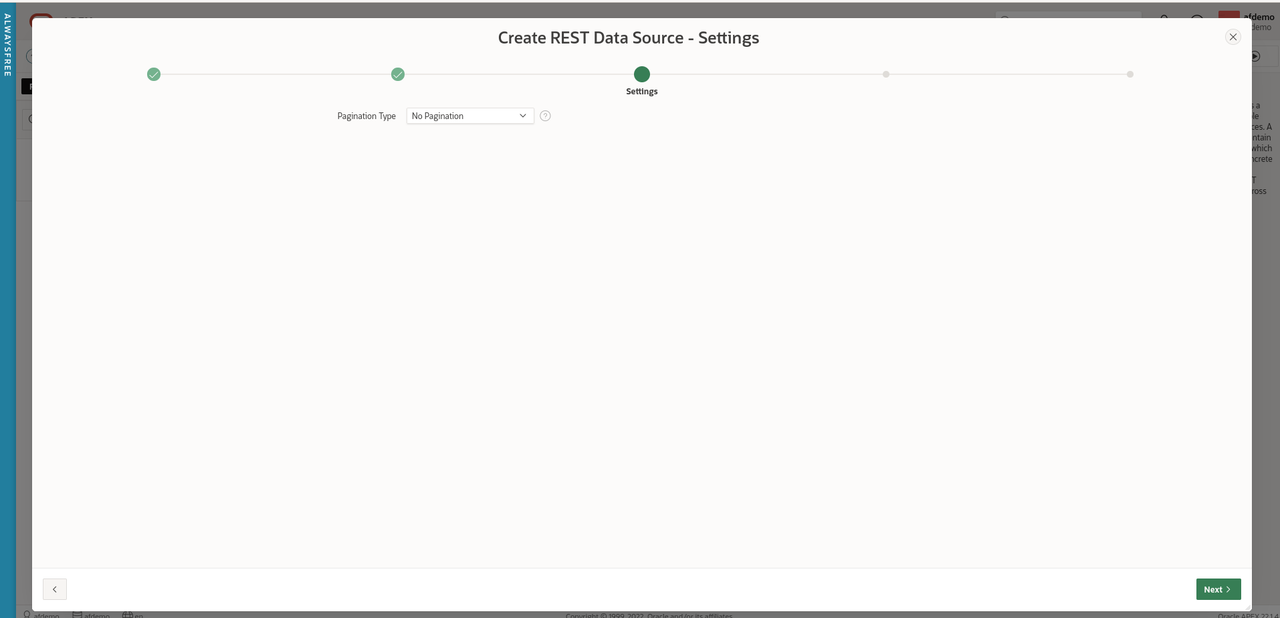
Accept the default of 'No Pagination' for 'Pagination Type'.

REST Data Source Pagination

Click 'Next'

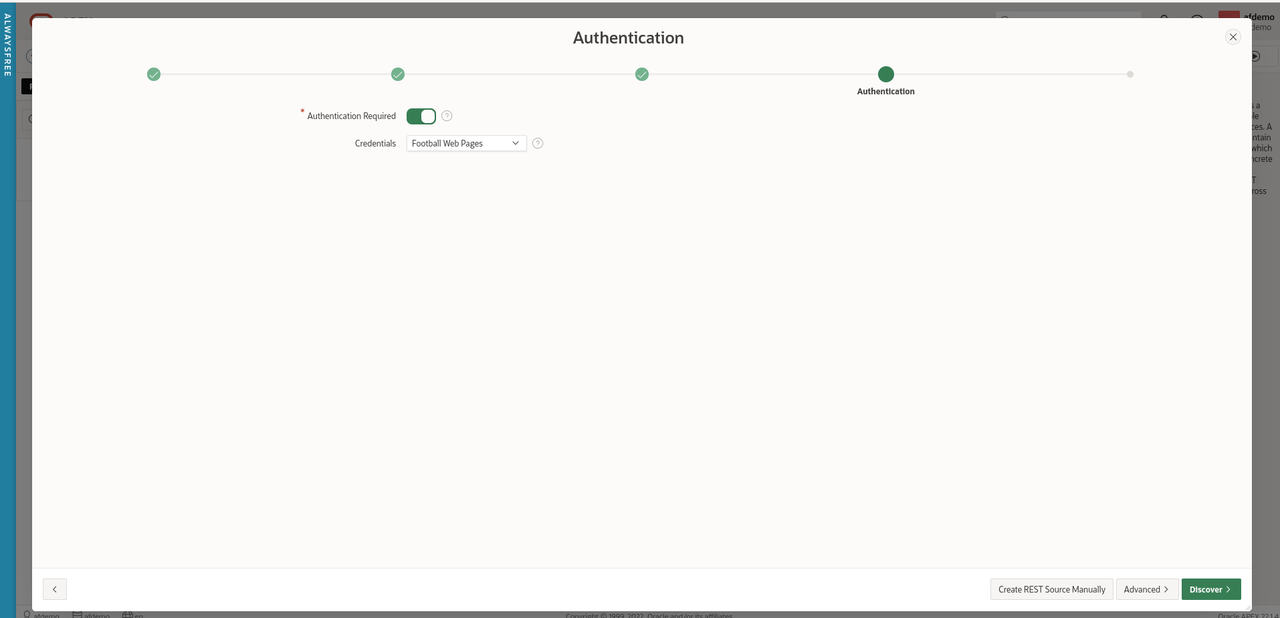
Ensure 'Authentication Required' is checked and select 'Football Web Pages' from the drop-down menu for Credentials.

REST Data Source Auth

Click 'Discover'.

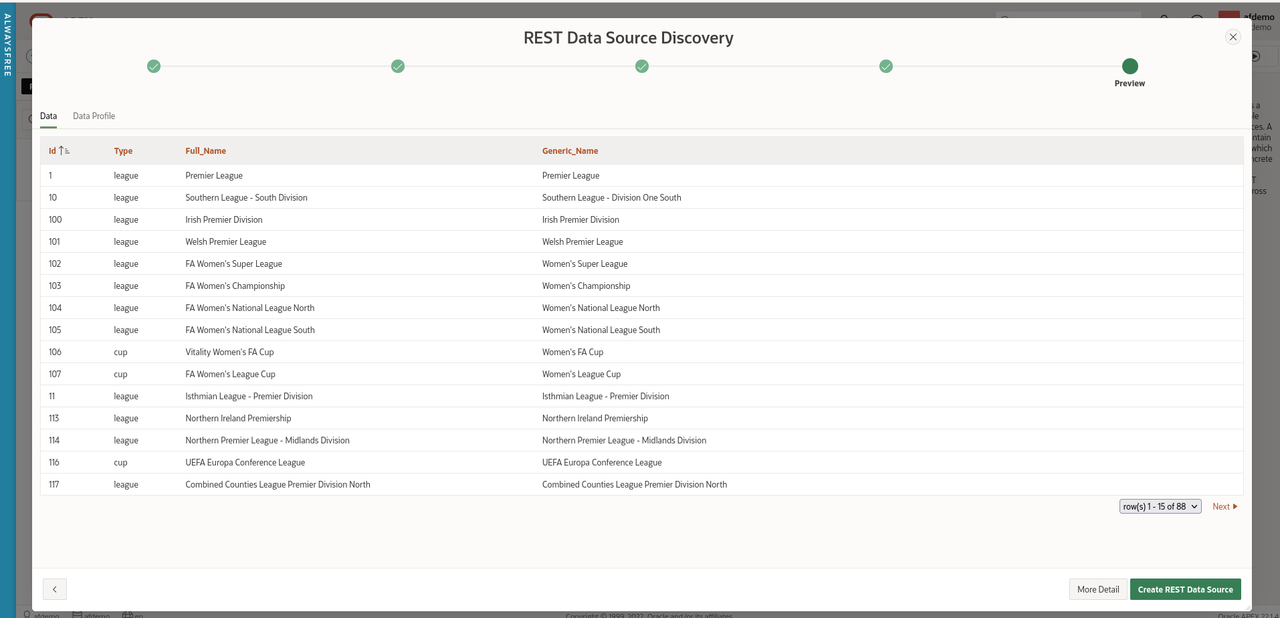
APEX has helpfully sent this API request to the FWP server using the Web credentials and provided us with a preview of the data set returned so we can check it looks correct.

REST Data Source Discovery

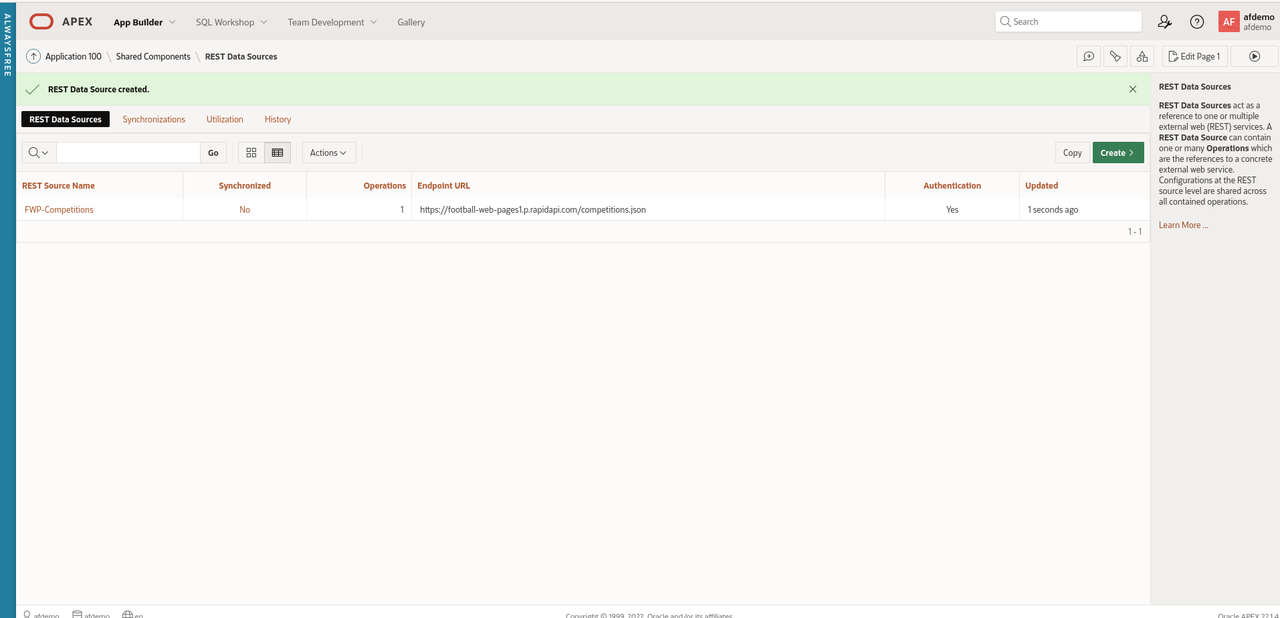
Wizards might want to click 'More Detail' but this looks good enough for us to just click 'Create REST Data Source'.

Create REST Data Source

Now we have defined Web credentials and created a REST data source, let's finally create an APEX page displaying the Competitions.

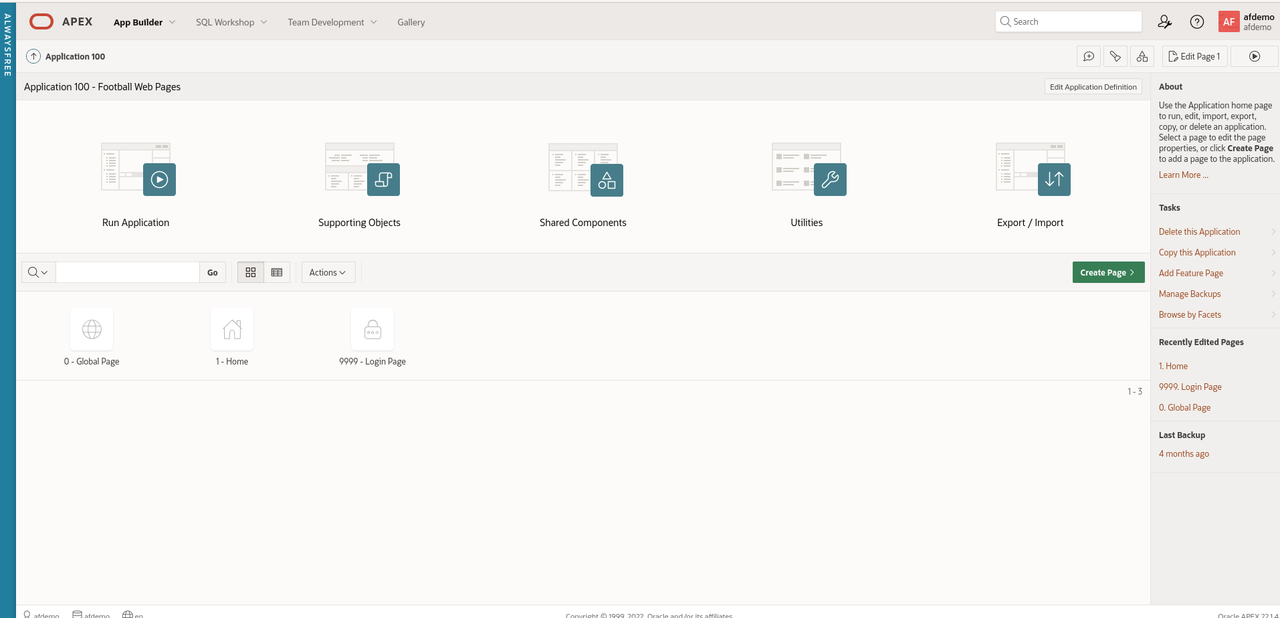
Navigate back to 'App Builder' and select the 'Football Web Pages' application.

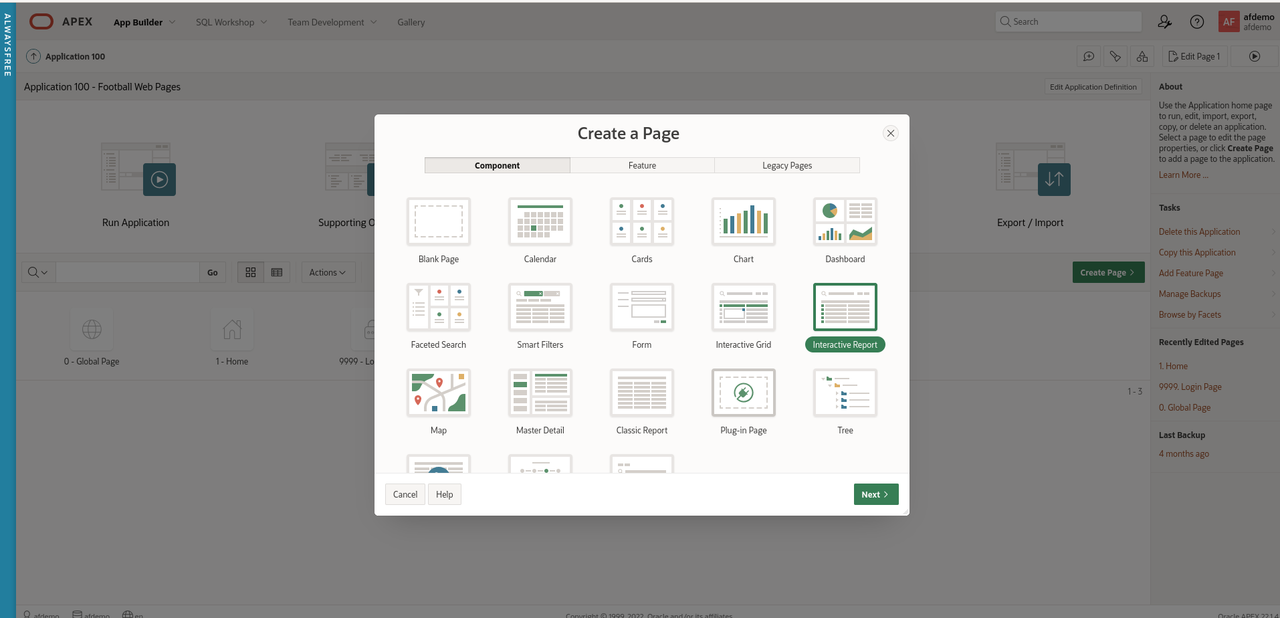
Click 'Create Page' and 'Interactive Report' from the Page Wizard.

Create IR

Click 'Next'

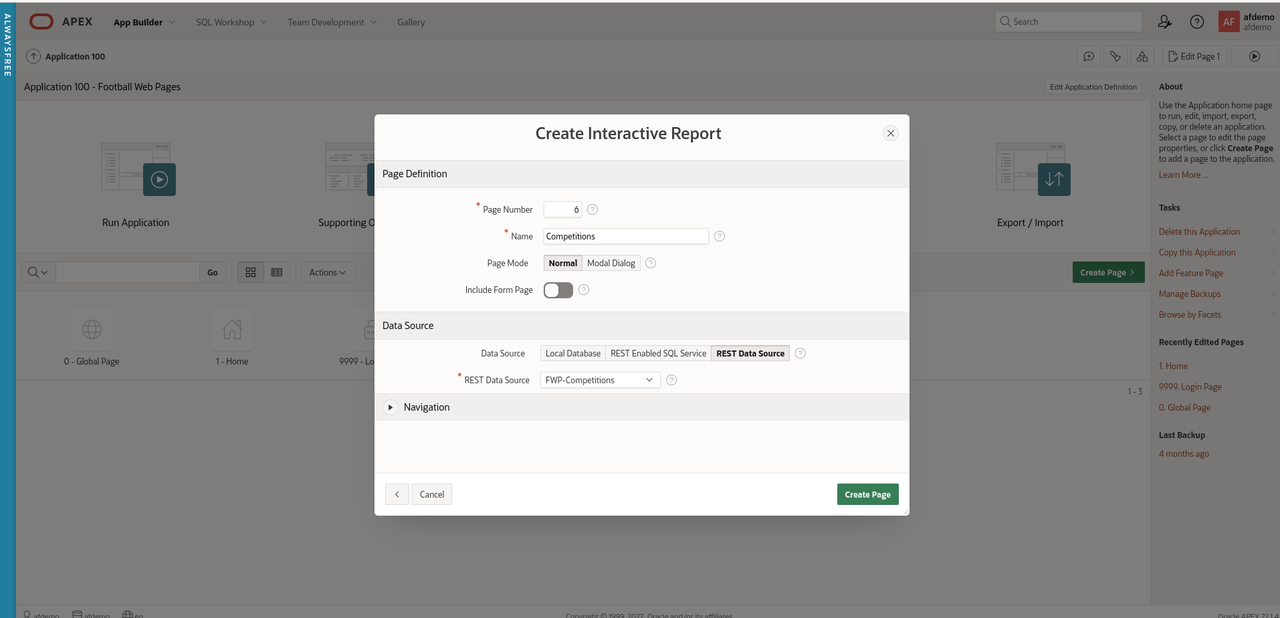
Enter 'Competitions' for the name of the new page.

Under 'Data Source', select 'REST Data Source' and select 'FWP Competitions' from the drop-down menu.

IR Params

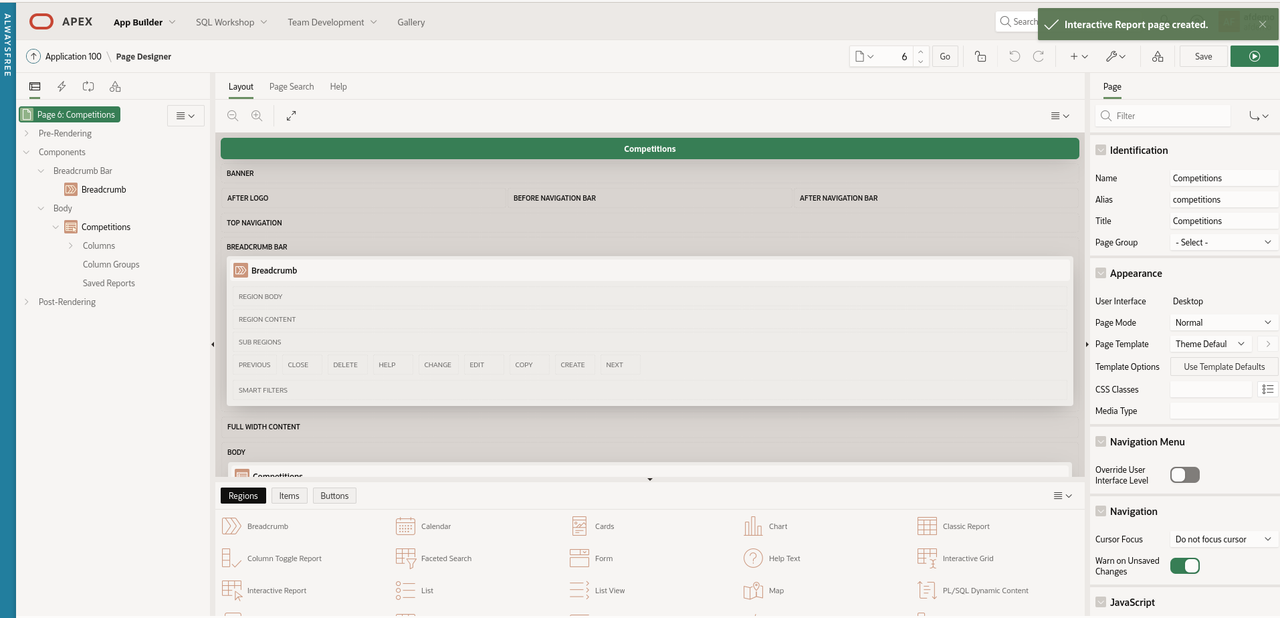
Click 'Create Page'

IR Page

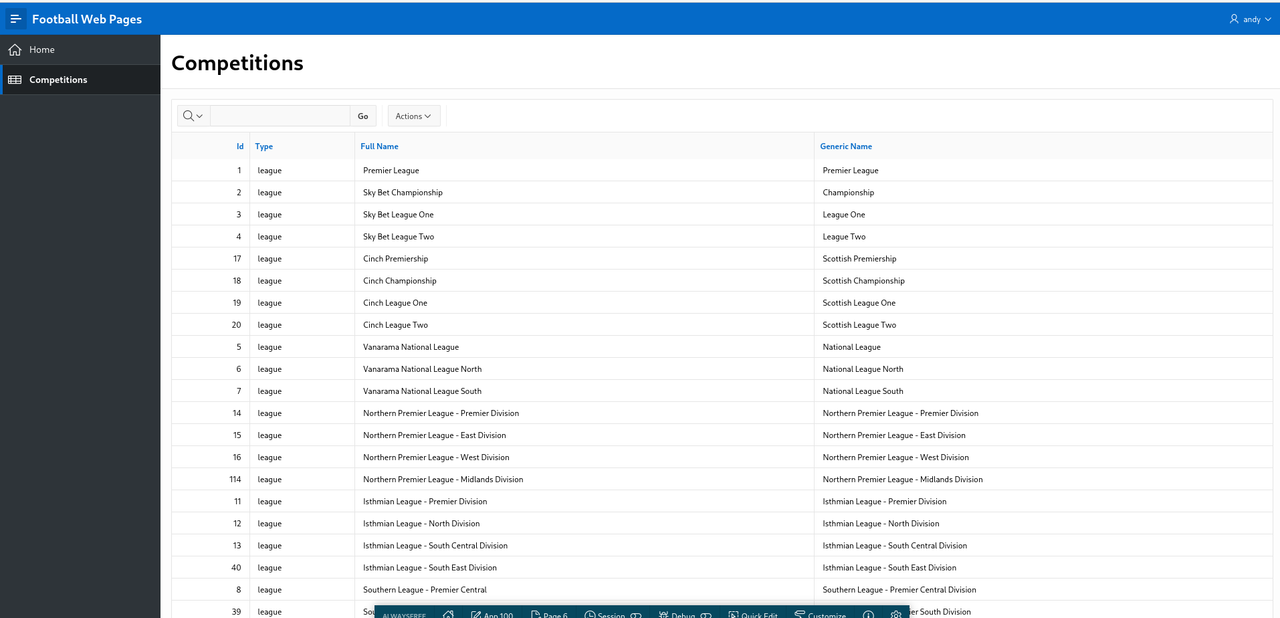
Run the 'Competitions' page

FWP Competitions

Summary

That took a while but we have created an APEX application that fetches data from a REST Data Source that requires authentication.

These are valuable building blocks to refine and extend this APEX application when we explore a range of different API's.

introduction to REST API's

REST API's are a popular means of manipulating data. REST API's use a client-server model. The server is a web server and the client is a Web application or a Python, Perl, Java, .NET, Node.js or COBOL program.

REST is an abbreviation for 'Representational State Transfer' while API is another abbreviation for 'Application Program Interface'.

This all sounds complicated and almost intimidating but it's not. Database developers have been manipulating data using a client (SQL*Plus) from a server (Oracle database) for many years.

A REST API call is simply an HTTP request. This HTTP request normally reads data but can also insert, update and delete data.

REST request

A REST request has four parts

Method

The HTTP method is required and indicates the operation to be performed. The most common types of an HTTP request are:

  • GET (Read)
  • POST (Write)
  • PUT/PATCH (Update)
  • DELETE (Delete)

Endpoint

The endpoint is the full URL sent to the Web server. For example, this endpoint lists all the feeds available on GitHub.

https://api.github.com/feeds

Click on the link. Data is displayed. It's not like a conventional Web site but it's data.

The endpoint is made up of four elements:

  1. root-endpoint - https://api.github.com/
  2. path - feeds
  3. variables - optional variables introduced with a colon (e.g. ':user')
  4. query parameters - optional set of name=value pairs separated with an ampersand (e.g. '?query1=value1&query2=value2'). Query parameters are used to filter the data returned by limiting the number of records and/or using search criteria.

Headers

Headers are optional and used to supply additional information (credentials, parameters).

Body

Data in the body section is also optional and normally used for a POST, PUT or DELETE requests to insert, update or delete data.

REST response

A REST request will receive a response. This is the data requested or an error code.

The response is usually a data set in JSON format (but could be XML or even an image).

The elements of the response are:

Response Code

The HTTP status code indicates the success or failure of the request. A non-exhaustive list of common status codes are:

  • HTTP/1.1 200-299 OK - success
    • 200 OK
    • 201 Created
    • 202 Accepted
  • HTTP/1.1 300-399 OK - redirect
    • 301 Moved permanently
    • 302 Moved temporarily
    • 304 Not Modified
  • HTTP/1.1 400-499 client error
    • 400 Bad Request
    • 401 Unauthorized
    • 403 Forbidden
    • 404 Not Found
    • 405 Method Not allowed
  • HTTP/1.1 500-599 server error
    • 500 Internal Server Error
    • 501 Not Implemented
    • 502 Bad Gateway

Content-Type

Indicates the format of the returned data. For example, for JSON data, this is set to

content-type: application/json; charset=utf-8

Content Length

Indicates the size (in bytes) of the returned data.

where to find REST API's

Many sites offers API's to access data. Twitter, GitHub, YouTube, IMDb, Apple Music are popular examples.

These sites often require developers to register and obtain an API key (password) in order to access the service. This is normally free and allows the provider to police the service and guard against denial of service attacks (flooding the server with requests in an effort to bring it down).

Governments and public sector bodies often provide excellent sources of public, freely accessible REST API's. Some of the subject matter may be a little dry; statistics about Coronavirus, trade quotas, water quality, crime.

Programmable Web includes a searchable directory of API's. RapidAPI also offers pointers to several API's for UK data.

Hello world

The first program I create when learning a new language is always 'Hello World!'. This is useful as it teaches you the basic syntax, how to compile or deploy the program and it is easy to check it works successfully.

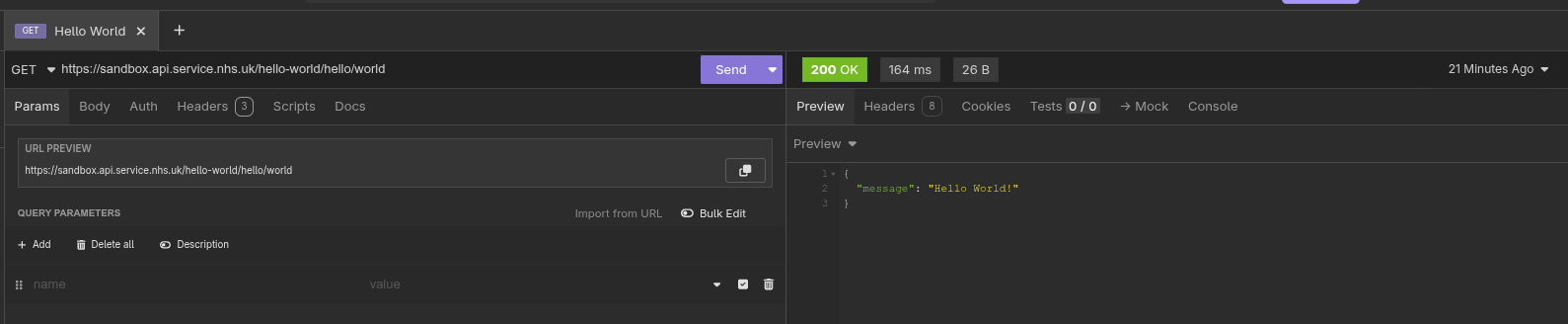
The National Health Service (UK) helpfully makes a REST API available that returns 'Hello World!'

This endpoint does not require authentication and simply returns 'Hello World!'.

https://sandbox.api.service.nhs.uk/hello-world/hello/world

There are many REST API clients available and we will use a GUI REST client called Insomnia for this tutorial.

Download and install Insomnia which is available for Linux, Windows and macOS.

Enter the endpoint into the field labelled 'GET' in the middle panel and click 'Send'.

Insomnia-Hello-World.png

The right hand panel contains the response from this request. The data returned is in JSON format and contains a single entry containing 'Hello World!'

The other important fields are the status code of '200 OK' which is displayed in Green and represents a successful call for the GET request.

The elapsed time for this request is quick (164 ms).

Finally, the size of the returned data is '26B' (26 bytes).

Summary

Congratulations ! You have submitted your first REST API request. It's time to put the kettle on and update your CV.

In the next article, we will build on this knowledge by using REST to create a more useful, real-life scenario.