Posts in category "software"

REST API clients

REST API clients

REST API's are increasingly important for Web developers.

There are a wide variety of tools that assist developers with accessing, creating, testing and documenting testing REST API's.

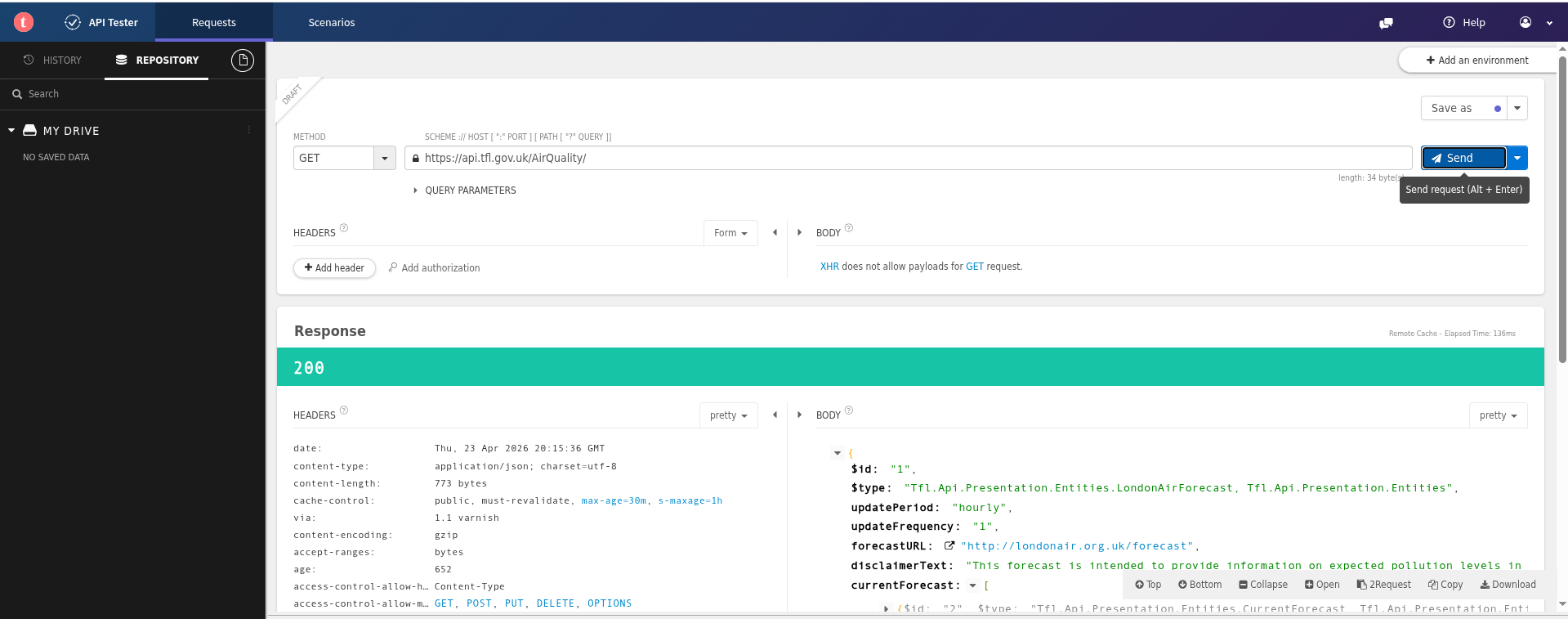
The following examples will use Transport For London (TFL)'s report on the current air quality in London. This REST API does not require authentication and returns a manageable amount of data.

The endpoint for this REST API is: https://api.tfl.gov.uk/AirQuality/

Web browsers

As a REST API is simply a URL, the most obvious 1 candidate to access a (simple) REST API is simply, err, a Web browser.

If you just want to quickly check the endpoint is correct, currently accessible and examine the data returned, this may be adequate as a sanity check.

Firefox

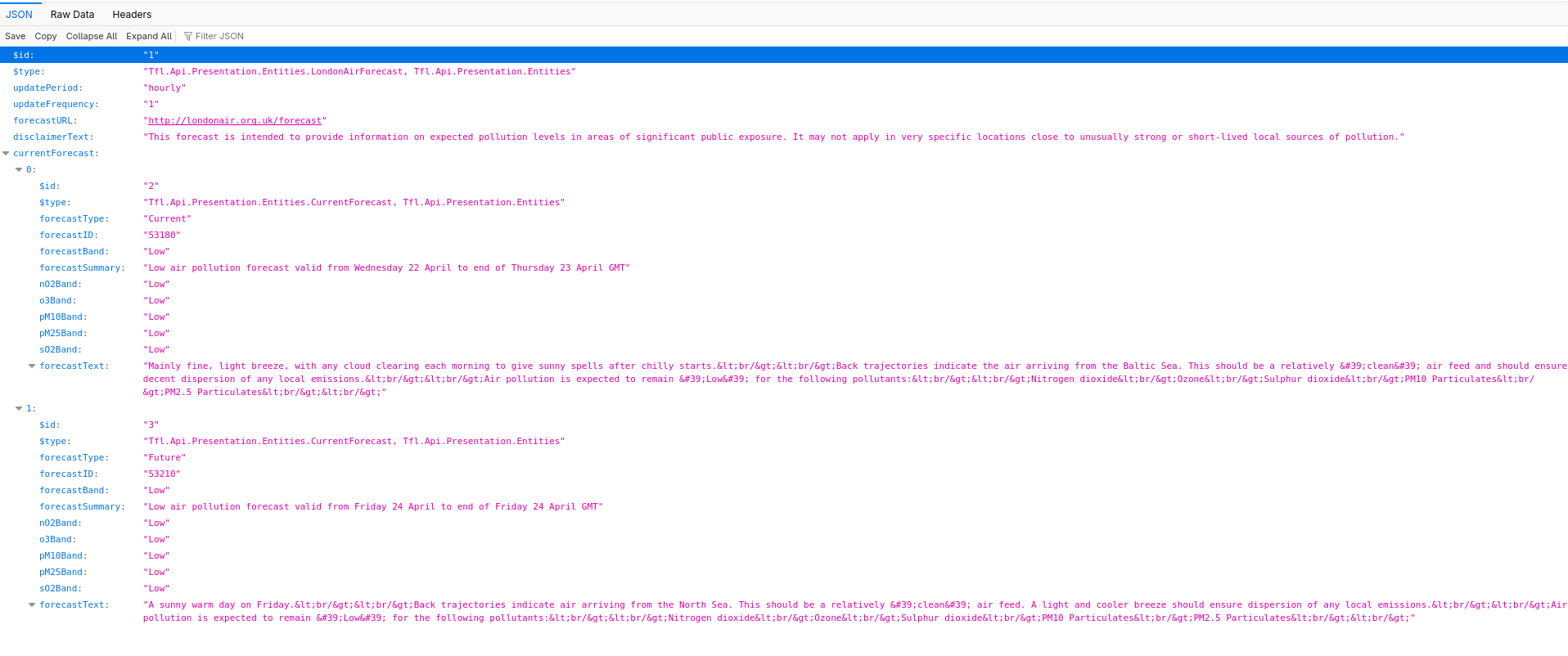
Mozilla Firefox can display and format the JSON data returned by a REST API call.

There are options to display the raw data and the headers.

Air Quality - Firefox

Add-Ons

If you need more flexibility or just curious, there are a couple of Firefox add-ons available.

RESTer

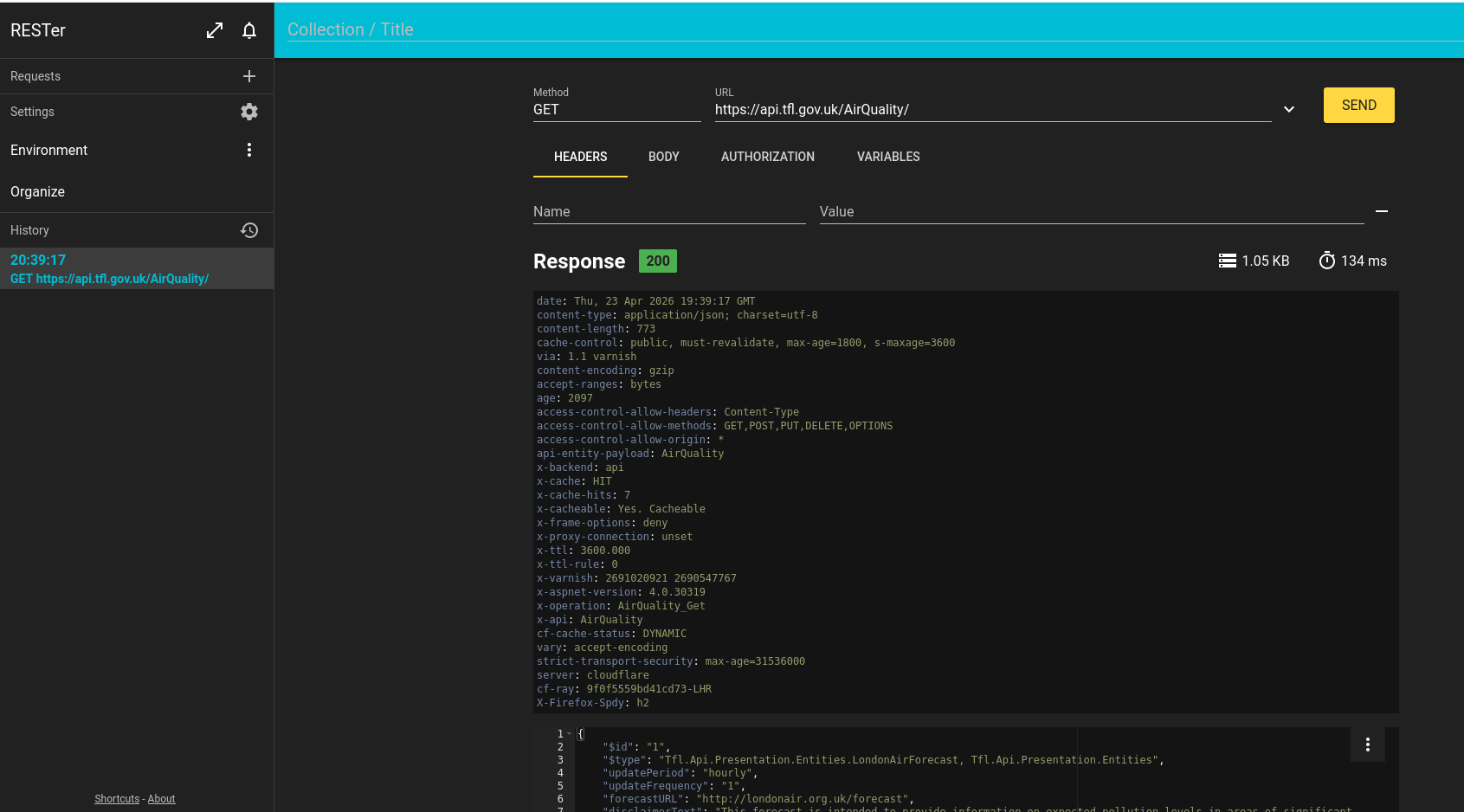
RESTer is a Firefox add-on providing a REST API client.

Specify the following parameter values:

Air Quality Firefox RESTer

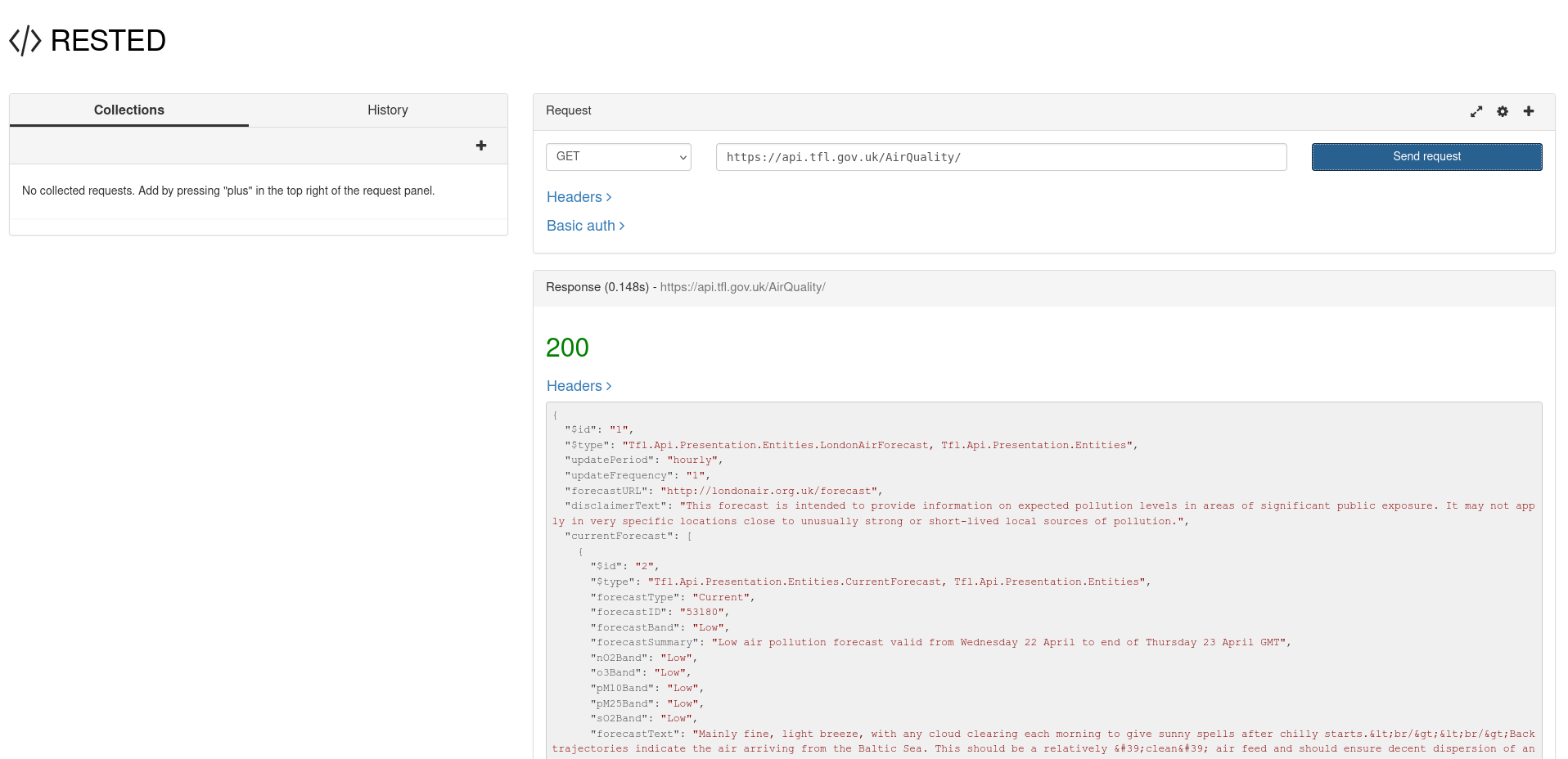
RESTED

RESTED is another Firefox add-on with similar functionality.

Air Quality Firefox RESTED

Chrome

Out of the box, the JSON displayed by Chrome isn't as readable and user friendly as Firefox as it's just a wall of text with no formatting. That's OK for a computer program but not so good for a human.

Air Quality Chrome

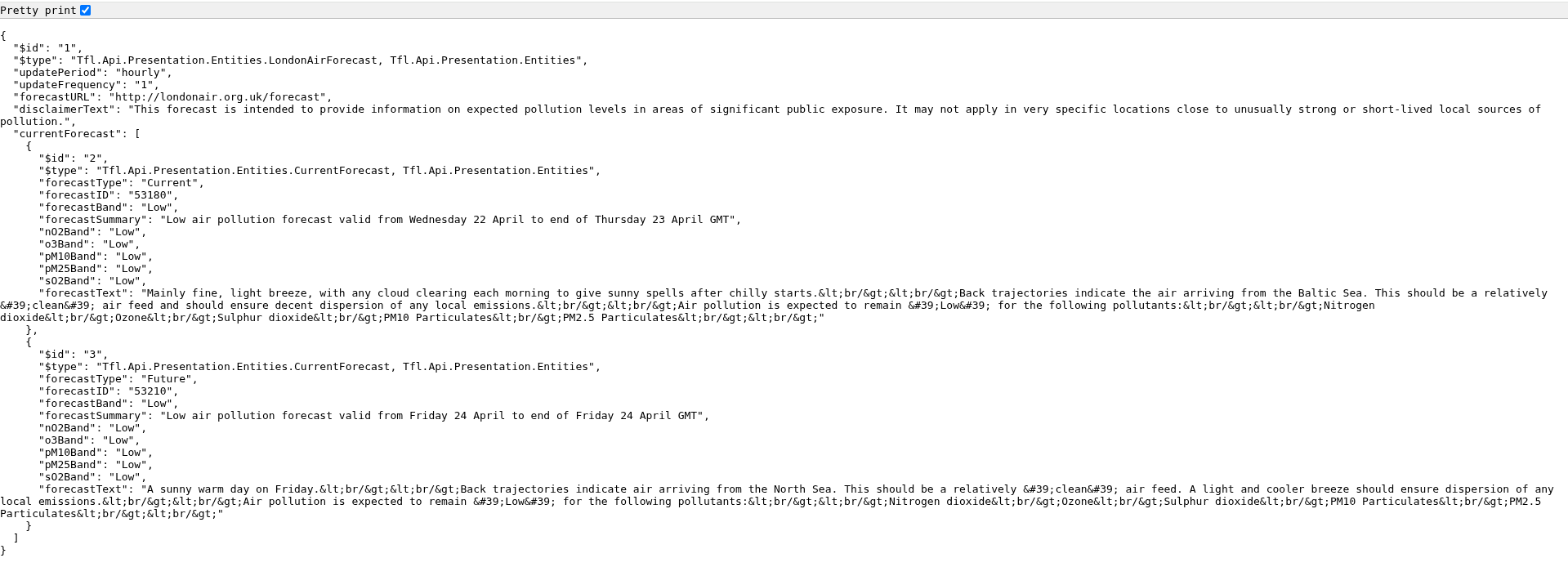
However, you can use the 'Pretty Print' option.

Air Quality Chrome Pretty Print

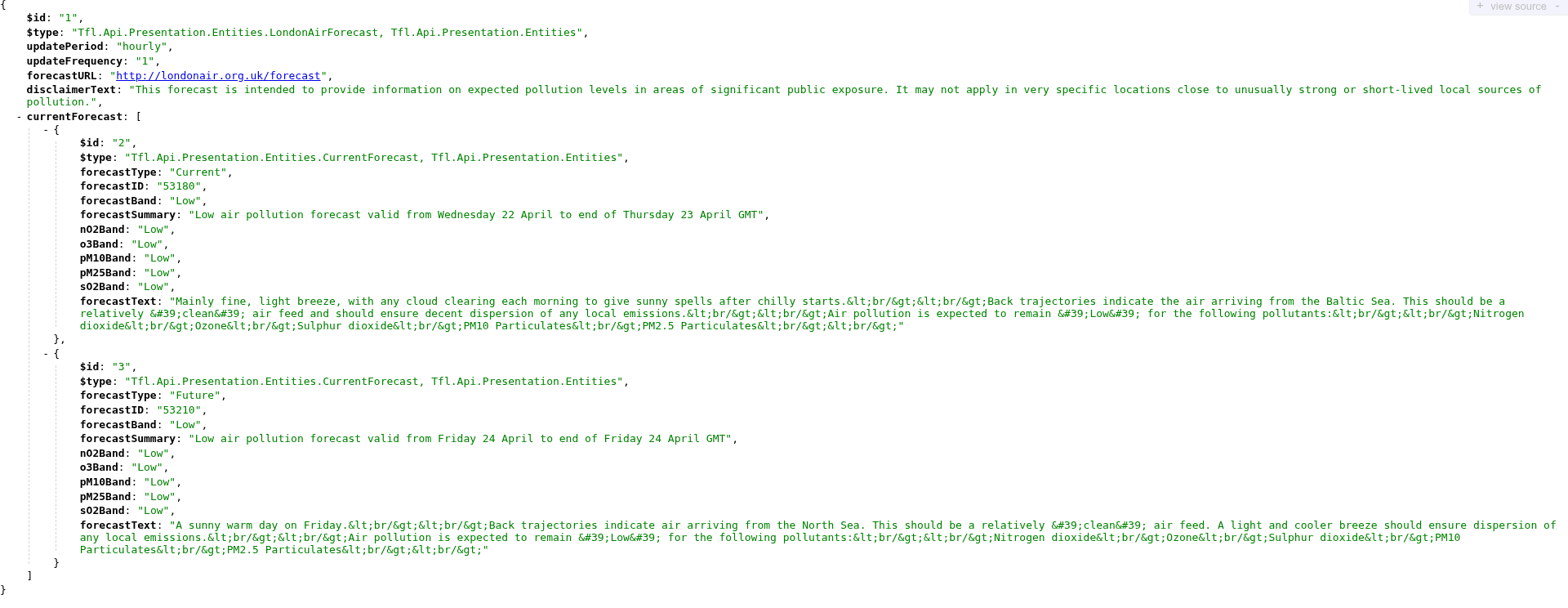
Alternatively, install the Chrome JSONVue extension which displays the JSON data in a more useful format.

Air Quality Chrome JSONVue

There are also a number of Web sites that display a JSON stream into a readable format with a variety of formatting options.

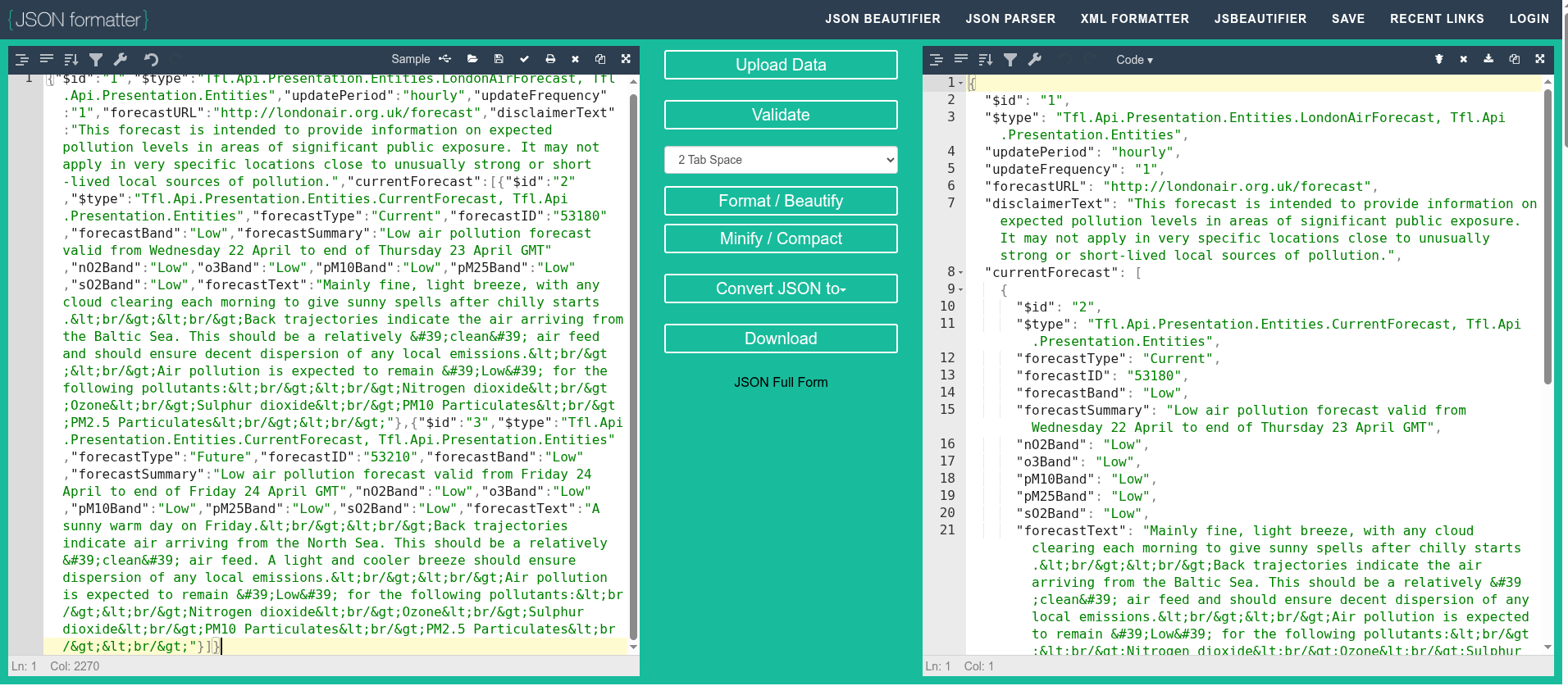
For example, you can copy/paste the raw Chrome text output into JSON formatter to display the data in a more readable format.

Air Quality JSON formatter

Extensions

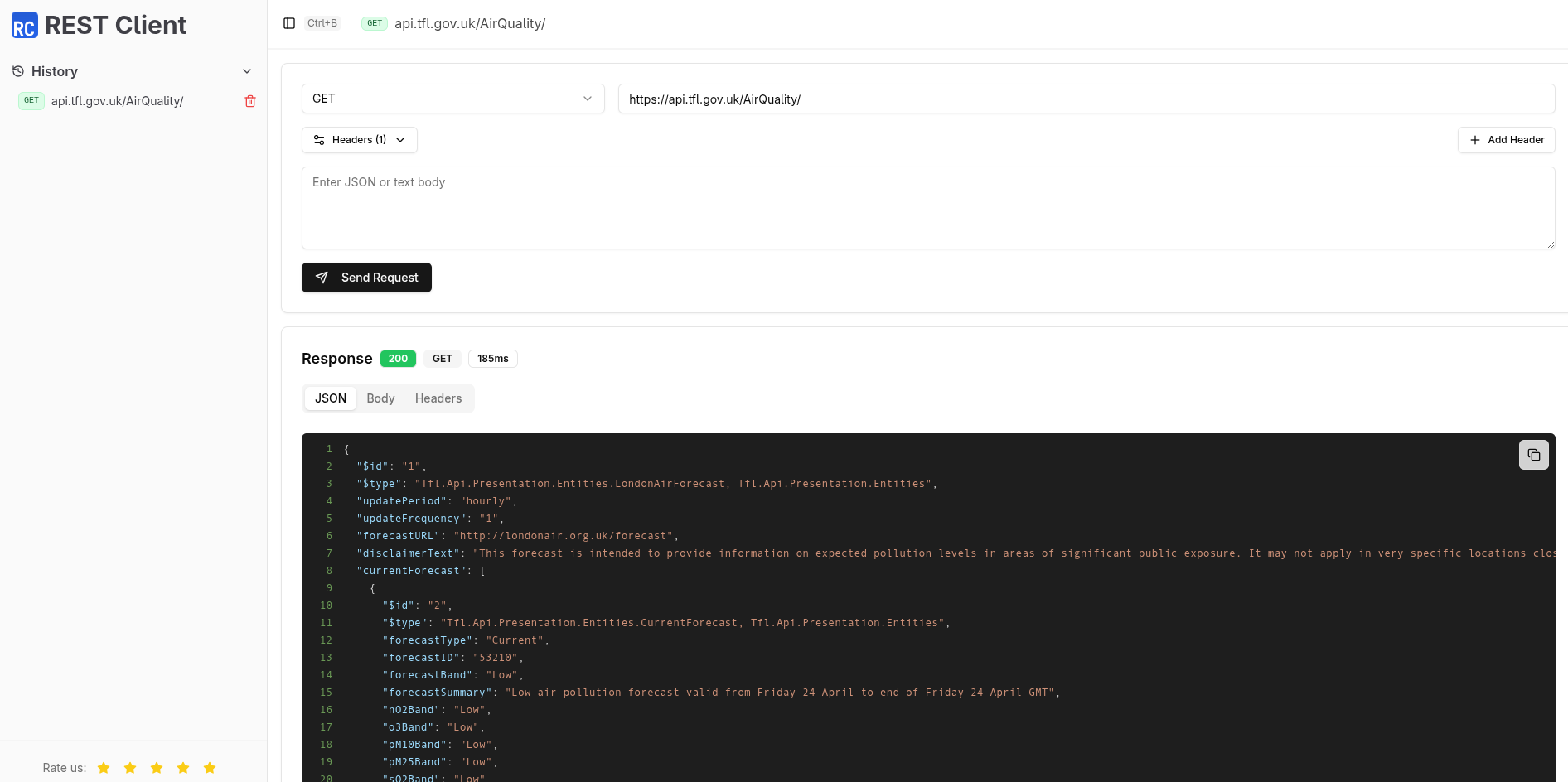
REST Client

REST Client is a Chrome extension to test REST API's.

Air Quality Chrome REST
Client

Talend

Talend offers a commercial product together with a free Chrome extension that may suffice for simple requirements.

Air Quality Chrome Talend

Applications

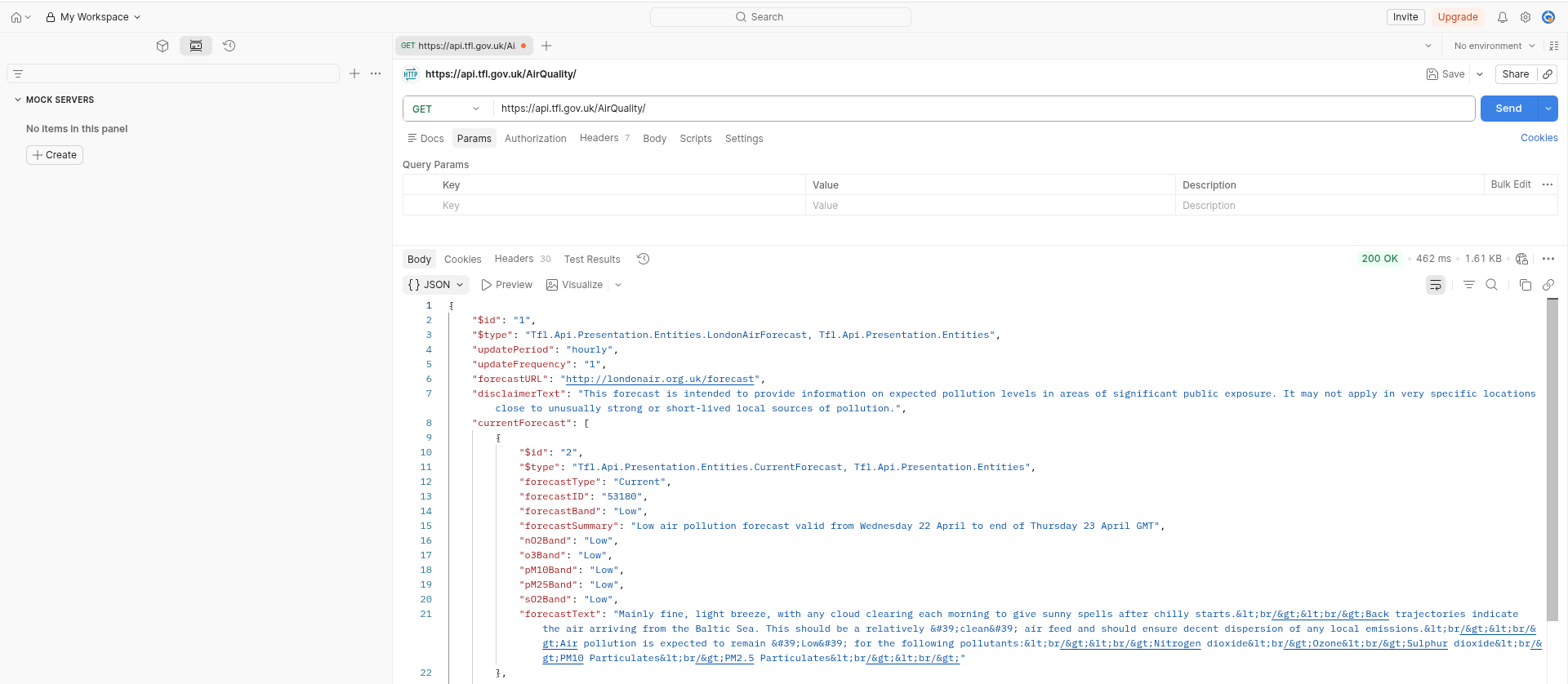
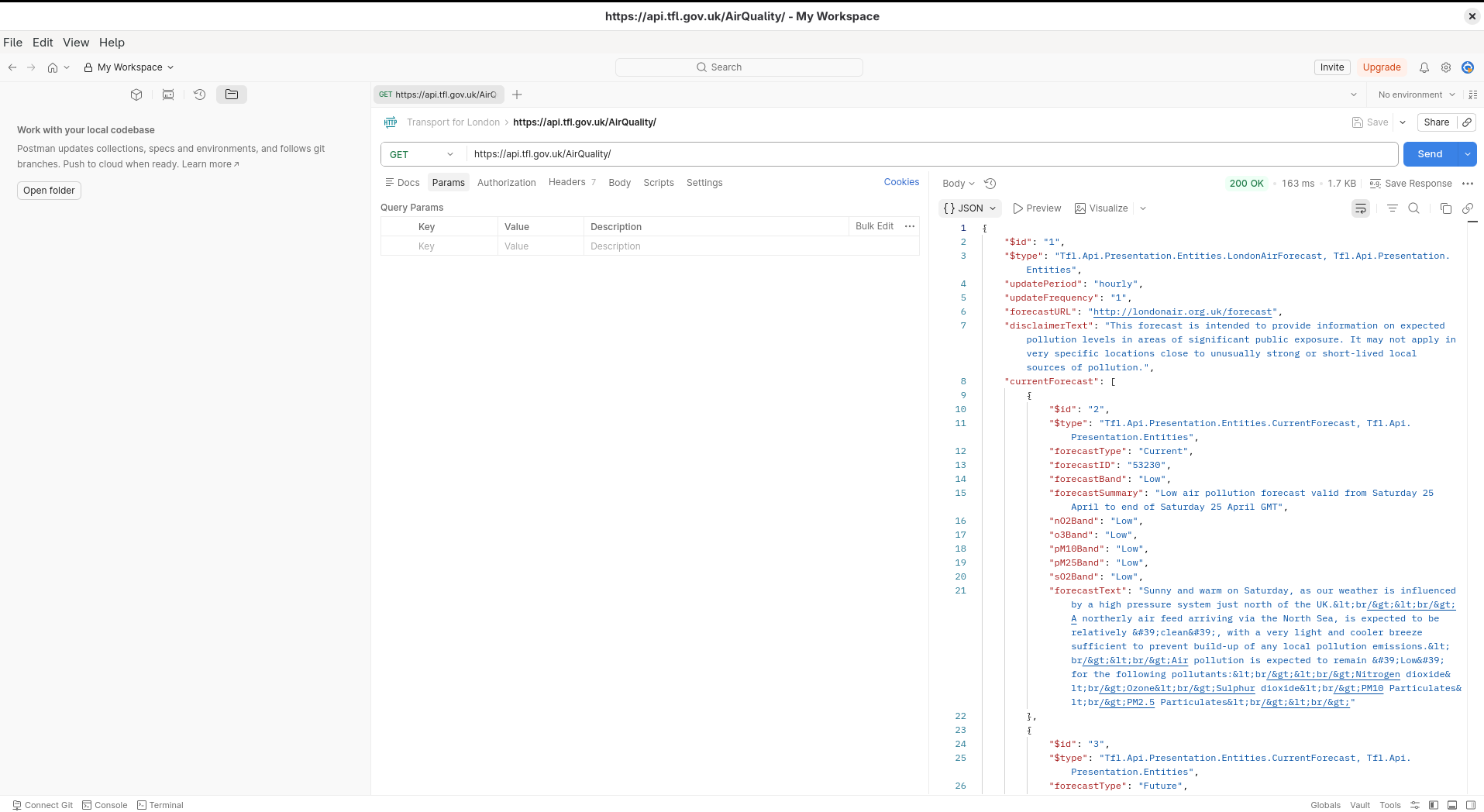
Postman

Postman is a very popular desktop REST API application and includes team working, workspaces, Git support, AI integration, data driven testing and many other features. There is a free plan available for individuals.

Postman is available on the Web and there are native applications for Windows, Linux and macOS.

Air Quality Postman Web

Postman is useful as many sites offering REST API's also include a pre-built Postman collection that you can import and experiment with.

Personally, I find the Postman Web site very busy and cluttered which is overkill for my simple requirements. Postman also requires that you sign up for an account.

Postman offers a native Linux application which is 375MB (on Arch Linux).

Air Quality Postman App

Curl

curl is a open source command line utility for testing REST API's which is universally available (Linux, Windows, MacOS).

You can find out whether curl is installed and, if so, which version using the following command. It's worth checking you are using a recent version of the software.

$ curl --version
curl 8.19.0 (x86_64-pc-linux-gnu) libcurl/8.19.0 OpenSSL/3.6.2
  zlib/1.3.2 brotli/1.2.0 zstd/1.5.7 libidn2/2.3.8 libpsl/0.21.5
  libssh2/1.11.1 nghttp2/1.69.0 ngtcp2/1.22.1 nghttp3/1.15.0 mit-krb5/1.21.3
Release-Date: 2026-03-11
Protocols: dict file ftp ftps gopher gophers http https imap imaps
  ipfs ipns mqtt mqtts pop3 pop3s rtsp scp sftp smb smbs smtp smtps
  telnet tftp ws wss
Features: alt-svc AsynchDNS brotli GSS-API HSTS HTTP2 HTTP3
  HTTPS-proxy IDN IPv6 Kerberos Largefile libz NTLM PSL SPNEGO SSL
  threadsafe TLS-SRP UnixSockets zstd

You can use curl to exercise the TFL Air Quality REST API using the following command.

The --silent parameter suppresses download and timing information and the raw output is piped to jq to format the JSON in a prettier format.

$ curl --request GET \
       --url https://api.tfl.gov.uk/AirQuality/ | jq
{
  "$id": "1",
  "$type": "Tfl.Api.Presentation.Entities.LondonAirForecast, Tfl.Api.Presentation.Entities",
  "updatePeriod": "hourly",
  "updateFrequency": "1",
  "forecastURL": "http://londonair.org.uk/forecast",
  "disclaimerText": "This forecast is intended to provide information on expected pollution levels in areas of significant public exposure. It may not apply in very specific locations close to unusually strong or short-lived local sources of pollution.",
  "currentForecast": [
    {
      "$id": "2",
      "$type": "Tfl.Api.Presentation.Entities.CurrentForecast, Tfl.Api.Presentation.Entities",
      "forecastType": "Current",
      "forecastID": "53210",
      "forecastBand": "Low",
      "forecastSummary": "Low air pollution forecast valid from Friday 24 April to end of Friday 24 April GMT",
      "nO2Band": "Low",
      "o3Band": "Low",
      "pM10Band": "Low",
      "pM25Band": "Low",
      "sO2Band": "Low",
      "forecastText": "A sunny warm day on Friday.<br/><br/>Back trajectories indicate air arriving from the North Sea. This should be a relatively 'clean' air feed. A light and cooler breeze should ensure dispersion of any local emissions.<br/><br/>Air pollution is expected to remain 'Low' for the following pollutants:<br/><br/>Nitrogen dioxide<br/>Ozone<br/>Sulphur dioxide<br/>PM10 Particulates<br/>PM2.5 Particulates<br/><br/>"
    },
    {
       <snip>
    }
  ]
}

Insomnia

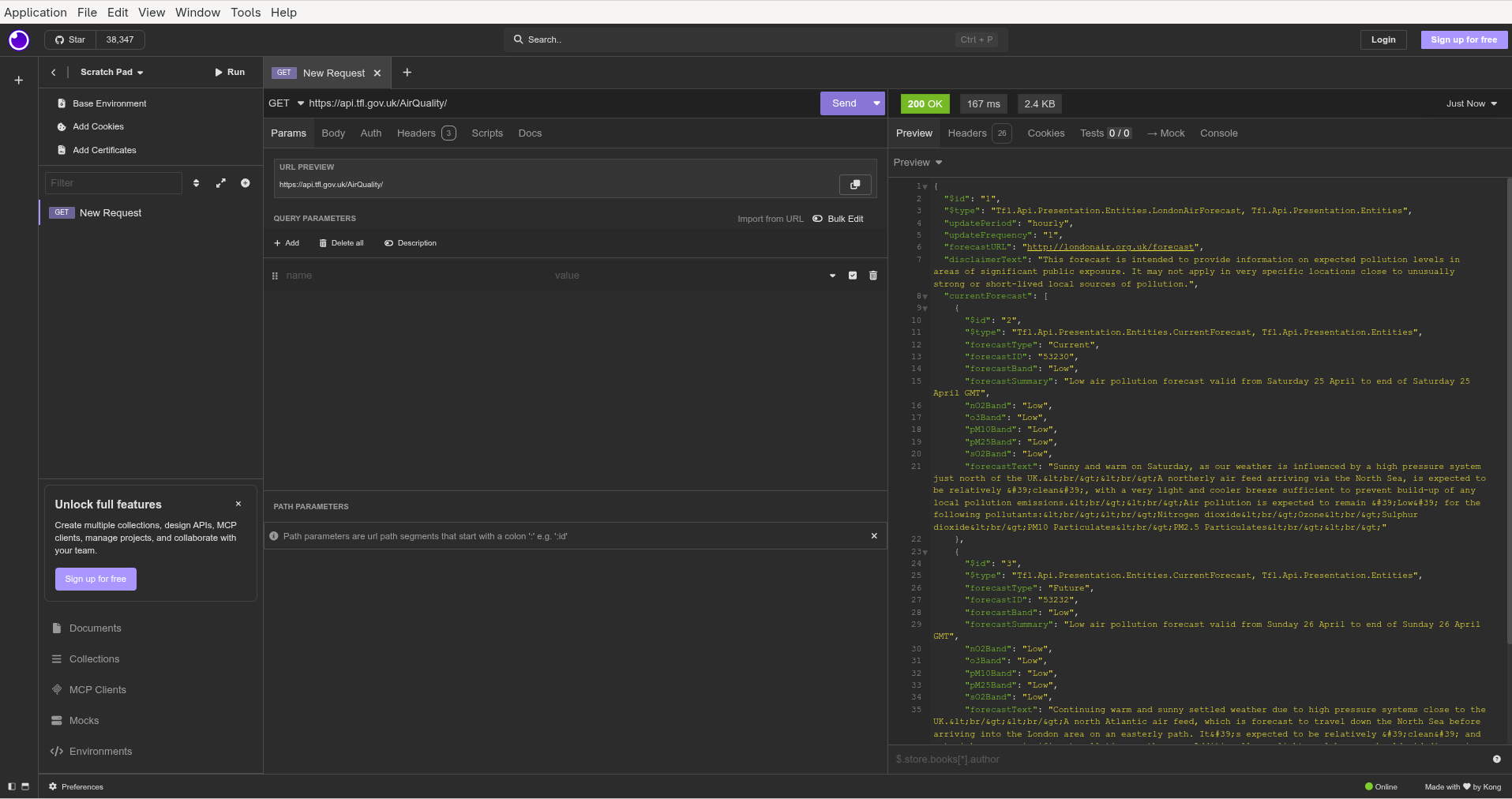
Insomnia is another option although the free version doesn't support synchronisation to the cloud.

Insomnia is an Electron based application which is great for platform portability but does increase the size of the program (which is a hefty 725MB on Arch Linux).

Insomnia also requires an account (although there is a 'scratchpad' available with limited functionality).

Air Quality Insomnia

Bruno

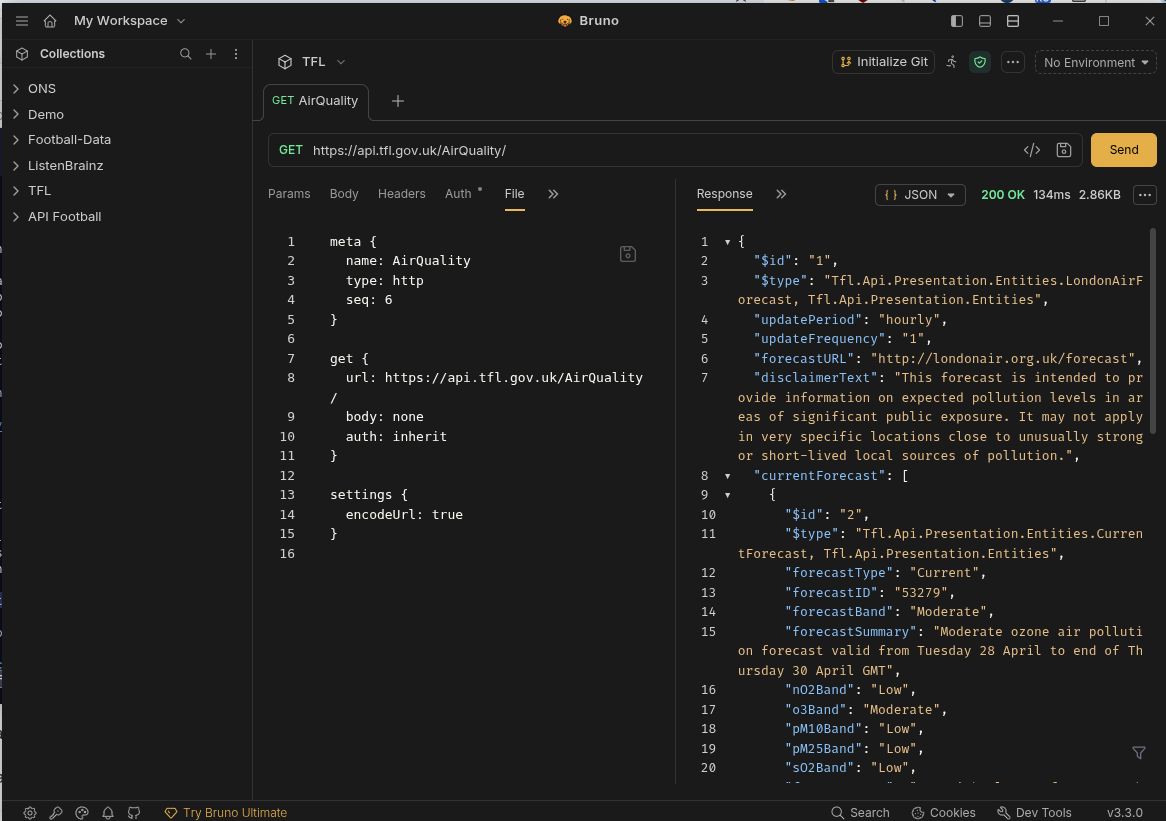
Bruno is another Electron based REST API client (although the size of the AppImage is 158MB). Bruno expressly does not offer a cloud synchronisation option or require an account. Your work is stored locally and sharing is via Git repositories. Nor will Bruno use your data to train AI models.

Bruno supports collections and each API request is stored as a text file.

Air Quality Bruno

Hoppscotch

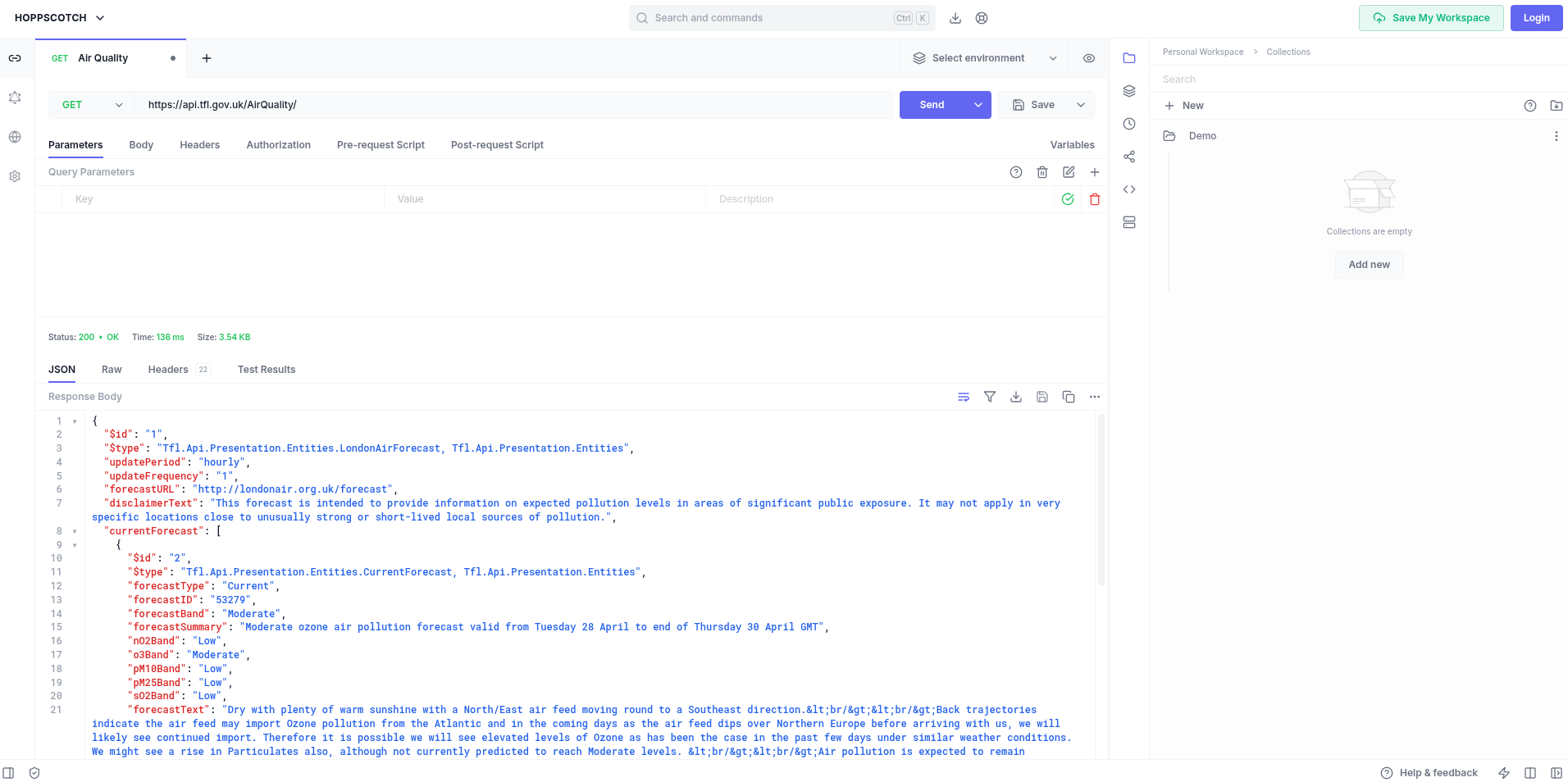
Hoppscotch is yet another option that offers a cloud service (requires login) as well as native clients for Linux, macOS and Windows.

Hoppscotch Community Edition is open source (MIT licence) and can be used on personal and commercial projects. Hoppscotch can also be self-hosted.

Air Quality Hoppscotch

HTTPie

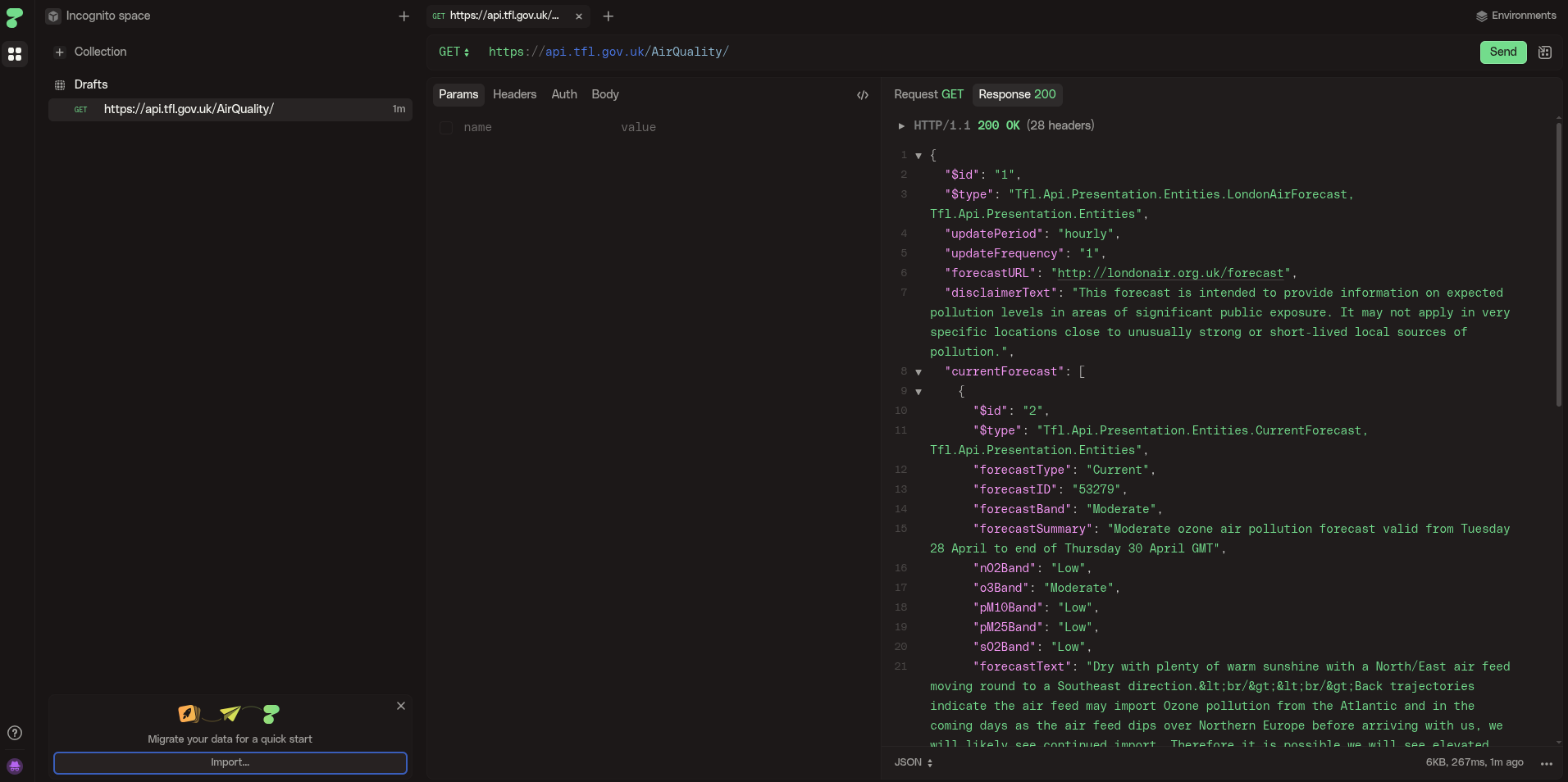
HTTPie is another REST client (similar to Hoppscotch) which supports importing API's from 'curl', 'Postman' and 'Insomnia'.

Some prospective users may be discouraged by the imminent promise of 'HTTPie AI'.

Air Quality HTTPie

Editors/IDEs

Emacs

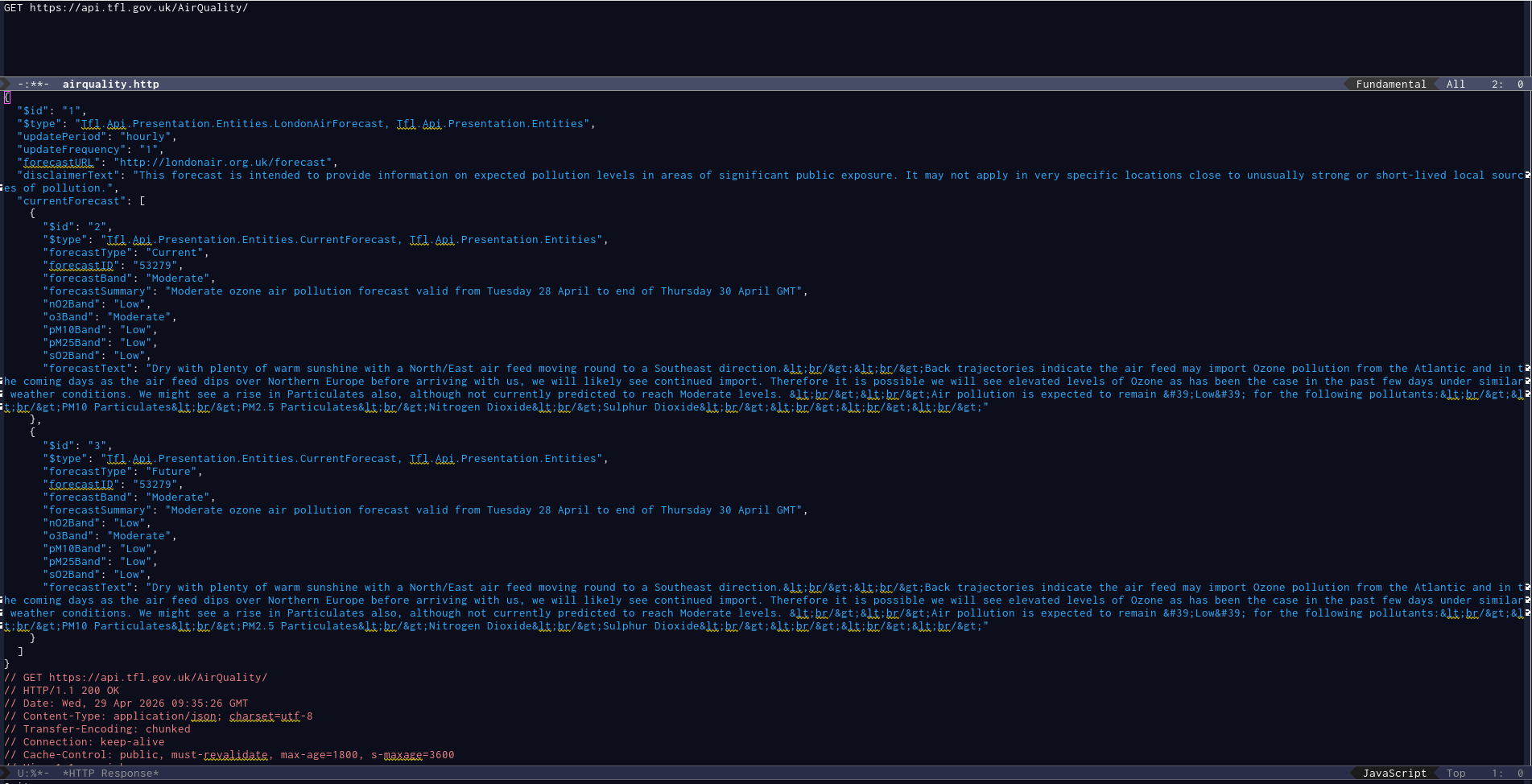
Emacs includes a package restclient (available in MELPA) which is a REST client that presents the output in a separate buffer. The package still works fine but appears to be without an owner as the repository was archived in April 2024.

Air Quality Emacs restclient

Visual Studio

Thunder Client

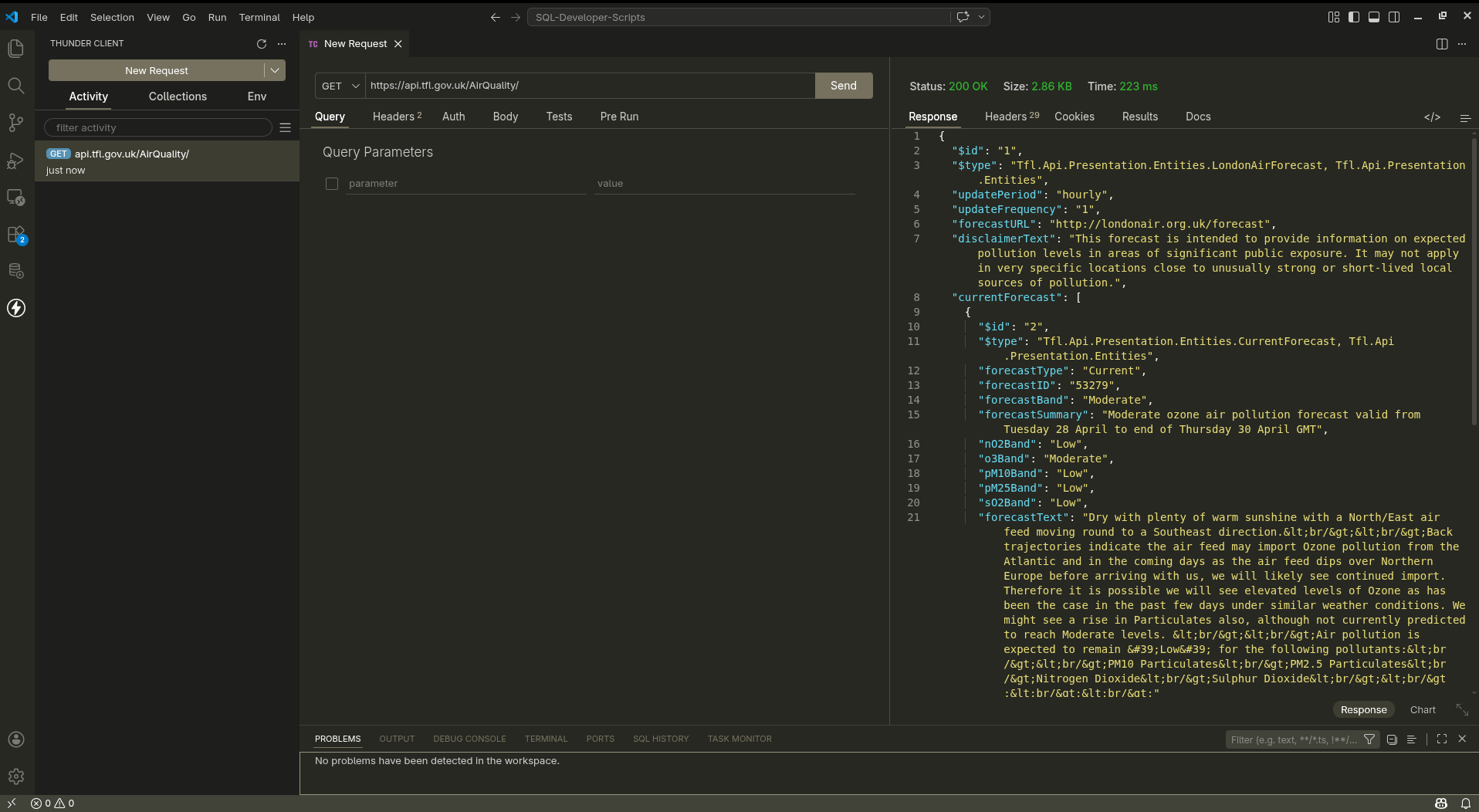
Thunder Client is a VS Code extension for the widely used VS Code editor/IDE.

Air Quality VSCode
ThunderClient

Golden Retriever

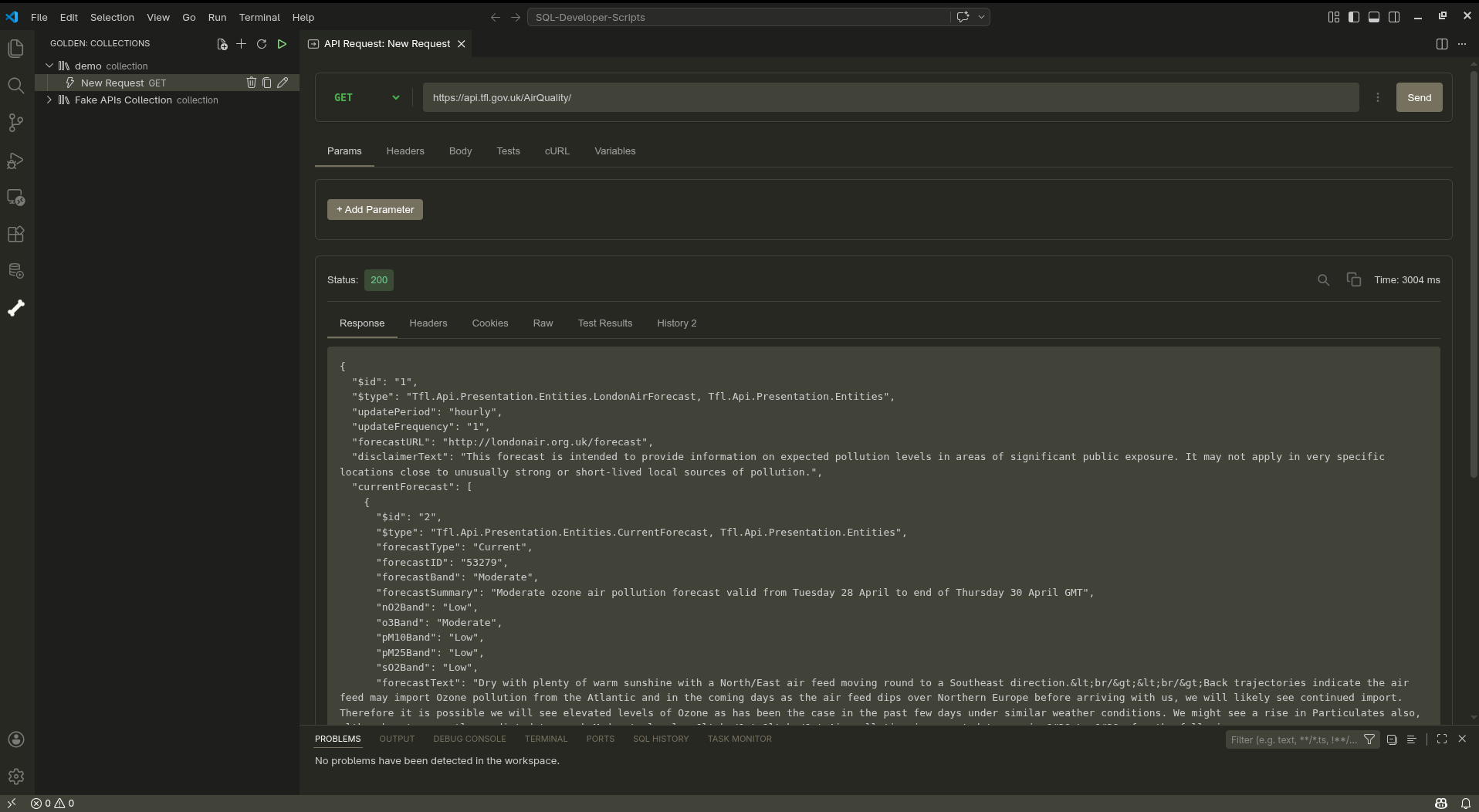
If you want an alternative to ThunderClient and like dogs, try the Golden Retriever extension.

'Think of it as Postman’s loyal cousin who stays local, syncs with Git, and doesn’t demand a cloud subscription'.

Air Quality VSCode
GoldenRetriever


  1. Seems obvious, but it took two years for this simple, obvious fact to dawn on me. 

Dovecot 2.4.2 upgrade

Dovecot recently released version 2.4.2 which required some changes to the configuration file (from version 2.3.x).

I use Dovecot as a personal, local IMAP server which pulls from the corporate Outlook server so I can maintain a local archive not subject to any quota constraints.

As I use Arch Linux and mindlessly update weekly, I was puzzled when Thunderbird suddenly stopped working.

My Dovecot server is local for me only, insecure and hence my configuration file is relatively simple.

Here is my modified Dovecot configuration for 2.4.2.

dovecot_config_version = 2.4.2
dovecot_storage_version = 2.4.2

mail_driver = maildir
mail_path = ~/Maildir
mailbox_list_layout = fs
protocols = imap
listen = 127.0.0.1
auth_allow_cleartext = yes
auth_mechanisms = plain login
userdb passwd {
   driver = passwd
}
passdb pam {
    driver = pam
}

fun with static site generators

Introduction

Static site generators (SSG's) are often used for blogs. SSG's typically process Markdown files into static HTML files. The use of static HTML files (rather than dynamically generating the site using a database) offers benefits for performance and security.

I use Hugo for my blog and have used (or experimented with) the following static site generators (SSG's).

  • Hugo (Go)
  • Eleventy (Javascript)
  • BSSG (Bash)
  • Zola (Rust)
  • Nikola (Python)
  • Pelican (Python)
  • Jekyll (Ruby)

A throwaway post from Neil Brown on Mastodon prompted me to investigate the build performance of different static site generators with a significant volume of posts (1,000).

Neil reduced the build time for his Hugo blog simply by adding more hardware resources. A decent strategy involving minimal effort producing an immediate improvement.

'I have upped the RAM in the VM running my Web server to a heady 1GB, and added a second CPU core'.

'That has halved the Hugo build time for my blog [from 4 minutes to 2 minutes]'.

This comment surprised me as I also use Hugo which builds my entire blog, containing 1,000 pages, in less than two seconds on a 10 year old desktop computer.

Neil's blog is self-hosted and uses Hugo. A 'View Source' reveals the version of Hugo in use. Neil is using v0.131.0 (released in August 2024).

<meta name="generator" content="Hugo 0.131.0">

The latest version of Hugo is 0.151.1 (released in October 2025). However, Neil is using the Hugo version included in the Debian (Trixie) repositories.

Reviewing the 'Archives' page, Neil's blog contains 457 posts.

Neil moved his blog from HTMLy to Hugo in 2023 and was using Hugo v.0.111.3 (from the Debian repos) back then and used the Etch theme.

Looking at the Etch theme, it is clear Neil has stuck with this attractive, minimal Hugo theme since then.

Given the disparity between Neil's build time and mine, I thought it would be fun to compare the performance of Hugo with different themes as well as other popular static site generators.

Test Environment

Hardware

  • Lenovo M900 Tower Desktop (SFF)
  • CPU: Intel i7-6700 CPU @ 3.40GHz (4 cores, 8 threads)
  • Memory: 48GB
  • Disk: 1TB
  • O/S: Linux 6.17.2

Test Data

I used my personal blog as the data set for the performance tests.

  • 1028 articles (Markdown)
  • Content spanning twenty years (2005 to 2025)
  • 116 code blocks
  • 74 static images
  • 29 categories
  • 46 tags

Hugo

Hugo: https://gohugo.io/

Hugo is a popular static site generator written in Go with a reputation for speed and performance.

$ hugo version
hugo v0.151.1+extended+withdeploy linux/amd64 BuildDate=unknown
$ go version
go version go1.25.3 X:nodwarf5 linux/amd64

The tests ran the standard hugo build command three times and took the average elapsed time.

ThemeTime (secs)
Ananke0.615
PaperMod (Base)1.067
PaperMod (Custom)1.633
Etch (Base)1.911
Etch (Related)1.958
BearBlog0.425
Simple0.377
Beautiful Hugo1.541

Most Hugo themes used the default, out of the box settings with no customisation.

The 'PaperMod (Custom)' test used my personal blog which includes additional 'Archive', 'Categories', 'Posts' pages and search functionality.

The timings for 'Etch' surprised me as it is a relatively simple theme that displays a list of all posts.

I added support for up to 15 'Related Posts' using Neil's code but saw no noticeable increase in build time (which is less than two seconds).

Hugo supports 'Related Posts' functionality and the list of articles is built during the build (regardless of whether it is used or not).

Ananke: https://github.com/theNewDynamic/gohugo-theme-ananke

PaperMod: https://github.com/adityatelange/hugo-PaperMod

Etch: https://github.com/LukasJoswiak/etch

BearBlog: https://github.com/janraasch/hugo-bearblog

Simple: https://github.com/maolonglong/hugo-simple/

Beautiful Hugo: https://github.com/halogenica/beautifulhugo

Hugo provides useful diagnostics about potential performance bottlenecks.

Here is the template metrics report for the Etch theme (with related posts). There are three candidate templates that could be cached (header, footer and posts).

$ hugo --templateMetrics --templateMetricsHints
Template Metrics:
     cumulative       average       maximum      cache  percent  cached  total
       duration      duration      duration  potential   cached   count  count  template
     ----------      --------      --------  ---------  -------  ------  -----  --------
   2.691672237s   53.833444ms   83.570806ms          0        0       0     50  rss.xml
   1.409607939s    1.345045ms   11.568865ms          0        0       0   1048  single.html
   322.542988ms      307.77µs    2.927895ms         28        0       0   1048  _partials/related.html
   126.863653ms      115.54µs    1.183336ms         44        0       0   1098  _partials/head.html
    81.827628ms   40.913814ms   41.042982ms        100        0       0      2  _partials/posts.html
    79.788949ms      25.193µs     363.218µs          0        0       0   3167  li.html
    55.705094ms    1.160522ms    7.457174ms          0        0       0     48  _default/taxonomy.html
    44.028022ms   44.028022ms   44.028022ms          0        0       0      1  index.html
    43.649693ms   43.649693ms   43.649693ms          0        0       0      1  list.html
    32.992786ms   32.992786ms   32.992786ms          0        0       0      1  sitemap.xml
     24.19536ms      22.035µs     948.957µs        100        0       0   1098  _partials/header.html
     7.410874ms       6.749µs     143.528µs        100        0       0   1098  _partials/footer.html
      961.219µs     106.802µs     278.188µs          0        0       0      9  _shortcodes/figure.html
      708.877µs     141.775µs     299.575µs          0        0       0      5  _markup/render-table.html.html
      551.337µs     110.267µs     208.377µs          0        0       0      5  _markup/render-table.rss.xml
      105.423µs      52.711µs      88.545µs          0        0       0      2  alias.html
       15.147µs      15.147µs      15.147µs          0        0       0      1  /css/dark.css
         1.76µs        1.76µs        1.76µs          0        0       0      1  404.html

Total in 2002 ms

Eleventy

Eleventy: https://www.11ty.dev/

Eleventy is a popular SSG written in Javascript.

Eleventy Base Blog (v9): https://github.com/11ty/eleventy-base-blog

The Eleventy Base Blog theme is minimal and not dissimilar in appearance from the Hugo PaperMod theme.

$ node --version
v20.19.5
$ npx @11ty/eleventy --version
3.1.2

Building the Eleventy blog. Eleventy doesn't have separate 'build' and 'serve' commands.

The Eleventy build summary for my blog.

$ npx @11ty/eleventy --serve
[11ty/eleventy-img] 143 images optimized (143 deferred)
[11ty] Benchmark   1664ms  11%  1052× (Configuration) "@11ty/eleventy/html-transformer" Transform
[11ty] Copied 5 Wrote 1043 files in 14.53 seconds (13.9ms each, v3.1.2)
[11ty] Server at http://localhost:8080/

Eleventy supports incremental builds using the --incremental parameter which only processes content modified since the last build.

Initially, I saw no difference using --incremental but the Eleventy documentation suggested adding the --ignore-initial option. This reduced the build time significantly from 14 seconds to sub-second.

$ npx @11ty/eleventy --serve --incremental --ignore-initial
[11ty] Copied 5 Wrote 0 files in 0.77 seconds (v3.1.2)
[11ty] Watching…
# Add a new post with tags
[11ty/eleventy-img] 3 images optimized (3 deferred)
[11ty] Wrote 32 files (skipped 1012) in 0.51 seconds (v3.1.2)
# Add more text to existing post
[11ty/eleventy-img] 3 images optimized (3 deferred)
[11ty] Wrote 32 files (skipped 1012) in 0.46 seconds (v3.1.2)

Summary of timings for Eleventy

ThemeTime (secs)
Eleventy (Full)14.42
Eleventy (Incremental)0.46

BSSG

BSSG - https://bssg.dragas.net/

Bash Static Site Generator (BSSG) is an SSG created by Stefano Marinelli. BSSG is written in the Bash shell.

BSSG is a relatively new SSG. The first public release of BSSG was in March 2025 but there have been 14 subsequent releases.

BSSG includes a broad range of themes, support for incremental builds, parallel processing and a post article editor to manage content.

BSSG doesn't currently support 'Categories' so all existing 'Categories' were migrated to 'Tags'.

It is possible this skewed the data set slightly and adversely affected performance as it resulted in four tags having a lot of associated posts. BSSG can list all tags with article counts using the 'bssg.sh tags' command.

TagCount
blogging236
football112
software122
UK260
$ bssg.sh
BSSG - Bash Static Site Generator (v0.32)
$ bash --version
GNU bash, version 5.3.3(1)-release (x86_64-pc-linux-gnu)

Initial BSSG build from scratch.

$ bssg.sh build

BBSG uses incremental builds and only rebuilds what has changed.

ThemeTime (secs)Notes
Default2,389Full (2,389 secs = 39 mins)
Default23Unchanged.
Default61Add new post (no tags).
Default100Add new post (existing tag).
Default62Modify existing post.
Default107Add existing tag to existing post.
Default83Add new tag to existing post.

By default, BSSG generates related posts based on the 'Tags' in each post. The default number of related posts displayed is 3. If this feature is disabled, then the build time is reduced significantly.

ThemeTime (secs)Notes
Default169Full
Default12Unchanged.
Default63Add new post (no tags).
Default62Add new post (existing tag).
Default64Modify existing post.
Default62Add existing tag to existing post.
Default70Add new tag to existing post.

BSSG also supports parallel processing using the GNU parallel shell tool. The GNU parallel package is very lightweight (< 1MB).

BSSG detects the presence of GNU parallel automatically and spawns N processes in parallel where N is the number of threads available.

Checked dependencies. Parallel available: true
GNU parallel found! Using parallel processing.

On my computer, this resulted in BSSG spawning 8 Bash processes which may have been too many as the load average climbed to between 10 and 15.

However, the elapsed time for the initial build of a blog with 1,000 posts reduces from 39 minutes to under 10 minutes.

Before you exclaim '10 minutes when Hugo and Eleventy are sub-second', think about how often you completely rebuild every single post on your blog. Not very often.

The typical use case is writing a new blog post. There may be occasions when you change theme or spend two weeks consolidating all your tags and categories but, hopefully, those should be relatively rare.

ThemeTime (secs)Notes
Default559Full. Parallel.
Default32Unchanged.
Default60Add new post (no tags).
Default75Add new post (existing tag).
Default67Modify existing post.
Default73Add existing tag to existing post.
Default67Add new tag to existing post.

Removing 'Related Posts' and running in parallel reduces the time for a full build to 1 minute and an incremental build to 45 seconds.

ThemeTime (secs)Notes
Default59Full. Parallel.
Default30Unchanged.
Default44Add new post (no tags).
Default44Add new post (existing tag).

One big advantage of BSSG is the ability to quickly and easily change themes. You simply select a theme, modify the THEME entry in the configuration file and it just works. This is because BSSG themes use a single CSS style sheet. This may limit the functionality available but it just works.

Zola

Zola - https://www.getzola.org/

Zola is a SSG written in Rust. Like Hugo, Zola is a single executable. Like Hugo, Zola is fast. Like Hugo, changing themes in Zola is not simply a case of modifying the THEME entry in 'config.toml'. Each theme seems to have additional, custom configuration options that need to be set.

$ zola --version
zola 0.21.0
$ rustc --version
rustc 1.90.0 (1159e78c4 2025-09-14) (Arch Linux rust 1:1.90.0-3)

Serene Theme - https://github.com/isunjn/serene

Building the blog

$ zola build

The Zola build time for 1,000 posts was so lightning fast, I had to check it actually worked !

$ zola build
Building site...
Checking all internal links with anchors.
> Successfully checked 0 internal link(s) with anchors.
-> Creating 1030 pages (0 orphan) and 1 sections
Done in 351ms.

Like Hugo, Zola also has a live development server that watches for changes to the site in real-time. This is also fast.

Building site...
Checking all internal links with anchors.
> Successfully checked 0 internal link(s) with anchors.
-> Creating 1031 pages (0 orphan) and 1 sections
Done in 309ms.

Listening for changes in zola-blog/{config.toml,content,sass,static,templates,themes}

Web server is available at http://127.0.0.1:1111 (bound to 127.0.0.1:1111)

Change detected @ 2025-10-14 13:17:09
-> Content changed zola-blog/content/posts/zola-new-post.md
Checking all internal links with anchors.
> Successfully checked 0 internal link(s) with anchors.
-> Creating 1031 pages (0 orphan) and 1 sections
Done in 283ms.

Finally I experimented with a couple more themes.

Linkita - https://www.getzola.org/themes/linkita/

BearBlog - https://www.getzola.org/themes/bearblog/

PaperMod - https://www.getzola.org/themes/papermod/

ThemeTime (secs)Notes
Serene0.35Full
Serene0.28Incremental
Linkita1.77Full
Linkita1.70Incremental
Bearblog0.26Full
Bearblog0.25Incremental
PaperMod20.70Full
PaperMod20.51Incremental

Nikola

Nikola is a long established SSG (first released in 2012) written in Python.

Nikola - https://getnikola.com/blog/

$ python -V
Python 3.13.7
$ nikola version
Nikola v8.3.3

Useful Nikola commands.

nikola build
nikola serve --browser
nikola auto

To force a full rebuild in Nikola, you need to remove the 'output' directory.

You also need to use the Linux time command to get the elapsed timings for the nikola build command.

Nikola includes the wonderful blog.txt theme (originally written for Wordpress by Scott Wallick) so kudos to Nikola's author Roberto Alsina for that.

ThemeTime (secs)Notes
Default44.86Full
Default4.72Unchanged
Default5.86Add new post (no tags).
Default5.75Add new post (existing tag).
Default5.98Modify existing post.
Default5.87Add existing tag to existing post.
Default5.70Add new tag to existing post.
blogtxt47.34Full
blogtxt4.93Unchanged
blogtxt4.78Add new post (no tags).
blogtxt4.82Add new post (existing tag).

Pelican

Pelican - https://getpelican.com/

Create a dedicated virtual environment for Pelican.

$ workon Pelican
(Pelican) $ python -V
Python 3.13.7
(Pelican) $ pelican --version
4.11.0

Pelican doesn't have separate build and server commands. You simply run the development server which builds the site and watches for any changes.

(Pelican) $ pelican --autoreload --listen
Serving site at: http://127.0.0.1:8000 - Tap CTRL-C to stop
Done: Processed 1034 articles, 0 drafts, 0 hidden articles, 0 pages,
0 hidden pages and 0 draft pages in 3.65 seconds.

Add a new post (incremental build).

-> Modified: pelican-blog/content/my-pelican-post.md.
re-generating...
Done: Processed 1035 articles, 0 drafts, 0 hidden articles, 0 pages,
0 hidden pages and 0 draft pages in 2.96 seconds.

Summary

ThemeTime (secs)Notes
Default3.65Full
Default2.96Incremental

Jekyll

Ruby based blog.

$ ruby -v
ruby 3.4.6 (2025-09-16 revision dbd83256b1) +PRISM [x86_64-linux]
$ bundle exec jekyll -v
jekyll 4.4.1

Jekyll base theme (minima) - https://github.com/jekyll/minima

Build the blog

$ bundle exec jekyll serve
<snip>
Run in verbose mode to see all warnings.
                    done in 2.788 seconds.
Auto-regeneration: enabled for '/home/andy/devel/my-jekyll-blog'
Server address: http://127.0.0.1:4000/

Live reload uses a different command and port

Run in verbose mode to see all warnings.
                    done in 4.7 seconds.
 Auto-regeneration: enabled for 'devel/my-jekyll-blog'
LiveReload address: http://127.0.0.1:35729
    Server address: http://127.0.0.1:4000/
  Server running... press ctrl-c to stop.

Jekyll also produces a lot of warnings (deprecation) that clutter up the display. This is surprising (and irritating) for the latest version of Jekyll and the standard, bundled theme.

There is a '--quiet' option for 'jekyll build' but this doesn't appear to silence the warnings.

Attempting to access the live development server on port 35729 fails. However, the live reload is actually available on port 4000.

This port only serves livereload.js over HTTP.

Given Jekyll was first released back in 2008, Jekyll feels rather neglected and outdated to me. Tags didn't work properly. All tags were processed and listed but the click through from an individual article as '404 - Not Found' error.

Also Jekyll insists on blog posts following a naming convention ('yyyy-mm-dd-title.md').

ThemeTime (secs)Notes
Default5.091Full
Default1.029Incremental
Default8.561Live reload

Useful SSG performance resources

Zach Leatherman (Eleventy lead developer) performed some performance benchmarks (in 2022) which are a useful benchmark comparing SSG's for pure Markdown conversion throughput for large sites.

However, Zach's tests don't include meta-data (tags, categories, dates) so aren't necessarily representative of a real-life blog or site.

https://www.zachleat.com/web/build-benchmark/

Generating representative test data is difficult but this Bash script scrapes a random Wikipedia page and generates Markdown (including tags and categories).

https://gist.github.com/jgreely/2338c72c825d2a93713e4f0fc0025985

Each SSG has its own format for front-matter. There are even two different formats for front matter; TOML and YAML.

Hugo has a very useful built-in conversion function to convert the Hugo front matter an all posts between the formats (including JSON).

$ hugo convert --help
Usage:
  hugo convert [command]

Available Commands:
  toJSON      Convert front matter to JSON
  toTOML      Convert front matter to TOML
  toYAML      Convert front matter to YAML
CommonMark test

This is the famous ‘Hello world’ program written in Python in colour using Markdown.

#!/usr/bin/env python
import sys

def hello(name='world'):
    greeting = "hello " + name
    print(greeting)

if __name__ == "__main__":
    hello(*sys.argv[1:])

This took me a long time to get working.

The music video for Rihanna’s song American Oxygen depicts various moments from American history, including the inauguration of Barack Obama.

Why, sometimes I’ve believed as many as six impossible things before breakfast.

Everyone must attend the meeting at 5 o’clock today.

I am totally awesome.*

* for certain very small values of awesome

I have eaten\ the plums\ that were in\ the icebox

Chapter 1

Something about the room made him uneasy.

Chapter 2

It's behind you! Hurry before it

After the Big Bang

A brief summary of time

Life on earth

10 billion years

You reading this

13.7 billion years

The quote

Somewhere, something incredible is waiting to be known

has been ascribed to Carl Sagan.

My favourite Miss Manners quotes:

Allowing an unimportant mistake to pass without comment is a wonderful social grace.

Ideological differences are no excuse for rudeness.

  • Flour
  • Cheese
  • Tomatoes

Four steps to better sleep: 1. Stick to a sleep schedule 2. Create a bedtime ritual 3. Get comfortable 4. Manage stress

1986. What a great season. Arguably the finest season in the history of the franchise.

You can do anything at https://html5zombo.com

The University of Rwanda was formed in 2013 through the merger of Rwanda’s seven public institutions of higher education.

Hurricane Erika was the strongest and longest-lasting tropical cyclone in the 1997 Atlantic hurricane season.

Logo

When x = 3, that means x + 2 = 5

Who ate the most donuts this week?

Jeff  15
Sam   11
Robin  6
  • Fruit
  • Apple
  • Orange
  • Banana
  • Dairy
  • Milk
  • Cheese

  • World Cup 2014

  • Germany
  • Argentina
  • Netherlands
  • Rugby World Cup 2015
  • New Zealand
  • Australia
  • South Africa

  • Ingredients

    • spaghetti
    • marinara sauce
    • salt
  • Cooking

Bring water to boil, add a pinch of salt and spaghetti. Cook until pasta is tender.

  1. Serve

Drain the pasta on a plate. Add heated sauce.

No man is lonely eating spaghetti; it requires so much attention.

Bon appetit!

Column LeftColumn RightColumn Centre
row1111
row2222
row3333

Oracle SQLcl configuration

I use SQLcl a lot and install it on every environment I work on. Its fully compatible with SQL*Plus and has useful extensions to interact with OCI, Autonomous Databases and Data Pump.

My SQLcl configuration file is named 'login.sql' and located in the '~/work' directory. I also keep my 'tnsnames.ora' file here.

The location of these two Oracle configuration files is configured in '~/.bashrc'.

# Oracle TNS location
export TNS_ADMIN=$HOME/work

# SQLCL login file
export SQLPATH=$HOME/work

This is my SQLcl configuration file.

set editor emacs
set statusbar on
set statusbar add timing
set sqlformat ansiconsole
set highlighting on
set highlighting keyword foreground green
set highlighting identifier foreground magenta
set highlighting string foreground yellow
set highlighting number foreground cyan
set highlighting comment background white
set highlighting comment foreground black

Sample output

select count(*) from dba_objects;

COUNT(*)
________
358710

emacs # 1:0 | BILLY | EDA_DEMO | 00:00:00.953

what I use

I like reading about the hardware and software various people use so here's my version.

Introduction

I work for Oracle as a technical consultant based in the UK (fully remote). I'm old and evolved from a Unix/C developer to PL/SQL, Oracle DBA and now work on database migrations and Oracle Cloud Infrastructure (OCI).

Hardware

Lenovo ThinkCentre M900

  • Intel i7-6700
  • Memory 48GB (upgraded from 16GB)
  • Disk 1TB

Samsung Galaxy S24

Expensive phone kindly provided by my employer. I don't use many apps (Gmail, WhatsApp, BBC Sport, Tusky).

MacBook Pro

Expensive laptop kindly provided by my employer. I use it on the rare occasions I need to attend an office or customer site.

Huawei Android tablet

I don't have a personal laptop so I use this for idly wasting time.

Synology

Years ago, I acquired a FreeNAS unit after almost losing an essay (and my marriage) my wife had written for a Masters course. I subsequently replaced the FreeNAS with a Synology DS420+ which works fine (file backups, Jellyfin music server). The NAS has saved my bacon on more than one occasion and now I can't imagine being without it.

Software

Arch Linux

Former serial distro hopper. Now happy with Arch and Gnome desktop. Arch just works, has great documentation and provides a brilliant development environment (comprehensive range of latest packages).

GNU Emacs

I have used GNU Emacs for many years but am still learning about its power daily. I try to use core packages and keep my configuration minimal although I build the latest bleeding edge version (30.x).

  • Theme - Used 'monokai' for ages and now adopted Prot's excellent 'modus-vivendi-tinted'.
  • Orgmode
  • Org Roam
  • Vertico, Consult, Maginalia, Orderless
  • Magit
  • Jinx (spell checker)
  • Dashboard
  • Undo Tree
  • Pass

Thunderbird

My employer uses Outlook but we can run any email client so I run a local Dovecot IMAP server and Thunderbird.

I use Thunderbird to automatically fetch messages from Outlook and filters in a vain attempt to try to reduce the size of INBOX.

VirtualBox

I use VirtualBox a lot for demo environments, testing new Oracle features and experimenting.

I've also used Docker/Podman but struggle to fully embrace it as I prefer full control (and don't really understand Docker compose files).

Corporate

Standard list of tedious corporate applications I have to use. Most of these work on Arch.

  • Zoom
  • Teams
  • Slack
  • Confluence
  • Jira
  • VS-Code/SQL Developer (Oracle database client).

self-hosting a GoToSocial instance

I like experimenting with software and technology.

Many years ago, I built a Laconica instance. Not because I needed a Laconica instance but because I was curious and any knowledge gleaned would be useful. Standard LAMP stack. Same as the WordPress blogging software which I had already built.

Plus Laconica releases were named after R.E.M songs by Evan.

Similarly, I got an account on mastodon.sdf.org in preference to Twitter because I favour OpenSource software and the underdog.

When I discovered there were self-hosted alternatives to Mastodon, I simply couldn't resist and acquired a domain name, commodity hosting with Digital Ocean and built a single-user Pleroma instance.

This was an interesting exercise as Pleroma is supposedly less resource heavy than Mastodon and is implemented in Elixir (a programming language unfamiliar to me).

I followed the documentation, installed and configured Pleroma. Then I occasionally monitored the system load and the Postgres database size. Pleroma was rock solid for 18 months. Much to my surprise, I even managed to upgrade the software with no issues.

However, when I discovered that Pleroma was unable to follow my old friend David Marsden's micro.blog using the standard ActivityPub protocol, serious action needed to be taken.

I work for Oracle who offer an AlwaysFree tier which includes an ARM instance (1 CPU, 6GB) running Ubuntu 22.1. I was curious to explore this avenue as, again, knowledge is useful.

Originally, I had lofty ambitions to host a Federated instance aimed at a community of folk interested in football so we could have endless, tedious discussions and banter without pestering everyone else.

The various stories about the moderation commitment and performance and scalability issues for large (or even medium sized) sites slightly made me pause for thought. If you make a commitment, you should honour it.

I use Hugo for this blog which is written in Go and a single executable so GoToSocial piqued my interest as this is a similar architecture. Single Go executable with decent documentation, helpful community and fairly straightforward configuration.

After a few glitches with the Nginx integration and failing to read the documentation carefully enough, I had a GoToSocial instance up and running !

GoToSocial doesn't include a front-end GUI but I soon got used to the Pinafore (clean, single column) interface.

It was a pity that GoToSocial doesn't currently support import of 'Friends'. However, as I was only following 100 people, it was an opportunity to manually review and trim that list.

Please remember that GoToSocial is 'Alpha' software and the current limitations are well documented but the pace of development is rapid.

It's early days but I'm enjoying my first experience of GoToSocial and I like the fact that GoToSocial supports both Postgres and sqlite for the database.

introduction to REST API's

REST API's are a popular means of manipulating data. REST API's use a client-server model. The server is a web server and the client is a Web application or a Python, Perl, Java, .NET, Node.js or COBOL program.

REST is an abbreviation for 'Representational State Transfer' while API is another abbreviation for 'Application Program Interface'.

This all sounds complicated and almost intimidating but it's not. Database developers have been manipulating data using a client (SQL*Plus) from a server (Oracle database) for many years.

A REST API call is simply an HTTP request. This HTTP request normally reads data but can also insert, update and delete data.

REST request

A REST request has four parts

Method

The HTTP method is required and indicates the operation to be performed. The most common types of an HTTP request are:

  • GET (Read)
  • POST (Write)
  • PUT/PATCH (Update)
  • DELETE (Delete)

Endpoint

The endpoint is the full URL sent to the Web server. For example, this endpoint lists all the feeds available on GitHub.

https://api.github.com/feeds

Click on the link. Data is displayed. It's not like a conventional Web site but it's data.

The endpoint is made up of four elements:

  1. root-endpoint - https://api.github.com/
  2. path - feeds
  3. variables - optional variables introduced with a colon (e.g. ':user')
  4. query parameters - optional set of name=value pairs separated with an ampersand (e.g. '?query1=value1&query2=value2'). Query parameters are used to filter the data returned by limiting the number of records and/or using search criteria.

Headers

Headers are optional and used to supply additional information (credentials, parameters).

Body

Data in the body section is also optional and normally used for a POST, PUT or DELETE requests to insert, update or delete data.

REST response

A REST request will receive a response. This is the data requested or an error code.

The response is usually a data set in JSON format (but could be XML or even an image).

The elements of the response are:

Response Code

The HTTP status code indicates the success or failure of the request. A non-exhaustive list of common status codes are:

  • HTTP/1.1 200-299 OK - success
    • 200 OK
    • 201 Created
    • 202 Accepted
  • HTTP/1.1 300-399 OK - redirect
    • 301 Moved permanently
    • 302 Moved temporarily
    • 304 Not Modified
  • HTTP/1.1 400-499 client error
    • 400 Bad Request
    • 401 Unauthorized
    • 403 Forbidden
    • 404 Not Found
    • 405 Method Not allowed
  • HTTP/1.1 500-599 server error
    • 500 Internal Server Error
    • 501 Not Implemented
    • 502 Bad Gateway

Content-Type

Indicates the format of the returned data. For example, for JSON data, this is set to

content-type: application/json; charset=utf-8

Content Length

Indicates the size (in bytes) of the returned data.

where to find REST API's

Many sites offers API's to access data. Twitter, GitHub, YouTube, IMDb, Apple Music are popular examples.

These sites often require developers to register and obtain an API key (password) in order to access the service. This is normally free and allows the provider to police the service and guard against denial of service attacks (flooding the server with requests in an effort to bring it down).

Governments and public sector bodies often provide excellent sources of public, freely accessible REST API's. Some of the subject matter may be a little dry; statistics about Coronavirus, trade quotas, water quality, crime.

Programmable Web includes a searchable directory of API's. RapidAPI also offers pointers to several API's for UK data.

Hello world

The first program I create when learning a new language is always 'Hello World!'. This is useful as it teaches you the basic syntax, how to compile or deploy the program and it is easy to check it works successfully.

The National Health Service (UK) helpfully makes a REST API available that returns 'Hello World!'

This endpoint does not require authentication and simply returns 'Hello World!'.

https://sandbox.api.service.nhs.uk/hello-world/hello/world

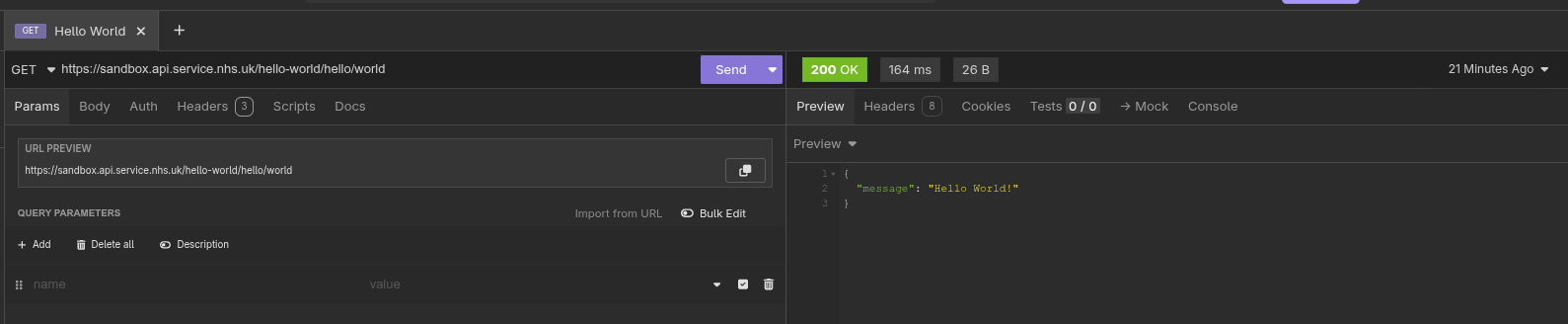
There are many REST API clients available and we will use a GUI REST client called Insomnia for this tutorial.

Download and install Insomnia which is available for Linux, Windows and macOS.

Enter the endpoint into the field labelled 'GET' in the middle panel and click 'Send'.

Insomnia-Hello-World.png

The right hand panel contains the response from this request. The data returned is in JSON format and contains a single entry containing 'Hello World!'

The other important fields are the status code of '200 OK' which is displayed in Green and represents a successful call for the GET request.

The elapsed time for this request is quick (164 ms).

Finally, the size of the returned data is '26B' (26 bytes).

Summary

Congratulations ! You have submitted your first REST API request. It's time to put the kettle on and update your CV.

In the next article, we will build on this knowledge by using REST to create a more useful, real-life scenario.

in praise of MiniDLNA

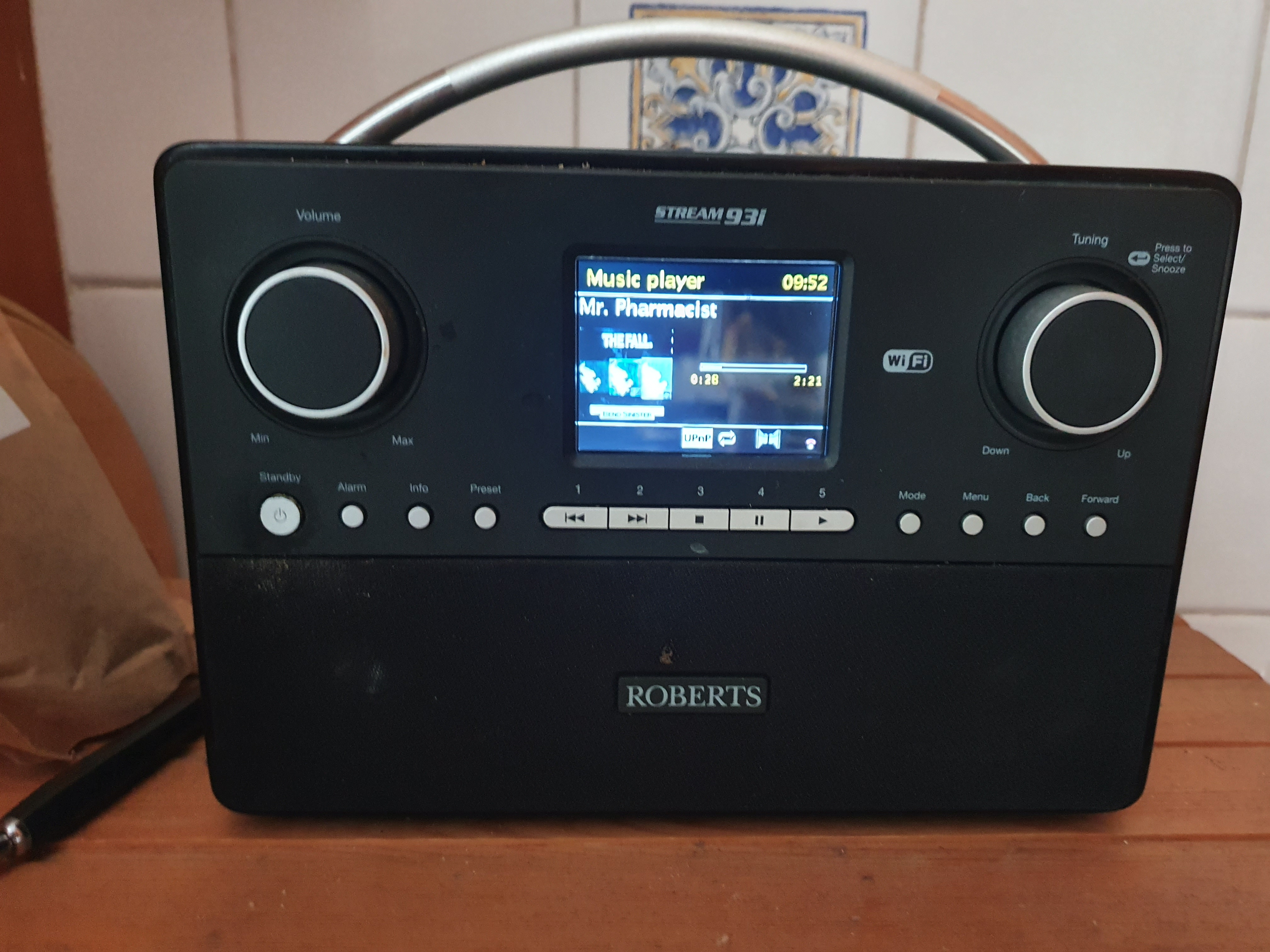
Five years ago, I purchased a Roberts Digital radio for the kitchen. Mainly to listen to the radio but also this device could play music from Spotify, a USB stick or act as a UPNP client.

As I already had the Plex Media Server set up which had a DLNA option, this looked attractive. The setup worked pretty well apart from one minor glitch.

And, like a dripping water tap, or the endless, harrowing screams of a baby played on a tight loop in an American interrogation facility, any minor technical glitch can't simply be ignored.

The cover art didn't display. I'm not sure why I believed that cover art should be displayed. Maybe it was because it was displayed in other music players or on the glossy Roberts Web site.

I tried everything, well a couple of things, to try to resolve this. I meticulously downloaded cover art for more than 200 albums and uploaded them to the appropriate directory as 'cover.jpg'. Or maybe it had to be 'folder.jpg'. Or 'Folder.jpg'.

No change. Still no cover art. I researched further on the Plex forums and any other DLNA/UPNP site I could access. I think the only solution I discovered was to embed the cover art image in the FLAC file but that was a lot of work, didn't feel right and would bloat the size of the lossless music files needlessly.

No cover art. After a while, I was forced to let it go. The digital radio played my music, the wife was pleased and that was the main thing.

Until yesterday, when I was busy shaving yet another shaggy haired yak and immersing myself deep down in yet another rat-hole that was actually a million miles removed from the original task in hand - to quickly experiment with the i3 tiling window manager.

I wanted to use a dedicated music player for radio and music rather than use a Web browser. Maybe I could even display 'Now playing' on my i3 status bar. VLC could access my music on the Plex Media Server but Rhythmbox (my preferred media player) couldn't. I played around with Music Player Daemon (MPD) and about 57 different GUI and command line MPC clients. While doing so, I noticed that MPD doesn't necessarily need access to local music files as it has a UPNP plugin.

My joy was short-lived as this didn't work. It could see the Plex Media Server (just to get my hopes up) but couldn't stream any music. Just like Rhythmbox. Which started me thinking. Maybe it was the server software not the client. So, I decided to waste a little more time by installing MiniDLNA (now ReadyMedia) which is a simple, lightweight, OpenSource media server on my FreeNAS.

This software was trivial to install on FreeBSD and I had successfully configured it within five minutes. Finally, I was playing music in Rhythmbox using UPNP. Mission accomplished. Pat yourself on the back and finally put the kettle on.

However, when I was in the kitchen, filling up the kettle, I couldn't resist the temptation and tried the Roberts Radio to see if it also recognised the new UPNP server.

Not only did it recognise it, it also manage to rapidly browse my music by Artist, by Album. Probably confirmation bias, but it seemed quicker than Plex.

More importantly, it actually played music - complete with cover art. Golly, I am so happy I have organised a socially distanced dinner party in the garden.

Of course, we won't be eating anything - just sitting around the table gazing at the unadorned beauty of the Roberts Stream 93i and taking turns to choose a song.

Roberts-Radio.jpg

small changes, big improvement

Sometimes, I spend a lot of time on technical tasks that are of seemingly questionable benefit or limited practical use.

For example, I remember converting the format of my 977 blog posts between markup languages and migrating the content to esoteric blogging platforms (more then once). I also wasted an unbelievable amount of time meticulously editing the meta data (YAML front-matter) and writing scripts simply to preserve Disqus comments after a change to the permalink structure.

All for a personal blog that no-one read but me.

Obviously, I choose to spend time on these tasks because I'm technically minded and like a challenge. There's also a stubborn desire to see something through to the bitter end rather than give up half way through. Also, they're fun little tasks that aren't work related.

However, I don't necessarily see this was wasted time. I often say to my son (who is starting out on a career in IT) that 'knowledge is never wasted'. This has been borne out for him as, when he was interviewing last summer, he was often set technical challenges (coding exercises) as part of the screening process.

Having subsequently secured a permanent role, he remarked last week: 'I solved a tricky problem at work today using Python code from that horse racing simulation'.

Anyway, I have made progress on organising my work. I was aware of the Projectile package for Emacs which is very popular. Originally, I didn't think it would be that useful for me as I don't produce code and work in Git all day.

However, after just two days, Projectile has already proved to be immensely useful for me and the way I work. You can easily create a project which can simply be a collection of notes, source code, PDF's, videos etc. Projectile then allows you to switch between projects and all file and buffer operations (open, latest, search, kill) are narrowed to the context of that project.

That sounds like a trivial, simple change but this has proved unbelievably useful for me as the list of files is automatically shrunk to what you are actually interested in. I was staggered how this simple change had such an impact.

My main problem was (and remains) muscle memory and trying to learn the new, modified key bindings for the Projectile variants of the basic Emacs and dired style commands I have used for years.

Each project I am currently working on is now a Projectile project and so is my orgmode directory which is also very useful.

I then did something I should have done years ago and moved all my orgmode notes from their respective project directories to my dedicated directory in '~/orgmode'. This is much more logical and allows me to use the 'deft' package to search content in all my orgmode files as well as the searching functionality provided by Projectile.

Then it was obvious that I needed to merge and consolidate this large, random and unwieldy collection of orgmode files. For now, I have decided to use the following:-

  • projects.org (currently, active work projects)
  • project_archive.org (completed projects, mainly read only)
  • project_tasks.org

Again, this was hardly any work but offered a significant improvement and somehow just felt right - that I was using Emacs and orgmode more logically, closer to the way it was intended. Like everyone else.

I realised that previously, I was bending the tools to fit my mindset of 'Projects must have a dedicated directory and all information and data on a project must reside in that directory'.

Another useful orgmode package, org-projectile, forced me to rethink this and addressed another of my key requirements perfectly.

I often want to be able to record tasks against a project. Often, I would be working on project A and get an email or phone call requiring me to quickly record a ToDo item for project B.

Previously, I would labouriously navigate to the directory for project B, open up the 'notes.org' file and append the ToDo item at the end. This had several issues; ToDo's scattered in multiple files, scattered in multiple places. Lots of context switching, lots of wasted time. It was impossible to have a coherent, unified list of outstanding tasks. Even worse, the important tasks were duplicated or promoted to Thunderbird.

[ Reading this back, I'm almost embarrassed and ashamed to document how ineffectively I used to work but at least I now understand why promotion keeps passing me by. ]

The org-projectile package is blissfully simple and allows you to create a orgmode task for a given project. You simply create a task and org-projectile prompts you for the project (from Projectile's list of projects) and the orgmode ToDo is added to a file in my 'orgmode' directory which now contains all the tasks for all the projects.

orgmode already has support for creating agendas and unified ToDo's from multiple orgmode files so there isn't necessarily a need to separate personal reminders from work related tasks.

Two Emacs packages, just an hour to install and configure, longer to learn and master perhaps but already very satisfying and relatively, simple, quick changes which have improved my productivity significantly.