Posts in category "oracle"

remapping multiple tablespaces in Data Pump

Occasionally I find myself migrating Oracle databases between environments using Data Pump.

Enterprise applications tend to use multiple tablespaces for logical separation (and historical reasons). However, this isn't possible when the target database is Autonomous Database (ADB) hosted on Oracle Cloud Infrastructure (OCI).

ADB is a managed service so DBA's can't create tablespaces and are limited to 'DATA'.

However, Oracle 19c Data Pump supports wildcards for the REMAP_TABLESPACE parameter which allows multiple tablespaces from the existing application to be mapped to the ADB DATA tablespace.

#!/bin/bash

for SCHEMA in MYSCHEMA
do
  PARFILE=/tmp/dpexp_$$.par

  cat > ${PARFILE} <<EOF
schemas=${SCHEMA}
logfile=imp_schema_${SCHEMA}.log
directory=TEST_DIR
dumpfile=exp_schema_${SCHEMA}.dmp
transform=disable_archive_logging:Y
table_exists_action=REPLACE
remap_tablespace=%:DATA
metrics=Y
logtime=ALL
EOF

  cat ${PARFILE}
  impdp user/pass@DB parfile=${PARFILE}
done

More info - Oracle 19C Data Pump documentation

Football Web Pages APEX application

In the last article, we created a simple APEX application fetching data about English football from the Football Web Pages site which provides an authenticated REST API.

However, all I really want to do is to quickly look at Kingstonian's forthcoming fixtures for the next month. Fortunately, there is an FWP API providing that information.

Endpoint: https://football-web-pages1.p.rapidapi.com/fixtures-results.json

  • Matches - The current list of matches for a competition/team
  • The following parameters may be set:
    • comp - The ID of the competition (note: one of "comp" or "team" is required)
    • team - The ID of the team (note: one of "comp" or "team" is required)

We already have created an APEX report listing all the available Competitions (including the numeric ID values) so it would be useful to have a similar report listing all the Teams.

Teams

Endpoint: https://football-web-pages1.p.rapidapi.com/teams.json

  • Teams - A list of the teams covered
  • The following parameters may be set:
    • comp - The ID of the competition

Create a new REST Data Source called 'FWP Teams' with this endpoint using the 'Football Web Pages' authentication method.

Create a new page 'Teams' with an Interactive Report fetching data from this REST Data Source.

Search for 'Kingstonian' to find out the numeric identifier for this club (236)

FWP-APEX-Teams-Kingstonian.png

Fixtures

REST Data Source

The Fixtures API can take a query parameter which is either 'competition' or 'team'.

Thus far, we have only used a 'Header' to supply the credentials to access the API.

API query parameters are name-value pairs introduced by a '?'. This is analogous to database queries which filter the results returned by a SQL query in the 'WHERE' clause.

select *
from emp
where name = 'JONES';

The APEX fixtures page should support both of these API query parameters ('competition' and 'team') and enforce that either one or the other is supplied.

Create a REST Data Source for 'Fixtures'

  • Rest Source Name: FWP-Fixtures
  • Endpoint: https://football-web-pages1.p.rapidapi.com/fixtures-results.json
  • Authentication: Football Web Pages

If you click 'Discover', APEX will return an error

ORA-20987: No data found in uploaded file.

FWP-REST-Error

This is because the REST Data Source is expecting a parameter and we have not specified one. To fix this, click 'Advanced' and add the required parameter.

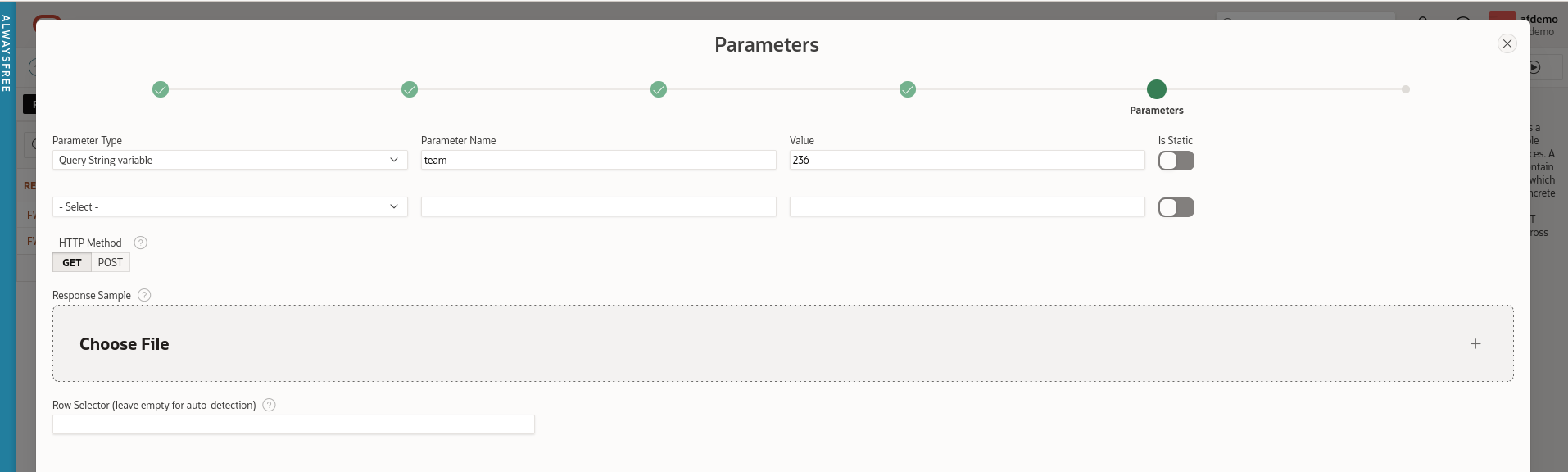
  • Parameter Type: Query String variable
  • Parameter Name: team
  • Value: 236 (Kingstonian)

FWP-APEX-Fixtures-Rest-Query-Param.png

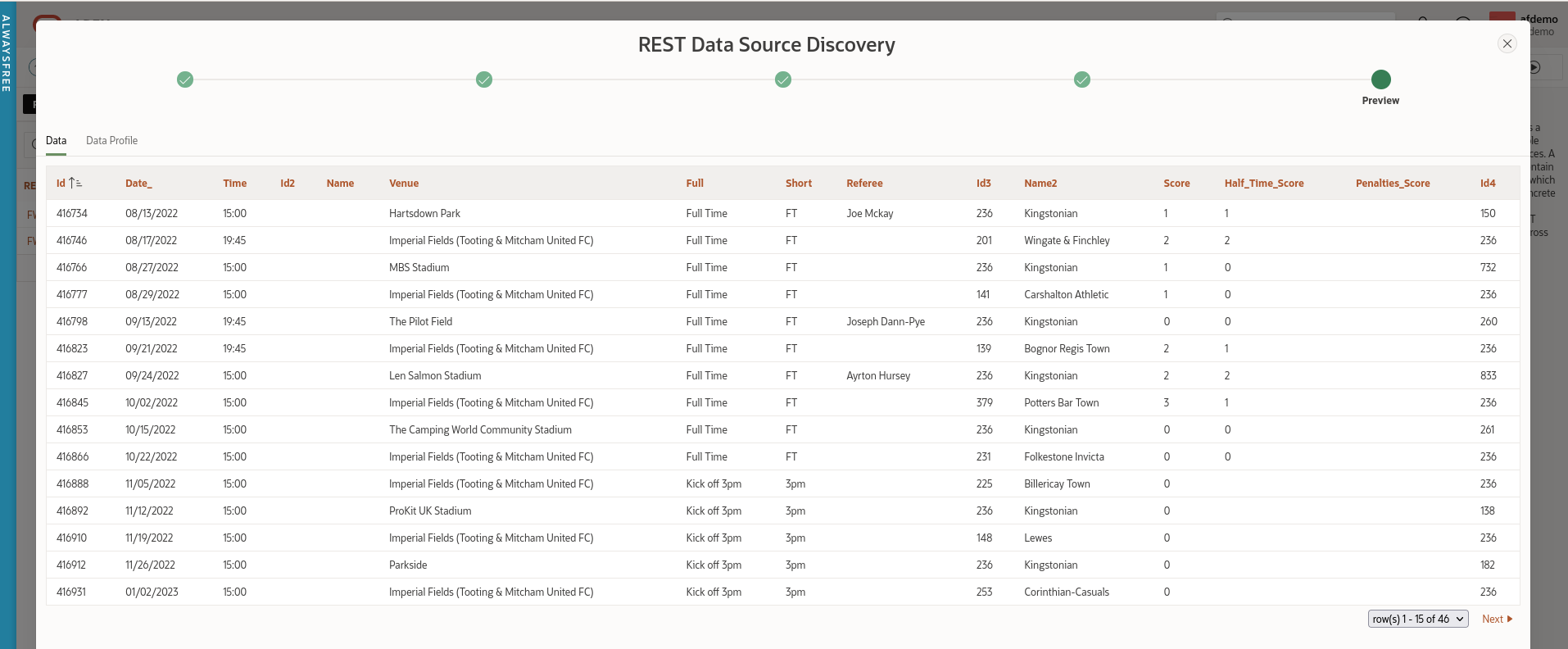
Leave the HTTP method as the default (GET) and click 'Discover'. APEX should display a list of Kingstonian's results and forthcoming fixtures.

FWP-APEX-Fixtures-REST-Data.png

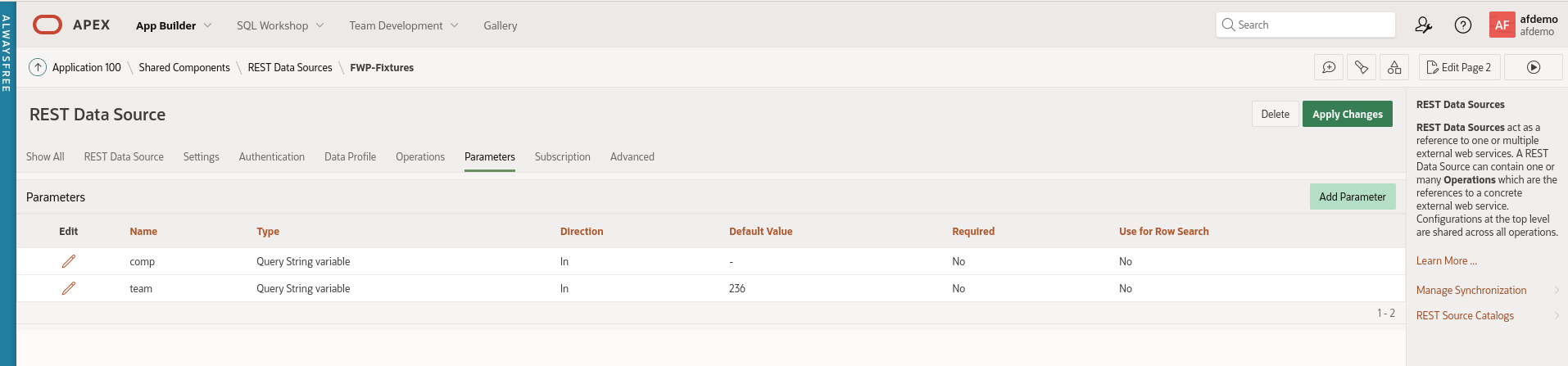
Add a second query parameter named 'comp' with no value.

FWP-APEX-Fixtures-Query-Params.png

Apply the changes to this REST Data Source.

Fixtures Page

Navigate back to Application Builder and create a blank page called 'Fixtures'.

Search region

Create a region named 'Search'. Change the template of the 'Search' region to 'Collapsible'. The region template is in the 'Appearance' section.

Create two page items on the Search region

  1. Competition
  2. Team (uncheck 'Start New Row')

Create a button named 'Go' with the default action of 'Submit Page'. Check the 'Hot' checkbox under 'Appearance'.

Report region

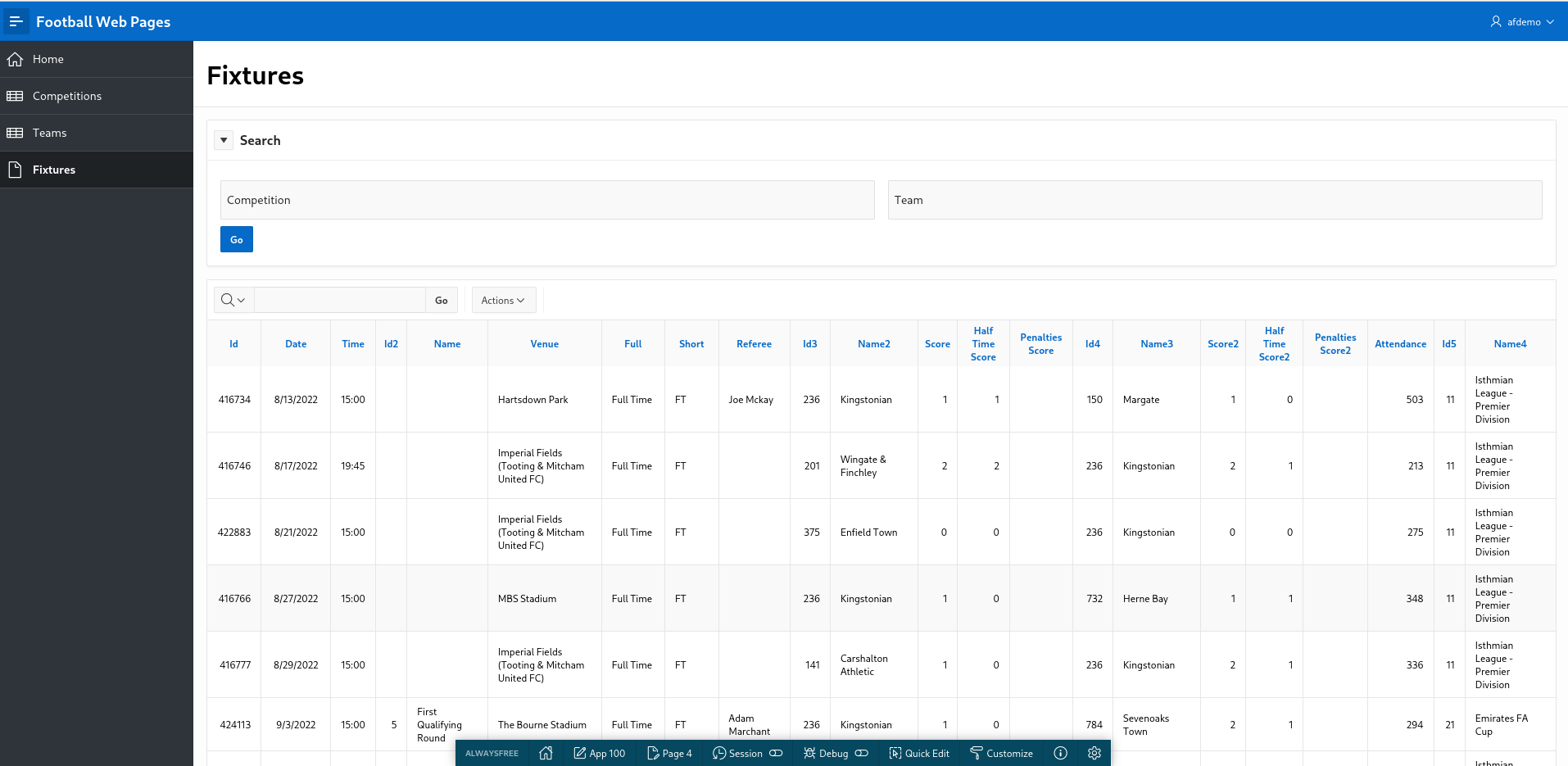
Create a new region called 'Fixtures'. This is simply an Interactive report based on the REST source 'FWP Fixtures'.

Run the page. Hopefully, your screen should vaguely resemble this.

FWP-APEX-Fixtures-V1.png

Clearly, this is just a checkpoint and not fully functional yet but I like to 'release early and release often' (if only to myself).

Joking apart, this approach is actually useful to demonstrate to an end user what the APEX UI will look like and how you can use standard APEX functionality to search and filter within the Interactive report.

No need to spend days mocking up wire frames of the proposed UI. In APEX, you can present a meaningful prototype using APEX early on.

Plus you can endlessly argue over the title, size, placement and colour of the 'Go' button.

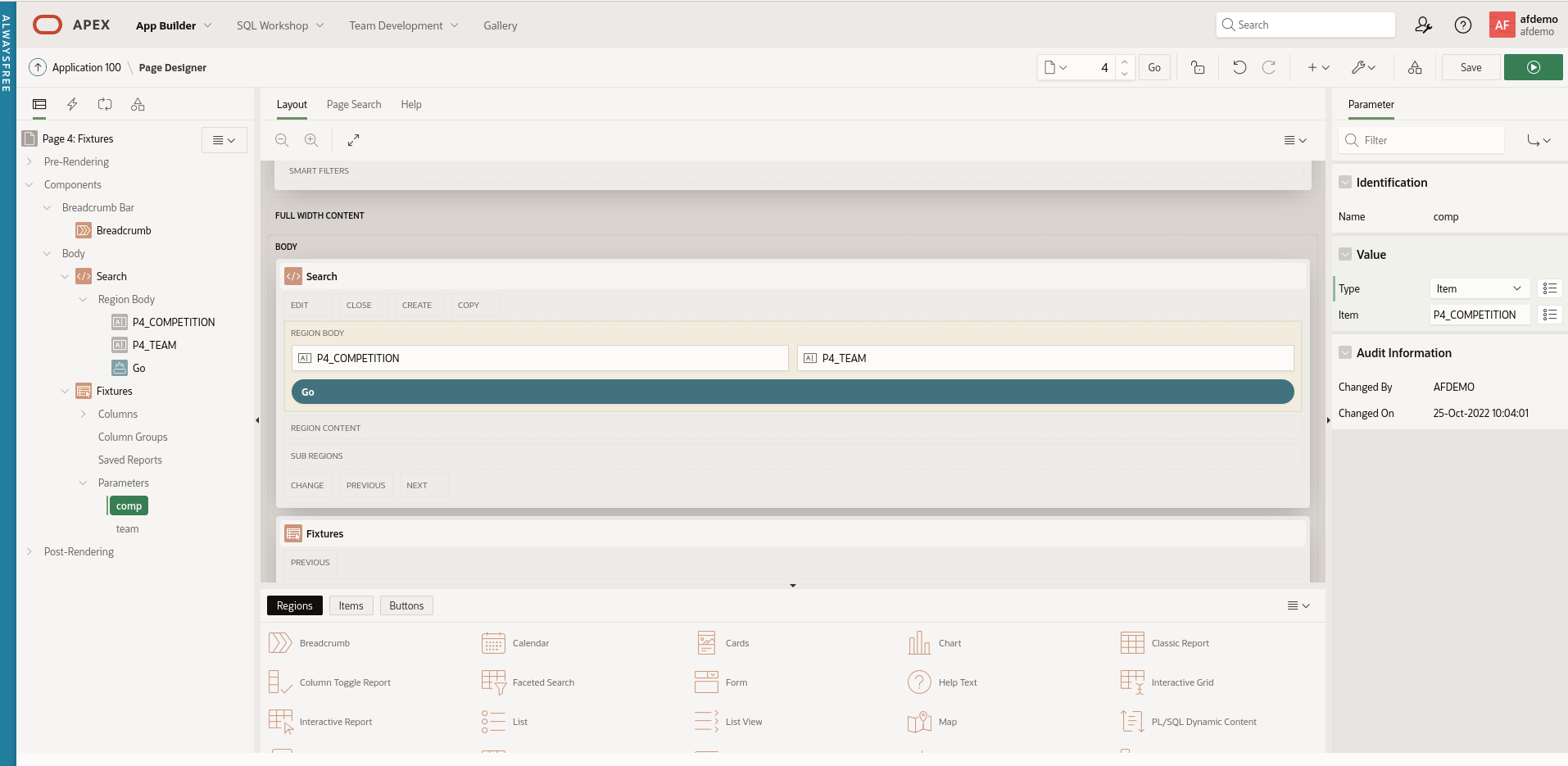
Return to the 'Fixtures' page in Application Builder. Expand the 'Fixtures' region. You will see that APEX has helpfully added a section called 'Parameters'. Expand this and you will see the two query parameters for this REST Data Source exposed here.

FWP-APEX-Fixtures-IR-Params.png

Edit the 'comp' parameter. Under 'Value', change the Type to 'Item' and select 'P4_COMPETITION' from the pop-up menu.

Similarly, change the value for the 'team' parameter to the APEX page item P4_TEAM.

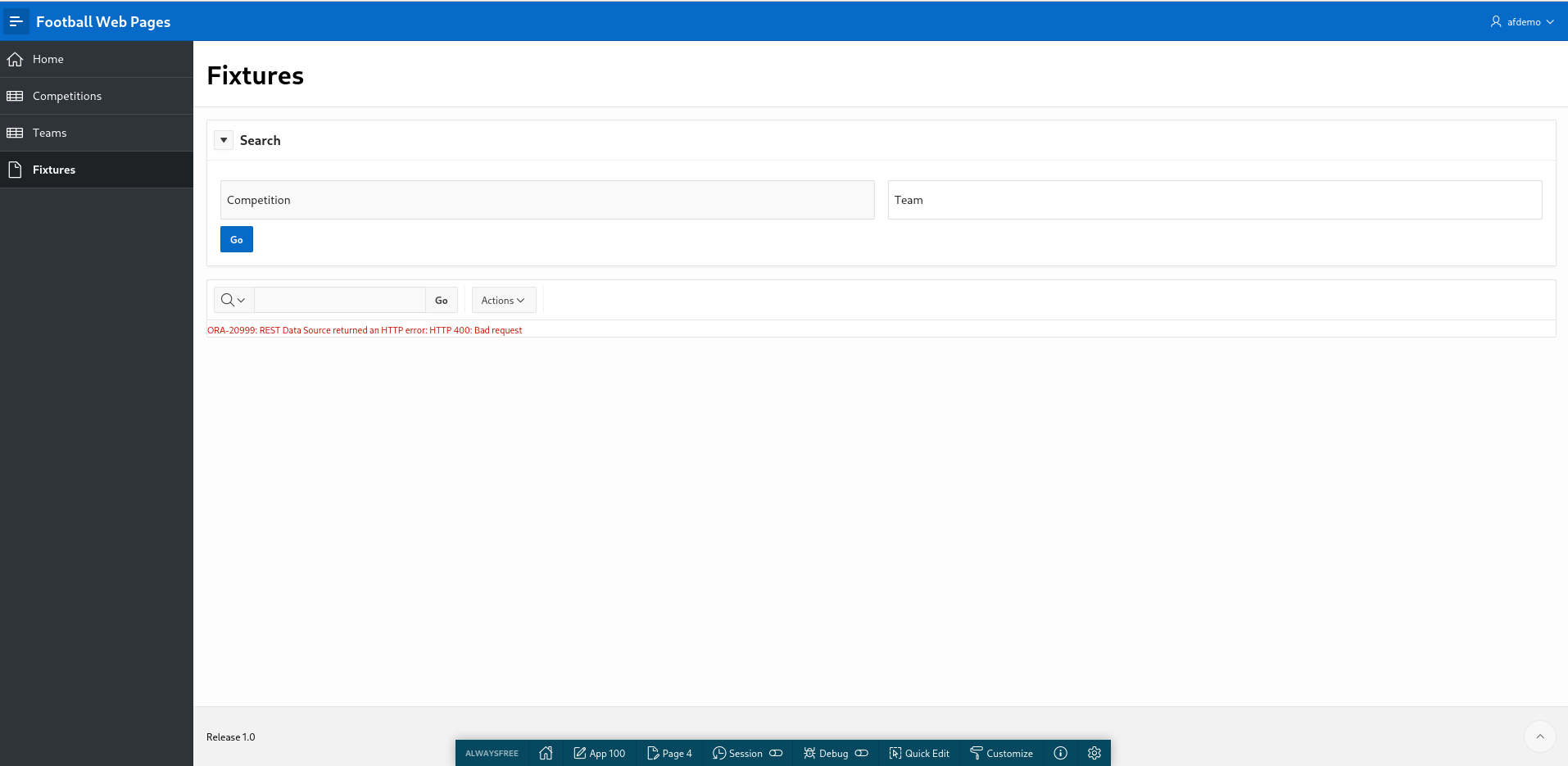
Save and run the page. You get an error but this is expected as we have not supplied any APEX page parameters (yet).

FWP-APEX-Fixtures-IR-Fail.png

Enter '236' into the Search region for 'Team' and click 'Go'. You will see Kingstonian's results and fixtures displayed.

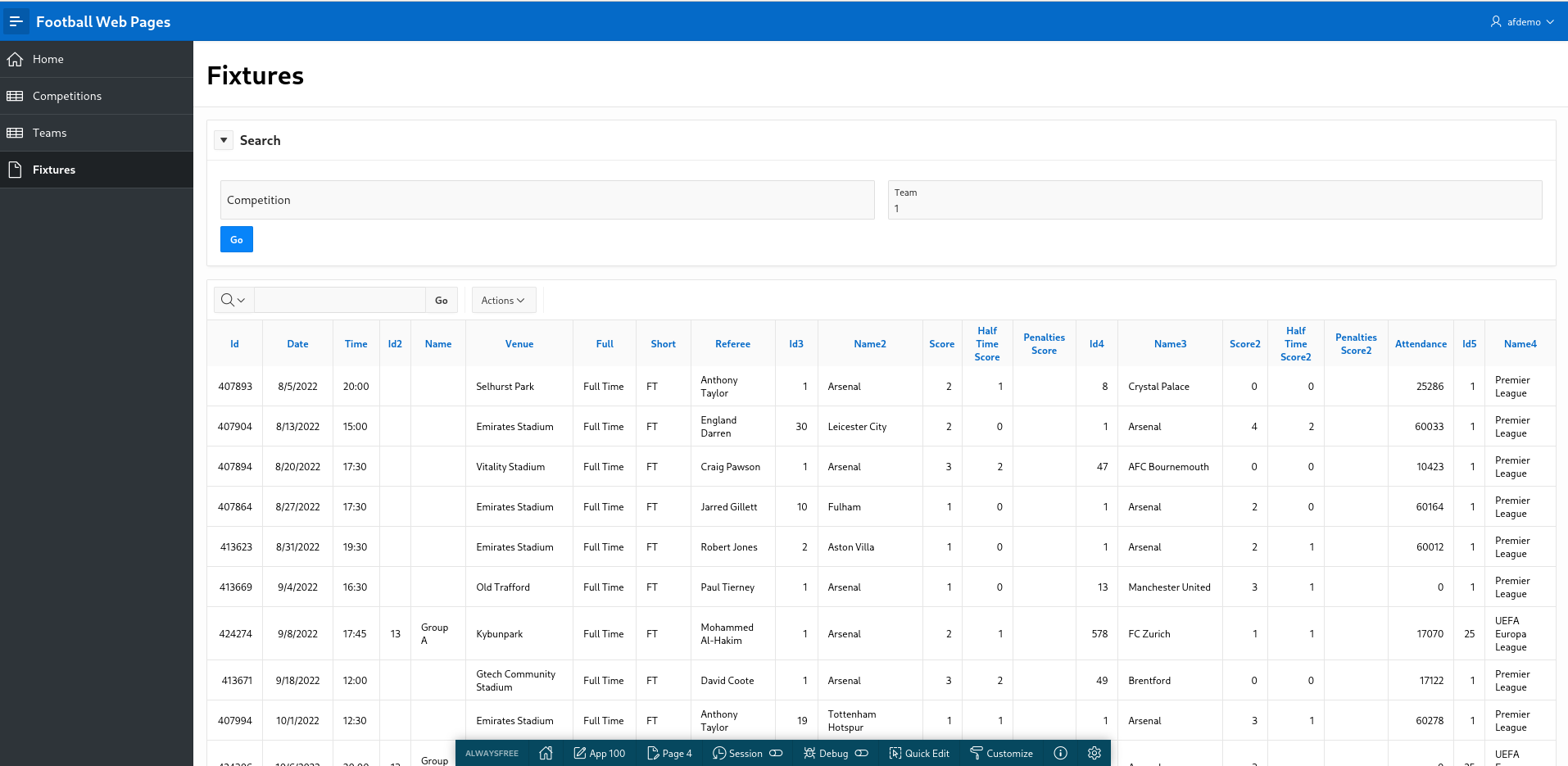
Check this is actually working by changing the team to '1'. This will display results and fixtures for 'Arsenal' in the English Premier League.

FWP-APEX-Fixtures-Arsenal.png

This looks promising. APEX truly is a low code solution.

Now let's look at the 'Competition' parameter.

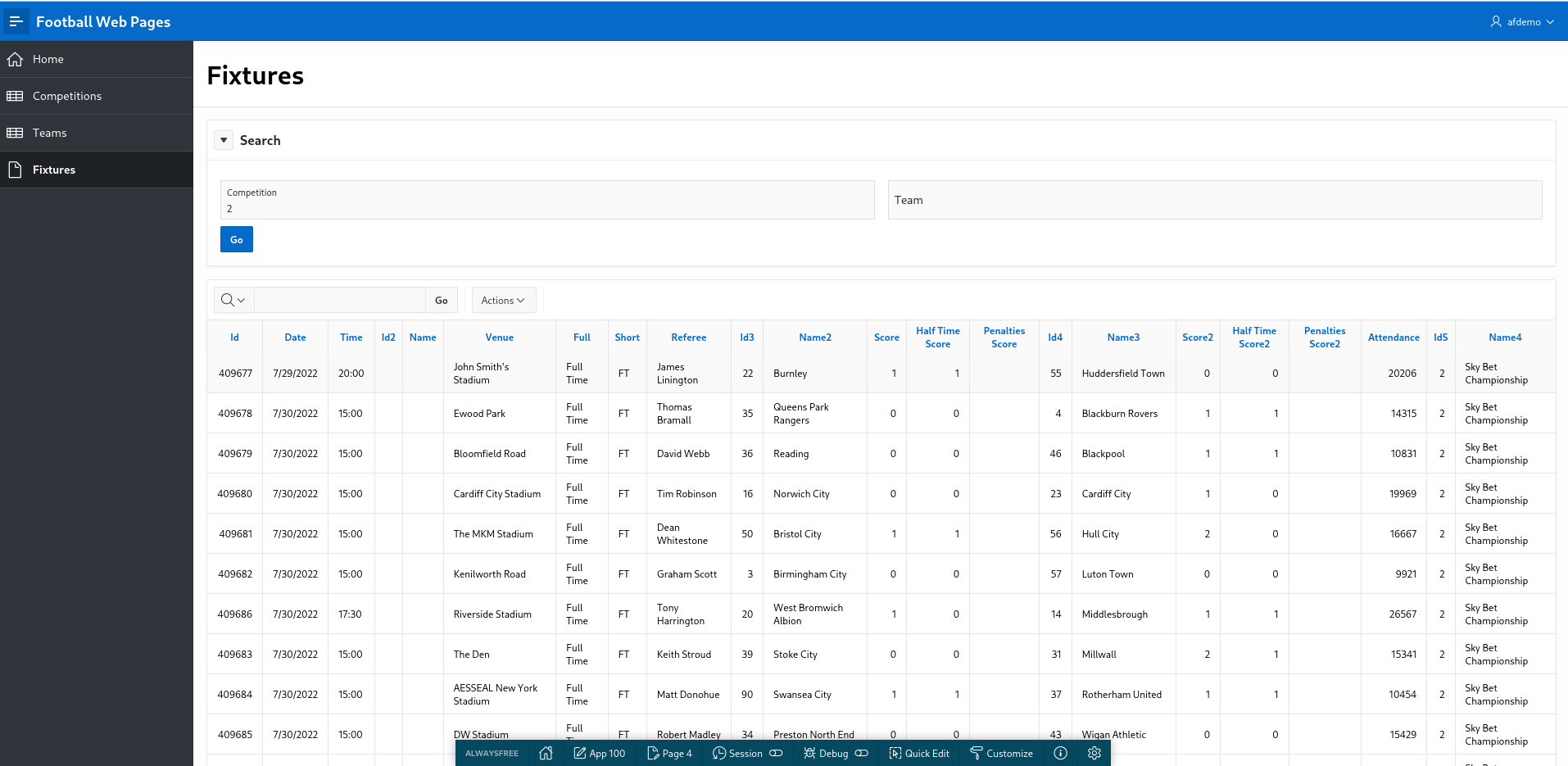
Enter '2' for 'Competition'. This is for the English Championship (neither Kingstonian nor Arsenal play in this league).

Nullify the 'Team' parameter and click 'Go'.

FWP-APEX-Fixtures-IR-Comp.png

List of Values

This report is improving but needs more work. End users typically don't know that they have to enter '1' to get data for Arsenal. The 'Competition' and 'Team' parameters are clearly List of Values so we will implement that now.

Navigate to 'Shared Components' and add the following List of Values for 'Competitions'

  • Name: Competitions
  • Type: Dynamic
  • Data Source: REST Data Source
  • Rest Data Source: FWP Competitions
  • Return Column: ID
  • Display Column: FULL_NAME
  • Default Sort: ID

Once an APEX application has a REST Data Source available, it is available to all components (LOV's, reports etc) - just like a conventional local database table.

Create a second LOV for 'Teams'

  • Name: Teams
  • Type: Dynamic
  • Data Source: REST Data Source
  • Rest Data Source: FWP Teams
  • Return Column: ID
  • Display Column: FULL_NAME
  • Default Sort: FULL_NAME

Navigate to the 'Fixtures' page and change the page items to use the newly created LOV's.

Change the type of P4_COMPETITION to 'Popup Lov'

Under 'List of Values', select

  • Type: Shared Component
  • List of Values: FWP-Competitions
  • Display Extra Values: Unchecked
  • Display Null Value: Checked
  • Null Display Value: - Select -

Repeat this process for the P4_TEAM page item using FWP-TEAMS as the LOV.

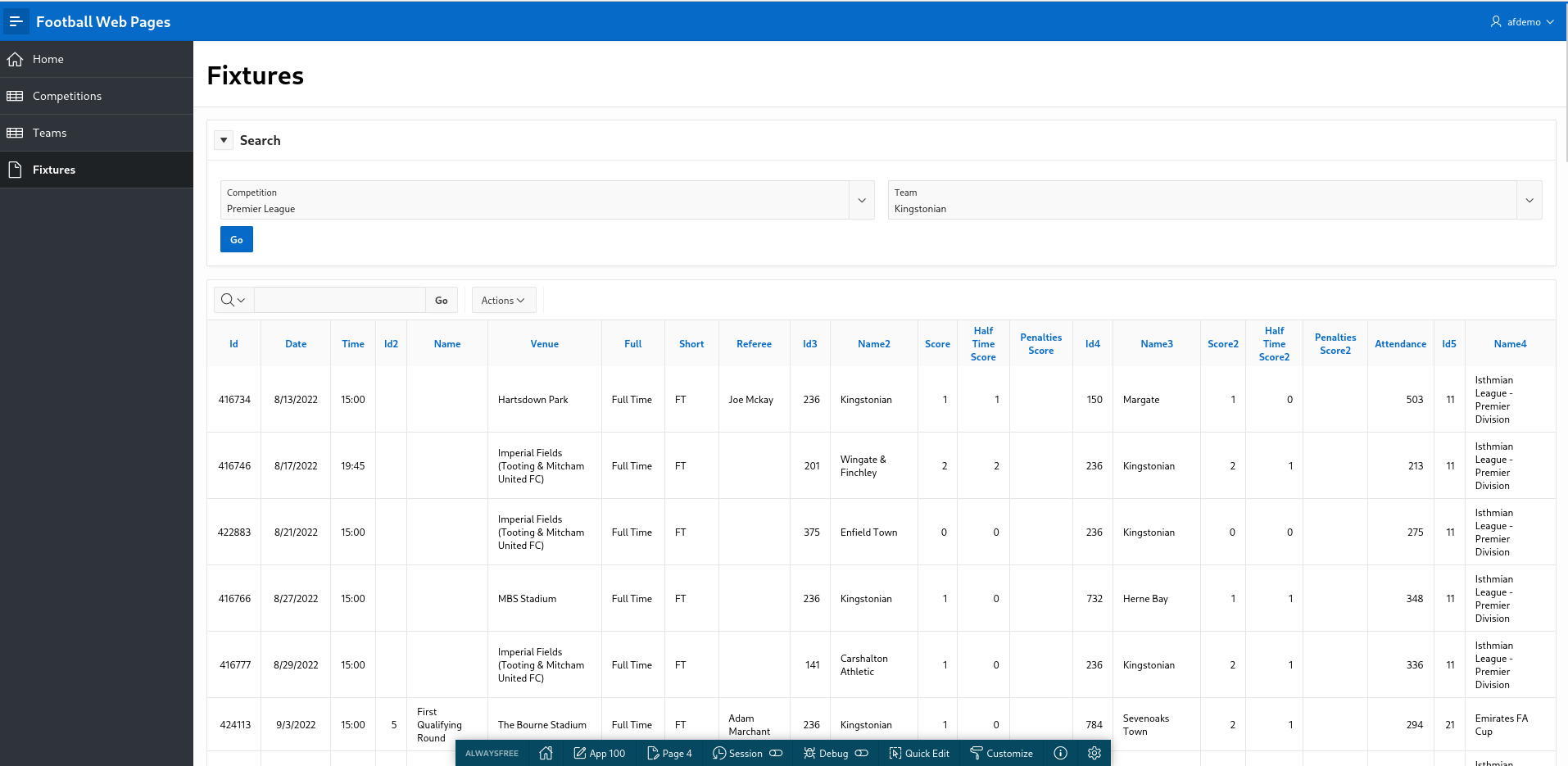
Run the page. This looks better. Now we can select a Competition and a Team correctly.

FWP-APEX-Fixtures-V2.png

You gleefully share your V2 prototype with a colleague for peer code review and her feedback is as follows:

  1. When clicking 'Fixtures', I get 'ORA-20999: REST Data Source returned an HTTP error: HTTP 400: Bad request'
  2. If you enter a Competition only, it works fine.
  3. If you enter a Team only, it works fine.
  4. If you enter both a 'Competition' and 'Team', the results look weird. Should 'Team' be a cascading LOV based on the 'Competition' ?
  5. The column names and labels need tidying up. There are a lot of meaningless ID fields displayed.
  6. It would be nice to have the option to review past results separately from fixtures in the future.
  7. Performance - the Popup LOV's for Competition and Team are sluggish. Why are they so S L O W ?
  8. The navigation menu looks chaotic and ugly.

In the next article, we will try to address this valid feedback.

a simple APEX application using REST API

Introduction

The last article provided a quick introduction to REST APIs. Now we will use a simple REST API to develop an APEX application using a real world example.

Football Web Pages

I enjoy watching football (soccer). My local team are Kingstonian FC, a non-league team in South West London. Kingstonian play in the seventh tier of English football. Kingstonian's players are semi-professional so the players hold down jobs and train and play part-time.

Football Web Pages (FWP) is an excellent site for all things related to football. The site includes news, fixtures, results for all English leagues (including non league) and the European leagues. I recently noticed FWP provides a REST API.

FWP API

Reviewing the FWP API, the first thing to note is whether the API is public (i.e. freely available) which it is and whether it requires authentication (it does).

To access our data you must subscribe to one of our pricing plans (which include a free plan) via Rapid API at the following address:

rapidapi.com/football-web-pages1-football-web-pages-default/api/football-web-pages1

Authentication

When you subscribe via Rapid API you will be given a key, and you must provide this in a header named "X-RapidAPI-Key" with every request.

A lot of API's provided by larger sites offer a facility to issue API calls directly on the site. This enables the developer to examine the specification of the API and experiment with different headers, query parameters and examine the response data in various formats.

FWP doesn't offer this functionality but it's a relatively simple API so we can use Insomnia to experiment with the API.

Normally, I choose the simplest API available - one with no query parameters or headers (other than required for authentication).

For FWP, the 'Competitions' API looks like a decent candidate

Competitions

A list of the competitions covered

The following parameters may be set:

include: One or both of: rounds, teams (default: neither)\ Endpoint: https://football-web-pages1.p.rapidapi.com/competitions.json

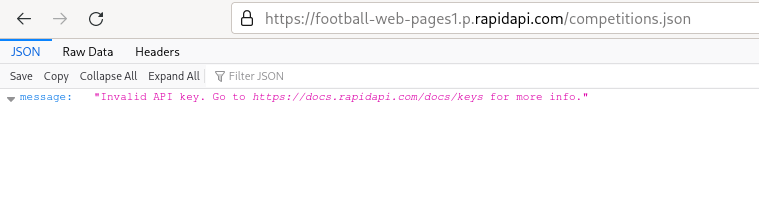
I'm lazy and so are you so you just enter this endpoint into Firefox. You are thwarted.
Firefox-Error

The FWP REST API does indeed require authentication so we need Insomnia.

Firstly, we create a folder to store all our FWP API requests. Name the folder 'Football Web Pages'.
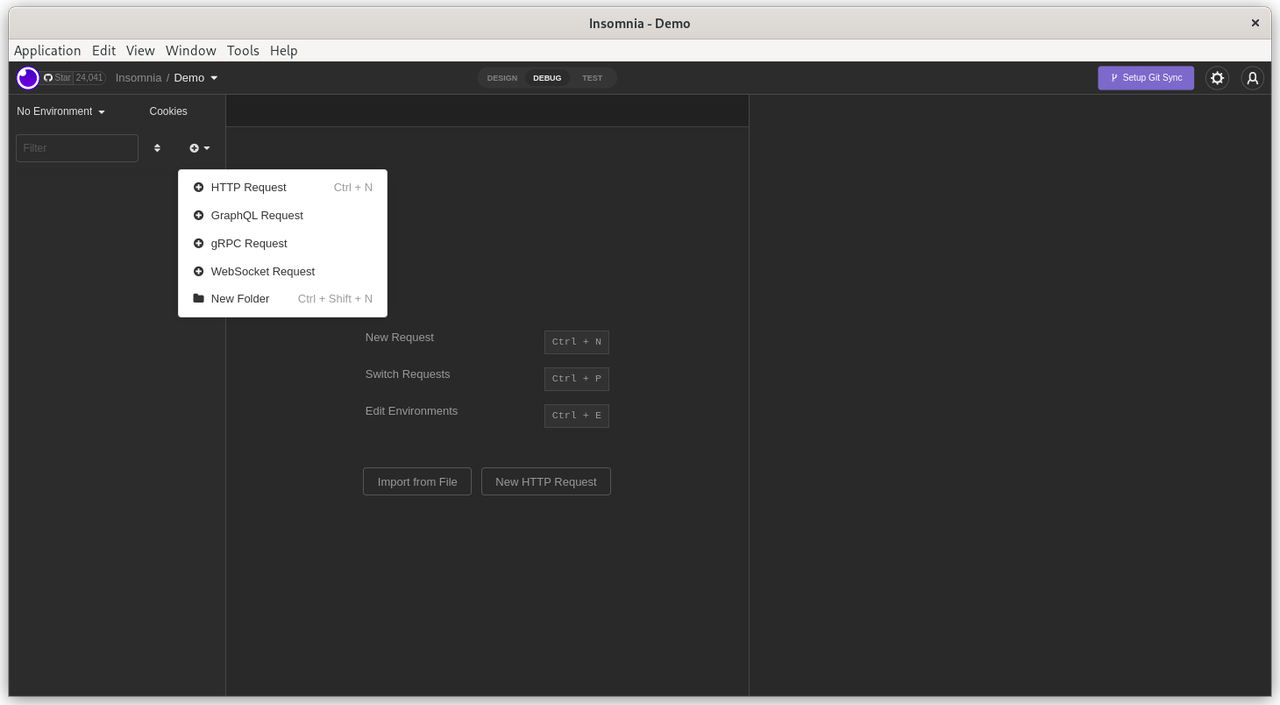
Create-Folder

Select the newly created folder and click 'click to add first request'.

Double click on the 'New HTTP Request' on the panel on the LHS. Rename this request to 'Competitions'.
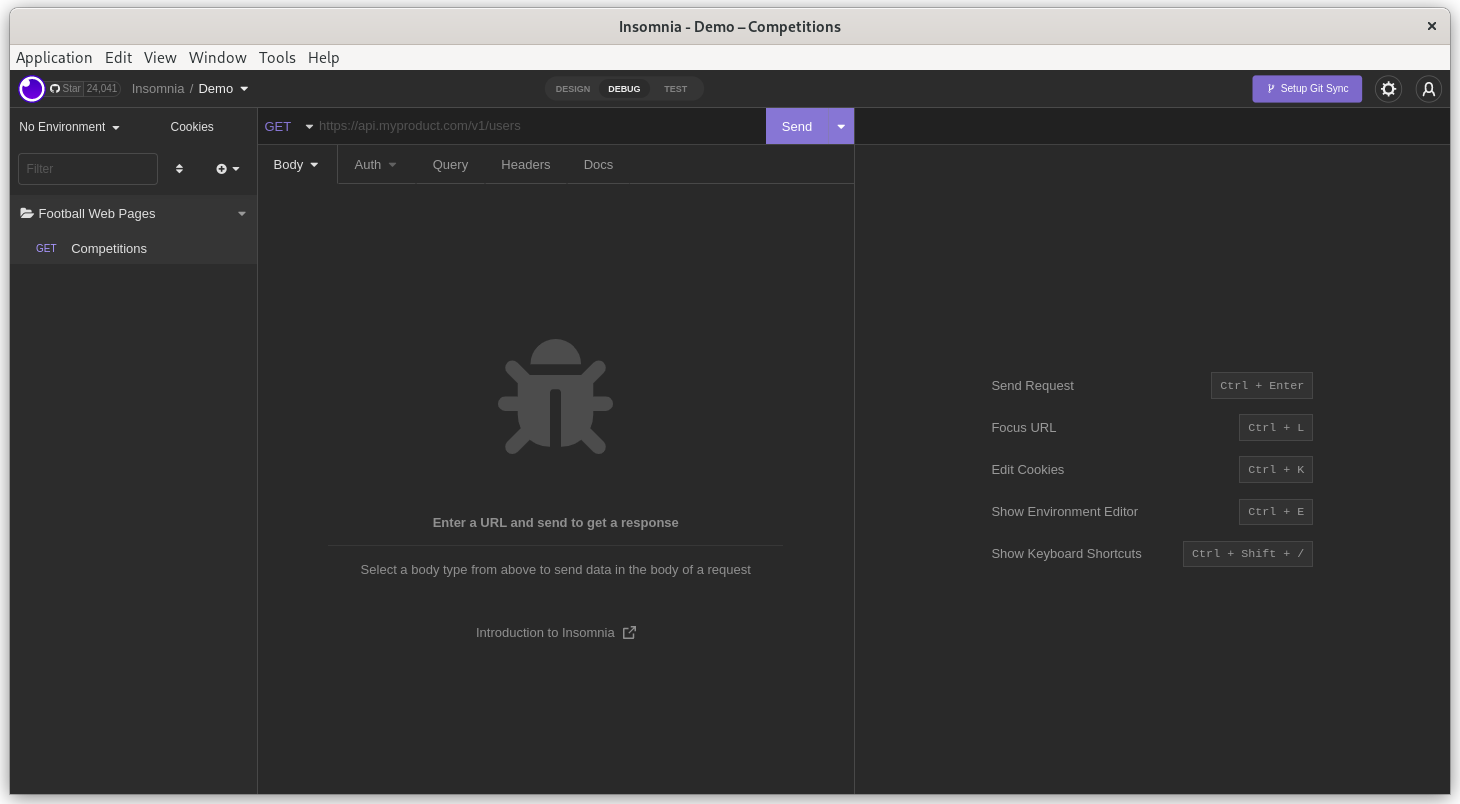
Competitions

Now enter the FWP API endpoint into the GET section in the middle panel. The endpoint (URL) is:

https://football-web-pages1.p.rapidapi.com/competitions.json

Click 'Send'. You get the same authentication error. You feel thwarted and disappointed but this is OK. You haven't provided your credentials yet but the endpoint is correct and the FWP server correctly responded with a '401 - Unauthorized' error.
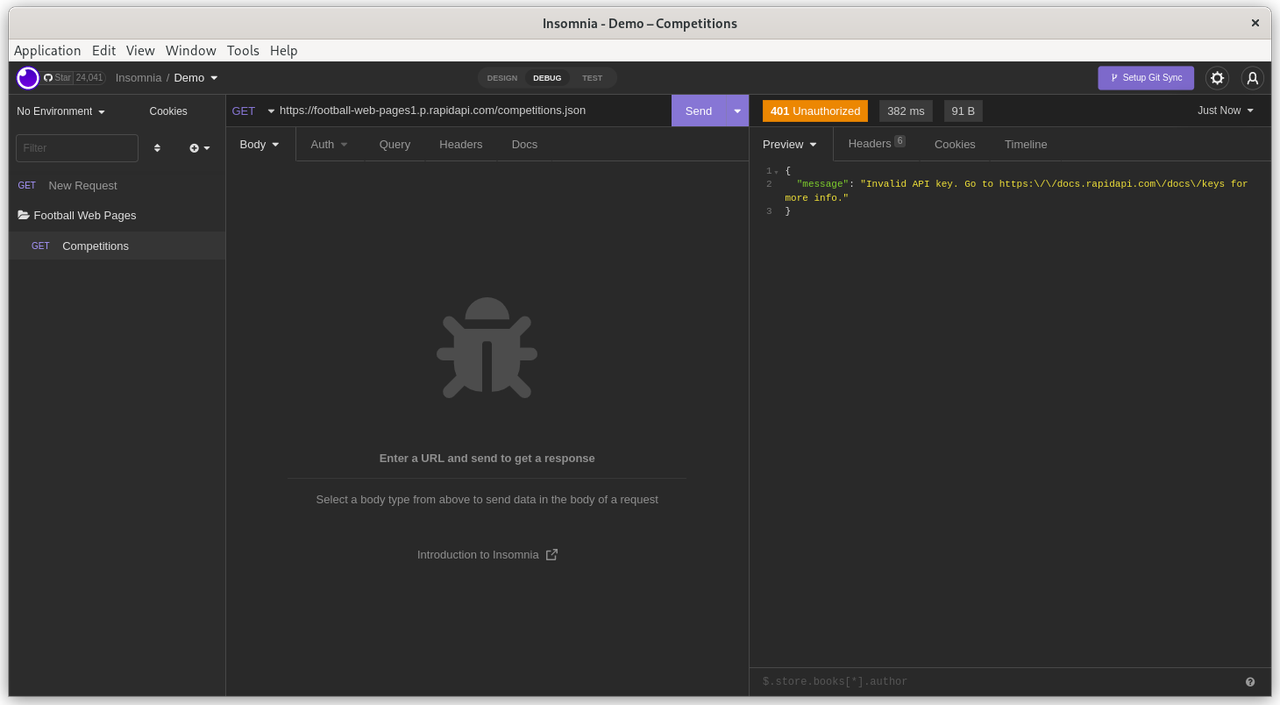
Unauthorized

This API requires that the API key (password, credentials) are supplied in the 'Header' of the API request.

Click on the 'Header' tab in the middle section
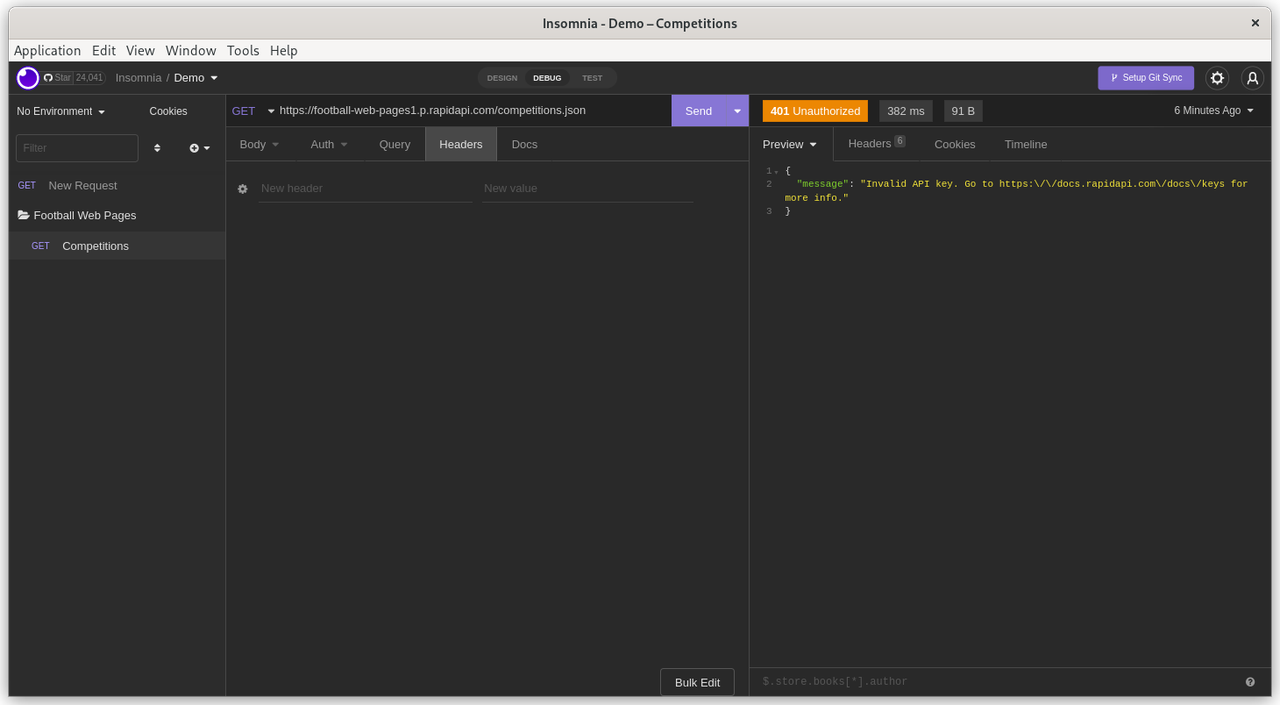
Header

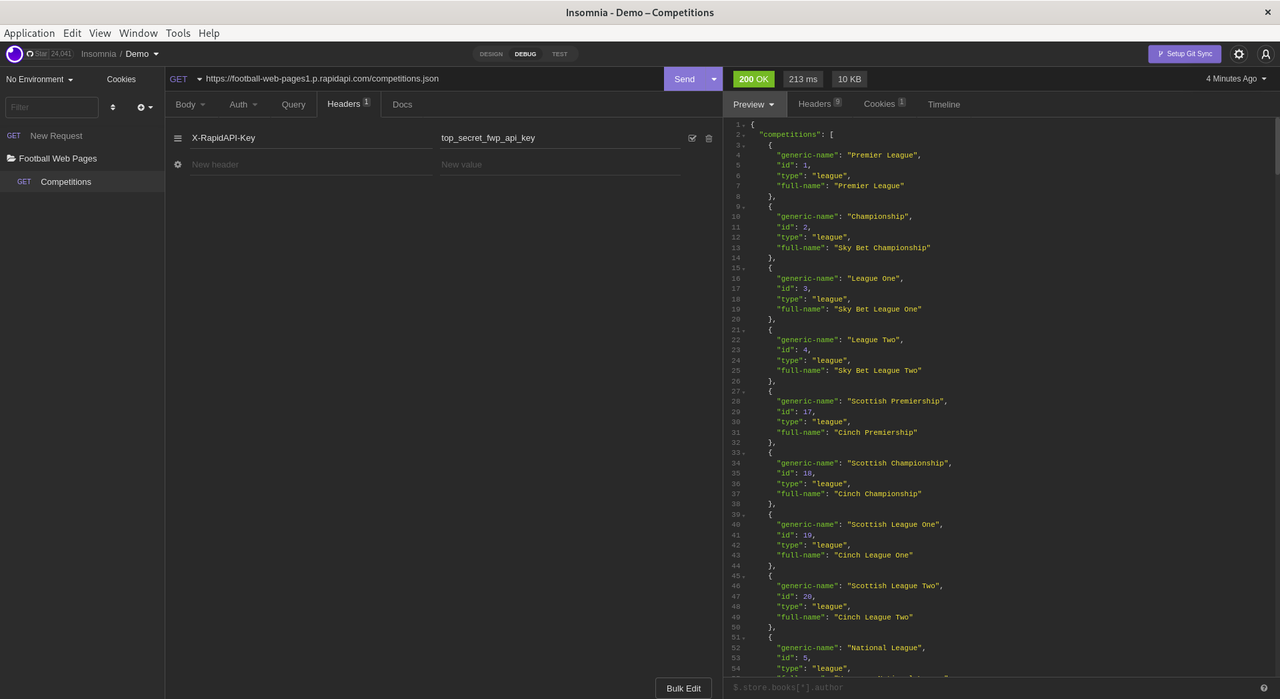
Add 'X-RapidAPI-Key' as the 'New Header'. Then add your private API key as the 'Value'. Remember that API headers are simply Name-Value pairs.
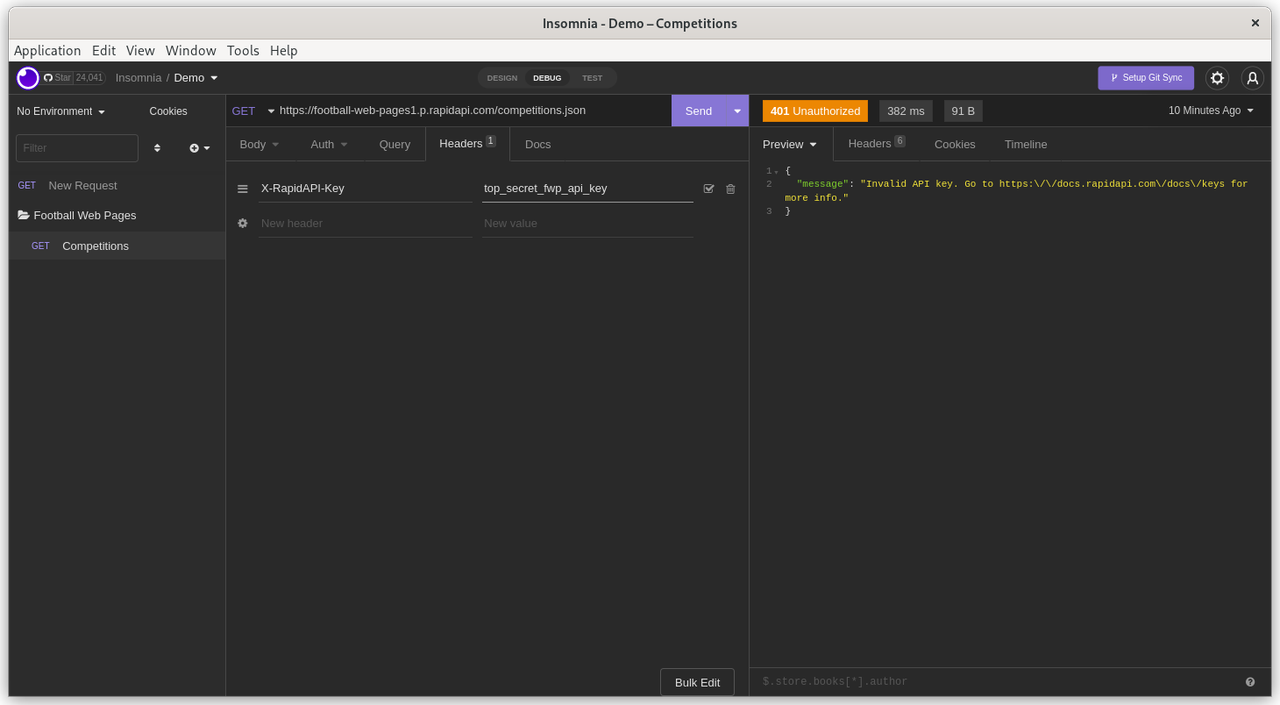
Auth-Header

Click 'Send'. There is no need to explicitly save the changes to the Headers.
Save_Headers

Finally. Success !

Look at the results in the panel on the RHS.

The API request returned a status of '200' (success). The elapsed time for the API request was 213 milliseconds and returned 10KB of data.

FWP APEX application

This demo was created and tested on Oracle's AlwaysFree tier. However, it should also work fine on Oracle's hosted APEX service on apex.oracle.com or a local APEX instance.

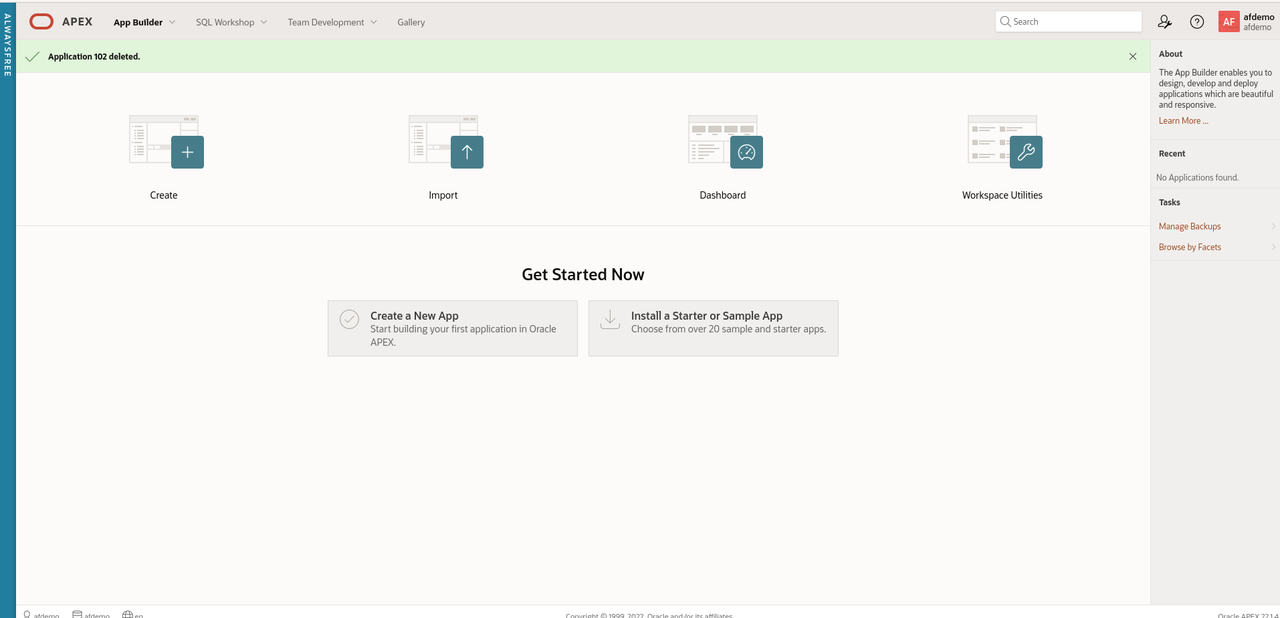
Navigate to App Builder
App Builder

  • Click 'Create a new App'
  • Click 'New Application'
  • Name the application 'Football Web Pages'
  • Accept all the default options.

Create App

First, we need to configure the Web credentials in APEX to access the FWP REST API's

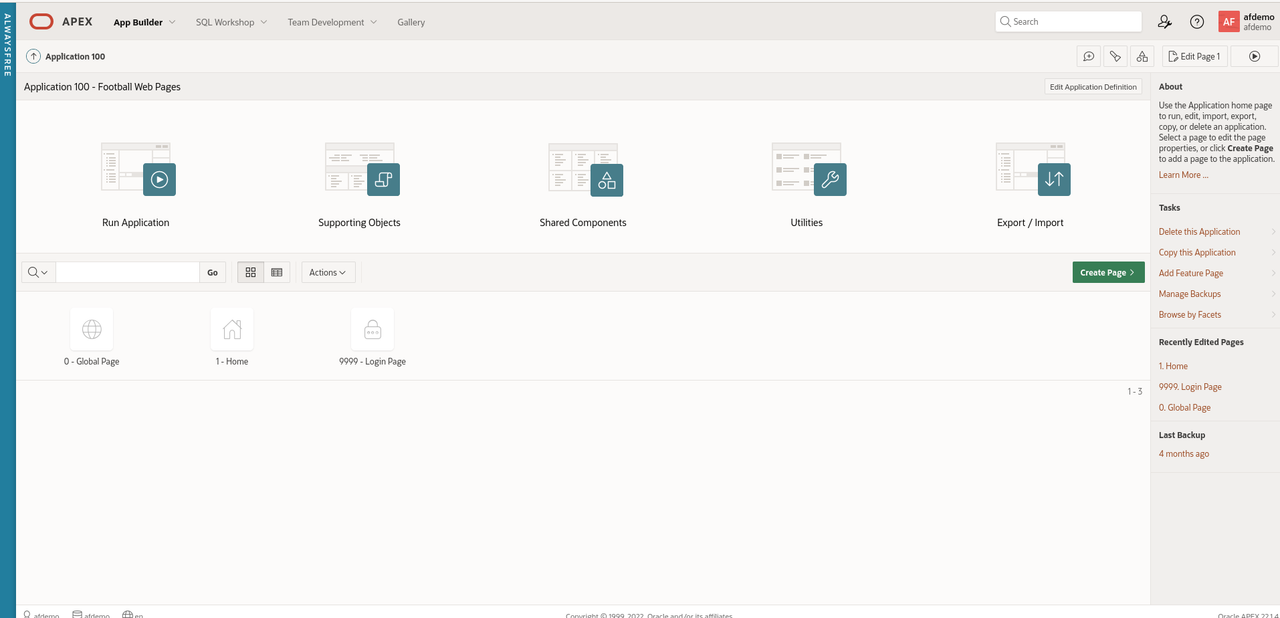
In APEX, Web Credentials are shared across the workspace. Click 'App Builder - Workspace Utilities - All Workspace Utilities'

Workspace Utilities

Click 'Web Credentials'

Web Credentials

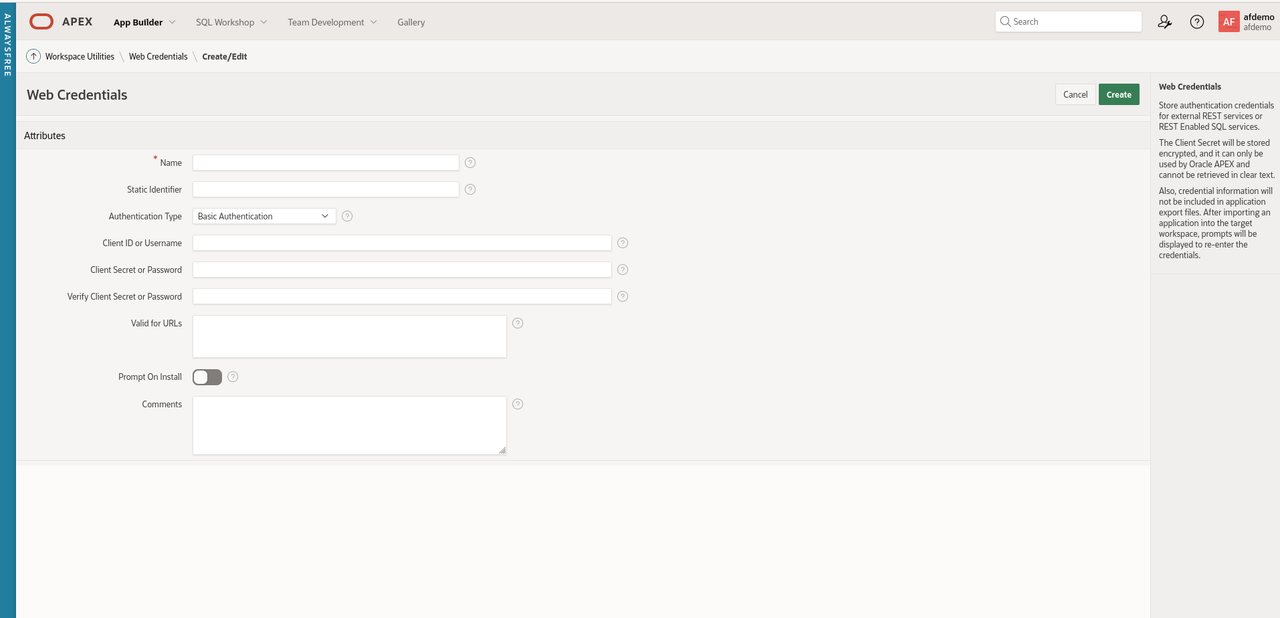
Click 'Create'

WC Create

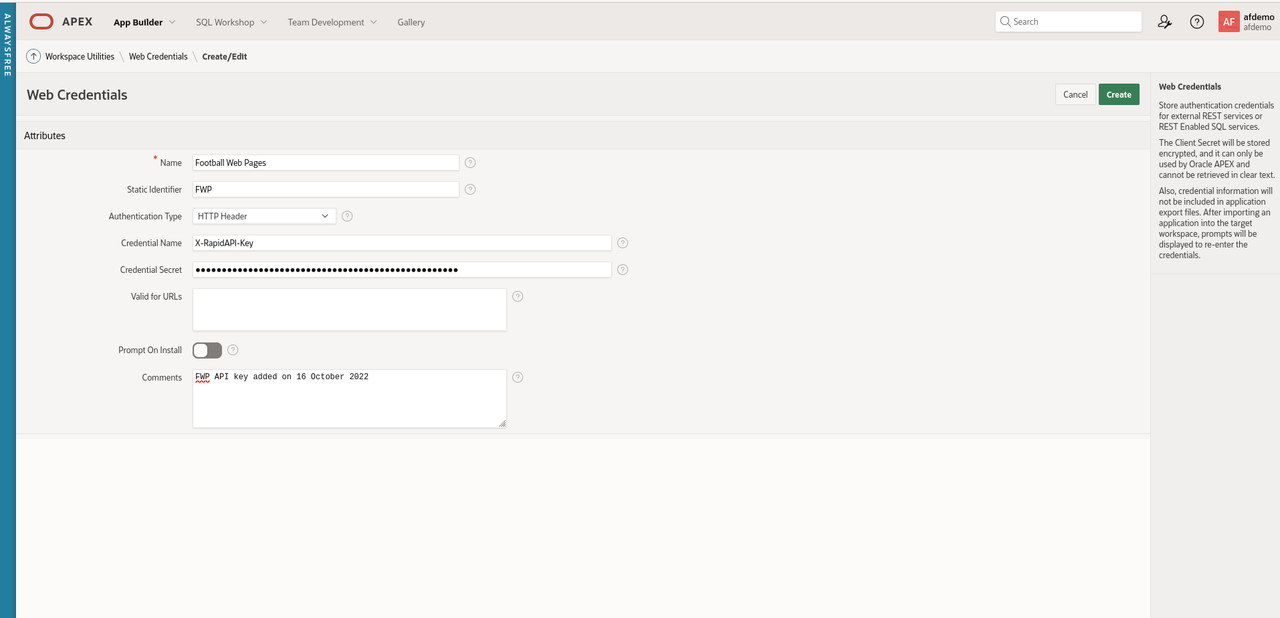
Enter the following values for the parameters

  • Name: Football Web Pages
  • Static Identifier: FWP
  • Authentication Type: HTTP header
  • Credential Name: X-RapidAPI-Key
  • Credential Secret: secretapikey
  • Comments - FWP API key added on 16 October 2022

The reason I always add the comments field is that many API keys have a limited lifetime (6 months or a year) for security reasons. Often it is useful to know when the client secret was created.
WC Attributes

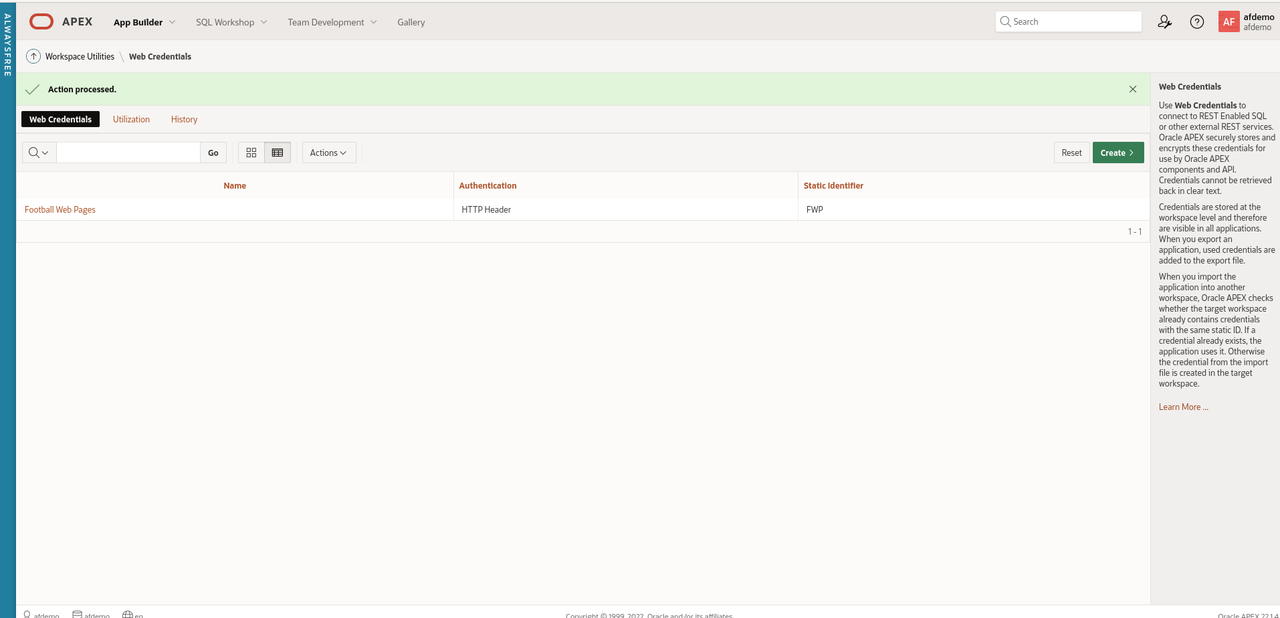
Click 'Create' to save the changes

Web Creds Complete

Next, create a REST data source for the FWP REST API

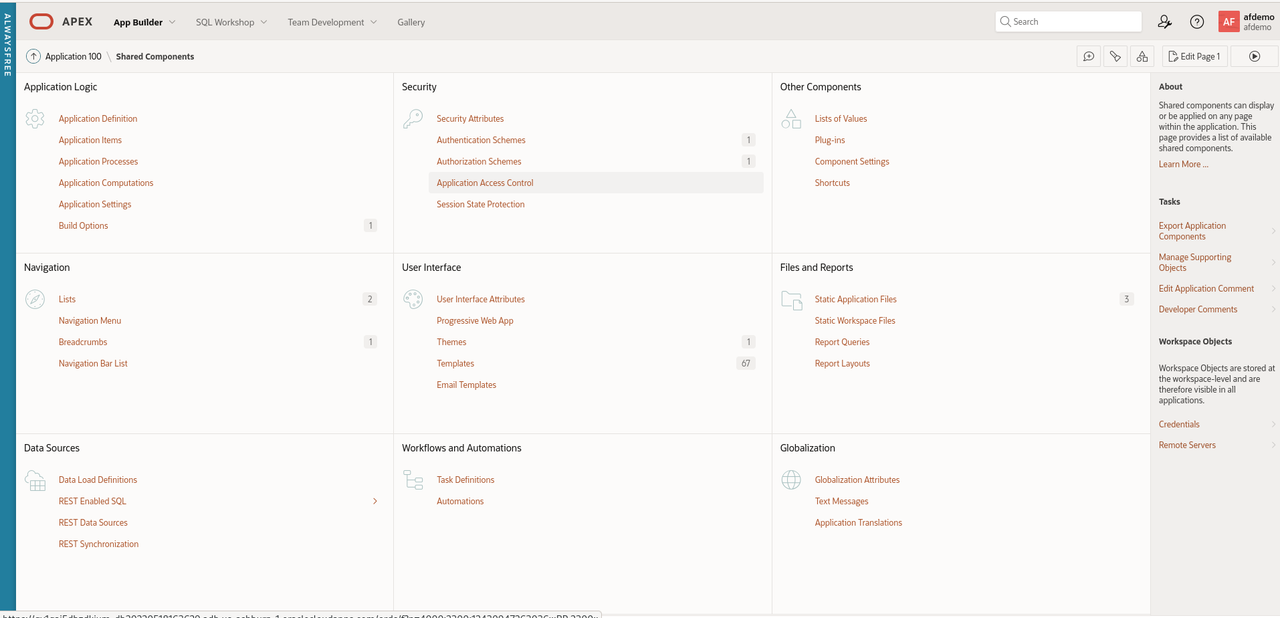
Navigate to 'App Builder' and click 'Shared Components'.
Shared Components

In the bottom left section, click 'REST Data Sources'.
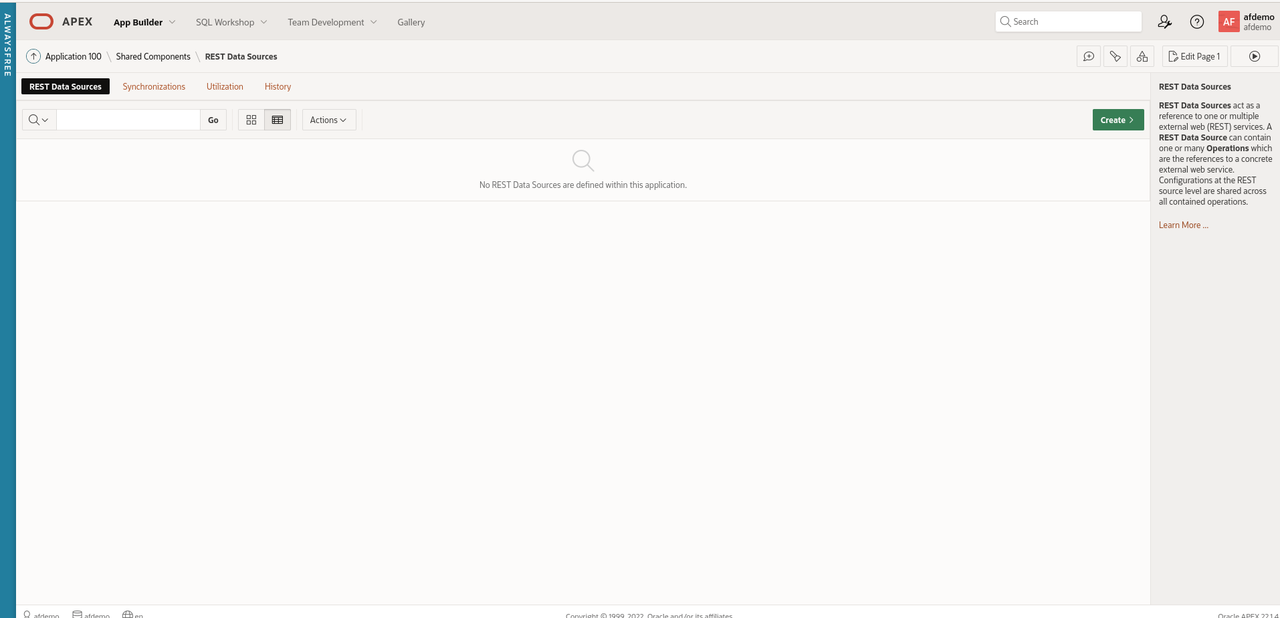
REST Data Sources

Click 'Create'

Select 'From scratch' for 'Create REST Data Source' and click 'Next'
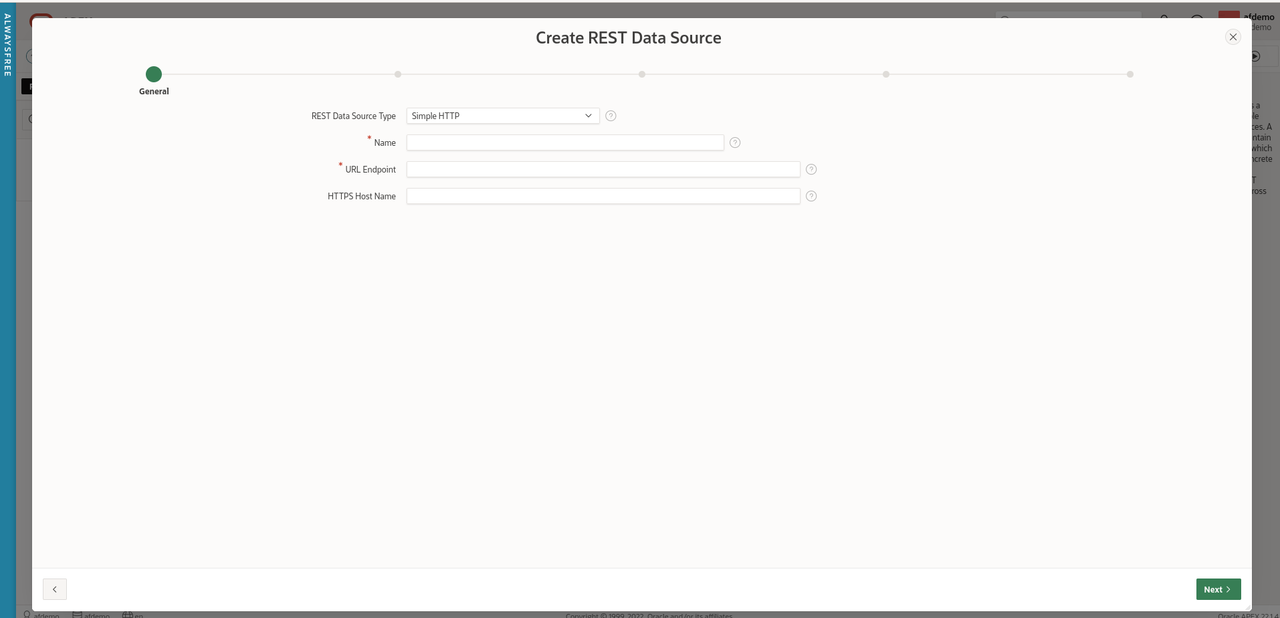
Create REST Data Source

Leave the default of 'Simple HTTP' for the value of 'REST Data Source Type'

Enter 'FWP-Competitions' for the 'Name'.

Enter 'https://football-web-pages1.p.rapidapi.com/competitions.json' for 'URL Endpoint'

Leave the optional parameter 'HTTPS Host Name' blank.
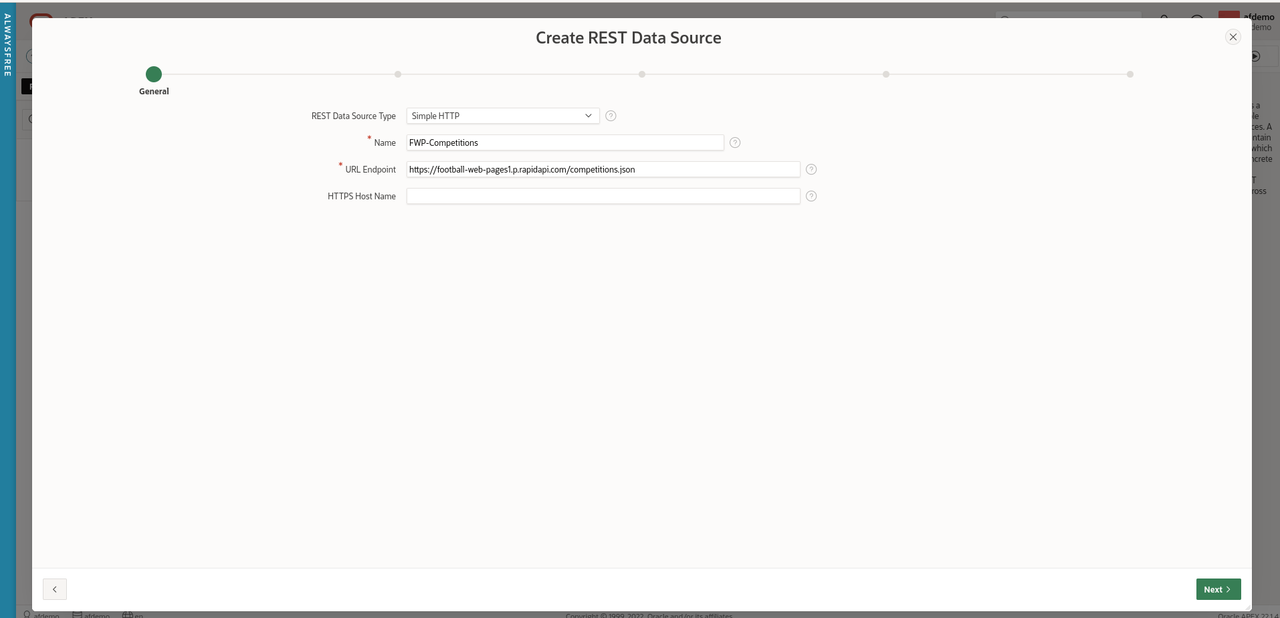
REST Data Source Params

Click 'Next'

Leave 'Create New' for the 'Remote Server' parameter

Accept the values helpfully supplied by APEX for 'Base URL' and 'Service URL Path'.

Click 'Next'

Accept the default of 'No Pagination' for 'Pagination Type'.
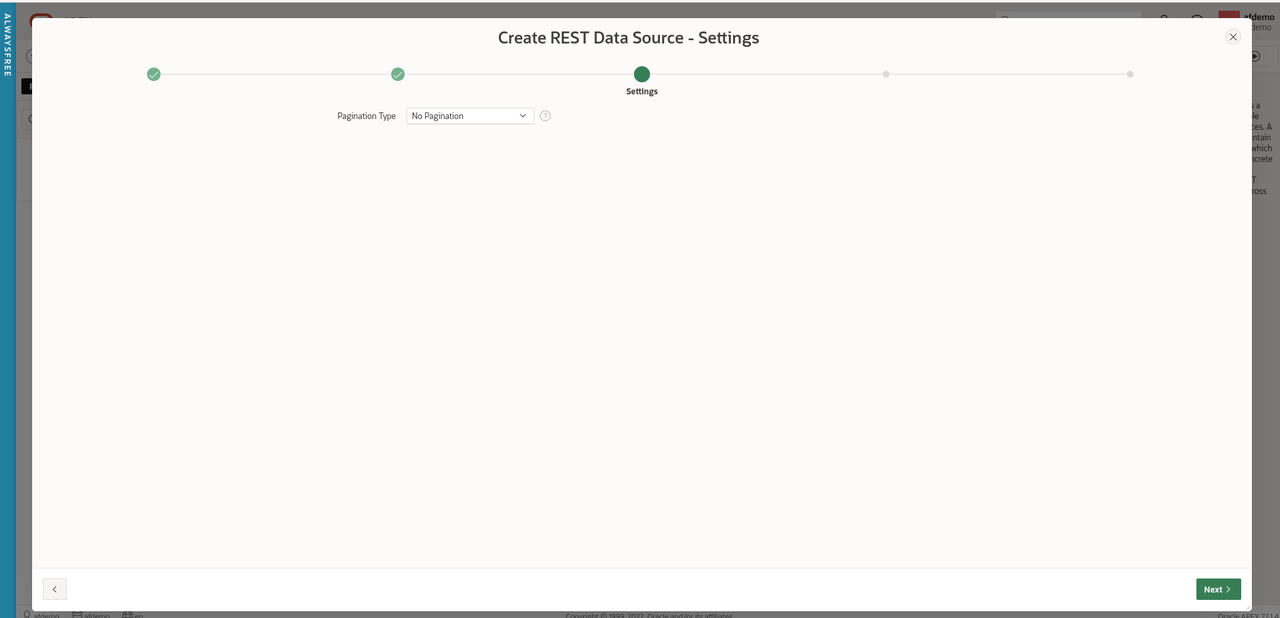
REST Data Source Pagination

Click 'Next'

Ensure 'Authentication Required' is checked and select 'Football Web Pages' from the drop-down menu for Credentials.

REST Data Source Auth

Click 'Discover'.

APEX has helpfully sent this API request to the FWP server using the Web credentials and provided us with a preview of the data set returned so we can check it looks correct.
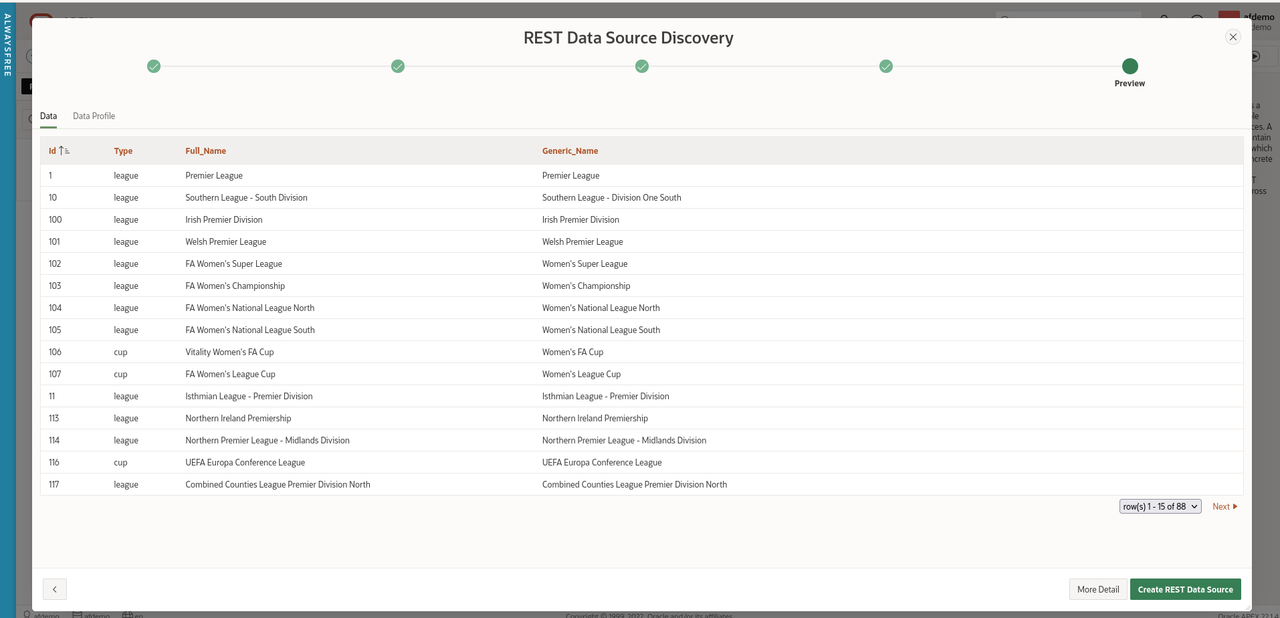
REST Data Source Discovery

Wizards might want to click 'More Detail' but this looks good enough for us to just click 'Create REST Data Source'.
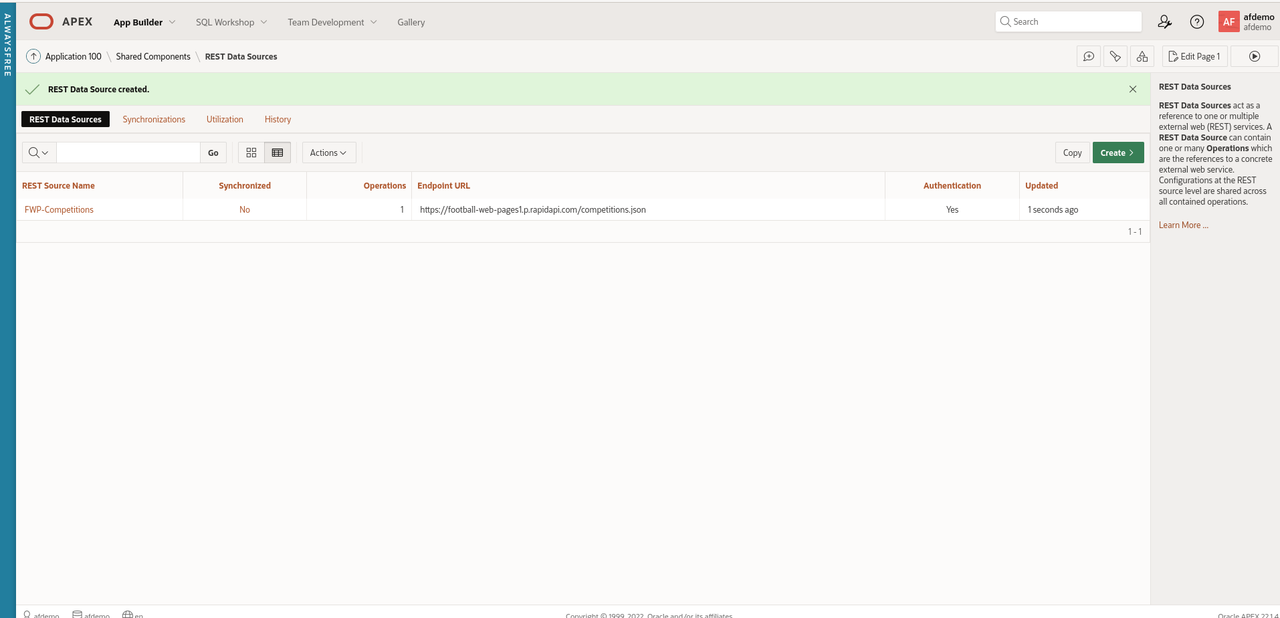
Create REST Data Source

Now we have defined Web credentials and created a REST data source, let's finally create an APEX page displaying the Competitions.

Navigate back to 'App Builder' and select the 'Football Web Pages' application.

Click 'Create Page' and 'Interactive Report' from the Page Wizard.
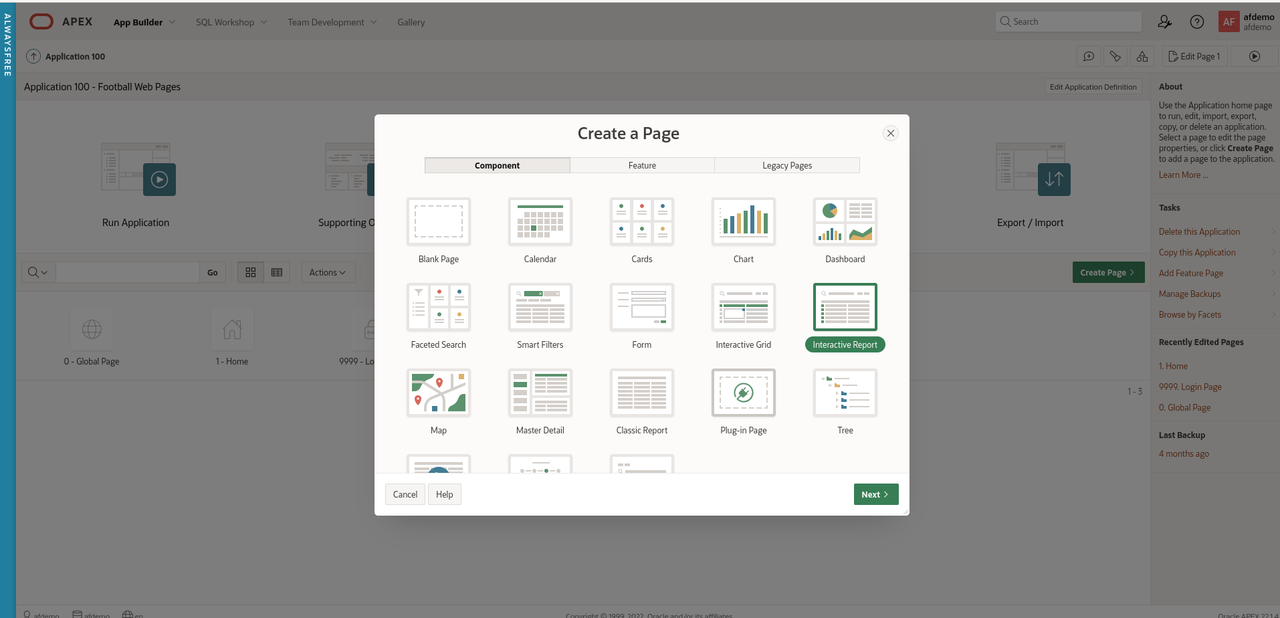
Create IR

Click 'Next'

Enter 'Competitions' for the name of the new page.

Under 'Data Source', select 'REST Data Source' and select 'FWP Competitions' from the drop-down menu.
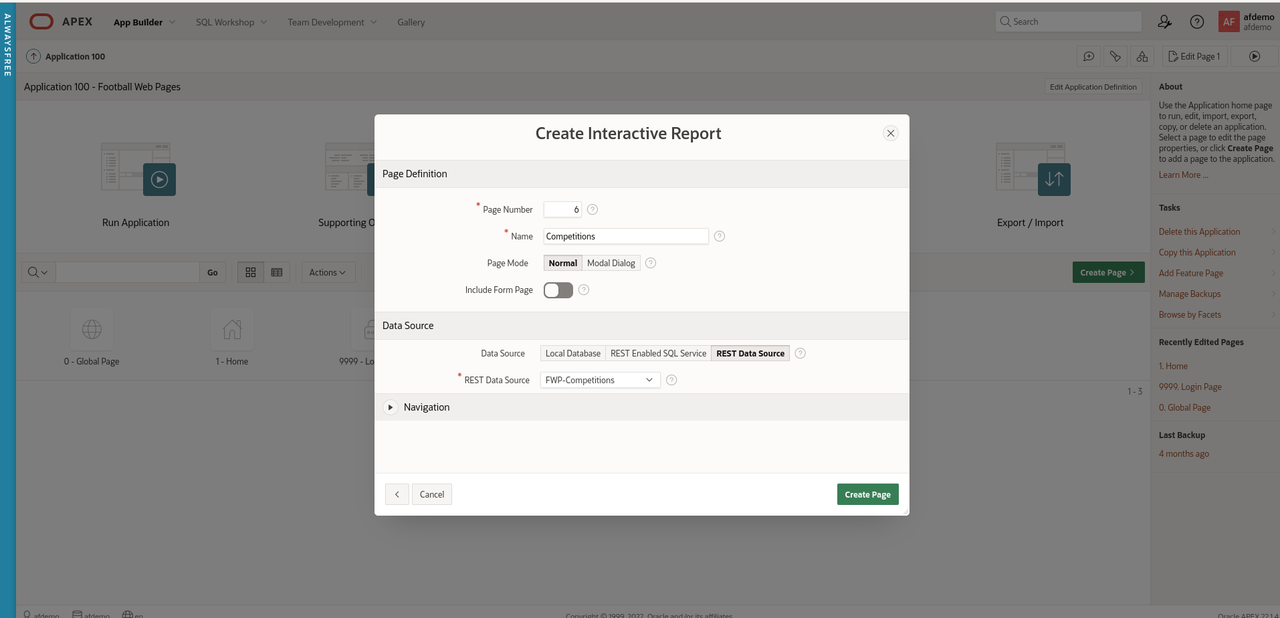
IR Params

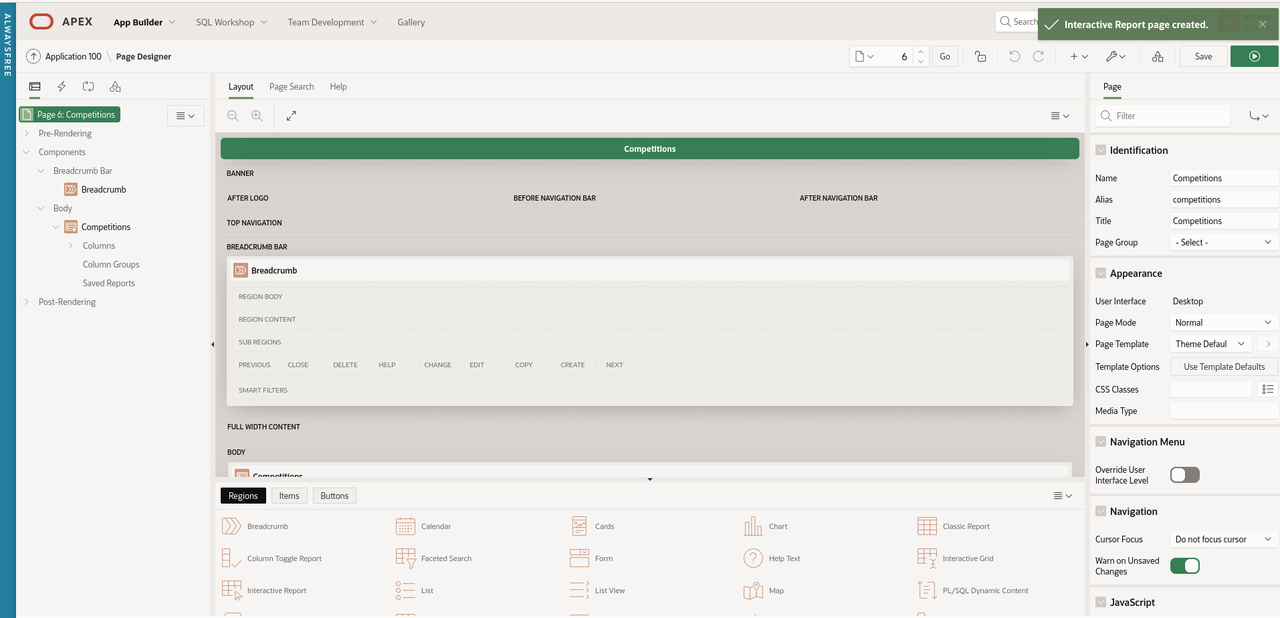
Click 'Create Page'

IR Page

Run the 'Competitions' page

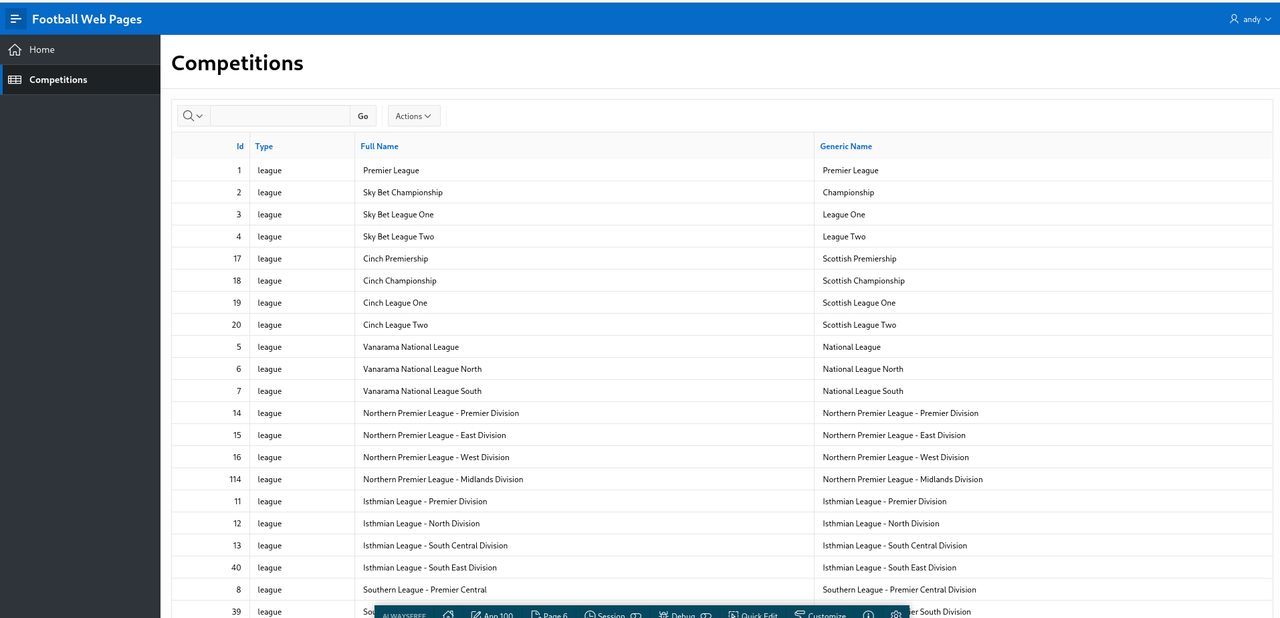
FWP Competitions

Summary

That took a while but we have created an APEX application that fetches data from a REST Data Source that requires authentication.

These are valuable building blocks to refine and extend this APEX application when we explore a range of different API's.

Masking sensitive fields in APEX

Data masking with APEX

Background

A common customer requirement is to mask sensitive or personally identifiable data from APEX reports.

Oracle has a 'Data Masking and Subsetting' product that performs this task.

However, for smaller APEX projects, the full blown data masking product might be overkill as it needs familiarity with the product and configuration. This may be time consuming and expensive.

However, we are able to use the PL/SQL package DBMS_REDACT to achieve the same result.

Test Environment

  • APEX 22.1.5 on-premise (September 2022)
  • APEX 22.1.4 (AlwaysFree) (September 2022)

This functionality is available on on-premise APEX environments and the AlwaysFree Oracle Cloud environment.

The data masking functionality is not available on apex.oracle.com as it requires access to the DBMS_REDACT package which is owned by 'SYS'.

User accounts

Create two APEX users called MANAGER and INTERN.

Sample data

Create an employee table with a couple of sensitive fields for the test scenario.

create table gdpr_emp
(id number generated by default on null as identity,
 first_name varchar(100),
 last_name varchar(100),
 ni_number varchar(100),
 salary number,
 email_address varchar(100),
 date_of_birth date,
 country varchar(100),
 credit_card varchar(100)
);

Insert a sample record.

insert into gdpr_emp
(first_name,
 last_name,
 ni_number,
 salary,
 email_address,
 date_of_birth,
 country,
 credit_card)
values
('Norman',
 'Whiteside',
 'NA564635I',
 35275,
 'norman@gmail.com',
 to_date('01-JAN-1970', 'DD-MON-YYYY'),
 'UK',
 '4321123467899876')
;

APEX application

  • Create a APEX application named 'GDPR_DEMO'.

  • Create a page named 'Employees' with an interactive report based on the 'GDPR_EMP' table.

Run the GDPR_DEMO application and login as 'MANAGER' and 'INTERN'. All fields should be visible on the 'Employees' page.

APEX-GDPR-Employees-Mgr.png

Create the redaction policy

The APEX schema needs privileges to access the DBMS_REDACT package. Login as SYS and grant the privileges.

grant execute on sys.dbms_redact to <APEXDEMO>;

Create the redaction policy. The expression parameter defines which user accounts do not have access to the actual values of the redacted columns.

According to this redaction policy, if the user account is 'INTERN', the CREDIT_CARD column value should be redacted. This means the 'INTERN' user will see zeroes in place of the actual values in this column.

begin
  dbms_redact.add_policy(
    object_schema => 'APEXDEMO',
    object_name => 'GDPR_EMP',
    policy_name => 'GDPR Demo',
    expression => 'v(''APP_USER'') = ''INTERN''',
    column_name => 'CREDIT_CARD',
    function_type => dbms_redact.full
   );
end;
/

Add the EMAIL_ADDRESS and SALARY columns by modifying the existing redaction policy.

begin
  dbms_redact.alter_policy(
    object_schema => 'APEXDEMO',
    object_name => 'GDPR_EMP',
    policy_name => 'GDPR Demo',
    action => dbms_redact.add_column,
    column_name => 'EMAIL_ADDRESS',
    function_type => dbms_redact.full
  );

  dbms_redact.alter_policy(
    object_schema => 'APEXDEMO',
    object_name => 'GDPR_EMP',
    policy_name => 'GDPR Demo',
    action => dbms_redact.add_column,
    column_name => 'SALARY',
    function_type => dbms_redact.full
  );
end;
/

You can query the current redaction configuration by querying the REDACTION_COLUMNS, REDACTION_POLICIES and REDACTION_VALUES_FOR_TYPE_FULL views (as 'SYS').

Testing

Now login to the GDPR_DEMO application as 'MANAGER'. You will see the full, unredacted data as normal.

Now login as 'INTERN'. You will note that the email address and credit fields are redacted (spaces are displayed while the 'Salary' field is displayed as 0 (zero).

APEX-GDPR-Employees-Intern.png

Improvements

This is a simple example of data redaction.

Other possible solutions would be to use APEX authorisation schemes to completely hide the sensitive columns from the 'INTERN' user.

This has the advantage of preventing user confusion where the user can see a sensitive field but not the actual value which may be mistaken as a bug.

There could also be finer levels of granularity:

  • SuperUser
  • HR Manager
  • Employee
  • Contractor
  • Intern

Cleanup

To remove the redaction policy

begin
  dbms_redact.drop_policy (
    object_schema => 'APEXDEMO',
    object_name => 'GDPR_EMP',
    policy_name => 'GDPR Demo');
end;
/

Agile development with Oracle APEX

Tim Hall recently made a wonderful suggestion that the Oracle community remember the much missed Joel Kallman on 11 October 2021.

My contribution doesn't demonstrate APEX technical wizardry. Instead it's a short story from a real-life customer project implemented using APEX. Just to avoid any potential law suits, this post isn't about Agile development either - more how APEX can be used to quickly respond to changing customer requirements.

One particular post from Joel stuck with me about his attitude to customer service which can be encapsulated in a single line:

'Treat the customer (and really everyone) with respect and dignity'.

I work for Oracle in the UK and am currently working on an APEX project for a customer. This APEX application uses corporate single-sign-on (SSO) for authentication and a simple custom authentication scheme that uses group membership to control access to data (only members of the 'Sales' group can see 'Sales' reports).

Monday - 10:40

The program manager (not the project manager) sends me an email that strikes fear deep into my soul:

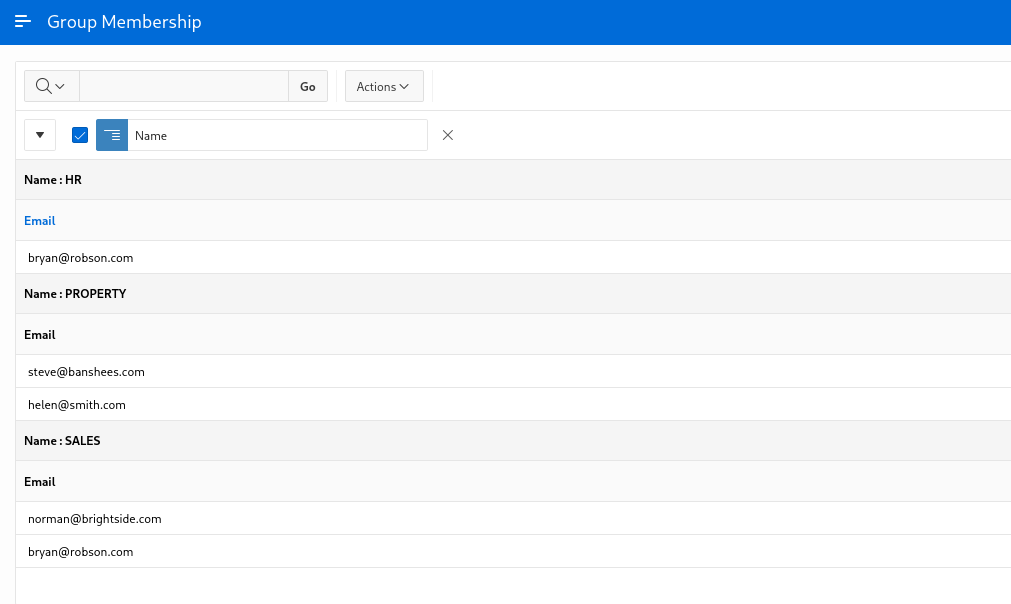
'Hey Norman, I need a quick Excel spreadsheet summarising the current list of users and their groups'.

A few years ago, I probably would have done this in SQL*Plus or SQL Developer and struggled to massage the output into the desired format. Now my immediate thought was 'This is a simple APEX report with a control break'.

I quickly created a APEX report and clicked 'Actions - Download' to quickly produce the Excel spreadsheet. I then had to waste time transferring the file before finally emailing the spreadsheet to the customer for review.

Joel Membership

I had produced an Excel spreadsheet and it was undeniably 'quick' so I had clearly met both requirements. Time to put the kettle on.

Monday - 11:57

'That's great. Thanks but I also see to see members of the 'Admin' group'.

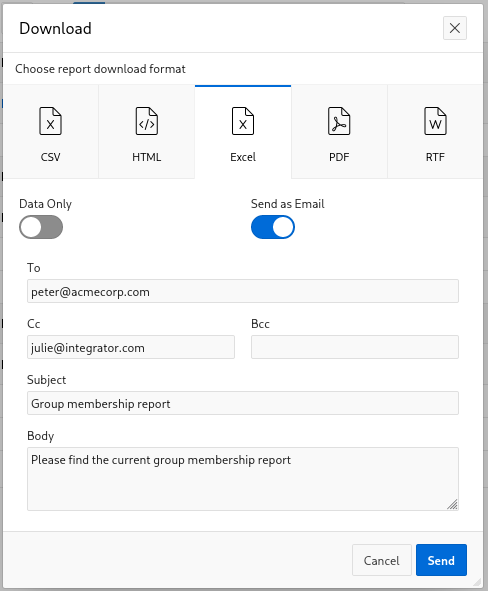
A trivial addition to the WHERE clause and I was about to repeat the whole tortuous process until I remembered we had already configured the Email Delivery Service on OCI for a different requirement.

I checked the output and again clicked 'Actions - Download' but checked the 'Send as Email' option.

Joel Download Email

As I simply love recursion, I sent the program manager a FAX to expect an automated email from the APEX bot imminently.

A nice feature of 'Send as Email' is that the recipient gets a link to the APEX report in addition to the Excel spreadsheet as a file attachment.

Monday - 15:32

'That's great. Thanks for the prompt turnaround'.

Tuesday - 09:17

'Hey Norman - I shared this Group Membership report with Julie and here's a list of more people who need to be added to the Admin group before the production deployment. Please send Julie and myself a copy of the updated report'.

Again, I added the list of users to the Admin group and sent the email adding Julie on 'Cc:'.

Tuesday - 13:47

'That's fantastic. Julie has now shared the Membership report with Graham from Operational Support and he was wondering whether you can email this report to him daily from now until a month after production deployment'.

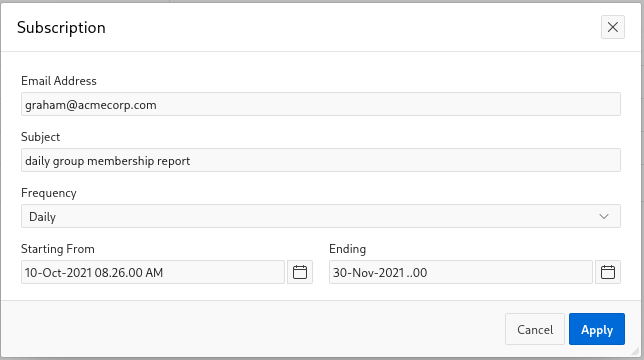
Again, APEX provides an out of the box solution for this called 'Report Subscriptions'.

Joel Subscription

Not so much 'low code' as 'no code'. I simply added a 'Subscription' to the 'Membership' report and emailed it to Graham daily starting now and ending on 30 November.

where are they now ?

People often write in and ask Is Oracle blogging dead ?

Well, I thought it might be interesting to revisit the list of Oracle blogs I posted way back in 2007 and see what theyre up to.

  • Life After Coffee - dead (last post May 2011). The pressure of the No. 1 slot proved too much.
  • The Tom Kyte Blog - frequency much reduced but Tom's a busy man.
  • Rittman Mead - now a multi-user, shiny, corporate blog.
  • Oracle Scratchpad - Jonathan Lewis is still going strong.
  • Eddie Awad ...so is Eddie.
  • Doug Burns - Our favourite Scotsman is still active and contemplating a migration away from Serendipity.
  • Kevin Closson - occasional poster.
  • David Aldridge - as above (when something annoys him).
  • Tim Hall - still travelling the world, presenting, reading books and watching weird films.
  • Jeff Hunter - resting (inactive since May 2012).
  • Peter Scott - alive and well blogging under the Rittman Mead umbrella.
  • Andrew Clarke - sporadic flurries of activity from Tooting.
  • Chris Foot - not known at this address.
  • William Robertson - still manages to exclaim 'WTF?!' once a year.
  • Howard Rogers - still blogging from Down Under.
  • Robert Vollman - resting (since August 2012).
  • Andy Campbell - hijacked by spammers. Either that or he really is pimping satellite TV systems and payday loans.
  • Moans Norgaard - pining for the fjords (since July 2010).
  • Laurent Schneider - actively blogging about Oracle.
  • Lisa Dobson - went to the trouble of getting her own domain and then neglected it (since Sept 2011). No longer a 'newbie'.
  • Jeff Moss - pimping vacations in Florida.
  • Beth - Data Geek Gal has been quiet on data quality (since Oct 2012).
  • Steve Karam - the alchemist is busy mixing up strange concoctions involving Hadoop, Hue, Oozie and occasionally Oracle.
  • Eric Emrick - nothing since March 2009.
  • Alex Gorbachev - busy growing Pythian Corp.
  • Robert Baillie - blogging about Agile, Extreme and project management after a 3 year lull.
  • Gary Myers - moved house (still in Oz) but helpfully remembered the redirect.
  • Nuno Souto - still blogging from Sydney.
  • Daniel Fink - The Optimal DBA blog has been dropped with constraints cascaded - which is suboptimal.
  • Ed Whalen - wrote a popular book in 2011, got rich on the proceeds and retired in the Caribbean.

Sherlock Burns and Dr. Hall investigate

Sherlock Holmes

‘Burns - I guess this means I can book the hotel for four nights and cancel the flights to OpenWorld then ?

It was 10:30 am on a dull, grey overcast Monday morning in Manchester. Sherlock Burns and Doctor Timothy Hall had just emerged from a fractious, tense kick-off meeting at Tiger Telecom. Sherlock Burns and Dr. Timothy Hall had been called by the IT director at short notice to investigate a sudden and marked degradation in the performance of the production database

‘No. On the contrary, Doctor Hall. Please ensure the Hackney carriage is booked for 4pm together with two first class tickets for the return train journey to Euston. I have every confidence this case will be solved by lunchtime. This time tomorrow we will be on a plane to California.'

‘But Burns - we just sat through a 90 minute meeting with no obvious solution. Why, I do declare, the customer can't even articulate the problem clearly and all the project team are arguing with each other. How on earth -'

‘Dr. Hall - do you recall the pretty chart showing the 'Key Business Transaction Response Times' ? What did you observe ?'

‘Err - I believe it was Excel 2007 and used a fancy pivot table…'

‘No, no - not that. Didn't you look closely at the X-axis ? The timeline of the monitoring process was every 10 minutes. After August 15th, the granularity of the dots changed to every 10 seconds. This coincided with the performance problems and undoubtedly means the frequency of the monitoring probe was modified resulting in the increased load on the system.'

‘Oh Burns - that truly is absolutely magnificent. How did you spot that ?'

‘Obvious Dr. Hall, blindingly obvious. I suspect you will find someone, somewhere has got his asterisks mixed up when he editted the crontab. A common failing when you try to convert Windows support staff to the superior Unix platform. Now as we were brought through the office by our host and walked through the call centre area, what did you notice ?'

‘Well Burns - I noticed a lot of pretty girls wearing headsets. That blonde, in particular, was stunning -'

‘No, no - I'm talking about the plethora of 'New Hire Induction Guide' on their desks. Tiger Telecom has obviously hired all these people recently which is also contributing more load to the system.'

‘No - Burns - that can't be right. You specifically asked them in the meeting what had changed recently and they all insisted: 'Nothing. Absolutely nothing.'

‘That's why we are here, Dr Hall. Unless you saw it with your own eyes it didn't happen. Another factor at play here is the Senior Oracle DBA. He is incompetent and must be replaced immediately.'

‘Oh Burns - how can you say that ? He seemed like a lovely bloke to me and don't forget he bought us our Latte's.'

‘Shut up Hall. What did you notice on his desk ?'

‘On his desk ? Well nothing apart from that rather amusing 'You don't have to be mad to work here but it helps' postcard and a photo of his wife sunbathing in Crete….'

‘No, no. I'm talking about the technical books on his desk. He had a pile of Oracle books - all the usual suspects; Kyte, Lewis, Milsap and Antognini. But on the very top of that pile was a curious tome - 'Oracle Tuning - The Definitive Reference Second Edition' by Donald Burleson. No self respecting Oracle DBA would have that combination of books. That alerted me that something was amiss.'

‘Oh come off it, Burns. I think you're putting 2 and 2 together and making 5 here. That's very unfair -'

‘Dr. Hall. I opened the Burleson book up and noted the following inscription on the inside cover: 'Barry - all the best in the future and may your redo logs always be multiplexed :-)' Therefore I conclude this gentleman was dismissed from his previous post as a contract DBA following an unfortunate, and ultimately fruitless, exercise in media recovery. On a production system for an investment bank.'

‘Ah OK, I see, Burns. While we're discussing the technical staff, I just wanted to mention that PL/SQL developer. I think he needs to be sacked too.'

‘Interesting, Dr. Hall. Why do you hold that opinion ?'

‘Well - when you asked him how much source code, how many lines of PL/SQL, how many packages he'd written, he couldn't produce anything. Nothing. And to think he calls himself a 'PL/SQL developer. He's obviously an imposter.'

Burns smiled inwardly.

'Not so fast, young, keen, impetuous Doctor Hall. While what you say is true, the young man did proffer a explanation for this. He showed me a source code repository populated with comprehensive, well written and tuned SQL scripts. Why - I do declare he even used Analytic functions. Young Mr. Barnstormworth justified his stance thus: “If it can't be done in a single SQL statement, use PL/SQL. If it can't be done in PL/SQL, use a Java Stored procedure. Otherwise consider ‘C'.”

Dr. Hall looked amazed as Burns had solved another mystery and he hadn't even had to chat with the Head of IT Operations.

‘Now my good man. That's more than enough work for one morning. I am ready to eat now and rather appropriately, I think I spotted a 'Pret A Manager' adjacent to the offices where we can discuss my forthcoming ‘State of the Nation' keynote presentation at Oracle OpenWorld.

The ‘Council Of War' was duly reassembled at 3pm and Sherlock Burns took a long drag on his pipe before addressing the group:

  • ‘Fix the monitor probe interval.'
  • ‘Sack the Oracle DBA.'
  • ‘Promote Daniel Barnstomworth to 'Senior VP of Database Engineering'.
  • ‘Deploy another RAC node by the end of the year to cater for the increased user base.'
  • ‘Here's my invoice. Good Bye'.

why cant people understand date arithmetic ?

    AND TO_NUMBER(TO_CHAR(appt_start_dt + 9/24, YYYYMMDDHH24MISS)) <=
    TO_NUMBER(TO_CHAR((TO_DATE(:b1, DD/MM/YYYY HH24:MI:SS)),
                                     YYYYMMDDHH24MISS))`

Please can a clever Oracle person explain, in English, the precise semantics of this WHERE clause snippet in the comments below.

I realise this construct and variants thereof have probably been discussed ad infinitum on Oracle WTF but I just don't get it.

I don't know whether this SQL was written by a human being or a third party ETL tool but it doesn't matter. Currently, all ETL tools are written by humans in any case.

Why do people struggle so much with date arithmetic ?

When I was a little boy, I used to say 'Only 43 days to my birthday now, Dad'. Although I didn't know it at the time I could have written this as

    sysdate + 43 = :my_birthday

I even understand that TRUNC(SYSDATE) is midnight - it just seems fairly intuitive and logical to me.

My tiny brain can even understand the concept of date subtraction - last Wednesday was two days ago and Manchester City's last trophy was almost 34 years ago.

I understand that a date is a date is a date. I realise that a date is not an orange. I realise that a date is not a string and I only see dates in SQL Developer because that was a design decision to perform an implied conversion using the default date format and a useful user friendly feature.

I understand that if I want to display the date and be assured of the date format I need to convert it to a string using TO_CHAR with the appropriate date format mask.

I understand that Unix systems (and the next generation blogging platform, Habari) stores 'dates' internally as the number of seconds that have elapsed since the Unix epoch on 01 January 1970 00:00:00.

But look again at that code snippet. The author is obviously familiar with the Oracle functions TO_CHAR and TO_NUMBER but why in the name of God does he convert a date to a string to a number and then compare the resulting outputs ?

What is the meaning of that generated 'number' - 20100129143559 ? 'Twenty billion, one hundred thousand and and one hundred and twenty nine million, one hundred and forty three thousand and five hundred and fifty nine. Or something. Why is that a useful number ?

Why did he waste time and energy doing do all that typing ? Is he working on a top secret defence project that requires him to obfuscate the code ? Maybe he is paid by lines of code ? The author is clearly aware of some elements of date arithmetic in Oracle because he used '+ 9/24' to add 9 hours to the appointment start date.

Maybe there was a useful index defined on APPT_START_DT that he wanted to suppress for performance reasons.

I'm not sure but I have an awful suspicion that the object associated with the bind variable :B1 may already be declared as a DATE data type but hey, let's convert it to a date using TO_DATE - just to be sure, to be sure.

Why didn't he simply use

    AND appt_start_dt + 9/24 <= [TO_DATE] :B1

Why ?

in praise of Doug Burns

My longest standing and all-time favourite Oracle blogger is Doug Burns of Edinburgh, near Scotland.

In addition to his sharp, analytical Oracle skills, helpful attitude and easy going manner, Doug does a great deal of unsung, unpaid work for charity (although, obviously he doesn't like to talk about it) and is a fully paid up member of Amnesty International.

Doug is also passionate about the the causes of data privacy, security issues, the freedom of information and continues to fight an unceasing battle for the rights of the individual against the evil spectre of Google Corporation.

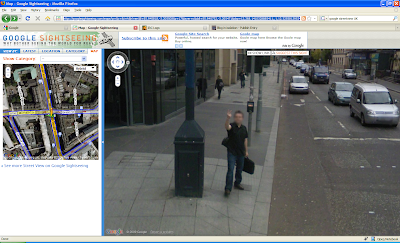
For example, when Google recently sent those little Smart Cars out onto the streets of Edinburgh to capture high definition images of the city for Streetview, Doug made his own personal feelings very clear.

SIPP Lifetime

Doug Burns - we salute you.

onwards and upwards

After over five varied and enjoyable years working for Siebel (and then Oracle) in Expert Services, I am changing jobs. However, I will continue to work for Oracle as part of the group responsible for Social CRM.

Although this was a internal transfer, my interview process was quite unusual. Instead of being forced to massage my CV into Microsoft Word format and send an email attachment to a faceless recruitment agency, I was able to publish my CV using Google Docs and the whole interview process was conducted by telephone.

A colleague had already thoughtfully pointed my prospective manager to a blog entry that was loosely relevant and he also was keen to review more technical oriented content on my Siebel related blog.

As an aside, you can only imagine the feelings and thoughts that flooded into my brain when my colleague uttered the immortal words: 'Hey Andy, I've given your <prospective new manager> a pointer to a couple of articles on your blog.'

The role will mean a few changes for me:

  • I will now revert to having difficulty explaining to friends and relatives what I actually do.
  • I will probably spend less time in airport lounges and more time with my family. Norma has already expressed grave reservations about this element of my career change.
  • My manager will be in a different continent and timezone.
  • I will be contributing to a corporate blog for the first time which will necessitate a slight shift in subject matter, terminology and slightly less of my dry, cynical, off the wall, British sense of humour although I do intend to maintain this personal blog.

I am currently tidying up a few loose ends in Expert Services and embarking on a emotional, sell-out, European farewell tour to all my favourite Siebel customers so I won't actually be starting my new role until mid-October but it will be an exciting change for me and I'm really looking forward to it.