Posts in category "blogging"

comparison of coComment, co.comments and commentful

I subscribe to multiple blogs (163 to be precise) and Google Reader makes tracking all of those sites trivial. Readers keyboard shortcuts mean scanning for new content and reading blog articles is also easy and quick.

Occasionally, I also leave comments on a much smaller subset of those blogs in addition to blogs I may encounter but may not necessarily subscribe to.

After posting your comment, it is imperative to be able to follow any subsequent discussions in case someone violently (dis)agrees with you or simply to hear other people's viewpoint on the same subject.

So how do you track all those insightful, witty comments you have contributed during your travels on the blogosphere ? How do you monitor all those interesting conversations, heated discussions and outright flame wars that you haven't necessarily contributed to but are still interested in ?

The primeval solution is to bookmark and subsequently revisit every single blog article you have commented on and, err, scan for any new comments. However, this isn't a very efficient solution and you may find you have no time left for reading the blogs (or holding down the day job) let alone leaving comments.

Another possibility is to subscribe to the comments feed for all the blogs you comment on. However, this may be overkill as you may only be interested in certain articles of interest or articles where you posted a comment.

For example, some articles on popular, high volume blogs (Scoble, ProBlogger) may receive over a hundred comments but I am only interested in tracking comments on a relatively small number of posts.

Some blogs offer 'Subscribe to comments via email' but this is not universally available.

A deluxe version would enable me to track follow-ups to my specific comments on blog platforms that support threaded comments.

My main requirements for comment tracking are:

  • Easy, quick way to track comments on a blog. Fully automatic if possible and certainly not more than one click.
  • Ability to select comment threads to be monitored.
  • Ability to stop tracking conversations.
  • Must be able to track all blog platforms.
  • Automatic notification when comments updated.
  • Ability to check for updates manually.
  • Visual indicator for threads with updated content.
  • Must support RSS feeds to track comment threads.
  • RSS feed must include the context (blog, date, comment text and author)

The main three comment tracking services are:

[SezWho, Disqus and IntenseDebate offer similar services but require installation of plug-ins on the server to be truly universal so are excluded but you may find these tools are of interest.]

Installation

All three sites require (free) registration and use a Firefox bookmarklet to track comment threads. No additional plug-ins are required on the server.

Usage

Each site has a home page displaying tracked conversations. commentful-home.PNG

commentful provides a dashboard displaying all conversations of interest. Threads with unread comments are highlighted in bold. Only the number of comments is shown and to read the actual comment, you need to click through to the original site. This is less than ideal as for sites with lots of comments, you have to waste time scanning for the recent updates.

co.mments-home.PNG

co.mments has a excellent, simple, uncluttered summary page displaying the tracked threads with new content clearly displayed. You can read the additional comments simply by expanding the thread. The context including the blog name, the date and time and the author of the new comments are displayed.

One (minor) problem is that threads are listed in reverse chronological order so recent threads with no updates appear above older threads with active conversations.

coComment-home.PNG

The coComment 'My Conversations' page is a little more complicated. Comments may be viewed by expanding the appropriate comment thread and the author is shown although the date and time are not included.

coComment seemed a little slower to pick up new content than both commentful and co.mments.

Both commentful and co.mments allowed a 'Check' button to force a poll for new comments which is a feature coComment doesn't support.

coComment added a lot of social and community features in version 2.0. It is fair to say that these Web 2.0 features were not universally welcomed by the existing user base.

coComment allows you to examine comment threads tracked by 'neighbours' (people who presumably are tracking similar conversations' and you can subscribe to other users' tracked threads. Personally, I don't have a need for this feature but I can see how it would be useful for discovering new, relevant blogs of interest. However, your Web 2.0 mileage may vary.

Intriguingly, I have one stalker - sorry follower - on coComment but am I able to click to discover his/her profile ? No. Maybe this is the dawn of anti-social networking.

coComment also has a sidebar view to displays conversations with the original blog displayed alongside but the interface is a little busy for my liking.

coComment-sidebar.PNG

Tracking comments

All three comment tracking services use a Firefox/IE bookmarklet to add a blog post to be tracked. commentful and co.comments display the confirmation message and helpfully disappear. Unfortunately, the coComment window persists and has to be explicitly closed Breaching the one click rule).

commentful-added.PNGco.comments-added.PNGcoComment-added.PNG

Notification

coComment provides a Firefox plugin that provides automatic notification in the browser. However, the current version (0.2.3.6) proved unreliable for me using Firefox 2.0.0.8 on Windows XP. In fact, I actually had to explicitly disable the coComment extension in order to add conversations using the bookmarklet. In addition, the plugin broke some Google Analytics functionality.

commentful also installs a Firefox notifier (1.7.3) that turns Amber when new comments are available. Clicking on the notifier icon opens a window containing the Watchlist. The notifier only updates every 15 mins so once you have read all new comments, confusingly the notifier doesn't immediately revert to Green (no new comments).

Thankfully, co.comments doesn't include a fancy comments notifier. Probably just as well.

RSS

Of course, checking a Web page to check on the status of blogs you have commented on is pretty tiresome. Even with the help of a notifier application. What intelligent, lazy people really want is an RSS feed that tells them when important changes have occurred.

All three services offer RSS feeds for the monitored conversations.

commentful-RSS.PNG

Like the Watchlist, the RSS feed from commentful just contains the blog title together with number of new comments. You have to visit the site to view the newly added comments. This rather defeats the purpose of the RSS feed because ideally, you want to be able to view as much content as possible from within Google Reader. The only time you might visit the site would be to participate in the conversation (i.e. someone said you were an idiot).

co.mments-RSS.PNG

The co.mments RSS feed contains everything needed for context (author, blog, comment, date).

coComment-RSS-comments.PNG

coComment offers the usual separate RSS feed containing updates on all tracked conversations although the author appears to be 'unknown' most of the time. I presume this is 'unknown' to the coComment system because the author details are supplied on the actual comment.

CoComment does have a additional feature which is useful. coComment provides a second RSS feed purely contains the individual comments you have posted. This is very useful if you are intending to add all your words of wisdom to a lifestream style page (Tumblr, FriendFeed).

coComment-RSS-author.PNG

Conclusions

commentful is basic but does the job and will save you time if you merely want to be automatically notified when new comments have been added to a blog post. However, you do have to visit the site to identify and read the new content.

coComment is the most feature rich and potentially powerful tool but the complexity of the interfaces and wealth of social networking features are slightly overwhelming for my simple requirements. However I will use the RSS Comment Author feed to track my own comments. Once I've worked out why it has stopped working.

co.mments - simple and functional. The RSS feed contains precisely the information I need and is updated quickly. This is the tool I am now using (via RSS) to monitor all comment threads of interest.

SezWho comment ratings system

Just installed SezWho on this blog. At least, it imported all existing comments (unlike Disqus). I would like to change the red colour to blend in with the theme but haven't worked out how.

Now just rate each other nicely or you will be sent to bed without any tea and the plug-in will be removed. Any feedback, just shout or comment.

Another interesting service but, again, the problem is that it needs to be installed on the majority of blogs/wikis/forums in the world to be truly useful. I think marketeers call it 'traction'. Pity the support email supplied is totally broken but still.

What a blessed shame SezWho doesn't currently support Blogger which means this superlative comment couldn't add 5 stars to my embryonic profile.

Top 10 UK blogs

I am still in shock at not being shortlisted for the Best UK Blog but I decided to swallow my pride and enjoy a few hours enjoying the high quality content of the 10 finalists:

  • Ian Dale's Diary - A tagline of 'Commentary, analysis and gossip from the heart of Westminster' completely turned me off and I closed the Firefox tab before I was subjected to any more torture.
  • Guy Fawkes - Hoping for top tips to blow up the Houses of Parliament but just got more politics. Yawn.
  • Neil Clark - The winner apparently. Anti-war hack with a lot of posts urging readers to vote for him.
  • EU Referendum - Simply couldn't summon up the enthusiasm to click through.
  • Pub Philosopher - Promising title but yet more (right wing) politics. May as well buy the Daily Mail.
  • The Devil's Kitchen - Considered outpourings on the wit and wisdom of David Cameron. No thanks.
  • Baggage Reclaim - Much better. A blog recording amusing anecdotes from an anonymous baggage handler at LHR. Oh no - wait a minute - it's just a blog about dating and 'relationships'.
  • Nourishing Obscurity - Promising title but this excerpt completely lost me: 'I see that the current crop of parents lost their moral compass long ago and this is the first generation to grow up "moral-code-lite".
  • Bright Meadow - Soft porn alert 'She loved how the amber glinted off his bones'. I daren't read any more. Particularly as I am on a formal warning from my employer.
  • Kickette - At last. A discerning blog all about football. Only this one is about celebrity footballers (Fat Frank), their tiresome girlfriends and pictures of Ronaldo with his shirt off.

I was so depressed that I decided to kill myself compile my own list of the definitive, real, undisputed 'Top 10 UK (and Irish) blogs' in strict alphabetic order:

  • BlogStorm - Internet Marketing/SEO but, refreshingly, from a UK blogger.
  • Caroline Middlebrook - a lady who took the brave step of quitting her IT job in favour of blogging.
  • Donncha - WordPress employee #2 and aspiring photographer.
  • Doug Burns - Scottish DBA with wicked sense of humour.
  • Modern Life is Rubbish - Quality not quantity.
  • Pete Ashton - Brummie blogger with varied mixture of music, photos and tech with no signposts or self-importance. Pure blogging.
  • Random Acts of Reality - I help people read books. This guy saves people's lives for £10 an hour. Deserves first prize for the blog name alone.
  • Tim Hall - Oracle DBA, film critic and Karate Kid. Another Brummie.
  • Tom Raftery - Irish slant on IT, tech and all that Web 2.0 stuff.
  • Who Ate All The Pies - Genuinely funny football blog.

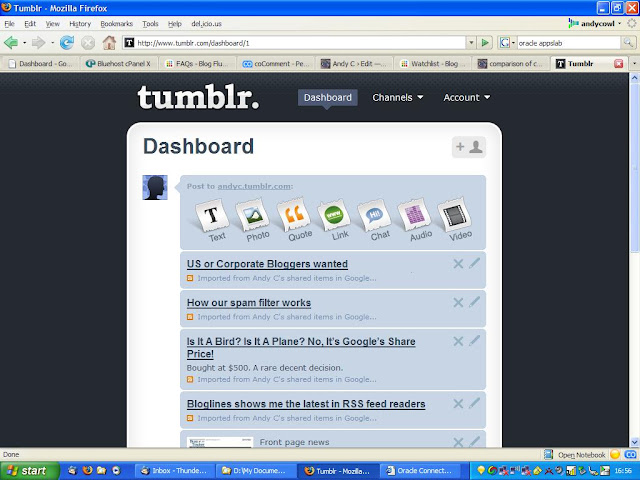
Tumblr V3

Tumblr update is imminent. First impressions are excellent.

Timestamps. Archives. Tags. Channels. Markdown. No comments though.

Tumblr-V2.JPG

Tumblr-Archives.JPG

Disqus powered comments

I was rather hoping Disqus would be a 100% plug-in replacement for the woefully inadequate coComment so I could simply track all the comments I leave on assorted blogs and easily monitor other comment threads of interest.

An RSS feed of such comment activity would be an ideal element to feed into the Tumble dryer.

Disqus launched yesterday and as it was written in Django, looks OK and isn't too invasive or distracting (c.f BlogRush), I have enabled the WordPress plugin on this blog.

Comments can now be threaded (just like serendipity) and (thankfully) you don't need to register with Disqus to leave a comment.

Comments can be rated and the comments are hosted on Disqus forums.

Paul Stamatiou wrote a excellent review about the features in Disqus and Techcrunch also reviewed the software.

I have some minor concerns:

  • I currently use Spam Karma to handle comment spam on this blog. SK2 is unbelievably efficient and far superior than Akismet. I can count on the fingers of one hand, the number of comments and trackback spam that got past SK2 so I have some concerns about reverting to an inferior spam filtering solution.
  • Until every blog in the world integrates Disqus, I still won't be able to track all of my comments. Still, I am still waiting for the world to universally adopt Emacs and Supercite so email works properly so I guess I can live with that.
  • Although you are supposed to be able to quickly and easily import Disqus comments back into WordPress, I need to check how this is implemented.
  • It is not clear whether Disqus will currently work on hosted WordPress.

Obviously, the 'Recent Comments' widget is now defunct so I replaced that with a RSS widget for the new Disqus Comments RSS feed. I'll try Disqus out for a while as an experiment but I guess the most important and valuable feedback will be from readers of this blog. Without you, I am nothing, a lone voice in the darkness, a blog in isolation.

So if you have any thoughts, just leave a comment.

worlds first blogger dies

Sadly, the worlds first and most prolific blogger, the Reverend Robert Shields has passed away in America aged 89. Shields was the author of the worlds longest diary consisting of a staggering 37 million words.

Shields was truly the world's first blogger with his first recorded entry in April 1927 beating Dave Winer by 3 months. Nor was Robert Shields afraid of including trivia and useless information in his journals. For example, how many blogs (or Tumblelogs for that matter) record blood pressure readings (Shields despised silly mood emoticons), make any effort to fastidiously record every single visit to the lavatory (Shields had dozens of imaginative ways to describe the act of urination) or have the thoughtfulness to detail every single piece of junk mail ever received.

Lazy, modern bloggers (with the possible exception of Robert Scoble who, coincidentally, was named after Shields) everywhere should hang their heads in shame when they learn of Shield's commitment to the blogging cause; Shields never slept for more than 2 hours to ensure he could capture his dreams.

Here is just one example of his exceptional writing:

'9.35-9.40 I cleaned the cerumen from both my ears and from both hearing aids.'

Unfortunately, although Shields has left the 91 boxes containing his life's work to a university, he has stipulated that the full contents can not be published until 2049.

I will leave the final words to the great man himself.

'It is an uninhibited diary, It is spontaneous. I type it as it comes, I don't correct it and I don't edit it.'

Rowche Rumble

I am bored of tormenting myself, conjuring up full blown blog posts, pouring over non-existent Adsense revenues and analyzing traffic statistics so I have started a Tumblelog.

There is something very appealing about Kottke's definition of a Tumblelog as 'a quick and dirty stream of consciousness.'

A Tumblelog can be a short, snappy blog and can also aggregate different RSS feeds (Google Shared Stuff and Items, del.icio.us, last.fm, Flickr and even this blog). Why, Tumblr even has built-in support for quotes.

However, undoubtedly the best feature is the endless scope for puns in the non rotating taglines:

  • Rowche Tumble
  • Are you ready to Tumble ?
  • Tumble Dryer
  • Tumble in the jungle
  • A bit of rough and Tumble
  • Don't mumble, Tumble !

I have already contacted Davidville to enquire about any openings in sales and marketing.

how to migrate a WordPress blog to Django

There is currently no utility to migrate existing blog content to django.

However, conversion of an existing WordPress blog is pretty straightforward.

Firstly, simply export the following tables from the WordPress database using phpMyAdmin

  • wp_posts
  • wp_comments
  • wp_terms
  • wp_term_taxonomy
  • wp_term_relationships

Import the tables into the django database.

Then run the following SQL statements which migrate posts, comments and categories and assume a WordPress 2.3 schema and a blank django blog. If you have already created content in django, minor changes will be needed. My WordPress blog only uses categories which simply get converted to django tags.

insert into blog_post
(id,
slug,
title,
pubdate,
moddate,
body,
draft,
closed)
select
wp_posts.id,
wp_posts.post_name,
wp_posts.post_title,
wp_posts.post_date_gmt,
wp_posts.post_modified_gmt,
wp_posts.post_content,
0,
0
from wp_posts
and post_type = 'post';

insert into comments_freecomment
(id,
content_type_id,
comment,
object_id,
person_name,
submit_date,
is_public,
ip_address,
approved,
site_id)
select
wp_comments.comment_id,
14,
wp_comments.comment_content,
wp_comments.comment_post_id,
wp_comments.comment_author,
wp_comments.comment_date_gmt,
1,
wp_comments.comment_author_ip,
wp_comments.comment_approved,
1
from wp_comments
where comment_approved = '1';

insert into blog_tag
(slug,
title,
description)
select
wp_terms.slug,
wp_terms.name,
wp_terms.name
from wp_terms;

insert into blog_post_tags
(post_id,
tag_id)
select
wp_term_relationships.object_id,
wp_terms.name
from wp_term_relationships, wp_term_taxonomy, wp_terms
where wp_term_relationships.term_taxonomy_id = wp_term_taxonomy.term_taxonomy_id
and wp_term_taxonomy.term_id = wp_terms.term_id;

Finally, delete the WP_* tables from the django (and not the WordPress) database.

last django in London

The problem with installing typo is that, during the research for hints and tips to get the software installed, configured and running on a shared server environment at Bluehost, you Google across like-minded obsessives individuals who have also successfully installed typo in 30 seconds flat.

These people are technical types who sneer at PHP and lie awake at night, worrying about Ruby's scalability. These geeks tend to be obsessive characters who have now tired of typo and have subsequently migrated to a brand new exciting platform called django.

Django is a Python Web framework - not a blogging platform or a CMS - but you could use django to create your own perfect blogging platform.

Django has a endearing, minimalist administration screen and although the finished product looks like a 1980's HTML page or the stripped down WordPress sandbox theme, it's pretty impressive for 10 minutes and 100 lines of Python and HTML.

I was going to write a superb article, with lots of screenshots and poorly formatted code blocks, detailing all the obstacles I overcame before finally claiming success. However, as always, the very clever aforementioned people have already been there and done that.

So, if you are interested in installing django on bluehost, consult this thread. One quick note: my preferred method of installing into a sub-directory failed (403 permission denied) so I used a sub-domain which worked fine.

For a more generic django tutorial about how to create a project, add models and templates, read (and bookmark) this excellent article. This gentleman has a rare combination of technical skills and a brilliant, light hearted, humorous writing style. His site also serves as a brilliant example of the potential appearance and functionality of a django powered blog.

In fact, if I could summon up the time and energy to master HTML, CSS and Python, I would create my very own unique, stylish and distinctive blog but I don't so I won't.

I was about to say there was no Wordpress to Django import utility until I just discovered this.

Am I the first blogger to have more blogs than published articles ?