This is my experience of migrating this blog from Hugo to BlogMore (prompted by various reasons that initiated yet another blog migration).
The aim of the exercise was to streamline the process of publishing a blog post to encourage me to post more frequently than once a year.
My small, personal blog is hosted on Codeberg pages and I use Arch Linux (BTW).
This post is not a substitute for the the excellent, comprehensive documentation which fully describes the installation, configuration and usage of BlogMore.
Installation
Install uv
uv is a modern, powerful Python development tool which includes the virtualenv, pyenv and pip functionality (and much more besides).
The 'uv' package is available in the Arch Linux repository.
$ yay -S uv
Sync Explicit (1): uv-0.11.3-1
resolving dependencies...
looking for conflicting packages...

Packages (1) uv-0.11.3-1

Total Download Size:   15.41 MiB
Total Installed Size:  57.14 MiB

:: Proceed with installation? [Y/n]
:: Retrieving packages...
 uv-0.11.3-1-x86_64     15.4 MiB  14.0 MiB/s 00:01 [######################] 100%
(1/1) checking keys in keyring                     [######################] 100%
(1/1) checking package integrity                   [######################] 100%
(1/1) loading package files                        [######################] 100%
(1/1) checking for file conflicts                  [######################] 100%
(1/1) checking available disk space                [######################] 100%
:: Processing package changes...
(1/1) installing uv                                [######################] 100%
:: Running post-transaction hooks...
(1/1) Arming ConditionNeedsUpdate...
Check the version of the newly installed 'uv' package.
$ uv --version
uv 0.11.3 (45da18ac3 2026-04-01 x86_64-unknown-linux-gnu)
Install BlogMore
Once 'uv' is available, installation of BlogMore is trivial as 'uv' automatically takes care of installing all the dependencies and required Python packages.
$ uv tool install blogmore
Resolved 16 packages in 145ms
Installed 16 packages in 101ms
 + blogmore==2.9.0
 + feedgen==1.0.0
 + jinja2==3.1.6
 + lxml==6.0.2
 + markdown==3.10.2
 + markupsafe==3.0.3
 + minify-html==0.18.1
 + pillow==12.2.0
 + pygments==2.20.0
 + python-dateutil==2.9.0.post0
 + python-frontmatter==1.1.0
 + pyyaml==6.0.3
 + rcssmin==1.2.2
 + rjsmin==1.2.5
 + six==1.17.0
 + watchdog==6.0.0
Add the ~/.local directory to $PATH to make the blogmore command available.
$ export PATH="$HOME/.local/bin:$PATH"
Updating BlogMore
BlogMore releases can be frequent (new functionality, bug fixes) and the 'uv' package is also used to update BlogMore. Any updates to dependent packages are automatically handled.
$ uv tool update blogmore
Updated blogmore v2.11.1 -> v2.13.0
 - blogmore==2.11.1
 + blogmore==2.13.0
 - lxml==6.0.2
 + lxml==6.0.3
Site structure
As part of the migration, I reviewed the existing structure of my Hugo site.
./archetypes
./content
./content/about                           # 'About' page
./content/archive.md                      # 'Archive' tab on Home page
./content/search.md                       # 'Search' tab on Home page
./content/posts                           # 1,000 posts in single directory
./content/posts/aboriginal-culture.md
./content/posts/a-brief-history-of-inane-drivel.md
./content/posts/absolute-disgrace.md
./content/posts/a-cause-for-concern.md
./content/posts/a-day-in-the-life.md
# <snip>
./content/posts/writing-style.md
./content/posts/yak-shaving.md
./content/posts/your-papers-please.md
./content/posts/you-were-kindness.md
./content/posts/zohowriter.md
./orgposts                                # Orgmode posts
./orgposts/fun-with-static-site-generators.org
./orgposts/improving_fwp_apex_app.org
./orgposts/oracle-sql-config.org
./static
./static/images                           # Images
./themes
./themes/PaperMod                         # Papermod theme
./public                                  # Generated site
There were a couple of things that irritated me about this setup:
- Orgmode posts are stored separately from Markdown content.
- Markdown files derived from Orgmode posts are essentially (but understandably) duplicated.
- All 1,000 posts are stored in a single directory.
The decision to store every single post in the 'content/posts' directory was purely historical. I started that way and never changed. This flat structure had its advantages. Looking for patterns (posts without any tags defined) in the front matter was easy using 'grep'.
However, grep (and ripgrep) can search recursively and so I decided to move 1,000 blog posts spanning 20 years to sub directories for each year so this year's posts now reside under 'content/posts/2026'.
Bizarrely, I found this simple change was very helpful. Previously, it was hard to identify draft posts and find recent content. Having less than 10 posts in the 2026 directory was more manageable.
Front Matter
Any blog migration will necessitate conversion of the front matter.
Hugo front matter (TOML)
+++
title = "fun with static site generators"
date = 2025-10-16T09:46:10
lastmod = 2025-10-22T12:52:18+01:00
categories = ["software"]
tags = ["Hugo", "11ty", "BSSG", "Zola", "Nikola", "Pelican", "Jekyll"]
draft = false
+++
BlogMore front matter (YAML)
---
title: fun with static site generators
date: 2025-10-16 09:46:10
modified: 2025-10-22 12:52:09
category: software
tags: Hugo, 11ty, BSSG, Zola, Nikola, Pelican, Jekyll
---
The conversion of the front matter was relatively straightforward as I already had a bunch of sed scripts as a result of previous migrations.
I like BlogMore's use of a single 'Category' with multiple 'Tags' as that's how my brain works and it helps me categorise content better.
BlogMore is flexible and supports three formats to specify the 'Tags' meta-data
- YAML list ('tags: [football, united]')
- Comma separated list ('tags: football, united')
- Multi-line list
tags:
  - football
  - united
I prefer the CSV option as the square brackets in the YAML list is just noise and visual clutter. The single line format is also easier for any subsequent conversions to the next shiny blog platform.
Similarly, the fact that ox-hugo enclosed tags in double quotes was undoubtedly sensible from a purist, developer standpoint but was just more irritating, visual clutter when reviewing the generated Markdown files.
BlogMore is more forgiving on the precise date and timestamp format which has always been another source of irritation. I don't want to know or need to learn the 'ISO 8601 with timezone' standard simply to quickly create a blog post.
Creating a post
You can easily create a new post in BlogMore using your preferred text editor. You can either create the post manually, copy the previous post or use a shell script or templates. For Emacs, YASnippet and tempo are useful.
Here is my sample template for a new post.
---
title:
date: 2026-04-13 12:20:46+0100
category:
tags:
draft: true
---
Dave Pearson has created a marvellous Emacs package (blogmore.el) that is invaluable in managing content, timestamps and meta-data (categories and tags). However, this package merits a separate post in due course.
Code blocks
BlogMore is Python based and uses Pygments for syntax highlighting. Pygments supports many different languages and styles.
BlogMore allows you to select your preferred style (for light and dark themes) using the light/dark_mode_code_style configuration file parameters.
To use the popular 'monokai' theme for all code blocks, add the following lines to the BlogMore configuration file config.yaml.
light_mode_code_style: monokai
dark_mode_code_style: monokai
Building
When I work on a blog post, I tend to take my time. Write, edit, review, write, edit, preview and iterate. Rinse and repeat.
I normally build the BlogMore site to check for any errors in the front matter.
By default, the BlogMore build command only considers published posts so use the --include-drafts parameter to see work currently in progress.
$ blogmore build --include-drafts
Parsing posts from content...
Found 1033 posts
Found 1 pages
Optimizing FontAwesome CSS...
Generating post pages...
Generating static pages...
Generating custom 404 page...
Generating index page...
Generating archive page...
Generating date-based archive pages...
Generating tag pages...
Generating tags overview page...
Generating category pages...
Generating categories overview page...
Generating RSS and Atom feeds...
Generating search index and search page...
Generating blog statistics page...
Copied bundled static assets
Generated minified CSS as styles.min.css
Generated minified CSS as search.min.css
Generated minified CSS as stats.min.css
Generated minified CSS as archive.min.css
Generated minified CSS as tag-cloud.min.css
Generated minified CSS as calendar.min.css
Generated minified code CSS as code.min.css
Generated minified JS as theme.min.js
Generated minified JS as codeblocks.min.js
Generated minified JS as search.min.js
Generated minified FontAwesome CSS as fontawesome.min.css
Copied 134 extra file(s) from content/extras
Generating XML sitemap...
Site generation complete! Output: <site>/blogmore/site
The build command identifies any problems, typically in the front matter. For example
Warning: Skipping content/posts/2026/blogging-more-with-blogmore.md:
Post missing required 'title' in frontmatter:
    content/posts/2026/blogging-more-with-blogmore.md
Previewing
Once the site has been generated without errors, you can then preview the site using blogmore serve which makes your local site available at http://localhost:8000/.
$ blogmore serve --include-drafts
Generating site from /home/andy/software/codeberg-repos/blogmore/content...
Removing output directory: /home/andy/software/codeberg-repos/blogmore/site
Parsing posts from /home/andy/software/codeberg-repos/blogmore/content...
Found 1033 posts
Found 1 pages
Optimizing FontAwesome CSS...
Generating post pages...
Generating static pages...
Generating custom 404 page...
Generating index page...
Generating archive page...
Generating date-based archive pages...
Generating tag pages...
Generating tags overview page...
Generating category pages...
Generating categories overview page...
Generating RSS and Atom feeds...
Generating search index and search page...
Generating blog statistics page...
Copied bundled static assets
Generated minified CSS as styles.min.css
Generated minified CSS as search.min.css
Generated minified CSS as stats.min.css
Generated minified CSS as archive.min.css
Generated minified CSS as tag-cloud.min.css
Generated minified CSS as calendar.min.css
Generated minified code CSS as code.min.css
Generated minified JS as theme.min.js
Generated minified JS as codeblocks.min.js
Generated minified JS as search.min.js
Generated minified FontAwesome CSS as fontawesome.min.css
Copied 134 extra file(s) from /home/andy/software/codeberg-repos/blogmore/content/extras
Generating XML sitemap...
Site generation complete! Output: /home/andy/software/codeberg-repos/blogmore/site
Watching for changes in /home/andy/software/codeberg-repos/blogmore/content...
Watching for changes in config file: blogmore.yaml
Serving site at http://localhost:8000/
Press Ctrl+C to stop the server
127.0.0.1 - - [14/Apr/2026 11:19:24] "GET /posts/blogging-more-with-blogmore/ HTTP/1.1" 200 -
127.0.0.1 - - [14/Apr/2026 11:19:24] "GET /static/fontawesome.min.css?v=1776161935 HTTP/1.1" 200 -
127.0.0.1 - - [14/Apr/2026 11:19:24] "GET /static/styles.min.css?v=1776161935 HTTP/1.1" 200 -
127.0.0.1 - - [14/Apr/2026 11:19:24] "GET /static/code.min.css?v=1776161935 HTTP/1.1" 200 -
127.0.0.1 - - [14/Apr/2026 11:19:24] "GET /static/theme.min.js HTTP/1.1" 200 -
127.0.0.1 - - [14/Apr/2026 11:19:24] "GET /static/codeblocks.min.js HTTP/1.1" 200 -
The 'blogmore serve' command will also generate the site (implies a 'blogmore build') so include the --include-drafts parameter to see all content.
BlogMore provides a helpful, visual indicator to distinguish drafts from published posts.
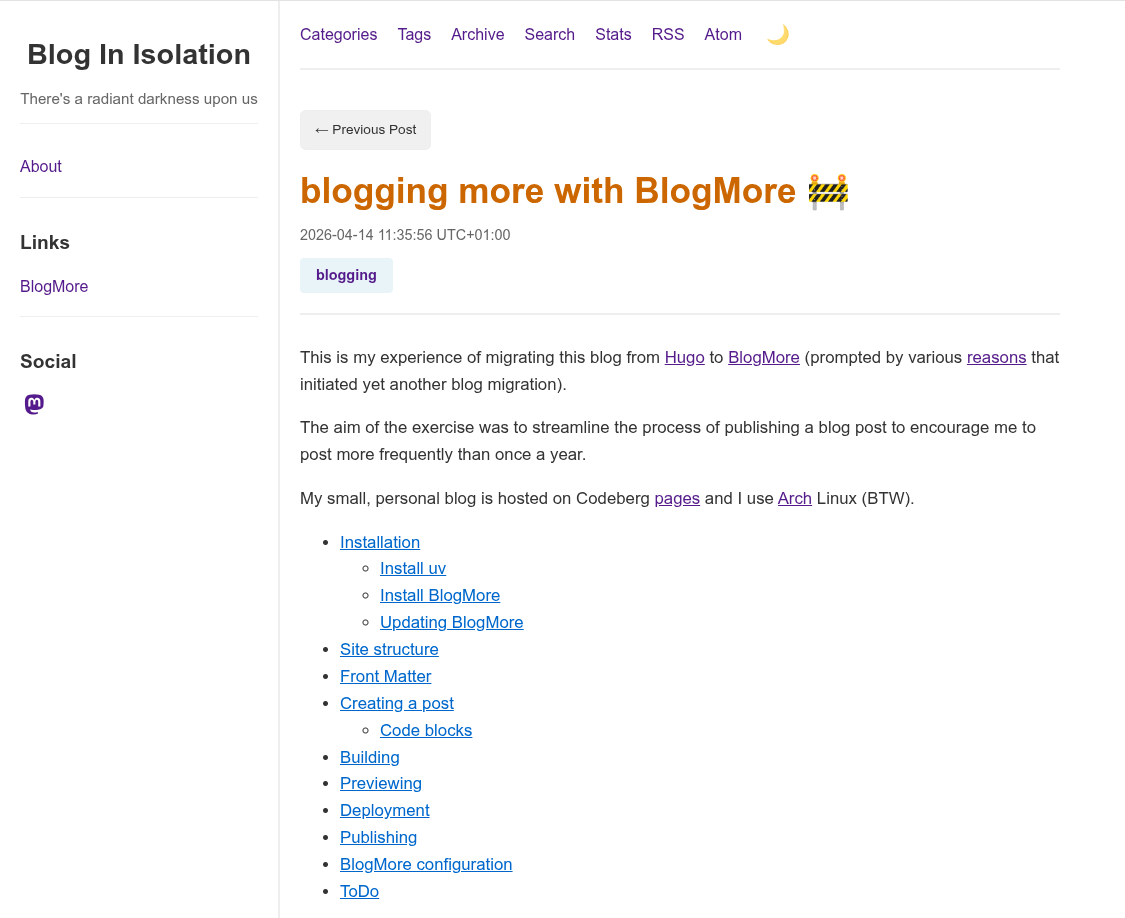
The 'blogmore serve' command is a live preview that automatically detects any changes to content and dynamically regenerates the site which accelerates the iterative 'write-preview-fix' process.
Detected change in <site>/content/posts/2026/blogging-more-with-blogmore.md, regenerating site...
Removing output directory: <site>/blogmore/site
Parsing posts from <site>/blogmore/content...
Found 1027 posts
Found 1 pages
Optimizing FontAwesome CSS...
Generating post pages...
<snip>
Generating XML sitemap...
Site generation complete! Output: <site>//blogmore/site
Regeneration complete!
Deployment
Codeberg pages is currently in a state of flux but you can deploy the BlogMore site to a Codeberg 'pages' repository. Previously, I used a branch and CI actions but I actually prefer this method as it's simpler, less risky and more portable.
$ cat ~/bin/deploy_codeberg.sh
#!/bin/bash

# Deploy the Blogmore site to Codeberg
CODEBERG=$HOME/software/codeberg-repos
BLOGMORE=$CODEBERG/blogmore
PAGES=$CODEBERG/pages

cd $BLOGMORE

blogmore build

# Copy the contents of the Blogmore 'site' folder to the Codeberg
# 'pages' repository
rsync --archive $BLOGMORE/site/ $PAGES/

cd $PAGES

git add --all

NOW=`date '+%Y-%m-%d-%H:%M:%S'`
git commit -m "Published Blogmore site on $NOW"

git push
I tried to tune this script by only sync'ing files with different sizes (not timestamps) as there is no point in pushing 950 static, unchanged blog posts to the Codeberg repository.
rsync --archive --size-only $BLOGMORE/site/ $PAGES/
This seemed like a good idea but doesn't always update the Blogmore version which is included in the footer on every single post.
I normally check the the newly published blog post has appeared on the site. Occasionally Codeberg pages seems to cache data but this normally resolves after a few minutes.
Publishing
BlogMore also includes a 'publish' command that supports publishing the generated site to a GitHub branch for GitHub pages. This command also works fine on Codeberg.
Add the following entries to the 'blogmore.yaml' configuration file.
# Publish options
branch: cb-pages
remote: origin
Publishing the site on Codeberg
$ blogmore publish
Building site before publishing...
Removing output directory: <site>/blogmore/site
Parsing posts from content...
Found 1026 posts
Found 1 pages
Optimizing FontAwesome CSS...
Generating post pages...
Generating static pages...
Generating custom 404 page...
Generating index page...
Generating archive page...
Generating date-based archive pages...
Generating tag pages...
Generating tags overview page...
Generating category pages...
Generating categories overview page...
Generating RSS and Atom feeds...
Generating search index and search page...
Generating blog statistics page...
Copied bundled static assets
<snip>
Generated minified FontAwesome CSS as fontawesome.min.css
Copied 134 extra file(s) from content/extras
Generating XML sitemap...
Site generation complete! Output: <site>/blogmore/site
Site built successfully
Publishing site to branch 'cb-pages' on remote 'origin'...
Created worktree with new orphan branch 'cb-pages'
Created .nojekyll file
Changes committed
Successfully pushed to origin/cb-pages
BlogMore configuration
For reference, here is my BlogMore configuration file.
$ cat blogmore.yaml
# BlogMore configuration
#
# Heavily based on
# https://github.com/davep/davep.github.com/blob/main/blogmore.yaml

# Locations.
content_dir: content
output: site

# Main site details.
site_title: "Blog In Isolation"
site_subtitle: "There's a radiant darkness upon us"
site_url: "https://www.yakshaving.co.uk/"
site_description: "Personal blog of Roman Totale XVII"
site_keywords:
  - Emacs
  - Oracle
  - APEX
  - UK
default_author: andyc
include_drafts: false

# Building
clean_first: true
# icon_source: davep.jpeg
minify_css: true
minify_js: true
minify_html: true
clean_urls: true
post_path: "posts/{slug}/index.html"
page_path: "pages/{slug}/index.html"
archive_path: /archive/index.html
categories_path: /categories/index.html
search_path: /search/index.html
stats_path: /stats/index.html
tags_path: /tags/index.html

# Content and styling.
with_search: true
with_sitemap: true
with_stats: true
with_read_time: false
light_mode_code_style: default

# The links section in the sidebar.
links:
  - title: BlogMore
    url: https://blogmore.davep.dev/

# The "socials" in the sidebar.
socials:
  - site: mastodon
    url: https://mastodon.me.uk/@andyc

# Publish options
branch: cb-pages
remote: origin