Posts from 2026

things I wish I'd said

[ Originally published in 1999 and lovingly salvaged from the WayBack archive ]

The Chameleons were a band formed in 1981 Middleton, north Manchester, England who released three albums before they split up in 1987.

The Chameleons consisted of Mark Burgess (bass, vocals), Dave Fielding (guitar), Reg Smithies (guitar) and John Lever (drums).

I'm somewhat ashamed to admit that when I first saw the Chameleons live, I barely noticed them. They were supporting U2 at the prestigious venue known as the University of Warwick Arts Centre in late 1981. At the time, U2 were relatively unknown too outside indy circles. I remember Bono slagging off the Radio 1 PlayList when introducing 'Fire'.

Anyway, my first memory of the Chameleons was Mark walking on to the stage in front of probably 200 people in the Arts Centre (probably held 1500) muttering what later transpired to be the immortal words -

'Hi - we're the Chameleons and we're from Manchester'

Of course, everyone was drinking elsewhere or talking and waiting for U2. It wasn't until the summer of 1982 that I heard a session by The Chameleons on Piccadilly radio (local Manchester radio station). I still have the tape of that session - the songs included 'Monkeyland' and 'Fan The Bellows'

After that I saw the Chameleons play quite a few times mainly in Manchester (Ritzy's, Hacienda, Salford College). The Manchester gigs were great and notable for the large devoted Middleton contingent. I'd only been to the Hacienda once before and it struck me as an overpriced, overrated venue. It had big screens with flashing images and clips from obscure, cult movies like 'Attack of the Killer Tomatoes'. It was brilliant to hear the 'Chameleons Barmy Army' blasting out and people invading the stage, leaping around and generally antagonising the FAC51 bouncers.

At that time, I used to watch Manchester United quite a lot as well. I used to go to most home games and some away games. It struck me that the atmosphere at Chameleons gigs was quite similar to a United away game. Both events were preceded by pre-match drinking and a great sense of expectation. There was probably more tension and (threat of) violence at the football. In fact, the atmosphere at Chameleons gigs was brilliant and although the gigs were very physical - a lot of leaping around and stage diving - I don't actually remember any fighting. At other concerts (mainly The Smiths and The Fall) I went to around the same time, there was such a mixture of people (Punks, Skins, students, bouncers etc) there, the undercurrent of violent tension was always there and sometimes erupted.

I also have hazy memories of trying and failing to see The Chameleons (summer '82) at the Marquee in London (sold out) and again with a few mates at the Camden Palace. This was a bizarre gig. Mark's voice was knackered - they must have been in the middle of a lengthy tour. After a couple of songs, Mark invited the audience to come up and share the singing. Unsurprisingly it wasn't quite as good as the real thing and the lads had to end the set. All the expectation, waiting and drinking was for nothing - what an anti-climax.

Things he did say

I had an exchange of emails with Mark Burgess in late 1998. I've published it here in case it's of interest.

Things I wish I'd said

I have some bootleg tapes of varying quality of Chameleons concerts. Here's a complete list of the gigs with the set-lists including any notable quotes by Mark in between songs.

Derby Hall, Bury (3 July 1981)

First ever live concert as the Chameleons.

Don't Fall

In Shreds

On The Beach

Up The Down Escalator

We don't use set lists, you know what I mean. We play what we feel like playing on the spur of the moment so things get a bit quiet inbetween so you'll have to make your own entertainment. Bit like Joy Division when they played here. Anyone heard of them ? Breaking Glass [JD song title]

...like my white socks, know what I mean, new song, new faces. This is about the old faces.

Endless Space

This is a song about wanting to live forever. This is called Films.

Films

Thank you very much indeed. Ta. This is the last one I'm afraid. Well we know you've all got buses to catch and things so we won't keep you. It's called Monkeyland. (Dave) - This set, right, we going to dedicate it to Adrian 'cos we've known him for quite a bit but we haven't seen him for ages and he's played with us a few times. We've made a cassette - it's as good as the set list so if you want to buy it. This is Reg's favourite, Monkeyland. Some people think it's the best one. Monkeyland Raucous cheering, applause, shouts of 'Stay On'.

Monkeyland

Yeah, sound. Unfortunately...oh alright 'In Shreds', it is.

In Shreds

Derby Hall, Bury (1982 date unknown)

Quite early from the set and lack of audience fervour. If anyone know the exact date of this gig, please let me know.

Intro (tuning up)

Good evening. We're the Boomtown Rats, ha ha, my little joke. In actual fact we are The Chameleons.

Fan The Bellows

(inaudible) ...This is a song which reflects that... (inaudible) Standing on the corner (?) A song about the senseless waste of good people. It's called 'Here Today'.

Here Today

I'm falling from grace with myself again - happens all the time.

Falling from Grace

Reverb please. We're going to do a song called 'Nostalgia'. Like most of them, Reg wrote the song.

Nostalgia

(almost inaudible) If anyone sees a set list, let us know. (loud feedback). Ow. Yeah. Got it...This is a song called 'Looking Inwardly'.

Looking Inwardly

This has got a rather strange title. This song is so new we haven't even learned it properly so if it falls apart, you'll forgive us, won't you ? No. Oh alright then. It's called 'Singing Rule Britannia (as the walls close in)'

Rule Britannia

Goodnight. Thank you. God bless.

666 Club, Manchester (1 May 1982)

Excellent sound quality.

Intro

Hi. We're The Chameleons. We are as organised as ever. This song's called 'Don't Fall'.

Don't Fall

Thank you. Back, fresh from our extensive tour of outer Mesopotamia. Welcome home boys. Up the down escalator.

Up The Down Escalator

We don't have set lists you see. we just play what we feel like playing so you'll have to be patient. This one's called 'Endless Space'.

Endless Space

The story of making a record.

In Shreds

This is called 'Films' uh, uh, uh.

Films

It must be very nice to be trendy, I would not sit in the bar and on the balcony.

Bleak and industrial we're not, and never will be - not for you, or you, up there, 'cos we don't f**kin' care.

This song is for these people who at least listened, you know and made some sort of enthusiastic motions.

This is called 'Things I wish I'd said'. We've got to go after this one - we can't have you all...

Things I Wish I'd Said

Beggars in the sky

Fulham Greyhound, London (4 August 1983)

This is a small venue on Fulham Palace Road. Little more than a long, narrow pub.

A Person isn't Safe

Thank you very much. Thursday's child has far to go.

Thursday's Child

Jane, I've forgotten to bring my drink up. Could you bring us one ? Who is ? (to requests for 'In Shreds') (audience replies 'You') Yeah - right.

Perfume Garden

Monkeyland

This song's not about sex but it could be, you know. It's called 'Pleasure and Pain'.

Pleasure and Pain

Don't Fall

Well you reach the point where you know it's only your second skin.

Films

A song about being...(inaudible)

Here Today

Thank you.

Rule Britannia

Paper Tigers

In Shreds

View from a hill

Thank you very much. Good night.

Nostalgia

Thank you.

As High as You Can Go

Futurama, Leeds (18 September 1983)

All day festival featuring several bands. These gigs often ran to a tight schedule so note the lack of the usual encores.

Good afternoon. Yes, we found it, yes. I don't want you to think I'm a pop merchant or anything but I've had the shits about this gig since tea time yesterday so if I make a few mistakes - well you know ?

Just a second while Dave gets to grips with the technology.

Don't Fall

Thank you.

Here Today

Well you reach the point when you know it's only your second skin...

Films

Thank you. (faint chants of 'Chameleons Barmy Army' and 'Manchester La, la, la' - MUFC football chant)

A Person Isn't Safe

Thursday's Child

Up The Down Escalator

Perfume Garden

Thank you.

In Shreds

Thank you. Well, it really has been fun. This is the last one.

Less Than Human

Thank you. Goodnight.

Bremen, Germany (20 December 1983)

Don't Fall

Thank you. We're going to do a song for you now called 'Here Today'.

Here Today

Danke Schon. Oh yeah - it's a nice coat, very nice coat. That's not it, is it ?

Thursday's Child

You can rip the seats up, if you want, you know. You can rip 'em out, if you want, and throw them away with our permission. This is the first seated gig we've ever done - you know what I mean - it's a bit weird.

A Person Isn't Safe

Less Than Human

Danke Schon. You might have noticed a slight technical hitch during that number but it doesn't matter, does it ? No - it doesn't matter. Good. This is called 'Pleasure and Pain'.

Pleasure and Pain

Ta. When your mate comes back, can you tell him if he walks on the stage again, I'm going to kick him in the teeth. This is called - what is it called ? Oh, we haven't got a title - it's a new one, is it ? Oh all right.

Films

Danke Schon. This is called 'Paper Tigers'.

Paper Tigers

MonkeyLand

Danke Schon.

One Flesh

Thank you very much. Ta.

Rule Britannia

Up The Down Escalator

View From A Hill

Hacienda, Manchester (6 April 1984)

Typical, packed, frenetic Manchester gig. Actually went to this one which is the main reason I bought the tape. Poor sound quality and precious few quotes between the songs. I think this was probably because Mark had to contend with sporadic fighting between over enthusiastic fans trying to get onto the stage and Hacienda 'doormen'. Also the Hacienda stage is quite small and I remember the band seemed to be quite cramped.

Intro

Thanks for coming down (audience 'You what '). I said - Thanks for coming down (loud cheers) (inaudible)..in case the backdrop comes down.

Don't Fall

Chants of 'Chameleons' Barmy Army'.

Return of the Roughnecks

A Person Isn't Safe

Thursday's Child

Wish I could tell you about a new record but I can't.

Here Today

Pleasure and Pain

Stop fighting - the light's are coming down.

Perfumed Garden

More chants of 'Chameleons' Barmy Army' and 'On the Stage'.

Monkeyland

Films

Intrigue in Tangiers

Paper Tigers

In Shreds

Rule Britannia

Splitting in Two

Ta. I'd just like say again Thanks for coming 'cos I know it's good here.

Up The Down Escalator

Don't Fall

Camden Palace, London (11 September 1984)

Don't Fall

Not having set lists has caused problems for these camera men. This is called 'Intrigue'.

Intrigue In Tangiers

Thanks. It's very nice. You skimped a bit on the dressing rooms though. It smells like bad eggs down there, in the bowels of the place. This is called 'Monkeyland'.

Monkeyland

Now then, now then what shall we play next ? (audience shouts requests) What ? Yeah, yeah. This is 'Second Skin'.

Films

Every time we do a gig, Reg drinks my drink and there's never any left for me. Do you want some Ribena ? 'Shreds' (audience). No. Rule Britannia.

Rule Britannia

(requests) Pleasure and pain ? Yeah - we'll do 'Pleasure and Pain' - we like that.

Pleasure and Pain

Don't forget keeping in time is very welcome, know what I mean ? What ? Yeah. Shall we play that ? Yeah - we'll do 'Roughnecks'. This is called 'Return of the Roughnecks'.

Return of the Roughnecks

Do you know when we'll have another record out ? (pause) Know what that means ? F**k knows. (laughter). Well let's play 'A Person Isn't Safe' 'cos we like that. Well we like 'em all but, you know, you have your favourites, don't you ?

A Person Isn't Safe

In Shreds

Luxor Theatre, Koln, Germany (20 June 1985)

Intro

Good evening everybody (whispered).

A Person isn't Safe

Thank you, Danke schon.

(aside) Andy - there's some problems with the keyboard, can you not hear it ?

Just a few problems. Ees OK.

Rule Britannia.

Thank you very much. Thank you very much. Thank you.

A Person Isn't Safe

Return of the Roughnecks

Monkeyland

Oi - are you ready ?

Less Than Human

In Shreds

Intrigue In Tangiers

Danke Schon.

Paper Tigers

I am thanking you very much.

Pleasure and pain

Films

You're a long way from home (to request for 'Don't Fall'). This is called 'Home is where the heart is'

Home is where the heart is

Danke Schon. Auf wiedersehen.

Tomorrow Never Comes

Don't Fall

Thank you very much. Goodbye.

Frankfurt, Germany (23 November 1986)

Intro (unknown, jolly little instrumental ditty)

Swamp Thing

Mad Jack

Don't look back. If you want to dance, Jack.

A Person Isn't Safe.

Thank you very much. How are you ? Excuse the manners but I have a cold. That was about the rape of a woman. This is about the rape of a country and he starts it. 'Come on Mark' (audience). I am coming on.

Rule Britannia

Right. Another little happy song for you.

Less Than Human

Paradiso

Home Is Where The Heart Is

(Pause, audience shouts, tuning up). Sorry about that. All the lonely people, where do they all come from ?

Soul In Isolation

Intersperses bits of 'Mad Jack'

Splitting In Two

Is it a question of a University degree in Sociology ? Mark improvises snippets of a Fall song 'Rowche Rumble' - My baby's on Valium, my baby's on Valium - Rowche Rumble, ROWCHE RUMBLE is Valium'.

Manchester International (12 September 1986)

Great atmosphere. Great songs. Great concert. Great quotes. Only wish I'd been there.

Swamp Thing

Blimey, we are in demand aren't we ? This song's called 'Mad Jack'

Mad Jack

Ta. I'd like to make conversation you know, but my voice is going. You work me too hard - you know what I mean. All for 10 quid a week.

A Person Isn't Safe

Rule Britannia

Less Than Human

Tell 'em to move back ? Who do you think I am ? Moses ? Can you move back, he says. Move back. King Canute.

Paradiso

Home Is Where The Heart Is.

The management (laughs) has asked me to ask you : 'Would you please not stand on each other's shoulders ?' (audience roars). I suggest the next time he puts a crowd like this on, he loads them in in stacker trucks.

Soul In Isolation

Films

Pleasure and Pain

Caution

Be seeing you. Goodbye. You're showing your age there, aren't you (to requests for 'In Shreds') ?

Tomorrow Never Comes

Mark improvises 'I won't get fooled again' at the end.

You must have come here five years ago. Do you want me to tell you what 'In Shreds' was like or what ? (Mimics intro to 'In Shreds') No we're not doing 'In Shreds' but we're not, we're the bunch who wrote this.

Splitting in Two.

Mark improvises a few lines including 'Pass the paracetamol', 'Cha Cha Cha' (Marquis Cha Cha by The Fall ?) and then does a Chameleons on 45 compendium, including 'Strange Times' and 'Mad Jack'.

Is it a question of a University degree in Sociology ?

This tape then runs into a Bunnymen gig with 'Do It Clean' during which Ian McCulloch is also paying tribute to The Fall by interspersing verses from 'Totally Wired'.
BlogMore performance

BlogMore generates my site (1,000 posts) in less than 10 seconds but I was idly wondering what the incremental cost of the additional functionality davep has been busy adding recently.

The baseline run was with all optional features disabled. The tests were executed on Linux and the elapsed time was obtained from the time command. Each test was executed three times and the average elapsed time used.

with_search: false
with_sitemap: false
with_stats: false
with_read_time: false
with_graph: false
with_backlinks: false
invite_comments: false
RunElapsed (secs)
Baseline8.546
Search enabled8.749
Sitemap enabled8.869
Stats enabled9.140
Read time enabled9.843
Graph enabled11.406
Backlinks enabled12.785
Comments enabled12.827

Unsurprisingly perhaps, the generation of backlinks and computing the graph are the most expensive elements but still perfectly acceptable.

REST API clients

REST API clients

REST API's are increasingly important for Web developers.

There are a wide variety of tools that assist developers with accessing, creating, testing and documenting testing REST API's.

The following examples will use Transport For London (TFL)'s report on the current air quality in London. This REST API does not require authentication and returns a manageable amount of data.

The endpoint for this REST API is: https://api.tfl.gov.uk/AirQuality/

Web browsers

As a REST API is simply a URL, the most obvious 1 candidate to access a (simple) REST API is simply, err, a Web browser.

If you just want to quickly check the endpoint is correct, currently accessible and examine the data returned, this may be adequate as a sanity check.

Firefox

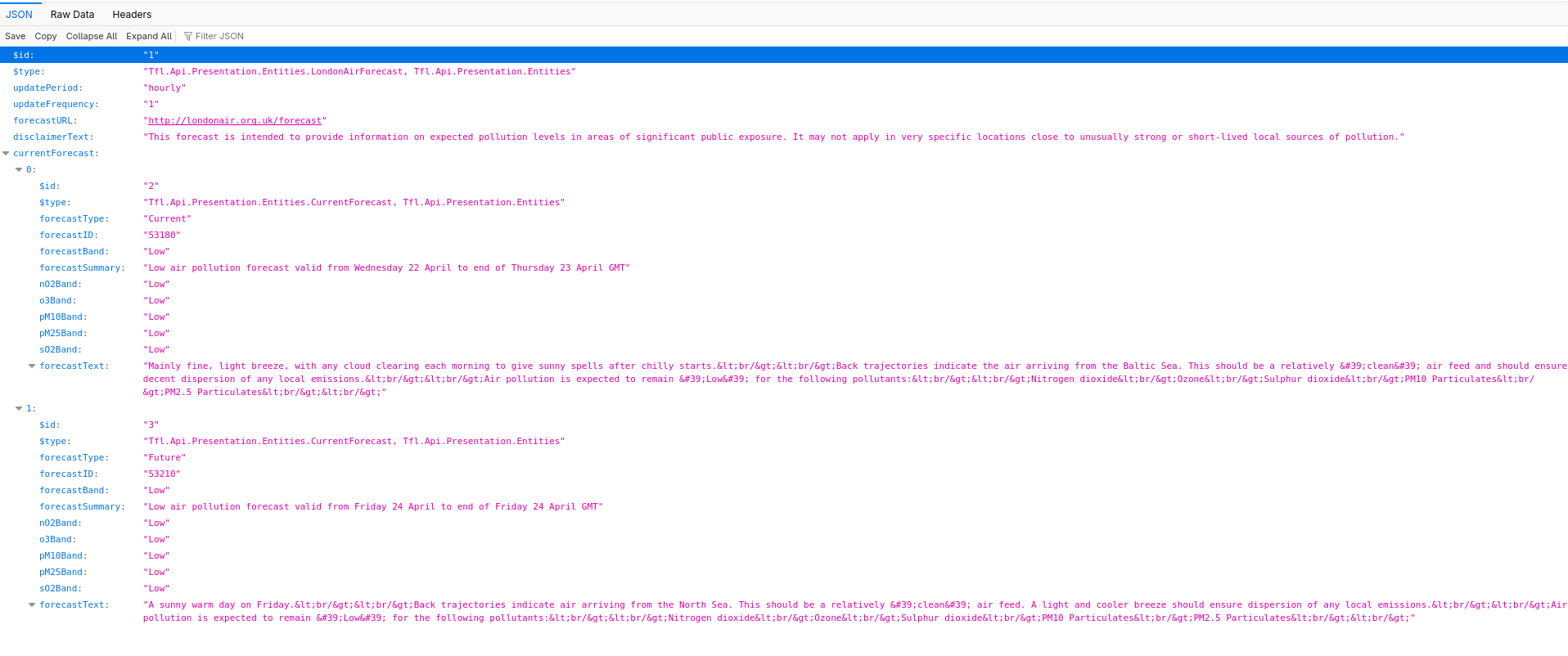
Mozilla Firefox can display and format the JSON data returned by a REST API call.

There are options to display the raw data and the headers.

Air Quality - Firefox

Add-Ons

If you need more flexibility or just curious, there are a couple of Firefox add-ons available.

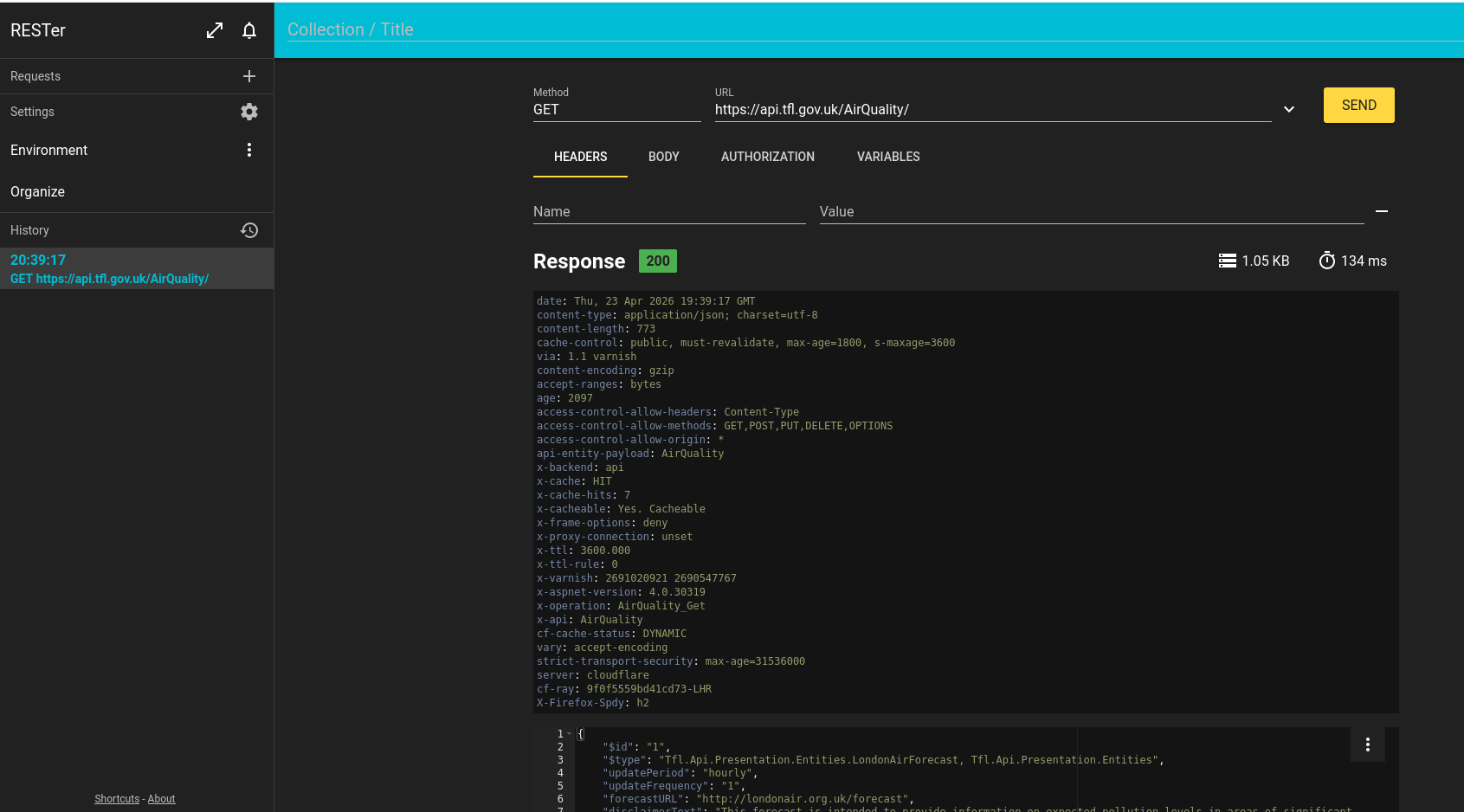
RESTer

RESTer is a Firefox add-on providing a REST API client.

Specify the following parameter values:

Air Quality Firefox RESTer

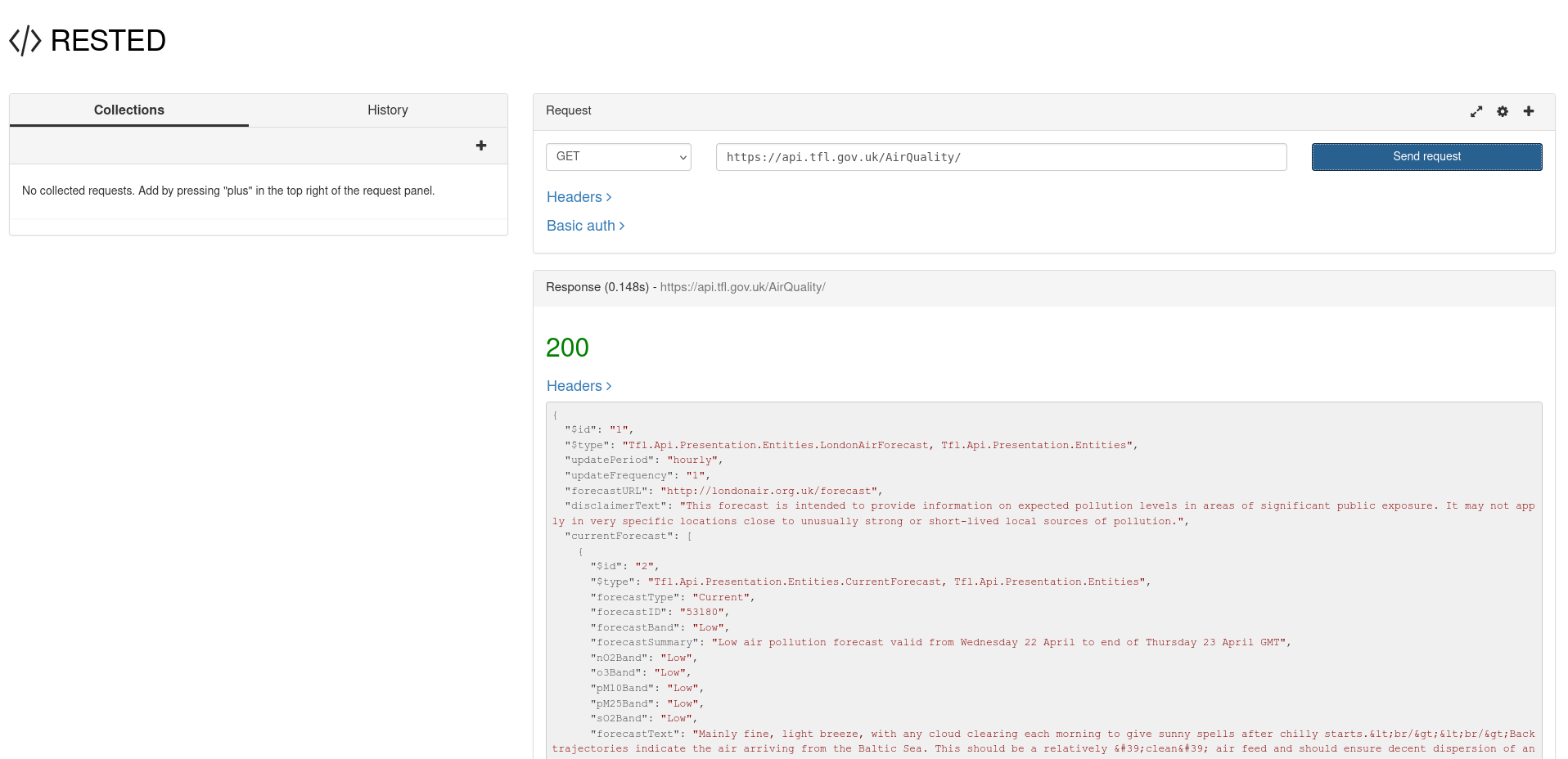
RESTED

RESTED is another Firefox add-on with similar functionality.

Air Quality Firefox RESTED

Chrome

Out of the box, the JSON displayed by Chrome isn't as readable and user friendly as Firefox as it's just a wall of text with no formatting. That's OK for a computer program but not so good for a human.

Air Quality Chrome

However, you can use the 'Pretty Print' option.

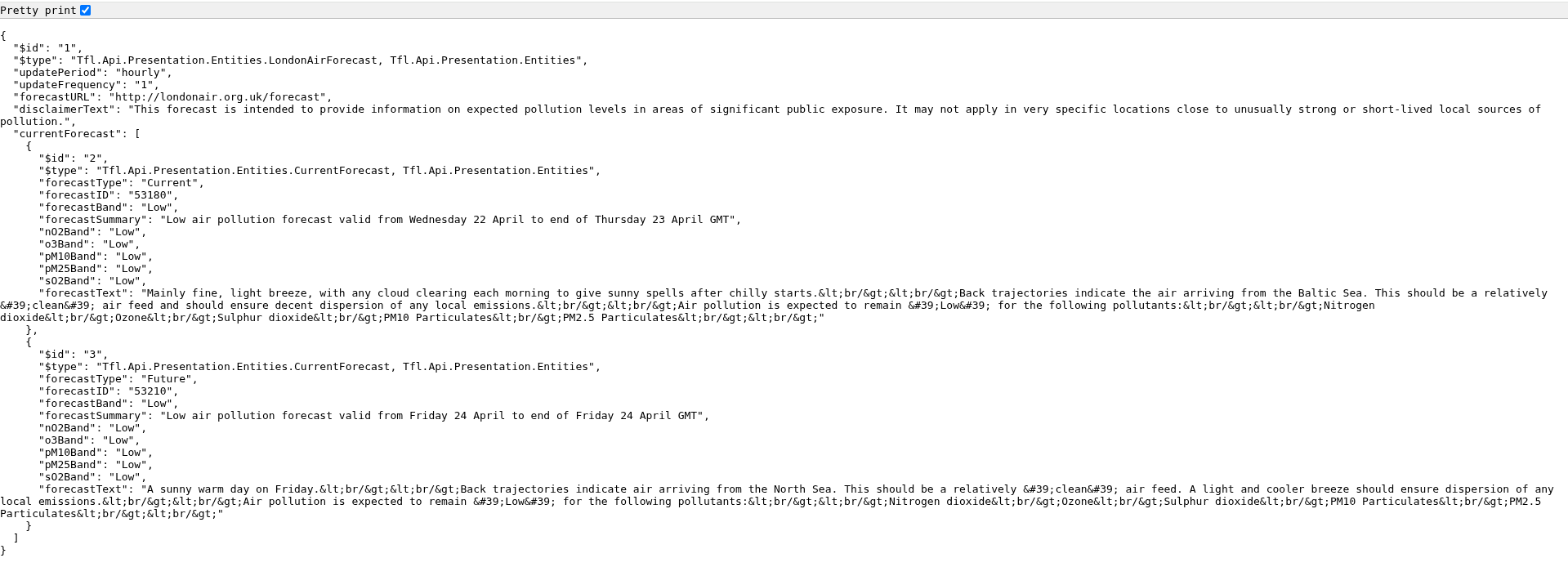
Air Quality Chrome Pretty Print

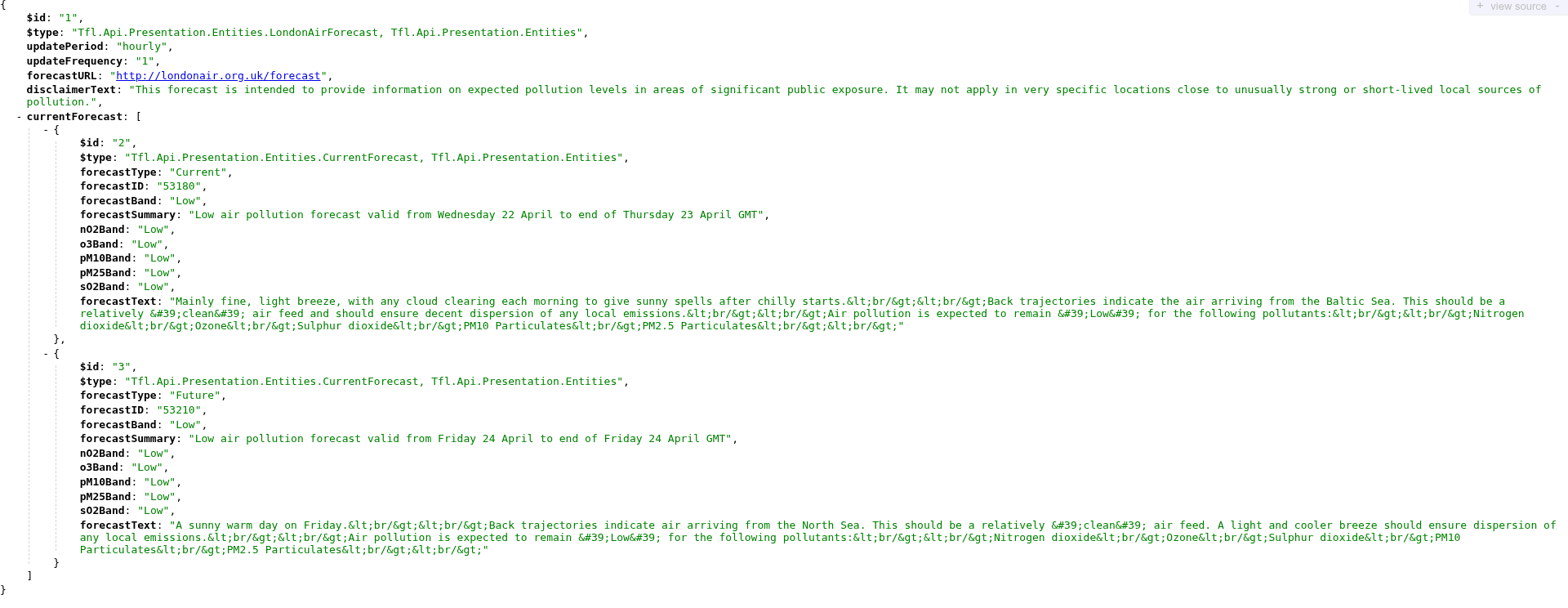
Alternatively, install the Chrome JSONVue extension which displays the JSON data in a more useful format.

Air Quality Chrome JSONVue

There are also a number of Web sites that display a JSON stream into a readable format with a variety of formatting options.

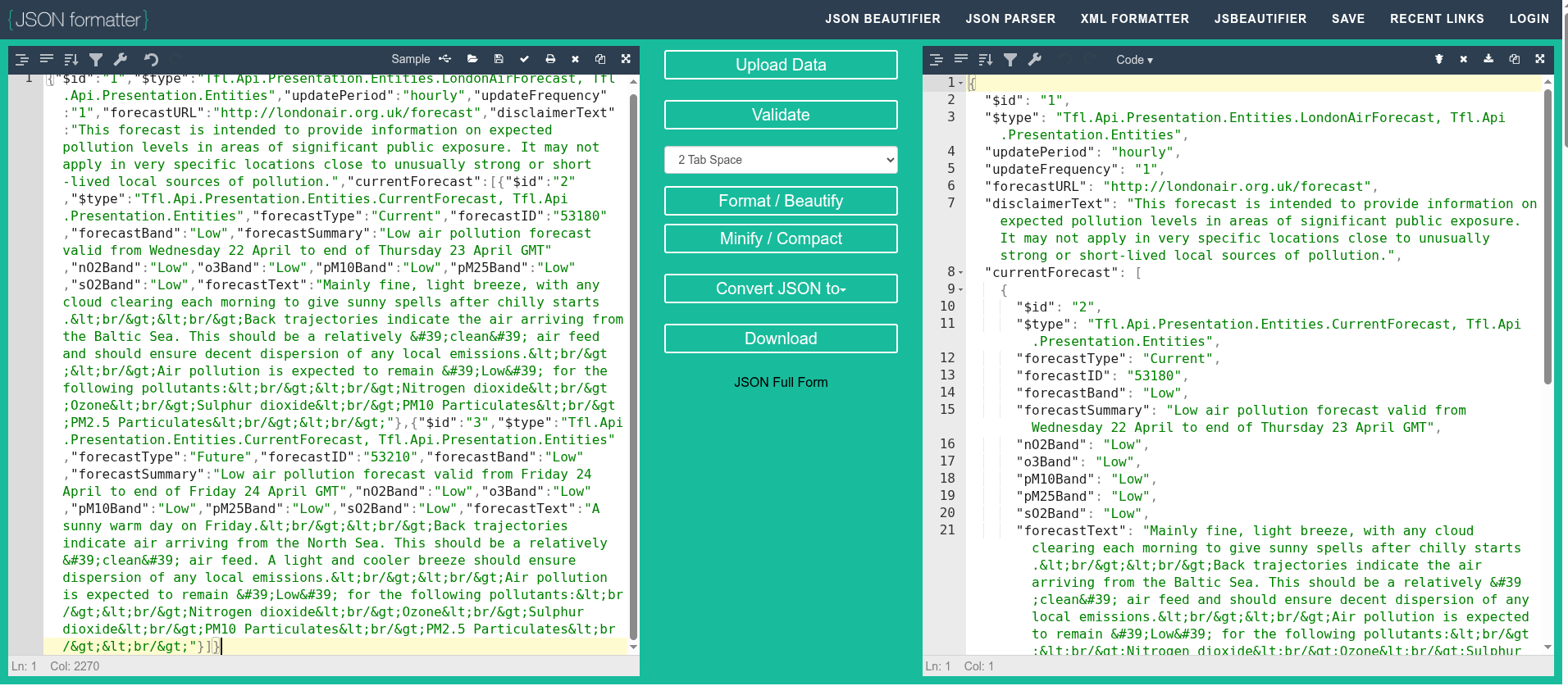
For example, you can copy/paste the raw Chrome text output into JSON formatter to display the data in a more readable format.

Air Quality JSON formatter

Extensions

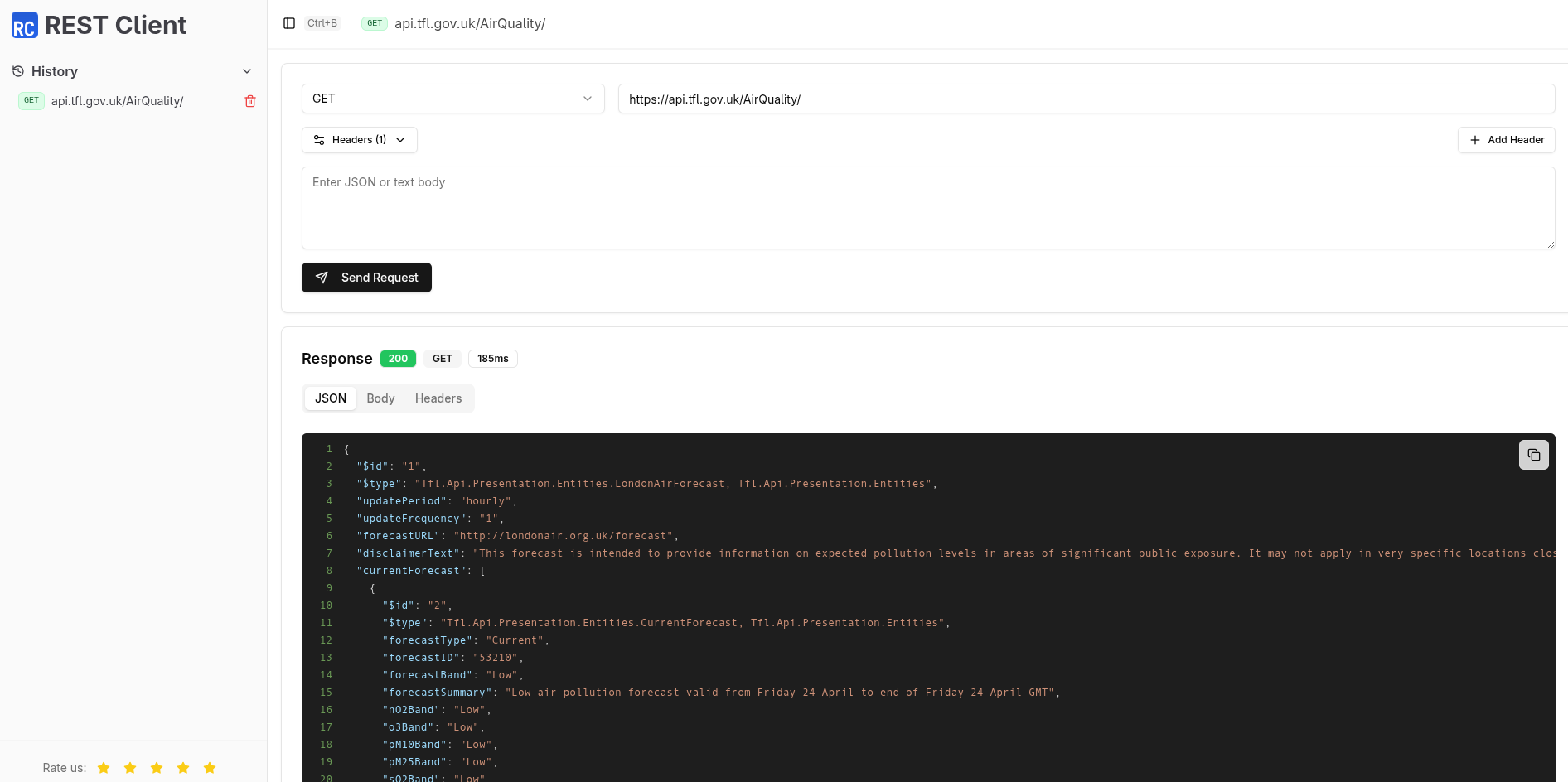
REST Client

REST Client is a Chrome extension to test REST API's.

Air Quality Chrome REST Client

Talend

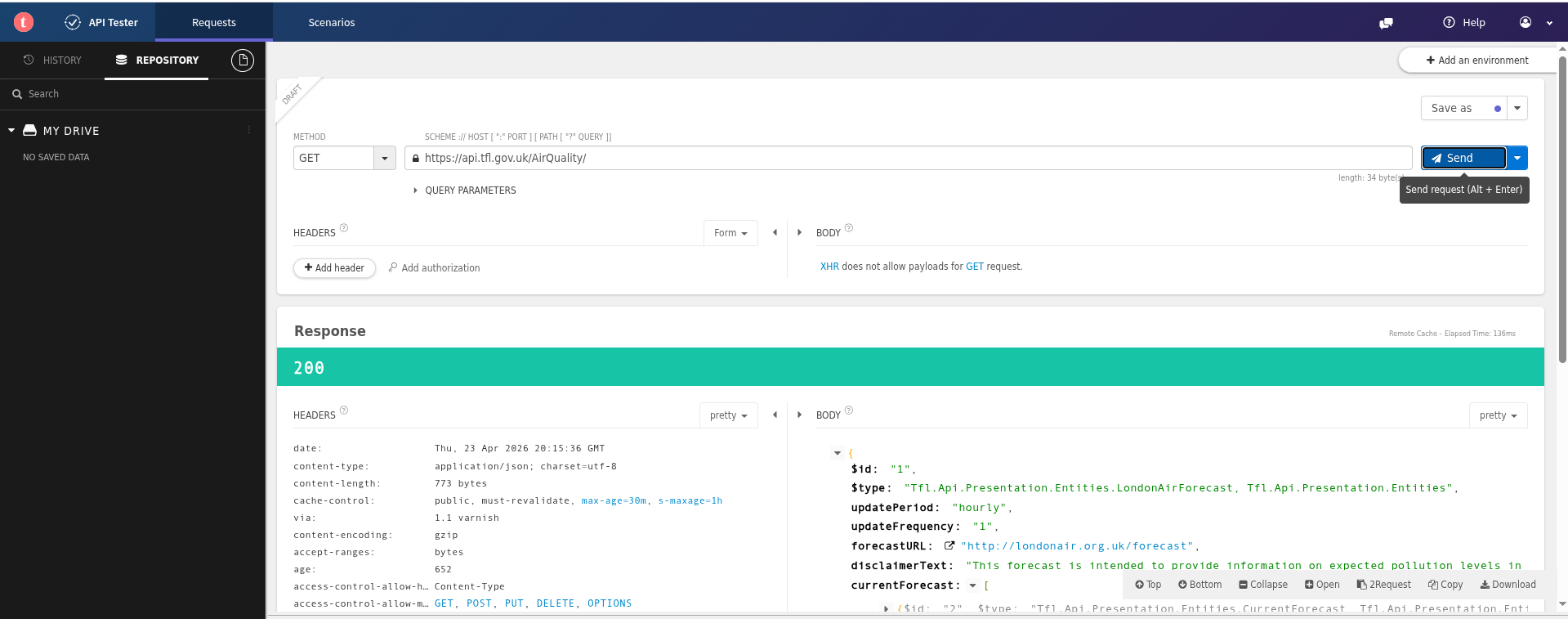
Talend offers a commercial product together with a free Chrome extension that may suffice for simple requirements.

Air Quality Chrome Talend

Applications

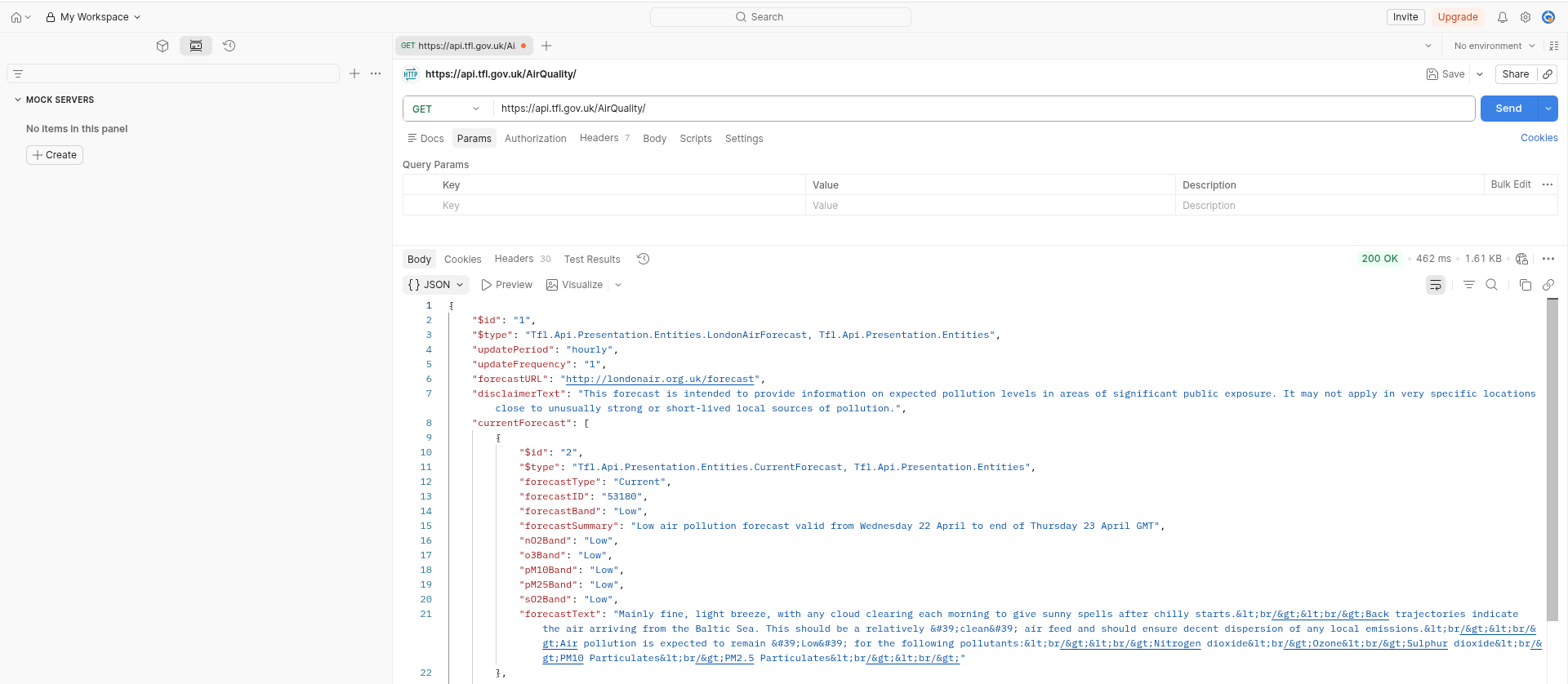
Postman

Postman is a very popular desktop REST API application and includes team working, workspaces, Git support, AI integration, data driven testing and many other features. There is a free plan available for individuals.

Postman is available on the Web and there are native applications for Windows, Linux and macOS.

Air Quality Postman Web

Postman is useful as many sites offering REST API's also include a pre-built Postman collection that you can import and experiment with.

Personally, I find the Postman Web site very busy and cluttered which is overkill for my simple requirements. Postman also requires that you sign up for an account.

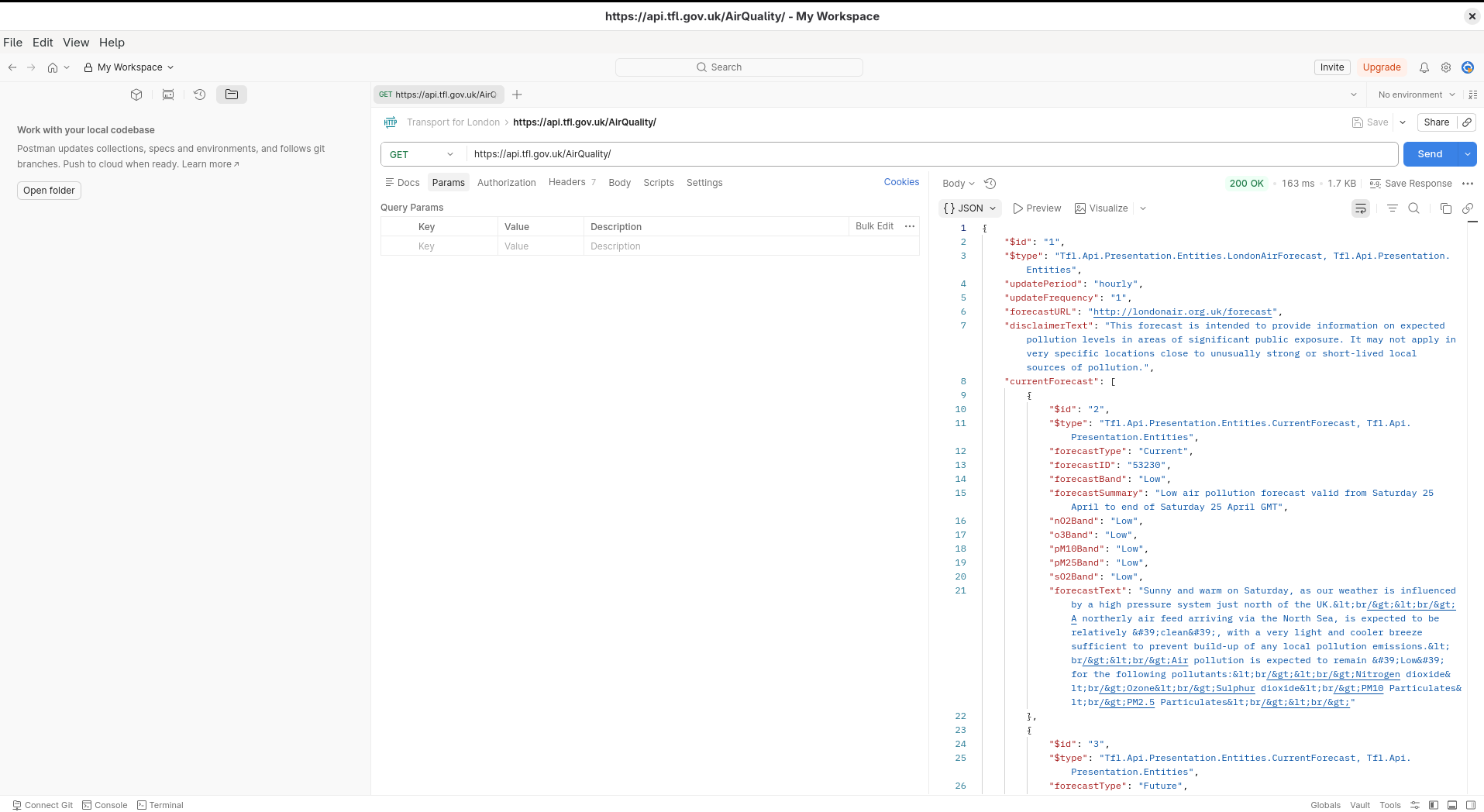
Postman offers a native Linux application which is 375MB (on Arch Linux).

Air Quality Postman App

Curl

curl is a open source command line utility for testing REST API's which is universally available (Linux, Windows, MacOS).

You can find out whether curl is installed and, if so, which version using the following command. It's worth checking you are using a recent version of the software.

$ curl --version
curl 8.19.0 (x86_64-pc-linux-gnu) libcurl/8.19.0 OpenSSL/3.6.2
  zlib/1.3.2 brotli/1.2.0 zstd/1.5.7 libidn2/2.3.8 libpsl/0.21.5
  libssh2/1.11.1 nghttp2/1.69.0 ngtcp2/1.22.1 nghttp3/1.15.0 mit-krb5/1.21.3
Release-Date: 2026-03-11
Protocols: dict file ftp ftps gopher gophers http https imap imaps
  ipfs ipns mqtt mqtts pop3 pop3s rtsp scp sftp smb smbs smtp smtps
  telnet tftp ws wss
Features: alt-svc AsynchDNS brotli GSS-API HSTS HTTP2 HTTP3
  HTTPS-proxy IDN IPv6 Kerberos Largefile libz NTLM PSL SPNEGO SSL
  threadsafe TLS-SRP UnixSockets zstd

You can use curl to exercise the TFL Air Quality REST API using the following command.

The --silent parameter suppresses download and timing information and the raw output is piped to jq to format the JSON in a prettier format.

$ curl --request GET \
       --url https://api.tfl.gov.uk/AirQuality/ | jq
{
  "$id": "1",
  "$type": "Tfl.Api.Presentation.Entities.LondonAirForecast, Tfl.Api.Presentation.Entities",
  "updatePeriod": "hourly",
  "updateFrequency": "1",
  "forecastURL": "http://londonair.org.uk/forecast",
  "disclaimerText": "This forecast is intended to provide information on expected pollution levels in areas of significant public exposure. It may not apply in very specific locations close to unusually strong or short-lived local sources of pollution.",
  "currentForecast": [
    {
      "$id": "2",
      "$type": "Tfl.Api.Presentation.Entities.CurrentForecast, Tfl.Api.Presentation.Entities",
      "forecastType": "Current",
      "forecastID": "53210",
      "forecastBand": "Low",
      "forecastSummary": "Low air pollution forecast valid from Friday 24 April to end of Friday 24 April GMT",
      "nO2Band": "Low",
      "o3Band": "Low",
      "pM10Band": "Low",
      "pM25Band": "Low",
      "sO2Band": "Low",
      "forecastText": "A sunny warm day on Friday.<br/><br/>Back trajectories indicate air arriving from the North Sea. This should be a relatively 'clean' air feed. A light and cooler breeze should ensure dispersion of any local emissions.<br/><br/>Air pollution is expected to remain 'Low' for the following pollutants:<br/><br/>Nitrogen dioxide<br/>Ozone<br/>Sulphur dioxide<br/>PM10 Particulates<br/>PM2.5 Particulates<br/><br/>"
    },
    {
       <snip>
    }
  ]
}

Insomnia

Insomnia is another option although the free version doesn't support synchronisation to the cloud.

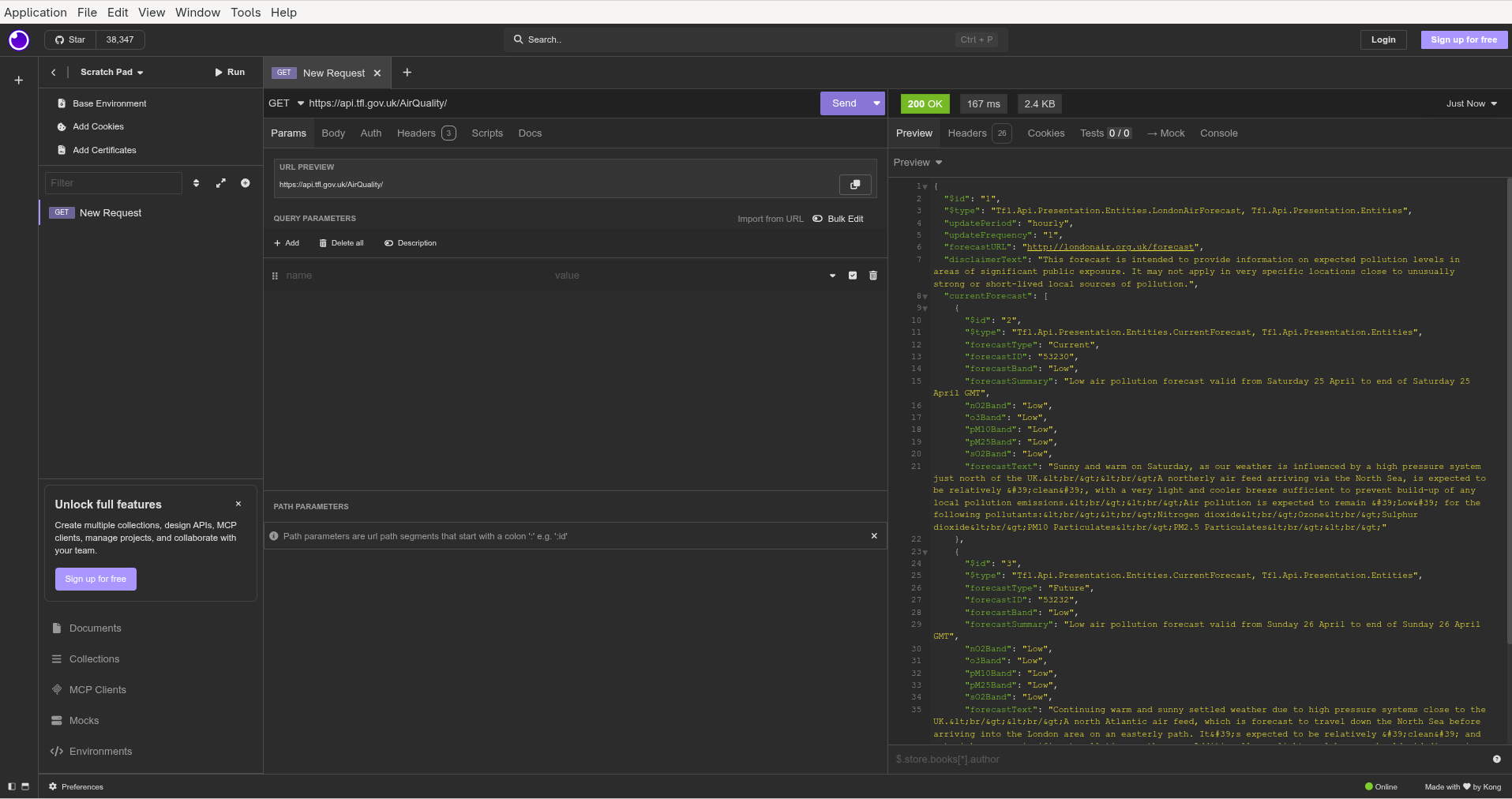
Insomnia is an Electron based application which is great for platform portability but does increase the size of the program (which is a hefty 725MB on Arch Linux).

Insomnia also requires an account (although there is a 'scratchpad' available with limited functionality).

Air Quality Insomnia

Bruno

Bruno is another Electron based REST API client (although the size of the AppImage is 158MB). Bruno expressly does not offer a cloud synchronisation option or require an account. Your work is stored locally and sharing is via Git repositories. Nor will Bruno use your data to train AI models.

Bruno supports collections and each API request is stored as a text file.

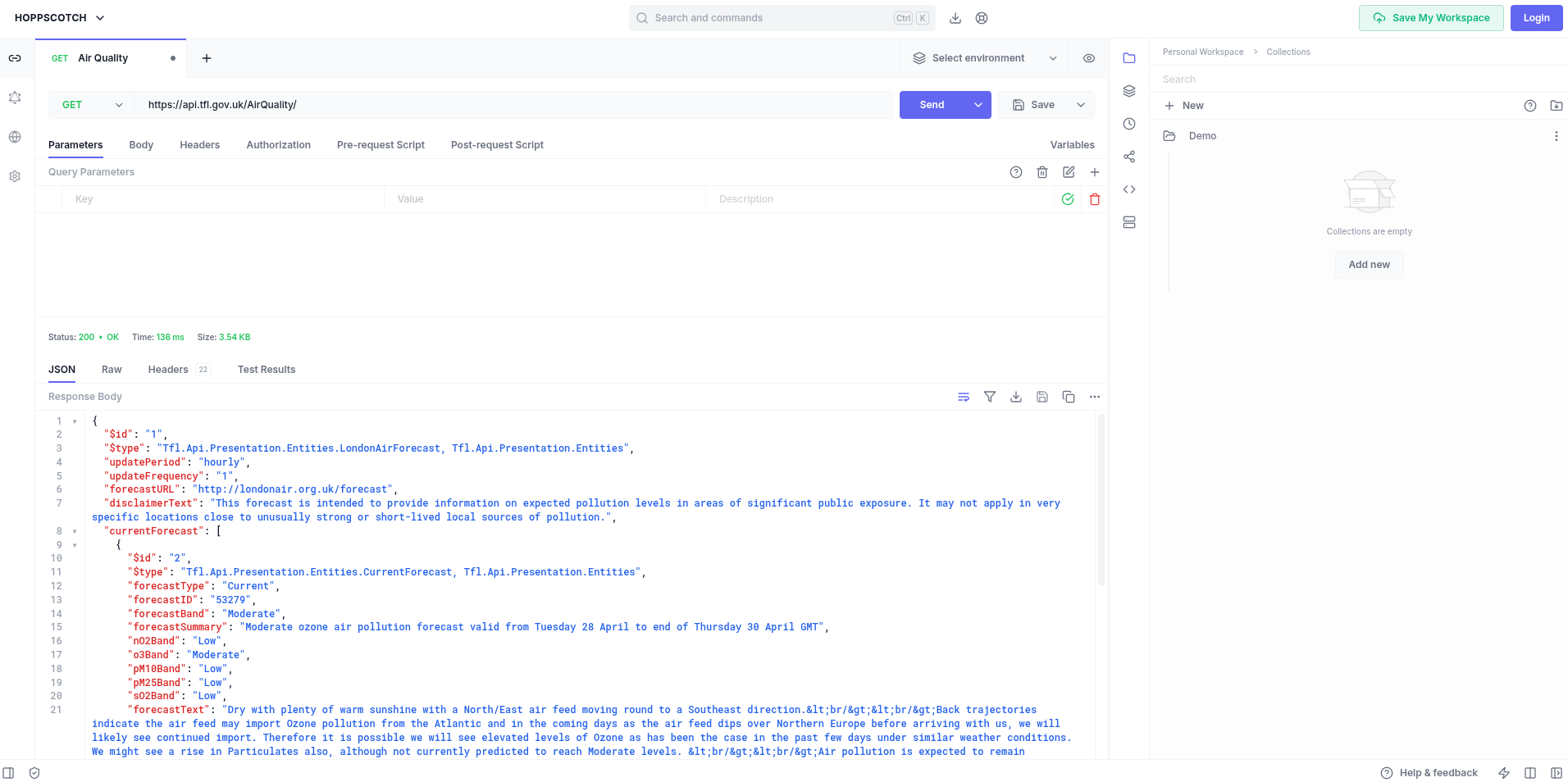
Air Quality Bruno

Hoppscotch

Hoppscotch is yet another option that offers a cloud service (requires login) as well as native clients for Linux, macOS and Windows.

Hoppscotch Community Edition is open source (MIT licence) and can be used on personal and commercial projects. Hoppscotch can also be self-hosted.

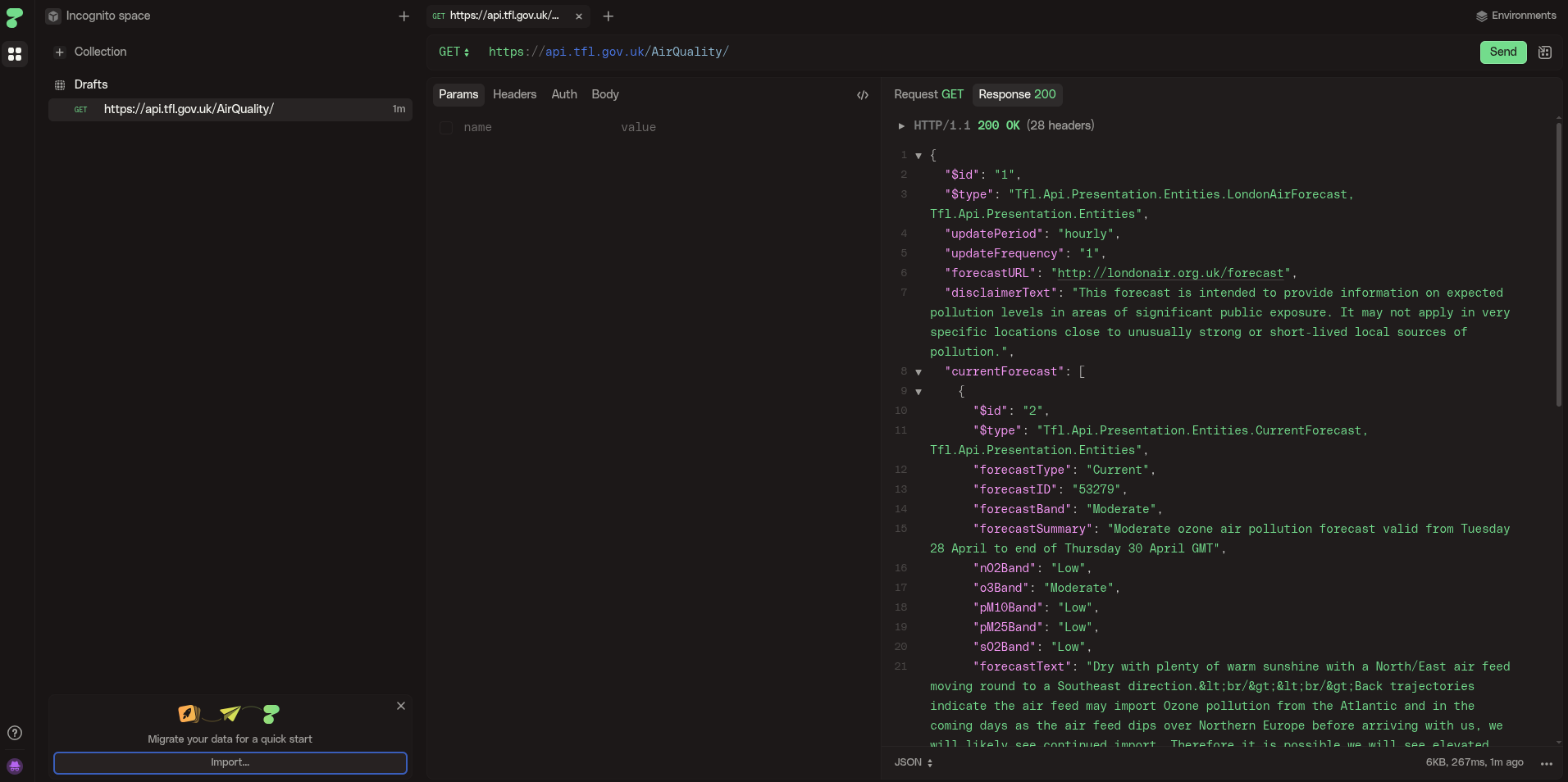
Air Quality Hoppscotch

HTTPie

HTTPie is another REST client (similar to Hoppscotch) which supports importing API's from 'curl', 'Postman' and 'Insomnia'.

Some prospective users may be discouraged by the imminent promise of 'HTTPie AI'.

Air Quality HTTPie

Editors/IDEs

Emacs

Emacs includes a package restclient (available in MELPA) which is a REST client that presents the output in a separate buffer. The package still works fine but appears to be without an owner as the repository was archived in April 2024.

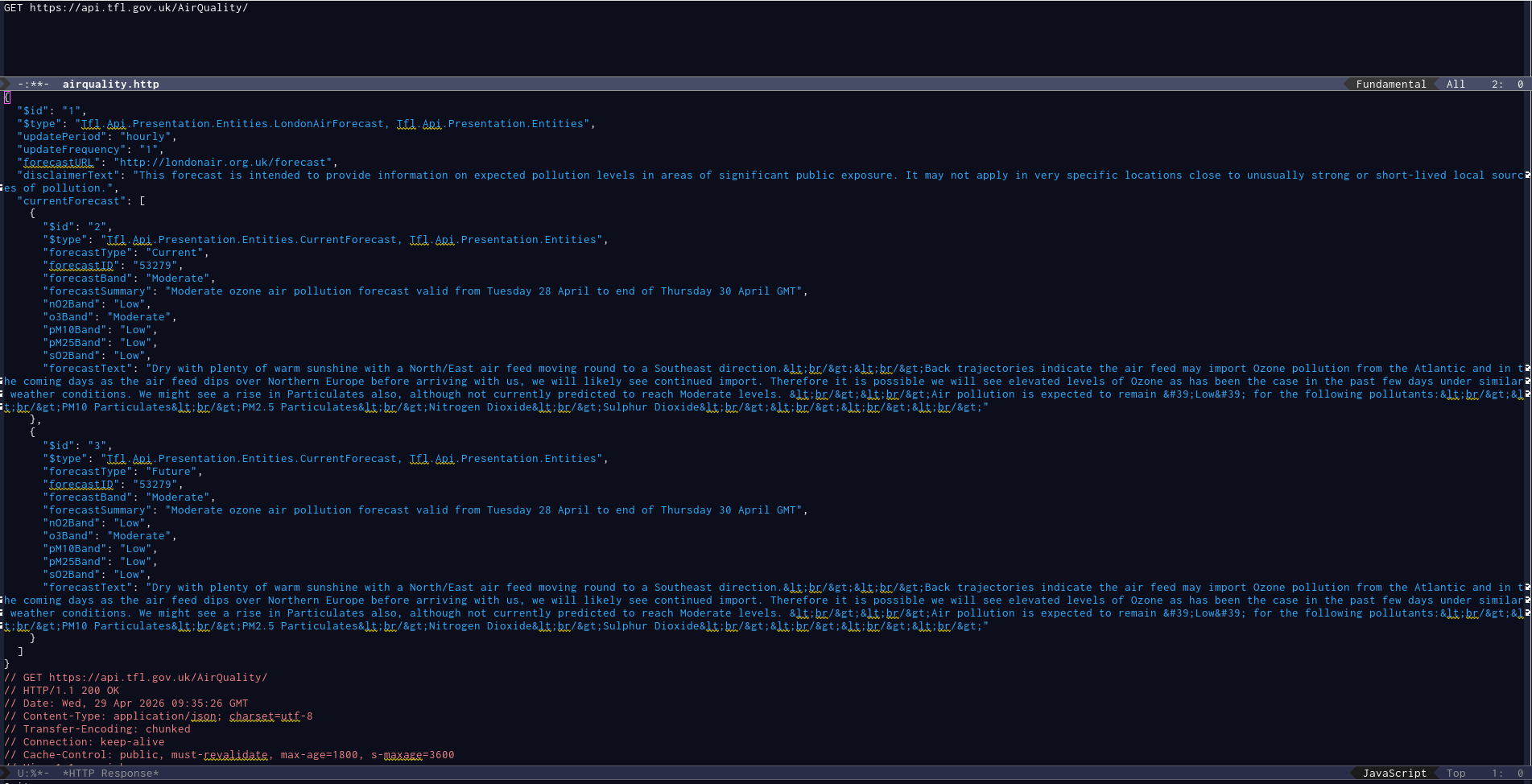
Air Quality Emacs restclient

Visual Studio

Thunder Client

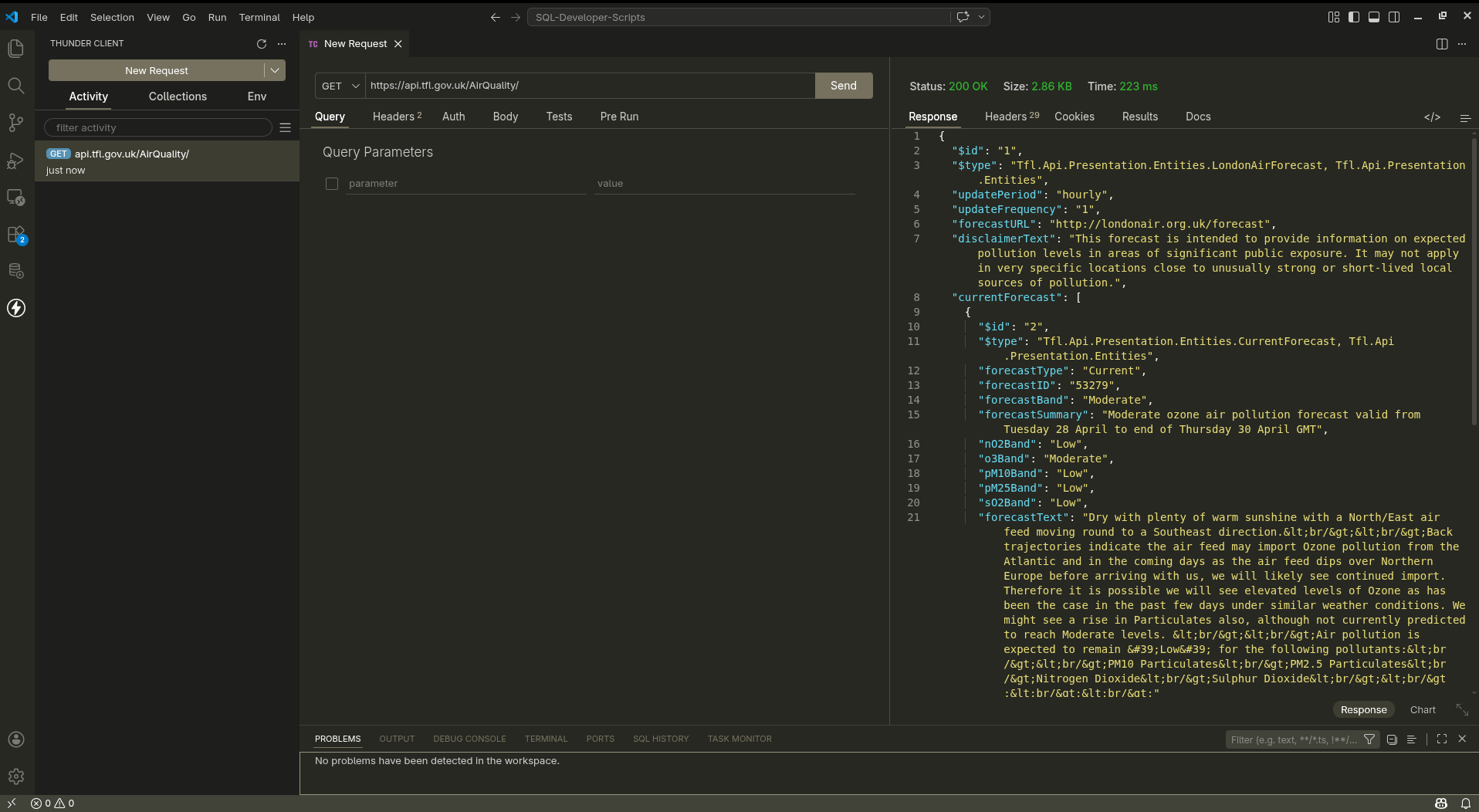
Thunder Client is a VS Code extension for the widely used VS Code editor/IDE.

Air Quality VSCode ThunderClient

Golden Retriever

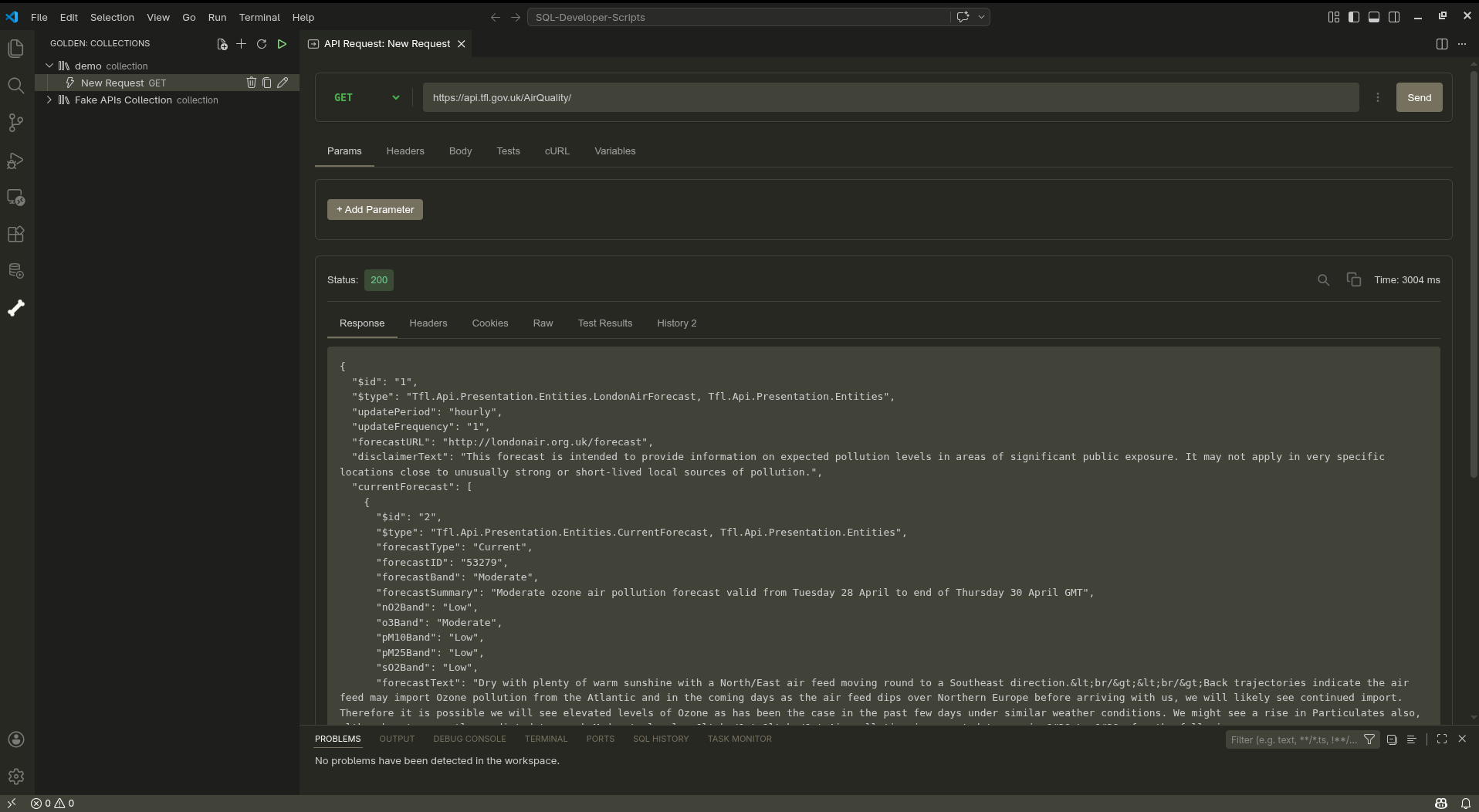
If you want an alternative to ThunderClient and like dogs, try the Golden Retriever extension.

'Think of it as Postman’s loyal cousin who stays local, syncs with Git, and doesn’t demand a cloud subscription'.

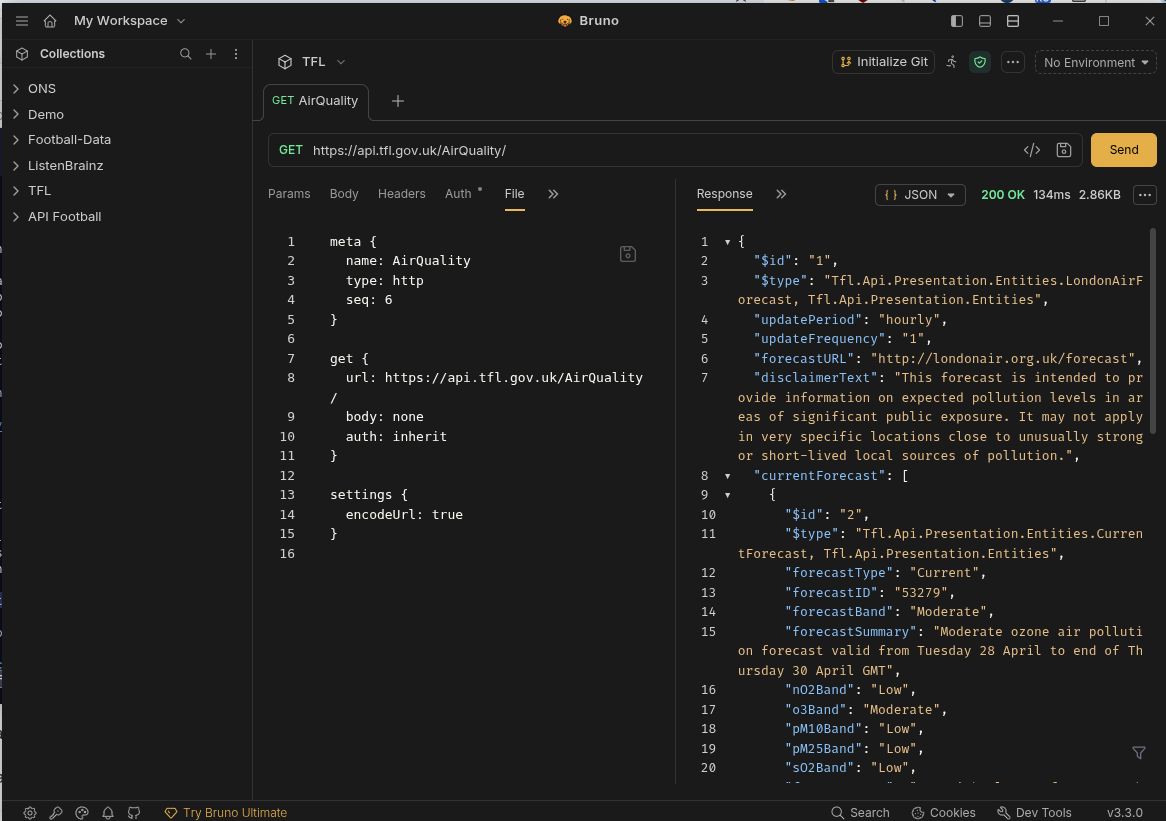
Air Quality VSCode GoldenRetriever


  1. Seems obvious, but it took two years for this simple, obvious fact to dawn on me. 

converting JPEG and PNG images to WebP format

People tell me the 'WebP' format is the recommended format for images displayed on a Web site as WebP files are smaller than PNG and JPEG formats. My site uses JPEG and PNG image formats. The advent of WebP is hardly news but I'm always late to the party.

There is a WebP converter available in the Arch Linux AUR repository.

This looks promising so I immediately go to install it.

$ yay -S webp-converter-git
Sync Make Dependency (7): gendesk-1.0.10-1, gn-0.2324.304bbef6-2,
    rust-bindgen-0.72.1-2, gperf-3.3-2, python-httplib2-0.31.2-1,
    python-pyparsing-3.3.2-1, patchutils-0.4.5-1
Sync Dependency (1): libvips-8.18.2-1
AUR Explicit (1): webp-converter-git-1.0.0.r2.gce5d96c-1
AUR Dependency (1): electron33-33.4.11-2
:: PKGBUILD up to date, skipping download: webp-converter-git
:: PKGBUILD up to date, skipping download: electron33
  2 webp-converter-git                       (Build Files Exist)
  1 electron33                               (Build Files Exist)
==> Packages to cleanBuild?
==> [N]one [A]ll [Ab]ort [I]nstalled [No]tInstalled or (1 2 3, 1-3, ^4)

Oh no, hang on, wait. it's a bloated Electron application with a lot of dependent Rust and Python packages. Forget that.

However, I recall that Emacs uses the 'imagemagick' package which is already installed and includes a utility (mogrify) that can perform the same conversion (from JPEG/PNG to WebP).

$ mogrify -format webp -quality 80 2026-04-14-BlogMore-DraftPost.png
$ ls -lh 2026*
100k     2026-04-14-BlogMore-DraftPost.png
44k      2026-04-14-BlogMore-DraftPost.webp

Half the size. Compare the PNG versus the WebP image. Copy the WebP file to the images directory. Update the image link in the blog post. Job done (apart from the existing 135 images).

blogging more with BlogMore

This is my experience of migrating this blog from Hugo to BlogMore (prompted by various reasons that initiated yet another blog migration).

The aim of the exercise was to streamline the process of publishing a blog post to encourage me to post more frequently than once a year.

My small, personal blog is hosted on Codeberg pages and I use Arch Linux (BTW).

This post is not a substitute for the the excellent, comprehensive documentation which fully describes the installation, configuration and usage of BlogMore.

Installation

Install uv

uv is a modern, powerful Python development tool which includes the virtualenv, pyenv and pip functionality (and much more besides).

The 'uv' package is available in the Arch Linux repository.

$ yay -S uv
Sync Explicit (1): uv-0.11.3-1
resolving dependencies...
looking for conflicting packages...

Packages (1) uv-0.11.3-1

Total Download Size:   15.41 MiB
Total Installed Size:  57.14 MiB

:: Proceed with installation? [Y/n]
:: Retrieving packages...
 uv-0.11.3-1-x86_64     15.4 MiB  14.0 MiB/s 00:01 [######################] 100%
(1/1) checking keys in keyring                     [######################] 100%
(1/1) checking package integrity                   [######################] 100%
(1/1) loading package files                        [######################] 100%
(1/1) checking for file conflicts                  [######################] 100%
(1/1) checking available disk space                [######################] 100%
:: Processing package changes...
(1/1) installing uv                                [######################] 100%
:: Running post-transaction hooks...
(1/1) Arming ConditionNeedsUpdate...

Check the version of the newly installed 'uv' package.

$ uv --version
uv 0.11.3 (45da18ac3 2026-04-01 x86_64-unknown-linux-gnu)

Install BlogMore

Once 'uv' is available, installation of BlogMore is trivial as 'uv' automatically takes care of installing all the dependencies and required Python packages.

$ uv tool install blogmore
Resolved 16 packages in 145ms
Installed 16 packages in 101ms
 + blogmore==2.9.0
 + feedgen==1.0.0
 + jinja2==3.1.6
 + lxml==6.0.2
 + markdown==3.10.2
 + markupsafe==3.0.3
 + minify-html==0.18.1
 + pillow==12.2.0
 + pygments==2.20.0
 + python-dateutil==2.9.0.post0
 + python-frontmatter==1.1.0
 + pyyaml==6.0.3
 + rcssmin==1.2.2
 + rjsmin==1.2.5
 + six==1.17.0
 + watchdog==6.0.0

Add the ~/.local directory to $PATH to make the blogmore command available.

$ export PATH="$HOME/.local/bin:$PATH"

Updating BlogMore

BlogMore releases can be frequent (new functionality, bug fixes) and the 'uv' package is also used to update BlogMore. Any updates to dependent packages are automatically handled.

$ uv tool update blogmore
Updated blogmore v2.11.1 -> v2.13.0
 - blogmore==2.11.1
 + blogmore==2.13.0
 - lxml==6.0.2
 + lxml==6.0.3

Site structure

As part of the migration, I reviewed the existing structure of my Hugo site.

./archetypes
./content
./content/about                           # 'About' page
./content/archive.md                      # 'Archive' tab on Home page
./content/search.md                       # 'Search' tab on Home page
./content/posts                           # 1,000 posts in single directory
./content/posts/aboriginal-culture.md
./content/posts/a-brief-history-of-inane-drivel.md
./content/posts/absolute-disgrace.md
./content/posts/a-cause-for-concern.md
./content/posts/a-day-in-the-life.md
# <snip>
./content/posts/writing-style.md
./content/posts/yak-shaving.md
./content/posts/your-papers-please.md
./content/posts/you-were-kindness.md
./content/posts/zohowriter.md
./orgposts                                # Orgmode posts
./orgposts/fun-with-static-site-generators.org
./orgposts/improving_fwp_apex_app.org
./orgposts/oracle-sql-config.org
./static
./static/images                           # Images
./themes
./themes/PaperMod                         # Papermod theme
./public                                  # Generated site

There were a couple of things that irritated me about this setup:

  • Orgmode posts are stored separately from Markdown content.
  • Markdown files derived from Orgmode posts are essentially (but understandably) duplicated.
  • All 1,000 posts are stored in a single directory.

The decision to store every single post in the 'content/posts' directory was purely historical. I started that way and never changed. This flat structure had its advantages. Looking for patterns (posts without any tags defined) in the front matter was easy using 'grep'.

However, grep (and ripgrep) can search recursively and so I decided to move 1,000 blog posts spanning 20 years to sub directories for each year so this year's posts now reside under 'content/posts/2026'.

Bizarrely, I found this simple change was very helpful. Previously, it was hard to identify draft posts and find recent content. Having less than 10 posts in the 2026 directory was more manageable.

Front Matter

Any blog migration will necessitate conversion of the front matter.

Hugo front matter (TOML)

+++
title = "fun with static site generators"
date = 2025-10-16T09:46:10
lastmod = 2025-10-22T12:52:18+01:00
categories = ["software"]
tags = ["Hugo", "11ty", "BSSG", "Zola", "Nikola", "Pelican", "Jekyll"]
draft = false
+++

BlogMore front matter (YAML)

---
title: fun with static site generators
date: 2025-10-16 09:46:10
modified: 2025-10-22 12:52:09
category: software
tags: Hugo, 11ty, BSSG, Zola, Nikola, Pelican, Jekyll
---

The conversion of the front matter was relatively straightforward as I already had a bunch of sed scripts as a result of previous migrations.

I like BlogMore's use of a single 'Category' with multiple 'Tags' as that's how my brain works and it helps me categorise content better.

BlogMore is flexible and supports three formats to specify the 'Tags' meta-data

  1. YAML list ('tags: [football, united]')
  2. Comma separated list ('tags: football, united')
  3. Multi-line list
tags:
  - football
  - united

I prefer the CSV option as the square brackets in the YAML list is just noise and visual clutter. The single line format is also easier for any subsequent conversions to the next shiny blog platform.

Similarly, the fact that ox-hugo enclosed tags in double quotes was undoubtedly sensible from a purist, developer standpoint but was just more irritating, visual clutter when reviewing the generated Markdown files.

BlogMore is more forgiving on the precise date and timestamp format which has always been another source of irritation. I don't want to know or need to learn the 'ISO 8601 with timezone' standard simply to quickly create a blog post.

Creating a post

You can easily create a new post in BlogMore using your preferred text editor. You can either create the post manually, copy the previous post or use a shell script or templates. For Emacs, YASnippet and tempo are useful.

Here is my sample template for a new post.

---
title:
date: 2026-04-13 12:20:46+0100
category:
tags:
draft: true
---

Dave Pearson has created a marvellous Emacs package (blogmore.el) that is invaluable in managing content, timestamps and meta-data (categories and tags). However, this package merits a separate post in due course.

Code blocks

BlogMore is Python based and uses Pygments for syntax highlighting. Pygments supports many different languages and styles.

BlogMore allows you to select your preferred style (for light and dark themes) using the light/dark_mode_code_style configuration file parameters.

To use the popular 'monokai' theme for all code blocks, add the following lines to the BlogMore configuration file config.yaml.

light_mode_code_style: monokai
dark_mode_code_style: monokai

Building

When I work on a blog post, I tend to take my time. Write, edit, review, write, edit, preview and iterate. Rinse and repeat.

I normally build the BlogMore site to check for any errors in the front matter.

By default, the BlogMore build command only considers published posts so use the --include-drafts parameter to see work currently in progress.

$ blogmore build --include-drafts
Parsing posts from content...
Found 1033 posts
Found 1 pages
Optimizing FontAwesome CSS...
Generating post pages...
Generating static pages...
Generating custom 404 page...
Generating index page...
Generating archive page...
Generating date-based archive pages...
Generating tag pages...
Generating tags overview page...
Generating category pages...
Generating categories overview page...
Generating RSS and Atom feeds...
Generating search index and search page...
Generating blog statistics page...
Copied bundled static assets
Generated minified CSS as styles.min.css
Generated minified CSS as search.min.css
Generated minified CSS as stats.min.css
Generated minified CSS as archive.min.css
Generated minified CSS as tag-cloud.min.css
Generated minified CSS as calendar.min.css
Generated minified code CSS as code.min.css
Generated minified JS as theme.min.js
Generated minified JS as codeblocks.min.js
Generated minified JS as search.min.js
Generated minified FontAwesome CSS as fontawesome.min.css
Copied 134 extra file(s) from content/extras
Generating XML sitemap...
Site generation complete! Output: <site>/blogmore/site

The build command identifies any problems, typically in the front matter. For example

Warning: Skipping content/posts/2026/blogging-more-with-blogmore.md:
Post missing required 'title' in frontmatter:
    content/posts/2026/blogging-more-with-blogmore.md

Previewing

Once the site has been generated without errors, you can then preview the site using blogmore serve which makes your local site available at http://localhost:8000/.

$ blogmore serve --include-drafts
Generating site from /home/andy/software/codeberg-repos/blogmore/content...
Removing output directory: /home/andy/software/codeberg-repos/blogmore/site
Parsing posts from /home/andy/software/codeberg-repos/blogmore/content...
Found 1033 posts
Found 1 pages
Optimizing FontAwesome CSS...
Generating post pages...
Generating static pages...
Generating custom 404 page...
Generating index page...
Generating archive page...
Generating date-based archive pages...
Generating tag pages...
Generating tags overview page...
Generating category pages...
Generating categories overview page...
Generating RSS and Atom feeds...
Generating search index and search page...
Generating blog statistics page...
Copied bundled static assets
Generated minified CSS as styles.min.css
Generated minified CSS as search.min.css
Generated minified CSS as stats.min.css
Generated minified CSS as archive.min.css
Generated minified CSS as tag-cloud.min.css
Generated minified CSS as calendar.min.css
Generated minified code CSS as code.min.css
Generated minified JS as theme.min.js
Generated minified JS as codeblocks.min.js
Generated minified JS as search.min.js
Generated minified FontAwesome CSS as fontawesome.min.css
Copied 134 extra file(s) from /home/andy/software/codeberg-repos/blogmore/content/extras
Generating XML sitemap...
Site generation complete! Output: /home/andy/software/codeberg-repos/blogmore/site
Watching for changes in /home/andy/software/codeberg-repos/blogmore/content...
Watching for changes in config file: blogmore.yaml
Serving site at http://localhost:8000/
Press Ctrl+C to stop the server
127.0.0.1 - - [14/Apr/2026 11:19:24] "GET /posts/blogging-more-with-blogmore/ HTTP/1.1" 200 -
127.0.0.1 - - [14/Apr/2026 11:19:24] "GET /static/fontawesome.min.css?v=1776161935 HTTP/1.1" 200 -
127.0.0.1 - - [14/Apr/2026 11:19:24] "GET /static/styles.min.css?v=1776161935 HTTP/1.1" 200 -
127.0.0.1 - - [14/Apr/2026 11:19:24] "GET /static/code.min.css?v=1776161935 HTTP/1.1" 200 -
127.0.0.1 - - [14/Apr/2026 11:19:24] "GET /static/theme.min.js HTTP/1.1" 200 -
127.0.0.1 - - [14/Apr/2026 11:19:24] "GET /static/codeblocks.min.js HTTP/1.1" 200 -

The 'blogmore serve' command will also generate the site (implies a 'blogmore build') so include the --include-drafts parameter to see all content.

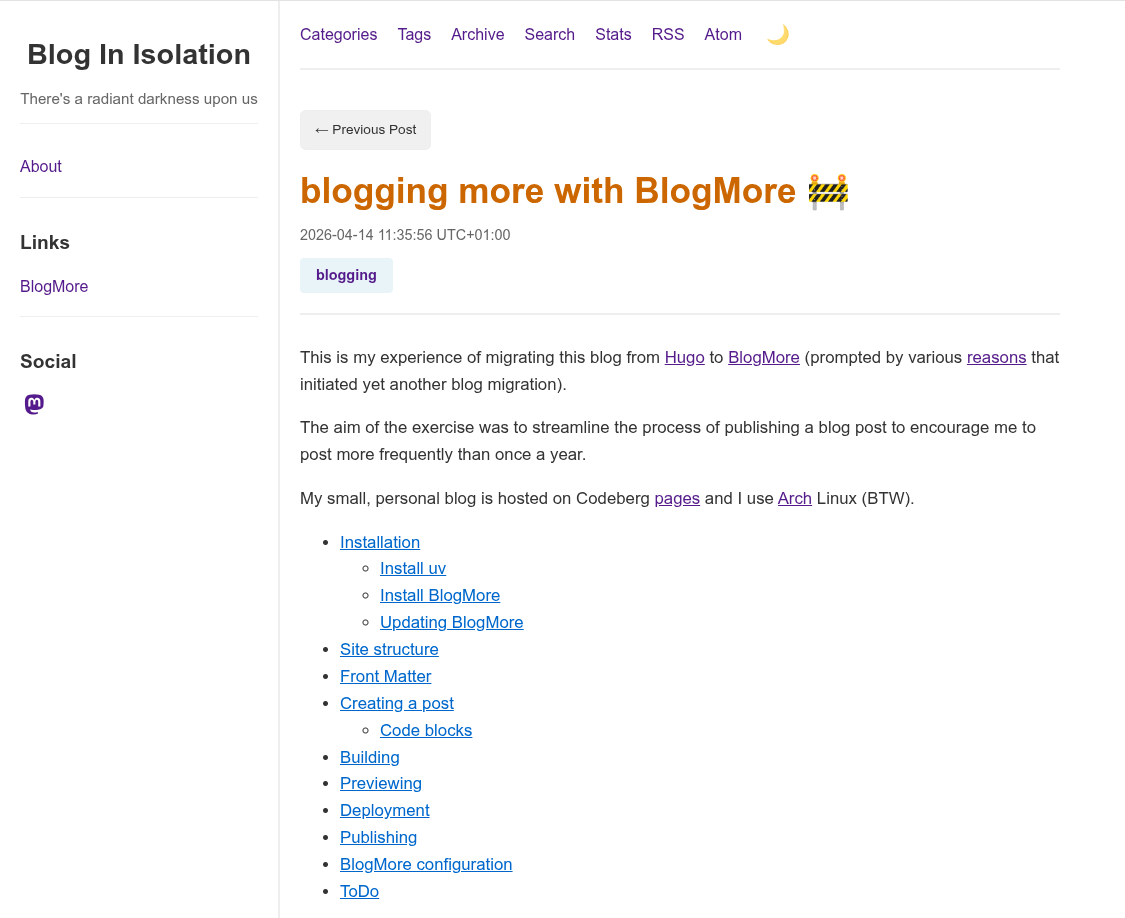
BlogMore provides a helpful, visual indicator to distinguish drafts from published posts.

BlogMore draft post

The 'blogmore serve' command is a live preview that automatically detects any changes to content and dynamically regenerates the site which accelerates the iterative 'write-preview-fix' process.

Detected change in <site>/content/posts/2026/blogging-more-with-blogmore.md, regenerating site...
Removing output directory: <site>/blogmore/site
Parsing posts from <site>/blogmore/content...
Found 1027 posts
Found 1 pages
Optimizing FontAwesome CSS...
Generating post pages...
<snip>
Generating XML sitemap...
Site generation complete! Output: <site>//blogmore/site
Regeneration complete!

Deployment

Codeberg pages is currently in a state of flux but you can deploy the BlogMore site to a Codeberg 'pages' repository. Previously, I used a branch and CI actions but I actually prefer this method as it's simpler, less risky and more portable.

$ cat ~/bin/deploy_codeberg.sh
#!/bin/bash

# Deploy the Blogmore site to Codeberg
CODEBERG=$HOME/software/codeberg-repos
BLOGMORE=$CODEBERG/blogmore
PAGES=$CODEBERG/pages

cd $BLOGMORE

blogmore build

# Copy the contents of the Blogmore 'site' folder to the Codeberg
# 'pages' repository
rsync --archive $BLOGMORE/site/ $PAGES/

cd $PAGES

git add --all

NOW=`date '+%Y-%m-%d-%H:%M:%S'`
git commit -m "Published Blogmore site on $NOW"

git push

I tried to tune this script by only sync'ing files with different sizes (not timestamps) as there is no point in pushing 950 static, unchanged blog posts to the Codeberg repository.

rsync --archive --size-only $BLOGMORE/site/ $PAGES/

This seemed like a good idea but doesn't always update the Blogmore version which is included in the footer on every single post.

I normally check the the newly published blog post has appeared on the site. Occasionally Codeberg pages seems to cache data but this normally resolves after a few minutes.

Publishing

BlogMore also includes a 'publish' command that supports publishing the generated site to a GitHub branch for GitHub pages. This command also works fine on Codeberg.

Add the following entries to the 'blogmore.yaml' configuration file.

# Publish options
branch: cb-pages
remote: origin

Publishing the site on Codeberg

$ blogmore publish
Building site before publishing...
Removing output directory: <site>/blogmore/site
Parsing posts from content...
Found 1026 posts
Found 1 pages
Optimizing FontAwesome CSS...
Generating post pages...
Generating static pages...
Generating custom 404 page...
Generating index page...
Generating archive page...
Generating date-based archive pages...
Generating tag pages...
Generating tags overview page...
Generating category pages...
Generating categories overview page...
Generating RSS and Atom feeds...
Generating search index and search page...
Generating blog statistics page...
Copied bundled static assets
<snip>
Generated minified FontAwesome CSS as fontawesome.min.css
Copied 134 extra file(s) from content/extras
Generating XML sitemap...
Site generation complete! Output: <site>/blogmore/site
Site built successfully
Publishing site to branch 'cb-pages' on remote 'origin'...
Created worktree with new orphan branch 'cb-pages'
Created .nojekyll file
Changes committed
Successfully pushed to origin/cb-pages

BlogMore configuration

For reference, here is my BlogMore configuration file.

$ cat blogmore.yaml
# BlogMore configuration
#
# Heavily based on
# https://github.com/davep/davep.github.com/blob/main/blogmore.yaml

# Locations.
content_dir: content
output: site

# Main site details.
site_title: "Blog In Isolation"
site_subtitle: "There's a radiant darkness upon us"
site_url: "https://www.yakshaving.co.uk/"
site_description: "Personal blog of Roman Totale XVII"
site_keywords:
  - Emacs
  - Oracle
  - APEX
  - UK
default_author: andyc
include_drafts: false

# Building
clean_first: true
# icon_source: davep.jpeg
minify_css: true
minify_js: true
minify_html: true
clean_urls: true
post_path: "posts/{slug}/index.html"
page_path: "pages/{slug}/index.html"
archive_path: /archive/index.html
categories_path: /categories/index.html
search_path: /search/index.html
stats_path: /stats/index.html
tags_path: /tags/index.html

# Content and styling.
with_search: true
with_sitemap: true
with_stats: true
with_read_time: false
light_mode_code_style: default

# The links section in the sidebar.
links:
  - title: BlogMore
    url: https://blogmore.davep.dev/

# The "socials" in the sidebar.
socials:
  - site: mastodon
    url: https://mastodon.me.uk/@andyc

# Publish options
branch: cb-pages
remote: origin

Emacs 31.x Orgmode version mismatch

The latest development version of GNU Emacs contains features coming in the next major release so I build Emacs from source. This development release is generally stable and very reliable.

The source code for GNU Emacs is available on Savannah and there is also a GitHub mirror available. I tend to use the GitHub mirror as it seems more reliable and faster.

Clone the latest, bleeding edge Emacs code.

$ git clone https://github.com/emacs-mirror/emacs.git    # GitHub mirror

Configure and build Emacs

$ cd emacs
$ ./autogen.sh
$ ./configure --with-mailutils   # silence warning
$ make -j 4                      # 4 parallel threads
$ sudo make install

Occasionally, after upgrading to the latest version, Emacs produces a warning caused by a version mismatch for the Orgmode package. This helpful error message gives four possible causes.

Warning (emacs): Org version mismatch.
This warning usually appears when a built-in Org version is loaded
prior to the more recent Org version.

Version mismatch is commonly encountered in the following situations:

1. Emacs is loaded using literate Org config and more recent Org
   version is loaded inside the file loaded by ‘org-babel-load-file’.
   ‘org-babel-load-file’ triggers the built-in Org version clashing
   the newer Org version attempt to be loaded later.

   It is recommended to move the Org loading code before the
   ‘org-babel-load-file’ call.

2. New Org version is loaded manually by setting ‘load-path’, but some
   other package depending on Org is loaded before the ‘load-path’ is
   configured.
   This "other package" is triggering built-in Org version, again
   causing the version mismatch.

   It is recommended to set ‘load-path’ as early in the config as
   possible.

3. New Org version is loaded using straight.el package manager and
   other package depending on Org is loaded before straight triggers
   loading of the newer Org version.

   It is recommended to put

    (straight-use-package 'org)

   early in the config.  Ideally, right after the straight.el
   bootstrap.  Moving ‘use-package’ :straight declaration may not be
   sufficient if the corresponding ‘use-package’ statement is
   deferring the loading.

4. A new Org version is synchronized with Emacs git repository and
   stale .elc files are still left from the previous build.

   It is recommended to remove .elc files from lisp/org directory and
   re-compile.

In my case, none of these fixes resolved my issue but I discovered that there is a package cache stored in the ~/.emacs.d/elncache directory.

This 'elncache' directory stores natively compiled .eln files for Emacs packages with sub-directories for each Emacs version.

$ ls ~/.emacs.d/eln-cache/
30.2-6a8b22b2
31.0.50-be59b212
$ ls -1 ~/.emacs.d/eln-cache/31.0.50-be59b212/
autorevert-841d6890-e5e85ba9.eln
benchmark-0e5ff0c6-b45151e2.eln
blogmore-bd298bd5-140db3f8.eln
bookmark-8667481e-0391040a.eln
browse-url-87f72988-d18440ad.eln
<snip>
org-capture-31aeb3cb-5a0ab108.eln
org-compat-8f643782-38135399.eln
org-d208de9c-51cfc11b.eln
org-faces-fdfdb79f-6e1f5bdc.eln
org-footnote-a50a8027-86895802.eln
org-id-b4e96473-012fc1e0.eln
org-indent-91cb060a-1219f44c.eln
org-keys-d9945960-5b58cda5.eln
org-roam-56f7ff31-fcc8f708.eln
<snip>

You can either remove all files or remove individual packages.

$ rm -fr $HOME/.emacs.d/eln-cache

The eln cache is rebuilt on the next Emacs startup and this fix silences the irritating message on startup.

from GitHub to Codeberg

I migrated this blog to GitHub and Netlify back in September 2022. Three years later, I decided to move my (small) number of GitHub repositories to Codeberg as I was impressed by their approach to open source software, transparent communications and I always like to support the underdog.

I'm not a developer and my GitHub repositories were mainly historical versions of my blog over the years placed under version control and as a backup.

My GitHub repos were all basic; single user and didn't include any issues, pull requests and hardly any branches. Consequently, I simply followed the Codeberg documentation and the transition was quick and seamless, preserving all the commit history.

As the test migration went smoothly, I then considered simplifying my blog workflow by removing the dependency on GitHub pages and Netlify. Six months ago, Codeberg provided Codeberg pages which looked to be very similar to GitHub pages.

The blog publishing process previously performed by Netlify's integration with GitHub pages would now be implemented using Codeberg's Woodpecker Continuous Integration (CI) and Codeberg pages.

You had to apply for privileges to use Woodpecker but my request was approved very promptly.

Codeberg helpfully provided examples of Woodpecker files for popular tasks which included a YAML template to publish a Hugo blog from a Codeberg repository to Codeberg pages.

Once I had configured my Codeberg secrets for the Codeberg token and email address and a few iterations, it was working !

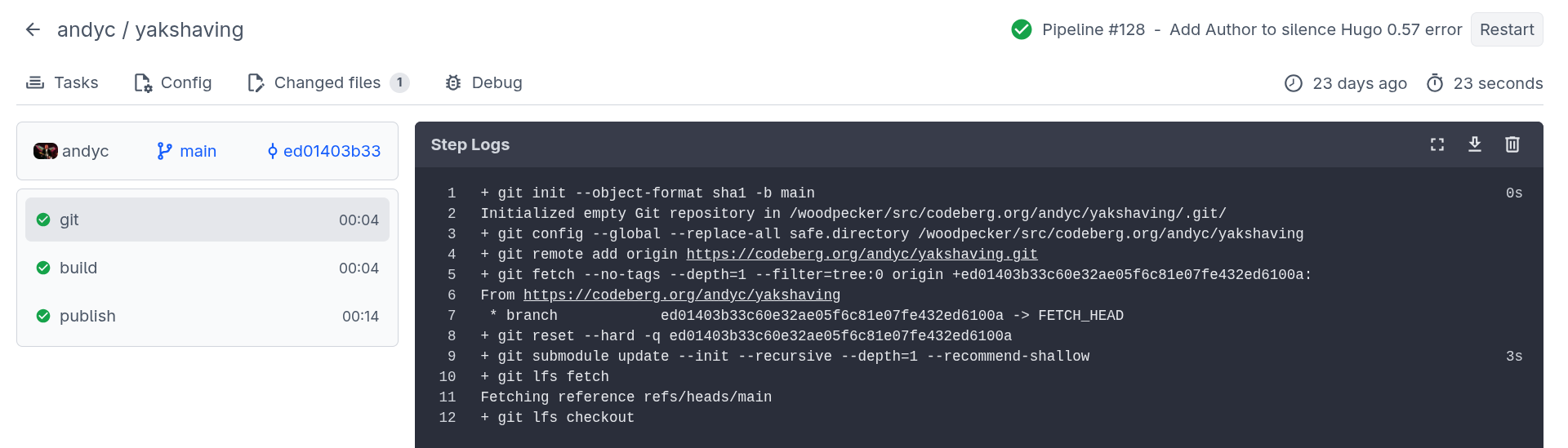
Code CI Blog Publish

I liked the Codeberg CI dashboard summary with traffic light icons indicating the success (failure) of each stage together with timing information and the ability to get detailed log information for each stage of the process.

The Codeberg publish process has three stages:

git

The initial 'git' stage fetches the latest changes from the Codeberg repository.

+ git init --object-format sha1 -b main
Initialized empty Git repository in /woodpecker/src/codeberg.org/andyc/yakshaving/.git/
+ git config --global --replace-all safe.directory /woodpecker/src/codeberg.org/andyc/yakshaving
+ git remote add origin https://codeberg.org/andyc/yakshaving.git
+ git fetch --no-tags --depth=1 --filter=tree:0 origin +ed01403b33c60e32ae05f6c81e07fe432ed6100a:
From https://codeberg.org/andyc/yakshaving
 * branch            ed01403b33c60e32ae05f6c81e07fe432ed6100a -> FETCH_HEAD
+ git reset --hard -q ed01403b33c60e32ae05f6c81e07fe432ed6100a
+ git submodule update --init --recursive --depth=1 --recommend-shallow
+ git lfs fetch
Fetching reference refs/heads/main
+ git lfs checkout

build

The 'build' stage builds the site using Hugo and includes the version of Hugo used by Codeberg (useful for debugging issues) and timing information.

+ hugo --minify
Start building sites …
hugo v0.154.5-a6f99+extended linux/amd64 BuildDate=2026-01-11T20:53:23Z
                  |  EN
------------------|-------
 Pages            | 1156
 Paginator pages  |  297
 Non-page files   |    0
 Static files     |  132
 Processed images |    0
 Aliases          |   61
 Cleaned          |    0
 Total in 2612 ms

publish

The 'publish' phase deploys the generated site to Codeberg pages into the 'pages' branch.

+ git config --global user.email $MAIL
+ git config --global user.name "Woodpecker CI"
+ git clone -b pages https://$CODEBERG_TOKEN@codeberg.org/$CI_REPO.git $CI_REPO_NAME
Cloning into 'yakshaving'...
+ cp -ar $HUGO_OUTPUT/. $CI_REPO_NAME/
+ cp .domains $CI_REPO_NAME || true
+ cd $CI_REPO_NAME
+ git add .
+ git commit -m "Woodpecker CI ed01403b33c60e32ae05f6c81e07fe432ed6100a"
[pages 292c34d1] Woodpecker CI ed01403b33c60e32ae05f6c81e07fe432ed6100a
 1388 files changed, 6483 insertions(+), 6483 deletions(-)
+ git push
remote:
remote: Create a new pull request for 'pages':
remote:   https://codeberg.org/andyc/yakshaving/compare/main...pages
remote:
To https://codeberg.org/andyc/yakshaving.git
   7c95fab3..292c34d1  pages -> pages

The final stage was to redirect my domain name from Namecheap to the Codeberg URL. Although, I was aware that the answer is always 'DNS', this configuration change was explained clearly in the Codeberg documentation and worked fine.

in praise of BlogMore

When Dave Pearson quietly announced a Python static site generator, I felt obliged to check it out.

I was immediately impressed by the default theme of BlogMore which was minimalist and not dissimilar from the Hugo PaperMod theme and the simplicity of write.as.

Blogmore also had many features built-in which are requirements (or wishlist items) on my blog migration checklist. For example, support for categories and tags with archives and search functionality (which works perfectly and is very quick).

My obsession with static site build time wasn't an issue either. Blogmore generated my site with over 1,000 posts in less than 4 seconds. That is for a full generation of the site (not incremental).

The documentation was also excellent, well written, clear and concise with sample code snippets and aimed at the end user (not experienced Python developers).

The source code to Blogmore and Dave's own site were published on GitHub which was helpful.

Now, as Dave himself freely admitted, Blogmore was an experiment to try to develop an SSG using Copilot. He was clearly aiming to satisfy his own requirements and had no plans to create a general purpose SSG to rival Pelican.

Dave did invite feedback though so I submitted a few issues (mainly enhancement requests). This was partly selfish as the issues mainly addressed gaps in my potential migration from Hugo but hopefully I tried to consider proposing enhancements that would be generally useful to make Blogmore a more attractive proposition for other potential users.

Dave was incredibly responsive and normally actioned requests within 24 hours. Plus the documentation and test suite was always updated to reflect the latest release.

It's probably common in software development but BlogMore's Release Notes even contained a 'BREAKING CHANGES' alert for changes that were not backwards compatible. A useful lesson for Hugo perhaps.

Things I like about Blogmore:

  • Single category, multiple tags.
  • Theme tightly integrated with the site generator.
  • Word cloud for tags and categories.
  • Archive pages broken down by date with counts.
  • Support for clean URL's.
  • Responsive UI- renders beautifully and fast on desktop, tablet and phone.
  • Timestamp formats are just intuitive and easy to understand.
  • Support for 'last modified' field in front-matter.
  • Support for Drafts.
  • Support for footnotes.
  • Support for Table of Contents.
  • Configurable side bar.
  • RSS and Atom feeds available out of the box.
  • Live preview of new and modified posts.
  • Markdown based
  • Flexible code highlighting styles (Pygments).
  • Fast build speed.
  • Python based.
  • Excellent, well written end user documentation (including release notes).
  • Packaged with uv. Easy to upgrade.
  • Handy statistics page.
  • Sitemap support out of the box.
  • Optional minification of HTML, JavaScript and CSS.
  • The quality of the software and pace of development. Dave only created BlogMore in February 2026 and has made 40 releases since then.
  • Number of breakages in the period - zero.
  • Dave's useful Emacs snippets to create posts.
  • Potential for additional CSS customisation and user defined themes.
  • Blogmore publish command. I use Codeberg (not GitHub) but once the overhaul to Codeberg pages is complete this command should work.

If you're contemplating migrating your site to a static site generator, I'd certainly recommend considering BlogMore and trying it out.

reflections on Hugo, GitHub and Netlify

Three years ago I moved my Hugo blog to GitHub Pages and Netlify.

When this end to end process worked successfully, this was brilliant. However, at times, the automated deployment did feel like the game of Mousetrap where a silver ball was released and then proceeded to traverse helter skelters, ride up and down on see-saws, descend zig-zag staircases, cross bridges, trigger catapults, release levers and conquer various hazards before finally launching a bucket to capture a little plastic mouse.

By using GitHub pages and Netlify, I had introduced yet more complexity into the blog publishing process.

Then I decided to add yet another layer of complexity by composing posts in Emacs using Org Mode and using ox-hugo to convert posts to Markdown format.

For the most part, this worked fine which was satisfying and I congratulated myself on my technical wizardry.

However, Hugo occasionally broke after yet another update. Locating and resolving the root cause of these errors was problematic (for me) as the Hugo release notes are very technical and IMHO primarily aimed at Go and/or theme developers. There is hardly ever any section describing breaking (i.e. non backwards compatible) changes or user visible changes.

A random example from the most recent Hugo release (v0.159.0)

This release greatly improves and simplifies management of Node.js/npm dependencies in a multi-module setup.
Replace deprecated site.Data with hugo.Data in tests.
Replace deprecated excludeFiles and includeFiles with files in tests.
Replace deprecated :filename with :contentbasename in the permalinks test.

Failure could be caused by a variety of multiple potential issues.

  1. Was there an error generating the Markdown from the Org Mode source ?
  2. Did Hugo work locally and generate the HTML for the site successfully ? This was normally the most frequent reason for the failure. An Arch update would often update the Hugo package and Hugo updates were quite frequent.
  3. Did the PaperMod theme need updating to reflect the most recent changes in Hugo ?
  4. Do other popular Hugo themes (Ananke) function without any issues ?
  5. Assuming the local Hugo site works, did the push to GitHub work ? Check the recent updates to the GitHub repository.
  6. Did Netlify then get triggered correctly by the GitHub updates?
  7. Did the Hugo build process complete successfully on Netlify ? What version of Hugo is Netlify using ? Is this identical (or compatible) with the locally installed version of Hugo ?

After yet another issue following a Hugo upgrade, I got increasingly frustrated with this frictionless blogging process that was anything but. I was now spending more time fixing my static (sic), unchanged blog instead of writing any new posts.

Once again, I started to consider using an alternative static site generator. After all, I already had migrated my content to each of the popular SSG's I evaluated last year.

My mind was made up. I was going to do it. Just a question of selecting an SSG and actually doing it.

And then Dave Pearson came along and spoiled everything by creating BlogMore...